
Introduction
Thank you for choosing the OFNEX X19 Wireless Earbuds. This manual provides detailed instructions on how to set up, operate, and maintain your earbuds to ensure optimal performance and longevity. Please read this manual thoroughly before using the product.

Figure 1: OFNEX X19 Wireless Earbuds and Charging Case.
What's in the Box
Verify that all items are present in your package:
- Wireless Charging Case
- USB-C Cable
- Eartips (various sizes: XS, S, M, L)
- Earbuds (Left and Right)
- User Manual (this document)

Figure 2: Package Contents of the OFNEX X19.
Product Features
- Extended Playtime: Up to 8 hours on a single charge, and a total of 90 hours with the charging case.
- Flexible Charging: Supports both USB-C cable charging and Qi-certified wireless charging.
- Dual LED Power Display: Built-in display shows battery status for both the charging case and individual earbuds.
- Active Noise Cancellation (ANC): Advanced ANC technology to minimize ambient noise for clear audio and calls.
- Hi-Fi Stereo Audio: Equipped with 14.2mm dual-chamber speaker drivers for crisp, balanced sound with deep bass.
- Enhanced Call Clarity: Two exclusive built-in microphones improve voice clarity during phone conversations.
- Secure & Comfortable Fit: Ergonomic design with flexible ear hooks and four sizes of rubber ear tips (XS, S, M, L) for a secure and fatigue-free fit, ideal for sports.
- IPX7 Waterproof Rating: Provides protection against water droplets and sweat, suitable for workouts and outdoor activities.
- Bluetooth 5.3: Ensures faster transfer speeds, stable connection, and synchronized audio/video with minimal delay.
- Automatic Quick Pairing: Earbuds automatically connect to the last paired device when taken out of the case.
- Independent Volume Controls: Each earbud features separate multi-function and volume buttons for comprehensive control.
- One-key Reset: A dedicated reset button on the charging case simplifies restoring factory settings.
Setup
1. Initial Charging
Before first use, fully charge the earbuds and the charging case.
- Place both earbuds into the charging case.
- Connect the provided USB-C cable to the charging case and a power source (e.g., wall adapter, computer USB port).
- Alternatively, place the charging case on a Qi-certified wireless charging pad (not included).
- The LED display on the case will indicate charging status. Ensure both earbuds and the case are fully charged before proceeding.

Figure 3: Charging the OFNEX X19 Earbuds Case.
2. Pairing with Your Device
The earbuds use Bluetooth 5.3 for a stable and quick connection.
- Open the charging case. The earbuds will automatically enter pairing mode.
- On your device (smartphone, tablet, computer), go to Bluetooth settings.
- Search for available devices and select "X19" from the list.
- Once connected, you will hear a confirmation prompt, and the earbuds will be ready for use.
- For subsequent uses, the earbuds will automatically connect to the last paired device when taken out of the case.
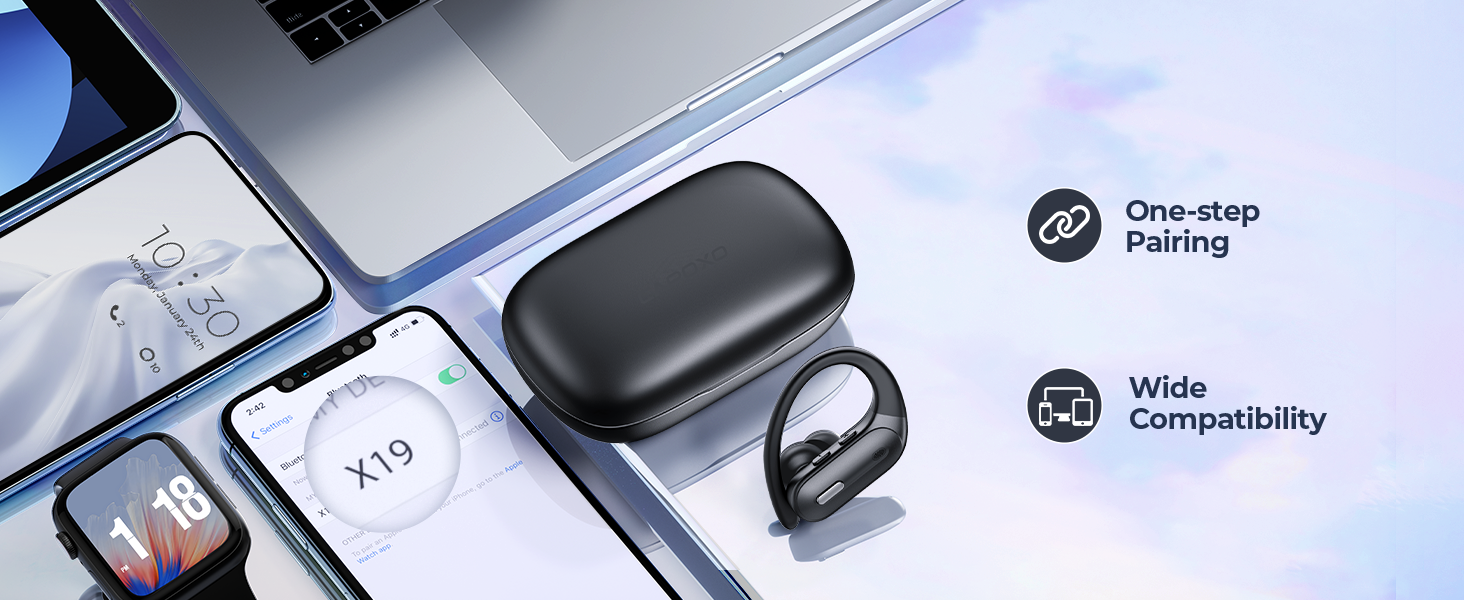
Figure 4: Automatic Quick Pairing.
Operating Instructions
Wearing the Earbuds
Choose the correct size of eartips for a comfortable and secure fit. The ear hooks are designed to fit over your ears for stability, especially during physical activity.
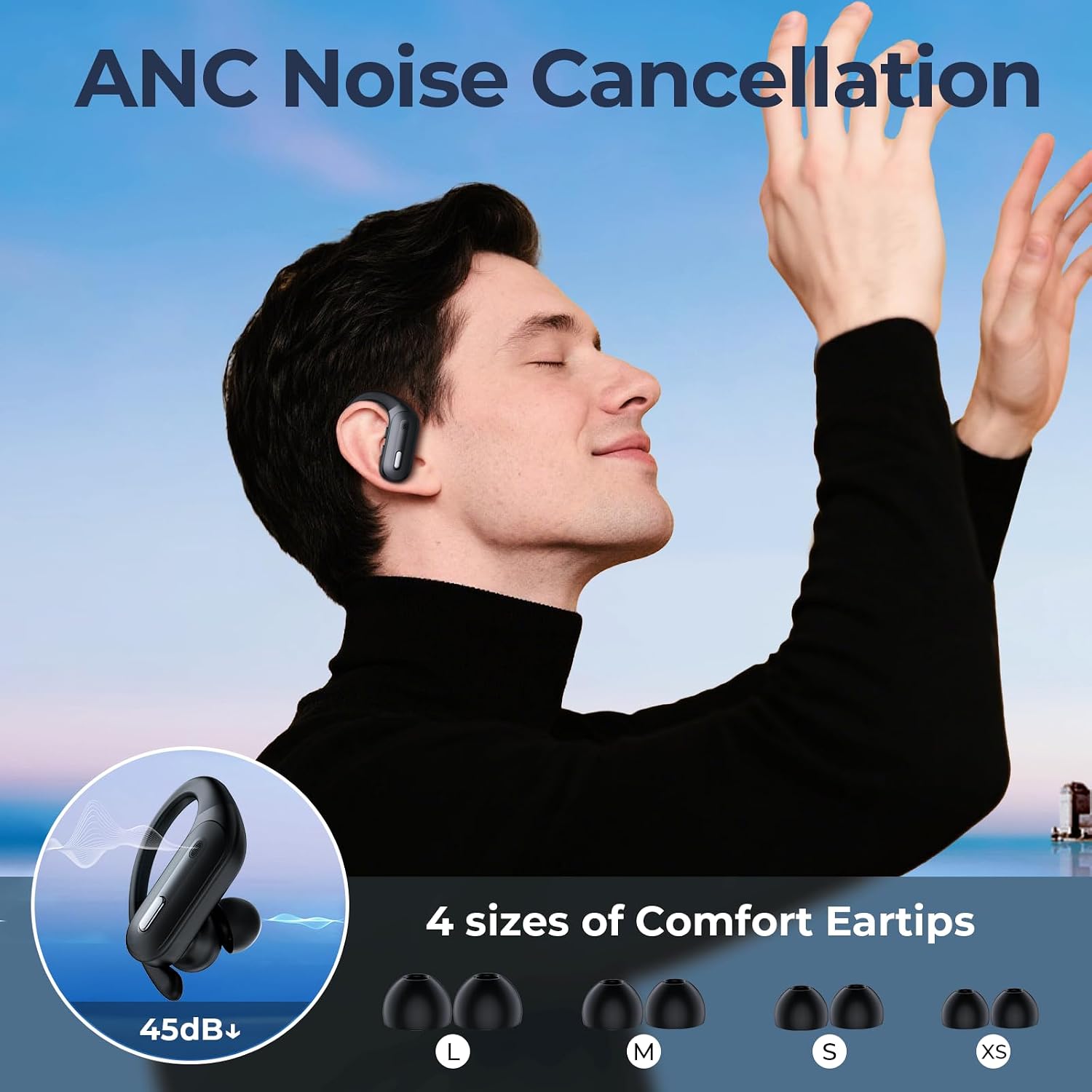
Figure 5: Proper Earbud Fit and Eartip Selection.
Controls
Each earbud has independent controls for music playback, call management, and voice assistant activation. The control buttons are located on the top of each earbud.
| Action | Function |
|---|---|
| Single Press (Left/Right) | Play/Pause Music, Answer/End Call |
| Double Press (Left) | Previous Track |
| Double Press (Right) | Next Track |
| Press and Hold (Left) | Volume Down |
| Press and Hold (Right) | Volume Up |
| Triple Press (Left/Right) | Activate Voice Assistant (Siri, Google Assistant) |
| Press and Hold (Incoming Call) | Reject Call |

Figure 6: Earbud Control Functions.
Active Noise Cancellation (ANC)
The X19 earbuds feature Active Noise Cancellation to reduce ambient noise. This feature is automatically active when the earbuds are in use. For optimal performance, ensure a snug fit.
Single Earbud Mode
You can use either the left or right earbud independently. Simply take one earbud out of the case, and it will connect to your device. The controls for the single earbud remain active.

Figure 7: Single and Dual Earbud Usage.
Maintenance
- Cleaning: Regularly clean the earbuds and charging case with a soft, dry, lint-free cloth. Do not use abrasive cleaners or solvents.
- Eartips: Remove eartips and clean them with mild soap and water if necessary. Ensure they are completely dry before reattaching.
- Storage: When not in use, store the earbuds in their charging case to protect them and keep them charged. Store in a cool, dry place away from extreme temperatures.
- Water Exposure: While IPX7 rated, avoid prolonged submersion in water. Dry the earbuds thoroughly if they get wet before placing them back in the charging case.
Troubleshooting
| Problem | Possible Solution |
|---|---|
| Earbuds not pairing/connecting. |
|
| Only one earbud working. |
|
| Low volume or poor sound quality. |
|
| Charging case not charging. |
|
One-key Reset
If you experience persistent issues, you can reset the earbuds to their factory settings:
- Place both earbuds into the charging case.
- Locate the reset button inside the charging case (usually a small button near the earbuds).
- Press and hold the reset button for approximately 10 seconds until the LED indicators on the earbuds flash, indicating a successful reset.
- After resetting, you will need to re-pair the earbuds with your device.

Figure 8: One-key Reset Button Location.
Specifications
| Feature | Detail |
|---|---|
| Model Name | X19 |
| Connectivity Technology | Wireless (Bluetooth 5.3) |
| Playtime (Earbuds) | Up to 8 hours |
| Total Playtime (with Case) | Up to 90 hours |
| Charging | USB-C, Wireless (Qi-certified) |
| Waterproof Rating | IPX7 |
| Speaker Driver Unit | 14.2 mm |
| Control Type | Button Control |
| Material | Plastic |
| Item Weight | 5.3 ounces |
| Manufacturer | OFNEX |
Warranty and Support
OFNEX is committed to providing high-quality products and customer satisfaction. If you encounter any issues with your X19 Wireless Earbuds, please contact our after-sale support team. We offer a 365-day free return policy and are dedicated to helping you resolve any problems, including replacements or full refunds if you are not satisfied.
For support, please visit the OFNEX store on Amazon or contact us through the Amazon platform.

Figure 9: OFNEX Customer Support Information.

