
1. Introduction
This manual provides detailed instructions for the installation, operation, and maintenance of your Zephyr Siena ZSI-E30D Wall Mounted Range Hood. Please read this manual thoroughly before installation and use to ensure proper function and safety. Keep this manual for future reference.
The Zephyr Siena ZSI-E30D is a 30-inch wide wall-mounted range hood crafted from stainless steel, featuring a powerful 650-CFM blower with Airflow Control Technology (ACT™), dual-level LumiLight LED lighting with TruHue™ technology, and ICON Touch® LCD controls. It is designed to efficiently remove cooking fumes and odors from your kitchen environment.

Image 1: Front view of the Zephyr Siena ZSI-E30D Wall Mounted Range Hood.
2. Important Safety Information
WARNING: To reduce the risk of fire, electric shock, or injury to persons, observe the following:
- Installation work and electrical wiring must be done by qualified person(s) in accordance with all applicable codes and standards, including fire-rated construction.
- Sufficient air is needed for proper combustion and exhausting of gases through the flue (chimney) of fuel-burning equipment to prevent back-drafting.
- When cutting or drilling into wall or ceiling, do not damage electrical wiring and other hidden utilities.
- Ducted fans must always be vented to the outdoors.
- Always disconnect power from the circuit breaker before servicing.
- This unit is intended for residential use only.
CAUTION:
- For general ventilating use only. Do not use to exhaust hazardous or explosive materials and vapors.
- To avoid motor bearing damage and noisy and/or unbalanced impellers, keep drywall spray, construction dust, etc. off power unit.
- Never leave surface units unattended at high settings. Boilovers cause smoking and greasy spillovers that may ignite.
- Always use appropriate size cookware on each surface burner.
3. Setup and Installation
The Zephyr Siena ZSI-E30D range hood is designed for wall-mounted installation. It can be configured for either ducted or ductless (recirculating) operation. Professional installation is recommended due to the complexity of the process.
3.1 Unboxing and Components
Carefully unbox the range hood and identify all components. Ensure all parts are present before beginning installation.
Video 1: This video demonstrates the unboxing and initial assembly steps for a wall-mounted range hood. Please note this video is for illustrative purposes and may not represent the exact Zephyr Siena ZSI-E30D model.
3.2 Preparing for Installation
- Measure and Mark: Use the provided mounting template (if included) to mark the drilling points on the wall. Ensure the measurements are accurate for proper alignment.
- Drill Holes: Drill pilot holes at the marked locations.
- Insert Wall Anchors: Gently tap wall anchors into the drilled holes using a rubber mallet.
- Install Mounting Bracket: Secure the mounting bracket to the wall using screws, ensuring it is level and firmly attached.
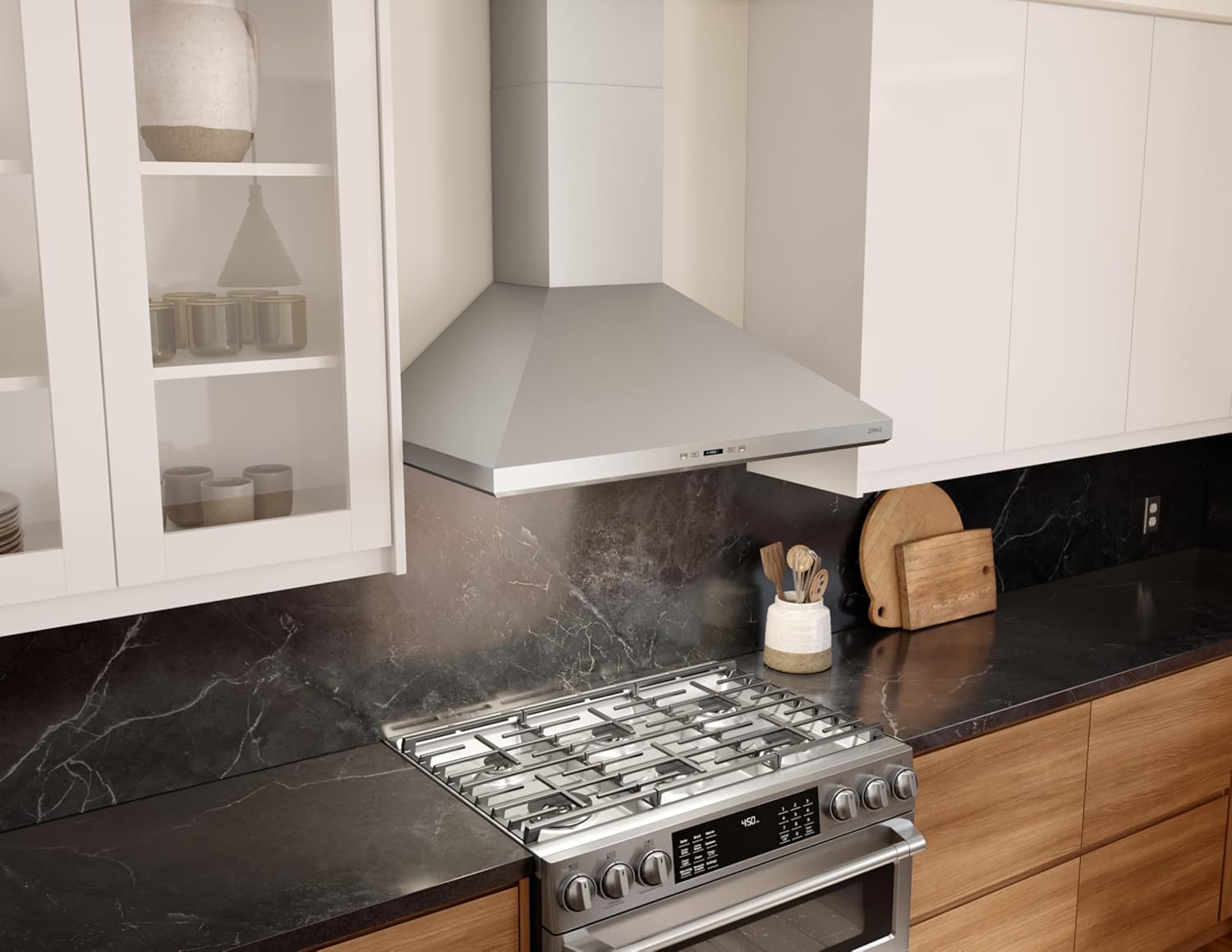
Image 2: The Zephyr Siena ZSI-E30D range hood seamlessly integrated into a modern kitchen setting.
3.3 Mounting the Range Hood
- Carefully lift the range hood and align it with the wall mounting bracket.
- Secure the range hood to the bracket.
- Connect the flexible ducting to the range hood's exhaust outlet and extend it to the ceiling or wall vent. Ensure all connections are sealed to prevent air leaks.
- Install the chimney sections, sliding them into place and securing them with screws.
4. Operating Instructions
The Zephyr Siena ZSI-E30D features intuitive ICON Touch® LCD controls for easy operation.
4.1 Control Panel Overview
Image 3: Close-up of the touch control panel with LED display for fan speed, timer, and lighting.
- Power Button: Turns the unit on/off.
- Fan Speed Controls: Adjusts the fan speed (multiple levels available). The unit features Airflow Control Technology (ACT™) for precise control.
- Light Controls: Activates and adjusts the LumiLight LED lighting. The dual-level lighting with TruHue™ technology allows for adjustment to match your kitchen's primary lighting.
- Timer Function: Sets a timed operation for the fan.
5. Maintenance
Regular maintenance ensures optimal performance and longevity of your range hood.
5.1 Cleaning the Filters
The range hood is equipped with baffle filters that capture grease and particles. These filters should be cleaned regularly, depending on cooking frequency.
- Remove Filters: Locate the release latches on the filters and gently pull them down to remove.
- Cleaning: The baffle filters are dishwasher-safe. Alternatively, they can be washed by hand using hot water and a mild detergent. Ensure they are completely dry before reinstallation.
- Reinstall Filters: Slide the clean, dry filters back into their slots until they click into place.
Video 2: This video demonstrates the removal and cleaning process for baffle filters. Please note this video is for illustrative purposes and may not represent the exact Zephyr Siena ZSI-E30D model.
5.2 Exterior Cleaning
Clean the stainless steel exterior with a soft cloth and a non-abrasive stainless steel cleaner. Always wipe in the direction of the grain to prevent scratching.
6. Troubleshooting
Before contacting customer service, please refer to the following common issues and solutions:
| Problem | Possible Cause | Solution |
|---|---|---|
| Range hood does not turn on. | No power, circuit breaker tripped, loose connection. | Check power supply, reset circuit breaker, ensure all connections are secure. |
| Poor suction performance. | Clogged filters, improper ducting, fan speed too low. | Clean or replace filters, check ductwork for obstructions or leaks, increase fan speed. |
| Excessive noise during operation. | Loose parts, motor imbalance, improper installation. | Check for loose components, ensure proper installation, contact qualified technician if noise persists. |
| Lights not working. | Bulb failure, loose wiring, power issue. | Check bulbs and replace if necessary, inspect wiring, verify power supply. |
7. Specifications
| Feature | Detail |
|---|---|
| Brand | Zephyr |
| Model Number | ZSI-E30D |
| Material | Stainless Steel |
| Mounting Type | Wall Mount |
| Air Flow Capacity | 650 Cubic Feet Per Minute (CFM) |
| Controls Type | Touch (ICON Touch® LCD) |
| Light Source Type | LED (LumiLight with TruHue™ technology) |
| Voltage | 120 Volts |
| Wattage | 480 watts |
| Filter Type | Baffle |
| Ventilation Type | Ducted/Vented (Recirculating option available) |
| Item Weight | 51.1 Pounds |
| Product Dimensions | 1 x 1 x 1 inches (Refer to detailed diagrams for actual dimensions) |
| Special Features | Airflow Control Technology, TruHue LED Lighting, ICON Touch Controls |
| UPC | 646328012297 |
8. Warranty Information
For detailed warranty information, please refer to the official warranty documentation included with your product or visit the Zephyr official website. Keep your proof of purchase for warranty claims.
9. Customer Support
If you have any questions, require technical assistance, or need to order replacement parts, please contact Zephyr customer support. Refer to the official Zephyr website for contact details and service hours.


