
1. Introduction
This manual provides comprehensive instructions for the safe and effective installation, operation, and maintenance of your ROCKPOINT Stainless Steel Wall Mount Shelf. Please read this manual thoroughly before installation and retain it for future reference. This product is designed for various applications, including commercial kitchens, restaurants, homes, and hotels.
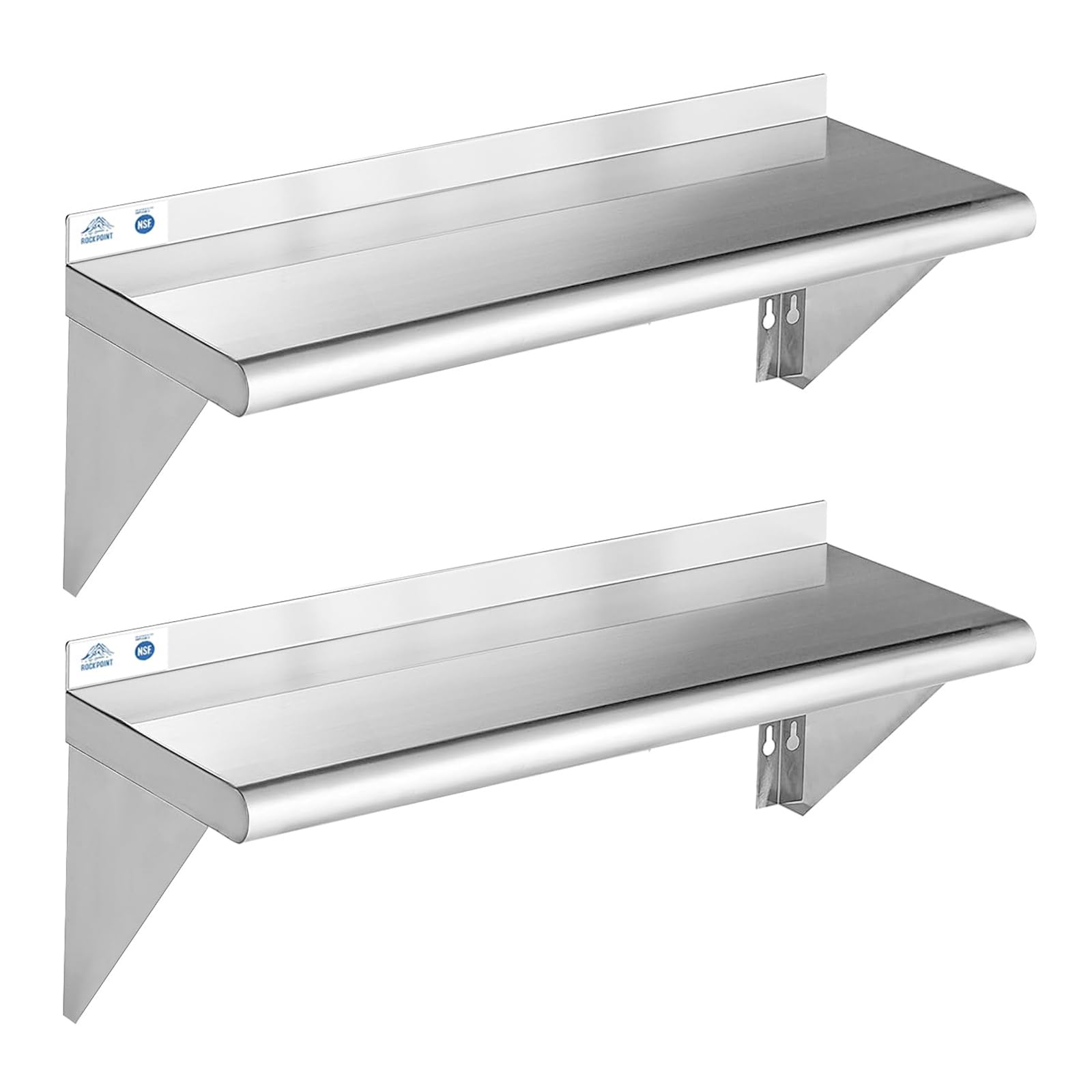
Figure 1: Overview of the ROCKPOINT Stainless Steel Wall Mount Shelf with key dimensions and weight capacity.
2. Safety Information
- Ensure the wall structure is capable of supporting the shelf's weight and the maximum intended load (up to 240 lbs).
- Use appropriate mounting hardware for your specific wall type (e.g., studs, concrete, drywall anchors). Hardware is included, but additional specialized hardware may be required.
- The shelf features an arc-shaped triangular bracket and rounded edges to prevent cuts and enhance safety during handling and use.
- Do not exceed the maximum weight capacity of 240 lbs (108.86 kg). Overloading can cause damage to the shelf or wall, leading to injury.

Figure 2: Detail of the arc-shaped triangular bracket and rounded edge for user safety.
3. Package Contents
Verify that all components are present and undamaged before beginning installation.
- Stainless Steel Shelf (2 units)
- Support Brackets (4 units)
- Mounting Hardware (screws, anchors)
4. Setup & Installation
The ROCKPOINT Stainless Steel Shelf requires minimal assembly. Follow these steps for proper wall mounting:
- Select Location: Choose a suitable wall location, ensuring it is structurally sound and free from electrical wires or plumbing.
- Mark Mounting Points: Hold the shelf against the wall at the desired height and use a pencil to mark the positions for the support brackets. Ensure the marks are level.
- Drill Pilot Holes: Drill pilot holes at the marked locations. The size of the drill bit will depend on the type of wall and the included mounting hardware.
- Install Brackets: Secure the support brackets to the wall using the provided hardware. Ensure they are firmly attached and level.
- Attach Shelf: Place the stainless steel shelf onto the installed brackets. The shelf is designed for easy attachment to the brackets.

Figure 3: Product details illustrating the backsplash, rounded edge, and bracket attachment points for easy assembly.
5. Operation & Usage
The ROCKPOINT Stainless Steel Shelf is designed for versatile storage in various environments.
- Weight Capacity: Each shelf can support up to 240 lbs (108.86 kg). Distribute weight evenly across the shelf surface.
- Applications: Suitable for commercial kitchens, restaurants, bars, garages, laundry rooms, and home kitchens. It can store heavy items such as microwaves, ovens, and various supplies.
- Space Saving: This floating shelf design maximizes vertical storage space, helping to keep your workspace tidy and organized.

Figure 4: Examples of the shelf's application in different settings.
6. Maintenance & Care
To ensure the longevity and hygiene of your stainless steel shelf, follow these care instructions:
- Cleaning: Wipe the shelf with a dry cloth. For more thorough cleaning, use a mild detergent and water, then dry immediately to prevent water spots.
- Avoid Abrasives: Do not use abrasive cleaners, scouring pads, or steel wool, as these can scratch the stainless steel surface.
- Regular Inspection: Periodically check the mounting hardware for tightness and ensure the shelf remains securely attached to the wall.

Figure 5: The shelf is NSF certified and designed for easy cleaning.
7. Troubleshooting
If you encounter any issues with your ROCKPOINT Stainless Steel Shelf, consider the following:
- Shelf Not Level: Recheck the mounting points and bracket installation. Adjust as necessary to ensure the shelf is perfectly level.
- Shelf Feels Unstable: Verify that all mounting hardware is securely tightened and that the wall structure is adequate for the load. Ensure the brackets are correctly engaged with the shelf.
- Difficulty Cleaning: For stubborn stains, use a stainless steel cleaner specifically designed for kitchen surfaces, following the product's instructions.
8. Specifications
| Feature | Specification |
|---|---|
| Model Number | HX2025-84 |
| Material | 18-gauge Type 430 Stainless Steel Metal |
| Dimensions (D x W x H) | 25.4D x 91.4W x 27.2H Centimetres (10"D x 36"W x 10.7"H) |
| Weight Capacity | 240 Pounds (108.86 kg) |
| Mounting Type | Wall Mount |
| Number of Shelves | 2 |
| Finish Type | Brushed |
| Special Features | Durable, Heavy Duty, Space Saving, Waterproof, Backsplash, Rounded Edges, NSF Certified |
| Assembly Required | Yes (Minimal) |
| Included Components | Hardware |
9. Warranty & Support
ROCKPOINT is committed to providing quality products and customer satisfaction. While specific warranty details are not provided in this document, we offer customer support for any inquiries or issues you may encounter.
For assistance, please contact our customer service team. We aim to provide a response within 24 hours to address your concerns.
Please have your model number (HX2025-84) and purchase information ready when contacting support.