
1. Safety Information
Please read this manual thoroughly before operating your BLUVALL Electric Bicycle. Failure to follow safety instructions may result in serious injury or damage to the product. Always wear a helmet and appropriate safety gear when riding. Ensure all components are correctly assembled and secured before each use.
- Always wear a certified helmet.
- Perform a pre-ride inspection before each use.
- Familiarize yourself with local e-bike regulations.
- Do not ride under the influence of alcohol or drugs.
- Be aware of your surroundings and traffic.
2. Product Overview
The BLUVALL 2000W 26-inch Fat Tire Electric Bicycle is designed for adults seeking a powerful and versatile e-bike for various terrains. It features dual motors, a high-capacity battery, and full suspension for a comfortable and exhilarating ride.
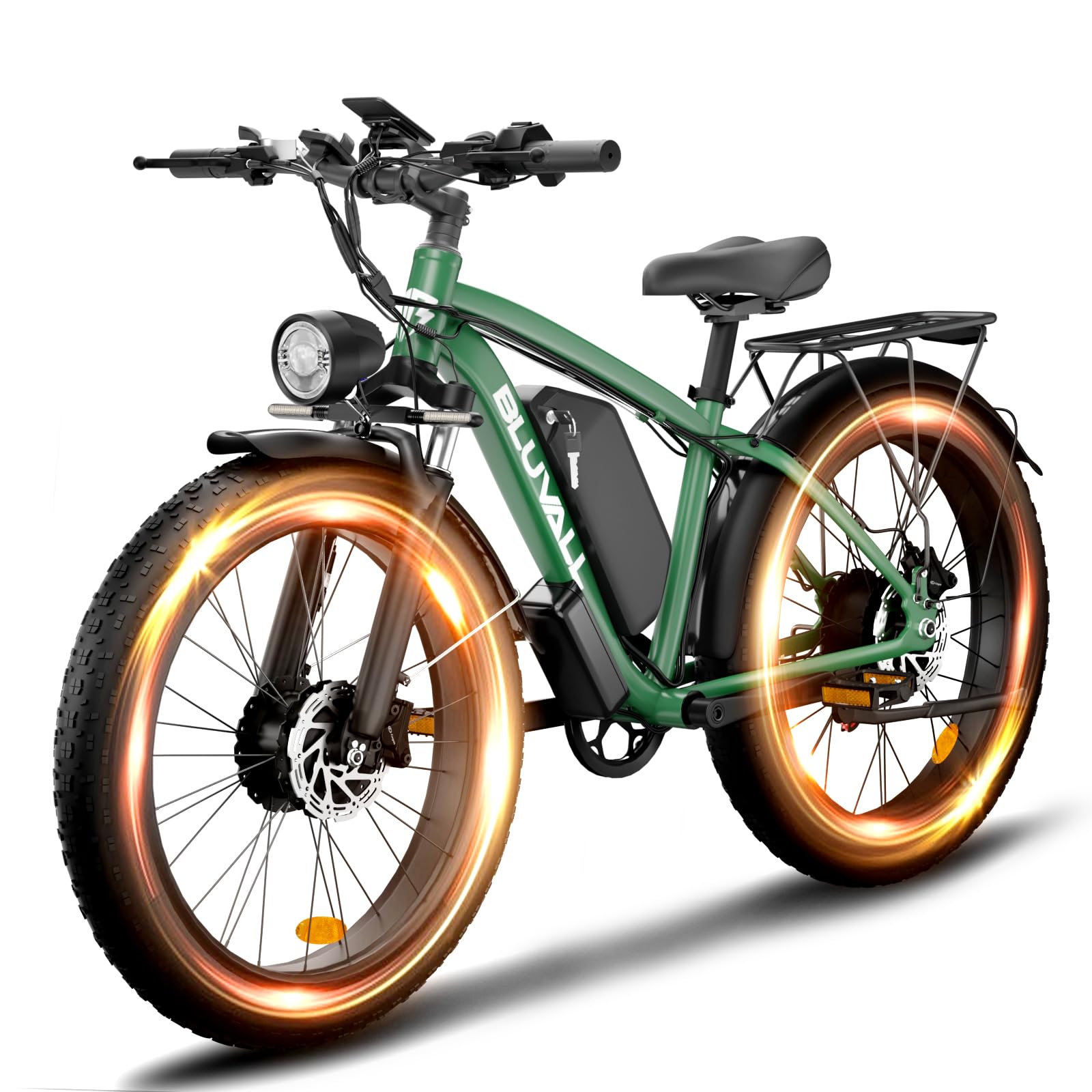
Figure 1: Overview of the BLUVALL 2000W 26-inch Fat Tire Electric Bicycle.
Key Features:
- Dual 2000W Motors: Powerful front and rear motors for enhanced performance.
- 48V 22.4Ah Removable Battery: Provides extended range and easy charging.
- 26" x 4.0" Fat Tires: Offers superior traction and stability on diverse terrains.
- Full Suspension: Lockout front fork and spring-saddle design for a smooth ride.
- Hydraulic Disc Brakes: Ensures reliable stopping power in all conditions.
- 7-Speed Gear System: Adaptable to various riding conditions.
- 5 Riding Modes: Versatile options including pure electric, pedal assist, and cruise mode.

Figure 2: Detailed view of the e-bike's display, high lumen light, full-covered fenders, solid rear rack, Shimano 7-speed gears, and multi-mode rear light.
3. Setup and Assembly
Your BLUVALL Electric Bicycle arrives mostly assembled. Follow these steps to complete the setup.
3.1 Unboxing and Initial Inspection
Carefully remove the bicycle and all components from the packaging. Inspect for any signs of damage during transit. Retain packaging for future transport or returns.
Video 1: K800 Unboxing and Assembly Tutorial. This video demonstrates the unboxing process and step-by-step assembly of the electric bicycle, including attaching the handlebars, seat, pedals, fenders, and lights.
3.2 Handlebar Installation
- Remove the protective cap from the stem.
- Align the handlebar with the stem and secure it using the provided bolts and Allen wrench. Ensure the brake levers and shifter are in comfortable positions.
3.3 Seat Post and Saddle Installation
- Insert the seat post into the frame's seat tube.
- Adjust the saddle height to a comfortable riding position, ensuring your feet can touch the ground when stopped.
- Secure the seat post with the quick-release lever or bolt.
3.4 Front Wheel Installation
- Carefully lift the front of the bike.
- Align the front wheel axle with the fork dropouts. Ensure the brake rotor slides correctly into the brake caliper.
- Secure the wheel using the axle nuts or quick-release mechanism.
- Connect the front motor cable securely.
3.5 Pedal Installation
- Identify the 'L' (left) and 'R' (right) markings on the pedals.
- Thread the 'L' pedal counter-clockwise into the left crank arm.
- Thread the 'R' pedal clockwise into the right crank arm.
- Tighten both pedals firmly with a wrench.
3.6 Fender and Light Installation
- Attach the front fender to the fork using the provided hardware.
- Mount the headlight to the front fork or handlebar as designed and connect its power cable.
- Attach the rear fender and rear rack (if included) to the frame's mounting points.
- Secure the rear light to the rear rack or seat post and connect its power cable.
3.7 Battery Installation
- Insert the 48V 22.4Ah battery into its designated slot on the frame.
- Ensure it clicks securely into place. Use the key to lock the battery if applicable.

Figure 3: Close-up of the 48V 22.4AH battery, highlighting its BMS Power Saving and IP65 Waterproof features.
4. Operating Instructions
Understand the various modes and controls to maximize your riding experience.
4.1 Powering On/Off
Press and hold the power button on the display to turn the e-bike on or off.
4.2 Riding Modes
Your BLUVALL E-Bike offers 5 versatile riding modes:
- Dual Motor Pure Electric Mode: Provides maximum power from both motors without pedaling.
- Single Motor Pure Electric Mode: Uses one motor for electric propulsion without pedaling.
- Pedal Assist Mode (PAS): The motor provides assistance as you pedal. There are 5 levels of pedal assist, allowing you to switch between speeds of 12/18/24/29/35 mph depending on battery charge, load, and road conditions.
- Cruise Mode: Maintains a set speed without continuous throttle input.
- Bike Mode: Functions as a traditional bicycle with no motor assistance.
Video 2: K800 Display and Pedal Assist Levels. This video demonstrates how to change pedal assist levels (0-5) and shows the speed readings on the e-bike's display.
4.3 Shifting Gears
Use the Shimano 7-speed shifter on the handlebar to change gears according to terrain and desired speed. Coordinate gear changes with pedal assist levels for optimal efficiency.
4.4 Braking
The e-bike is equipped with dual hydraulic disc brakes. Apply both brake levers gently and evenly to slow down or stop. Avoid sudden, hard braking, especially at high speeds or on loose surfaces.

Figure 4: Illustration of the e-bike's front and rear hydraulic disc brakes, emphasizing their safety and responsiveness.
5. Maintenance
Regular maintenance ensures the longevity and optimal performance of your BLUVALL Electric Bicycle.
5.1 Battery Care and Charging
- Charge the 48V 22.4Ah battery fully before the first ride.
- A full charge takes approximately 8-9 hours.
- Use only the charger provided by BLUVALL.
- Do not overcharge or completely drain the battery.
- Store the battery in a cool, dry place, away from direct sunlight and extreme temperatures.
5.2 Tire Maintenance
The 26" x 4.0" fat tires require proper inflation for performance and safety. Check tire pressure regularly and inflate to the recommended PSI indicated on the tire sidewall.
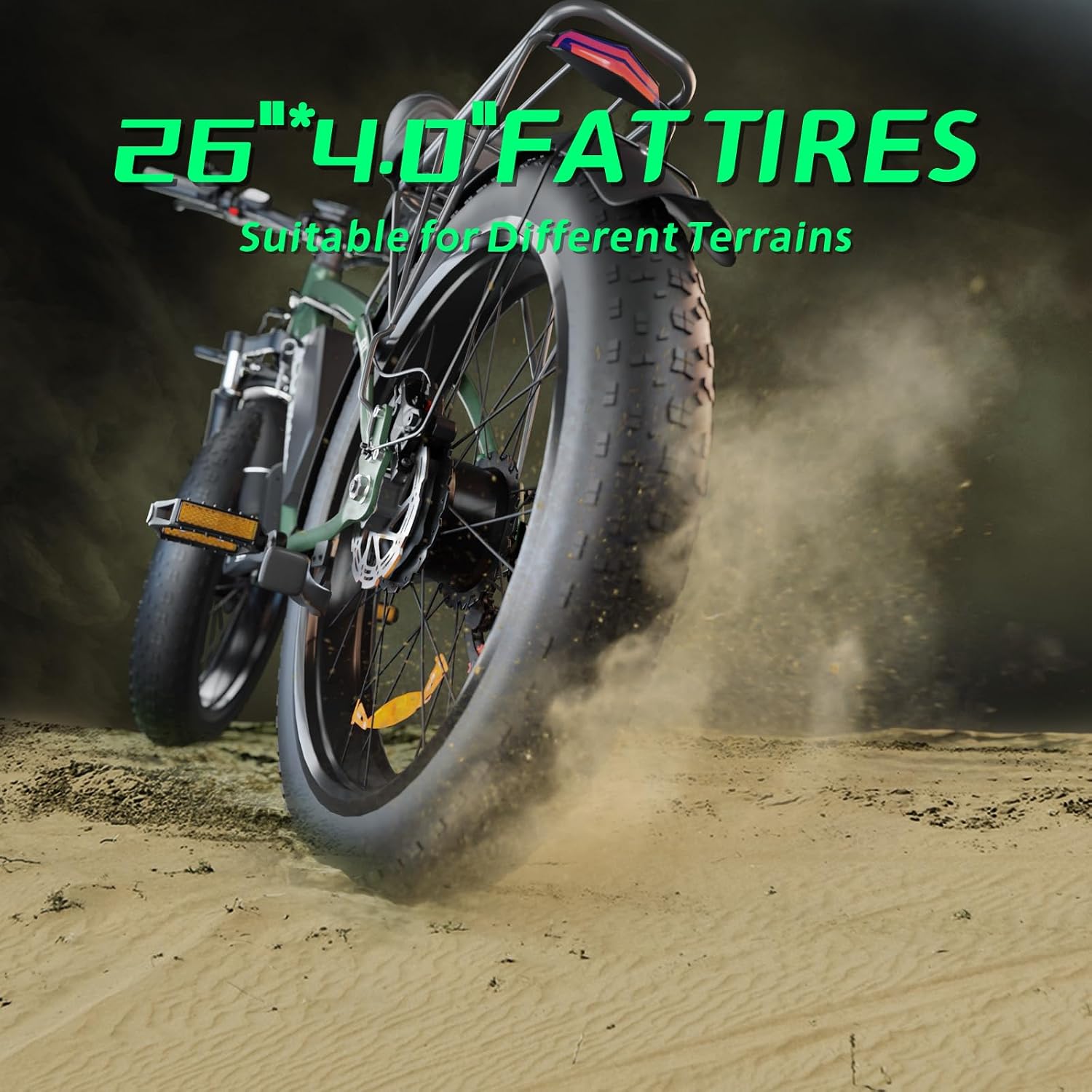
Figure 5: Close-up of the 26" x 4.0" fat tires, designed for various terrains.
5.3 Brake System
Regularly inspect the hydraulic disc brakes for wear on the pads and rotors. Ensure brake levers are responsive and cables are free from damage. Consult a professional for brake adjustments or replacements.
5.4 General Cleaning and Storage
- Clean the e-bike with a damp cloth and mild soap. Avoid high-pressure washing, especially near electrical components.
- Lubricate the chain regularly.
- Store the e-bike in a dry, secure location, preferably indoors, to protect it from weather elements.
6. Troubleshooting
This section addresses common issues you might encounter with your BLUVALL Electric Bicycle.
- No Power: Check if the battery is fully charged and properly seated. Ensure the power button is pressed correctly.
- Motor Not Assisting: Verify that pedal assist mode is active and not set to '0'. Check all motor cable connections.
- Brakes Squealing: This can be normal for new disc brakes. If persistent, check for contamination on rotors or pads, or worn pads. Professional adjustment may be needed.
- Unusual Noises: Inspect for loose components, chain issues, or debris caught in moving parts.
For issues not listed here or if troubleshooting steps do not resolve the problem, please contact BLUVALL customer support.
7. Specifications
| Feature | Specification |
|---|---|
| Brand | BLUVALL |
| Model Name | B1-SQ-Green |
| Bike Type | Electric Bike |
| Motor Power | 2000W (Dual Front & Rear Motors) |
| Battery | 48V 22.4Ah Removable Lithium-ion |
| Charging Time | 8-9 hours |
| Max Speed | Up to 35 mph |
| Range (Pedal Assist) | 50-75 miles |
| Range (Pure Electric) | 24-31 miles |
| Tire Size | 26" x 4.0" Fat Tires |
| Frame Material | Aluminum |
| Suspension | Dual (Lockout Front Fork, Spring-Saddle) |
| Brake Style | Hydraulic Disc Brakes |
| Number of Speeds | 7-Speed |
| Included Components | Mudguard |

Figure 6: Illustration of the e-bike's dual 48V 2000W brushless geared motors.
8. Warranty and Support
8.1 Warranty Information
The BLUVALL Electric Bicycle comes with a 1-Year Manufacturer Warranty. This warranty covers defects in materials and workmanship under normal use. Please retain your proof of purchase for warranty claims. The warranty does not cover damage due to misuse, accidents, unauthorized modifications, or normal wear and tear.
8.2 Customer Support
For technical assistance, warranty claims, or any questions regarding your BLUVALL Electric Bicycle, please contact our customer support team:
- Email: support@bluvall.com
- Phone: 1-800-BLUVALL (placeholder)
- Website: www.bluvall.com/support (placeholder)