
1. Product Overview
The Cooler Master NCORE 100 Air is a compact and high-performance Mini-ITX PC tower case designed for both space efficiency and powerful computing. Its minimalist design and small footprint make it suitable for various setups, accommodating modern high-end components while ensuring optimal thermal performance.

Figure 1.1: Cooler Master NCORE 100 Air PC Tower Case
Key Features:
- Ultra-Small Footprint: A compact 14.7L volume, exclusively designed for Mini-ITX motherboards, offering powerful performance in a small form factor.
- Extendable Frame Design: The frame expands from 155mm to 172mm in width, providing ample space for even the largest GPUs.
- Vertical GPU Mounting: Supports vertical triple-slot GPU mounting, accommodating cards up to 336mm (or 356mm in expansion mode), including the RTX 4090.
- Optimized Thermal Efficiency: Engineered for maximum airflow, drawing air through the case’s largest surfaces for superior cooling performance.
- Premium Aluminum Panels: Features an anodized aluminum shell, enhancing both durability and aesthetic appeal.
- Easy, Tool-Free Access: The fully tool-less opening mechanism allows for effortless access to all internal components.
- Compact SFX PSU Support: Designed to accommodate SFX power supply units with a length of up to 130mm.
- Custom PCIe 4.0 Riser: Equipped with a premium custom-sized PCIe 4.0 Riser Cable for maximum compatibility and performance with all graphics cards.
2. Setup and Installation
2.1 Unpacking and Inspection
Carefully remove the NCORE 100 Air case from its packaging. Inspect all components for any signs of damage during transit. Ensure all accessories listed in the packing list are present.
2.2 Tool-Free Access
The NCORE 100 Air features a tool-less design for easy access. Simply unlatch the side panels and top panel to open the case. This allows for quick installation and maintenance of components.
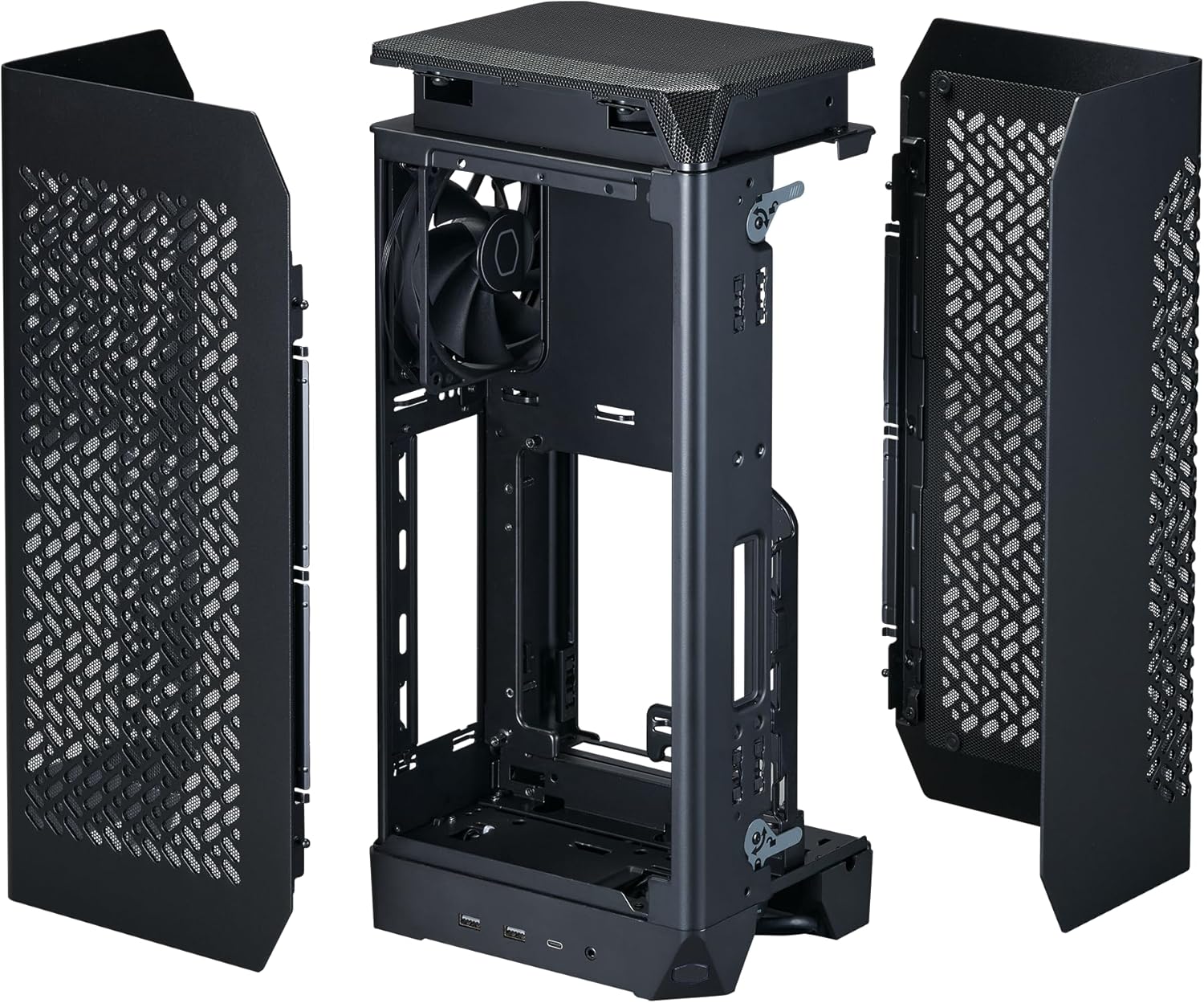
Figure 2.1: Tool-Free Access Mechanism
2.3 Motherboard and PSU Installation
Install your Mini-ITX motherboard into the designated area. The case supports SFX power supply units up to 130mm in length. Secure the PSU in its dedicated mounting bracket.
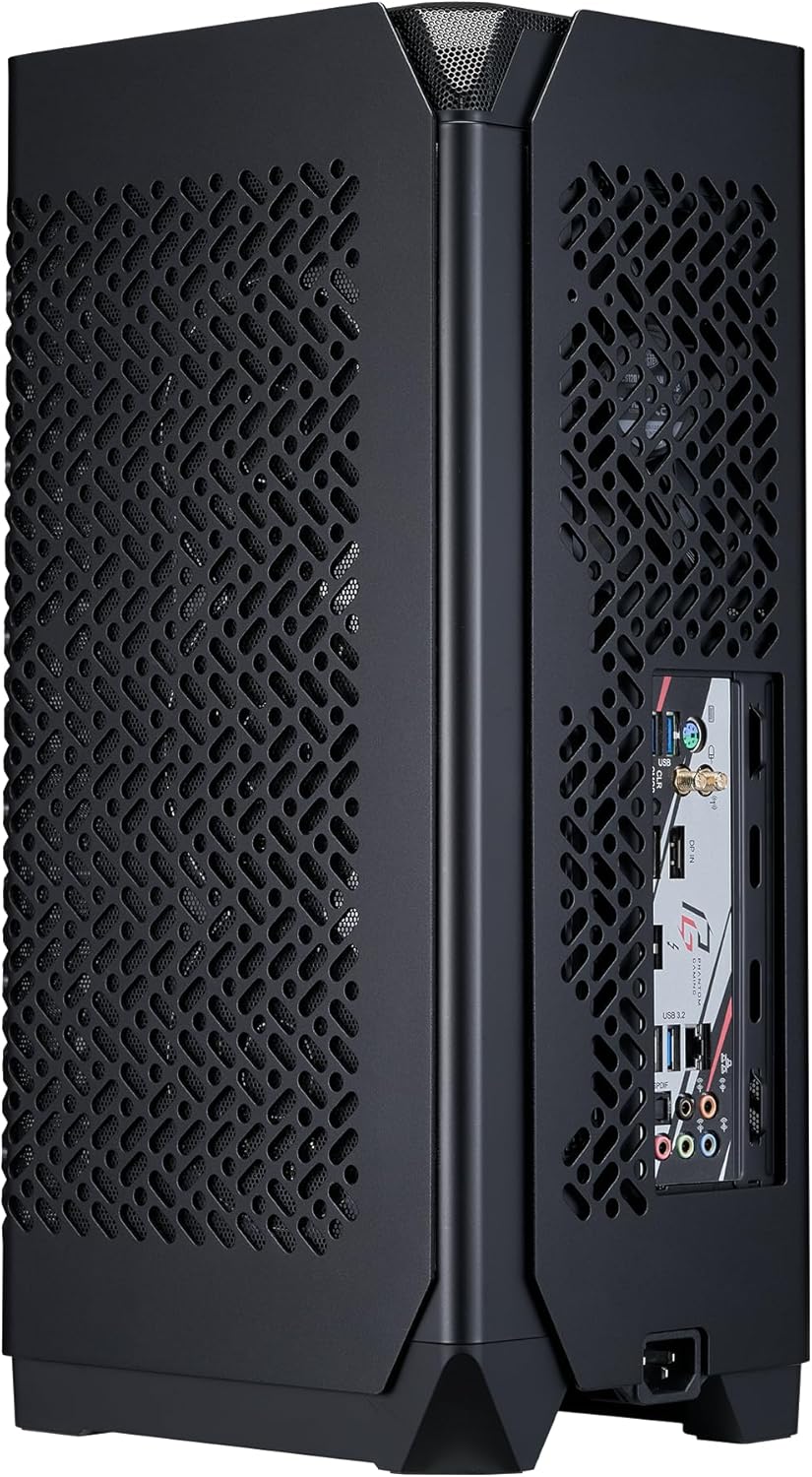
Figure 2.2: SFX PSU Installation
2.4 GPU Installation
The NCORE 100 Air is designed for vertical triple-slot GPU mounting. Utilize the included custom PCIe 4.0 riser cable to connect your graphics card to the motherboard. The extendable frame allows for compatibility with larger GPUs by increasing the case width.
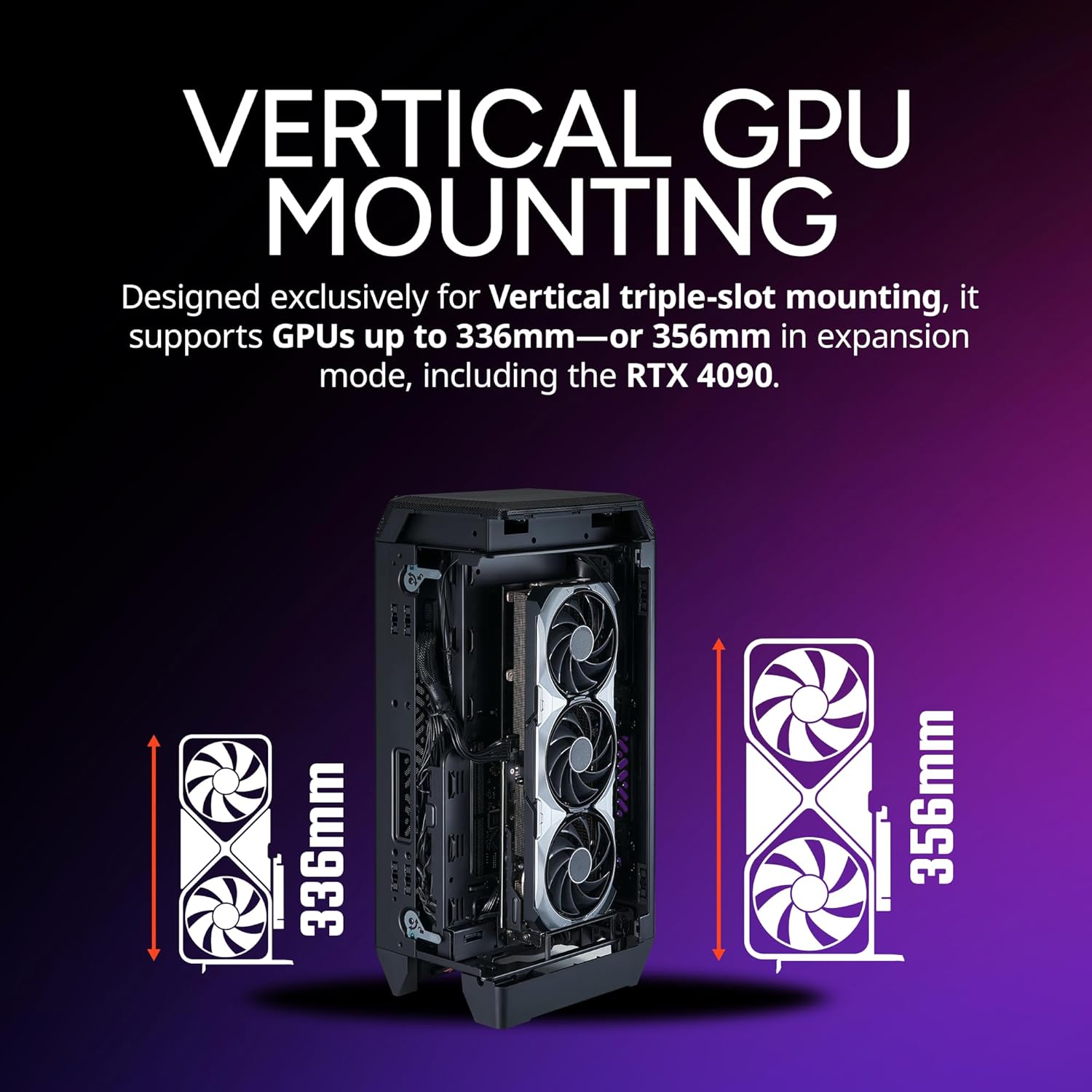
Figure 2.3: Vertical GPU Mounting

Figure 2.4: Extendable Frame Design for GPU Clearance

Figure 2.5: Custom PCIe 4.0 Riser Cable
3. Operation and Thermal Management
3.1 Airflow and Cooling
The NCORE 100 Air is engineered for maximum thermal efficiency. Its design facilitates optimal airflow by drawing air through the large perforated side panels, ensuring efficient cooling for all internal components, especially the CPU and GPU.

Figure 3.1: Optimized Airflow Design
Ensure proper fan configuration and cable management to maintain unobstructed airflow paths within the case for best performance.
4. Maintenance
4.1 Cleaning
To maintain optimal performance and longevity of your PC components, regular cleaning of the case is recommended. The NCORE 100 Air features magnetic dust filters (as mentioned in specifications) that can be easily removed for cleaning.
- Gently remove the dust filters from the case.
- Clean the filters using compressed air or a soft brush to remove accumulated dust.
- Wipe down the exterior of the case with a soft, damp cloth. Avoid abrasive cleaners.
- Ensure all parts are dry before reassembling and powering on your system.
5. Troubleshooting
This section provides solutions to common issues you might encounter with your PC build within the NCORE 100 Air case.
- No Power:
- Check all power connections, including the PSU to wall outlet, PSU to motherboard, and front panel power switch headers.
- Ensure the PSU switch is in the 'ON' position.
- Overheating Components:
- Verify all case fans and CPU/GPU coolers are functioning correctly.
- Ensure dust filters are clean and not obstructing airflow.
- Check for proper cable management to prevent airflow blockages.
- GPU Not Detected / Display Issues:
- Ensure the GPU is fully seated in the PCIe slot and secured.
- Verify the PCIe 4.0 riser cable is correctly connected at both ends.
- Check that all necessary power cables are connected to the GPU.
- Difficulty Closing Side Panels:
- Ensure all cables are neatly routed and not obstructing the panels.
- Verify that components (e.g., CPU cooler, GPU) are within the case's specified dimensions.
6. Technical Specifications
| Feature | Specification |
|---|---|
| Brand | Cooler Master |
| Series | NCORE 100 Air |
| Model Number | NR100-KNNN-S00 |
| Case Type | Mini-Tower |
| Material | Alloy Steel, Aluminum, Plastic |
| Item Weight | 8.59 pounds (3.9 kg) |
| Product Dimensions (LxWxH) | 6.1 x 8.3 x 17.7 inches (155 x 211 x 450 mm) |
| Cooling Method | Air |
| Special Features | Extendable Frame Design, Aluminum Paneling, Triple-slot GPU mounting, Mini-ITX motherboards, Dust Filter |
| Compatible Devices | Mini-ITX motherboards, Compatible RX 7900 XTX, Compatible RTX 4080 Super, Compatible RTX 4090 Super |
7. Warranty and Support
Cooler Master products are backed by a limited warranty. For detailed warranty information, technical support, or to register your product, please visit the official Cooler Master website or contact their customer service.
You can also find more information and support resources by visiting the Cooler Master Store on Amazon.


