
1. Introduction
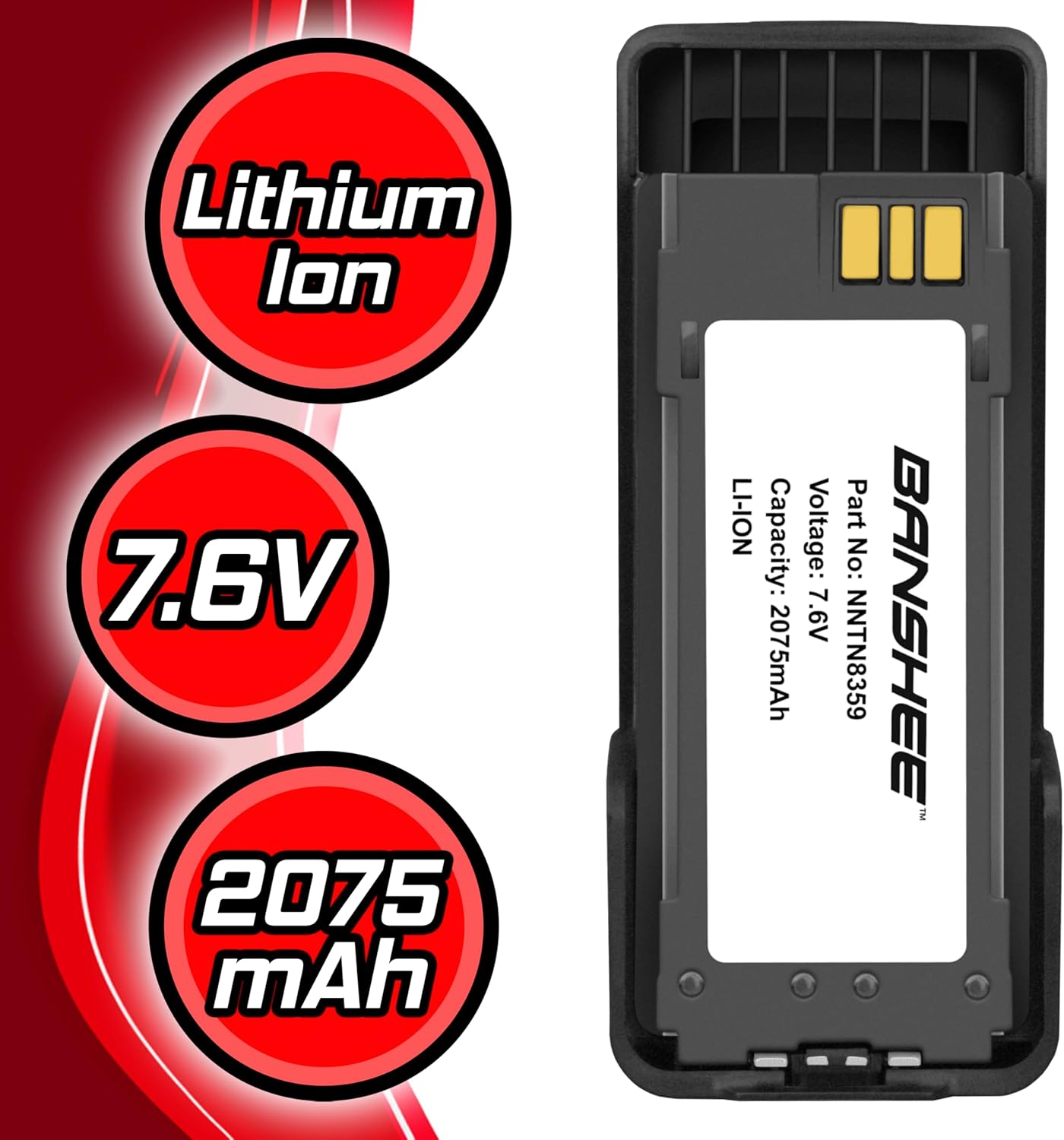
This manual provides essential instructions for the safe and effective use of your Banshee 7.6V 2075mAh Lithium Ion Battery. Please read this manual thoroughly before using the battery to ensure proper operation, maximize battery life, and prevent potential hazards. Keep this manual for future reference.
The Banshee battery is designed as a high-performance replacement for specific Motorola two-way radio models, offering reliable power in demanding environments.
2. Product Overview and Features
The Banshee 7.6V 2075mAh Lithium Ion Battery is engineered for durability and performance. It features a robust casing constructed from high-impact ABS and polycarbonate materials, designed to withstand harsh work environments.
- Voltage: 7.6V
- Capacity: 2075mAh
- Chemistry: Lithium Ion
- Construction: High-impact ABS and Polycarbonate casing for enhanced durability.
- Attachment: Features a removable belt clip and a quick-release/locking tab for secure attachment to compatible radios.



3. Compatibility
This Banshee battery is compatible with the following Motorola two-way radio models:
- DGP8550E
- DP4000ex
- DP4401Ex
- DP4401ex ATEX
- DP4801Ex
- DP4801ex ATEX
- XIR P8608EX
- XIR P8668EX
- XPR7350Ex
- XPR7550Ex
It is also a direct replacement for the following OEM Motorola battery part numbers:
- NNTN8359
- NNTN8359A
- NNTN8359C
4. Safety Information
WARNING: Failure to follow these safety instructions can result in fire, electric shock, injury, or damage to the battery or radio.
- Explosive Atmospheres: DO NOT replace or charge the battery in explosive atmospheres. This includes areas with flammable gases, vapors, or dust.
- Charging: Only charge the battery using chargers approved for Lithium Ion batteries and compatible with your specific radio model. Refer to your radio's instruction manual for approved charging methods.
- Usage: Use this battery ONLY with Motorola radios approved under BVS 12 ATEX E 117 X and IECEX BVS 12.0070X.
- Temperature: Do not expose the battery to extreme temperatures (above 85°C or below -20°C).
- Damage: Do not use a battery that appears damaged, swollen, or leaking.
- Disassembly: Do not disassemble, puncture, crush, or modify the battery.
- Disposal: Dispose of batteries according to local regulations. Do not dispose of in household waste or by incineration.

5. Setup and Installation
To install the Banshee battery into your compatible Motorola two-way radio:
- Ensure the radio is powered off before attempting to install or remove the battery.
- Align the battery with the battery compartment on the back of your radio. The contacts on the battery should align with the contacts on the radio.
- Slide the battery into the compartment until it clicks securely into place. The quick-release/locking tab will engage to hold the battery firmly.
- To remove the battery, locate the quick-release tab (usually at the bottom of the battery or radio) and slide it to unlock. Then, gently slide the battery out of the compartment.
6. Operation
Once the battery is securely installed, you can power on your radio. For optimal performance and battery longevity, follow these guidelines:
- Initial Charge: It is recommended to fully charge the battery before its first use.
- Charging Cycle: Use only approved chargers. Avoid overcharging or completely draining the battery frequently, as this can reduce its lifespan.
- Temperature: Operate the radio and battery within the recommended temperature range specified by your radio manufacturer.
- Battery Indicator: Monitor your radio's battery level indicator and recharge the battery when it is low to prevent unexpected power loss during critical communications.
7. Maintenance and Storage
Proper maintenance and storage will help extend the life of your Banshee battery:
- Cleaning: Keep the battery contacts clean and free of dirt or debris. Use a clean, dry cloth to wipe them if necessary.
- Storage: If storing the battery for an extended period, charge it to approximately 50% capacity and store it in a cool, dry place away from direct sunlight and extreme temperatures.
- Avoid Short Circuits: Do not allow metal objects to come into contact with the battery terminals, as this can cause a short circuit.
- Regular Use: For best results, use and recharge the battery regularly.
8. Troubleshooting
If you encounter issues with your Banshee battery, consider the following:
- Battery Not Charging:
- Ensure the battery is correctly seated in the charger.
- Verify the charger is properly connected to a power source.
- Check if the charger or battery contacts are dirty; clean them if necessary.
- Confirm the charger is compatible with Lithium Ion batteries and your radio model.
- Short Battery Life:
- Ensure the battery is fully charged before use.
- Operating in extreme temperatures can reduce battery performance.
- High power transmission or continuous use will drain the battery faster.
- The battery may be nearing the end of its service life and require replacement.
- Battery Not Fitting Securely:
- Ensure the battery is aligned correctly with the radio's compartment.
- Check for any obstructions in the battery compartment or on the battery itself.
If problems persist, contact customer support or a qualified service technician.
9. Specifications
| Feature | Specification |
|---|---|
| Model Number | NNTN8359A |
| Voltage | 7.6V |
| Capacity | 2075mAh |
| Battery Cell Composition | Lithium Ion |
| Product Dimensions (L x W x H) | 5.25 x 2.25 x 0.88 inches |
| Item Weight | 7.2 ounces |
| Manufacturer | BatteryJack Inc. |

10. What's in the Box
Your package should contain the following items:
- 1 x Banshee 7.6V Replacement Battery for Motorola Two-Way Radios
- 1 x Battery User Manual (this document)
11. Warranty and Support
For warranty information or technical support, please refer to the contact details provided by your retailer or the manufacturer, BatteryJack Inc. Keep your proof of purchase for warranty claims.

