
1. Introduction
This manual provides detailed instructions for the JBL Endurance Race 2 True Wireless Earbuds. Please read this guide thoroughly to ensure proper use and optimal performance of your device.
2. What's in the Box
Your JBL Endurance Race 2 package includes the following components:
- 1 x Pair of JBL Endurance Race 2 Earbuds
- 1 x Charging Case
- 1 x USB Type-C Charging Cable
- 3 x Sizes of Ear Tips (Small, Medium, Large)
- 2 x Enhancers (Wingtips for secure fit)
- 1 x Warranty / Warning (W / !) Document
- 1 x Quick Start Guide / Safety Sheet (S / i)
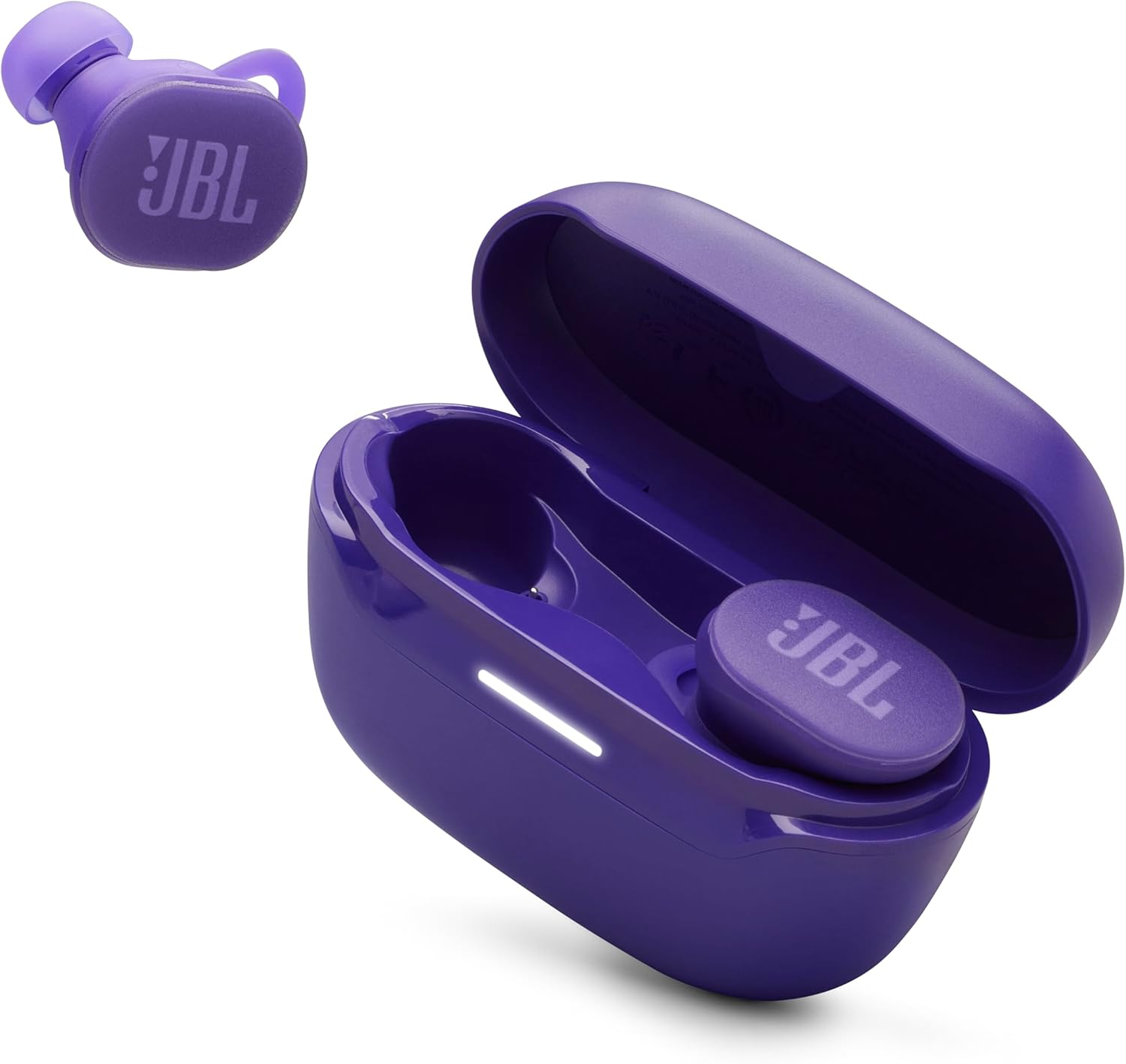
Image: JBL Endurance Race 2 earbuds in their charging case, along with a single earbud shown separately. The earbuds and case are purple.

Image: Various sizes of purple ear tips and a red USB Type-C charging cable, illustrating the included accessories.
3. Setup
3.1. Charging the Earbuds and Case
Before first use, fully charge the earbuds and charging case. Connect the supplied USB Type-C cable to the charging port on the back of the case and to a power source. The charging case has a 600 Milliamp Hours capacity, providing up to 36 hours of additional battery life for the earbuds.
- A full charge takes approximately 2 hours.
- Speed charging provides 4 hours of playtime with just 10 minutes of charging.
- Total playback time is up to 48 hours (12 hours from earbuds + 36 hours from case, with ANC off).

Image: The back of the purple JBL Endurance Race 2 charging case, showing the USB Type-C charging port and the 'Endurance Race 2' branding.
3.2. Selecting the Right Fit
For optimal sound quality and a secure fit, it is crucial to select the correct ear tips and enhancers. Experiment with the different sizes provided to find the best seal and comfort for your ears.
- Ear Tips: Choose the size that creates a snug seal in your ear canal.
- Enhancers: These wingtips help secure the earbuds in your outer ear, especially during physical activity.

Image: A close-up view of the two purple JBL Endurance Race 2 earbuds, highlighting their design and the attached ear tips and enhancers.

Image: A woman performing a yoga pose, wearing the JBL Endurance Race 2 earbuds, illustrating their comfortable and stable fit during activity.
3.3. Pairing with a Bluetooth Device
The JBL Endurance Race 2 earbuds use Bluetooth 5.3 for wireless connectivity.
- Open the charging case. The earbuds will automatically enter pairing mode.
- On your device (smartphone, tablet, laptop), go to Bluetooth settings.
- Select "JBL Endurance Race 2" from the list of available devices.
- Once connected, you will hear an audible confirmation.
4. Operating the Earbuds
4.1. Touch Controls
The earbuds feature touch controls for managing playback, calls, and noise control modes. Specific functions can be customized via the JBL Headphones App.
4.2. Sound Features
- JBL Pure Bass Sound: Powered by 6.8mm dynamic drivers, delivering a rich audio experience.
- Frequency Response: 20 Hz - 20 KHz.
- Sensitivity: 104 dB.
- Impedance: 16 Ohm.
4.3. Active Noise Cancelling (ANC) and Smart Ambient
The JBL Endurance Race 2 earbuds offer advanced noise control features:
- Active Noise Cancelling: Filters out distracting ambient noise, allowing you to focus on your audio.
- Smart Ambient: Allows you to hear your surroundings while keeping your earbuds in, useful for awareness in busy environments or conversations.
These modes can be toggled via the touch controls or through the JBL Headphones App.

Image: A woman running outdoors, wearing the JBL Endurance Race 2 earbuds, demonstrating the use of Active Noise Cancelling or Smart Ambient features to either tune out or be aware of her surroundings.
4.4. Clear Calls
Equipped with 4 beamforming microphones (two on each earbud), the Endurance Race 2 ensures crisp and clear calls by picking up your voice and canceling out ambient noise.
4.5. Sports Mode and JBL Headphones App
Enhance your workout experience by customizing settings through the JBL Headphones App. You can adjust ANC, Ambient Aware, and EQ settings. Choose from six default Sports Modes or create your own personalized settings.
5. Maintenance
5.1. Cleaning
Regularly clean your earbuds and charging case to maintain performance and hygiene.
- Use a soft, dry, lint-free cloth to wipe the earbuds and case.
- Gently remove ear tips and clean them with mild soap and water, then dry thoroughly before reattaching.
- Avoid using abrasive materials or harsh chemicals.
5.2. Water and Dust Resistance (IP68)
The JBL Endurance Race 2 earbuds are IP68 rated, meaning they are waterproof and dustproof. This allows them to withstand challenging workout conditions, including submersion in water up to 1.5 meters for 30 minutes, and are fully protected against dust ingress.

Image: A man splashing water on his face, demonstrating the waterproof and dustproof capabilities of the JBL Endurance Race 2 earbuds during an active outdoor scenario.
Important: Ensure the charging port is dry before charging to prevent damage.
6. Troubleshooting
If you encounter issues with your JBL Endurance Race 2 earbuds, refer to the following common solutions:
| Problem | Possible Solution |
|---|---|
| Earbuds not pairing |
|
| No sound or low volume |
|
| Charging issues |
|
| ANC not working effectively |
|
7. Specifications
| Feature | Detail |
|---|---|
| Model Name | JBL Endurance Race 2 |
| Connectivity Technology | Wireless (Bluetooth 5.3) |
| Audio Driver Size | 6.8 Millimeters Dynamic Driver |
| Frequency Range | 20 Hz - 20 KHz |
| Impedance | 16 Ohm |
| Sensitivity | 104 dB |
| Noise Control | Active Noise Cancellation |
| Microphones | 4 (for clear calls) |
| Battery Life (Earbuds) | Up to 12 Hours (ANC off) |
| Battery Life (with Case) | Up to 48 Hours (ANC off) |
| Charging Time | 2 Hours |
| Carrying Case Battery Capacity | 600 Milliamp Hours |
| Water Resistance Level | IP68 (Waterproof and Dustproof) |
| Control Method | Touch, App |
| Item Weight | 53.9 Grams (total) |
| Product Dimensions | 2.74 x 1.7 x 1.2 inches |
| UPC | 050036404761 |
8. Warranty and Support
8.1. Warranty Information
Your JBL Endurance Race 2 earbuds come with a limited manufacturer's warranty. Please refer to the 'Warranty / Warning (W / !)' document included in your package for detailed terms and conditions, including warranty period and coverage.
8.2. Customer Support
For further assistance, technical support, or service inquiries, please visit the official JBL support website or contact their customer service. You can also find additional resources and FAQs within the JBL Headphones App.
9. Important Safety Information
Always follow basic safety precautions when using electronic devices. Do not expose the earbuds or charging case to extreme temperatures, direct sunlight for prolonged periods, or attempt to disassemble them. Keep out of reach of children. For detailed safety guidelines, refer to the 'Quick Start Guide / Safety Sheet (S / i)' included in your package.
10. Video Resources
No official product videos from the seller were found in the provided data to embed in this manual.


