
1. Introduction
The sktome V8max Podcast Equipment Bundle is a comprehensive solution designed for podcasting, streaming, recording music, and creating short videos. This kit includes an upgraded V8max sound card and a high-quality condenser microphone, providing essential tools for beginners and experienced users alike. This manual provides detailed instructions for setup, operation, and troubleshooting to ensure optimal performance of your equipment.
2. What's in the Box
The sktome V8max Podcast Equipment Bundle includes the following components:
- V8max Sound Card
- Condenser Microphone (BM-800)
- Microphone Boom Arm
- Microphone Shock Holder
- Pop Filter
- Anti-wind Foam Cap
- Power Cable (USB Type-C)
- 3.5mm Earphone
- Audio Cables (various for connections)

Image 1: All components included in the sktome V8max Podcast Equipment Bundle.
3. Setup Instructions
Follow these steps to set up your sktome V8max Podcast Equipment Bundle:
- Assemble the Microphone Boom Arm: Attach the boom arm to your desk using the provided clamp. Adjust the arm to your desired position.
- Attach the Microphone: Secure the BM-800 condenser microphone into the microphone shock holder. Then, attach the shock holder to the boom arm.
- Install Pop Filter and Foam Cap: Attach the pop filter to the boom arm, positioning it in front of the microphone. Place the anti-wind foam cap over the microphone for additional sound clarity.
- Connect the Microphone to the Sound Card: Use the provided XLR to 3.5mm cable to connect the microphone to the 'Condenser mic1' input on the V8max sound card.
- Connect the Sound Card to a Device:
- For PC/Laptop: Connect the sound card to your computer using the USB Type-C cable (OTG/PC Live port). The computer should recognize the sound card automatically.
- For Smartphone (Android/iOS): Use the appropriate 3.5mm audio cable to connect your smartphone to one of the 'Live1' or 'Live2' ports on the sound card.
- For Gaming Console (PS4, Xbox, Switch): Connect the console's audio output to the 'Accompany' port and the sound card's output to the console's input if applicable, or use the 'Live' ports for streaming.
- Connect Earphones/Headphones: Plug the included 3.5mm earphone or your own headphones into the 'Earphone' or 'Headset' port on the sound card for real-time monitoring.
- Charge the Sound Card: Before first use, ensure the sound card is fully charged (4-5 hours recommended). Use the USB Type-C charging cable and a 5V-1A power adapter.

Image 2: Rear view of the V8max sound card showing various input/output ports.

Image 3: Connection diagram for two smartphones for live broadcast.

Image 4: Connection diagram for PC, earphones, and microphone.
4. Operating Instructions
The V8max sound card offers a variety of controls and features to enhance your audio experience:
4.1. Basic Controls
- Power Button: Press and hold for 3 seconds to turn the sound card ON/OFF.
- Volume Knobs: Adjust microphone volume (MIC), echo level (ECHO), treble, mid, bass, accompaniment, record, and monitor levels using the respective knobs.
- Volume Indicators: Colorful LED indicators display current volume levels.
4.2. Special Functions
- Voice Changer: Short press the 'Voice Changer' button to cycle through 4 voice modes: male, female, baby, and monster voice.
- Sound Effects: The sound card features 10 preset sound effects (e.g., Cheer, Din, Kiss, Gunshot, Yell, Laughter, PUBG, Dindin, Giggle, Applause, Awesome, Slash, Mary, Awkward, Guys, Hot, 9277). Press the corresponding buttons to activate them.
- Eliminate: One key to eliminate 80% original sound, making the music turn into accompaniment.
- Internal Play: When turned on, the sound played by the computer can be recorded back to the computer.
- Ducking: When the anchor interacts with the fans, it will automatically lower the volume of accompaniment. When you stop talking, the accompaniment resumes normal playback.
- Denoise: This key can reduce external noise for clearer sound.
- Bluetooth (BT): Turn on the device and search for 'M3' to connect. The indicator light is always on, and it can play accompaniment music.

Image 5: Detailed view of the V8max sound card's multifunctional controls, including voice changer and sound effects.

Image 6: Illustration of the four voice changer options available on the sound card.
5. Compatibility
The sktome V8max Podcast Equipment Bundle is designed for wide compatibility across various operating systems and devices:
- Operating Systems: Compatible with most mainstream operating systems, including Windows and Mac OS.
- Smartphones: The voice changer function is compatible with both Android and iOS smartphones.
- Gaming Platforms: Can be used with PS4, Xbox, and Switch consoles.
- Applications: Supports various live streaming, recording, and gaming applications.
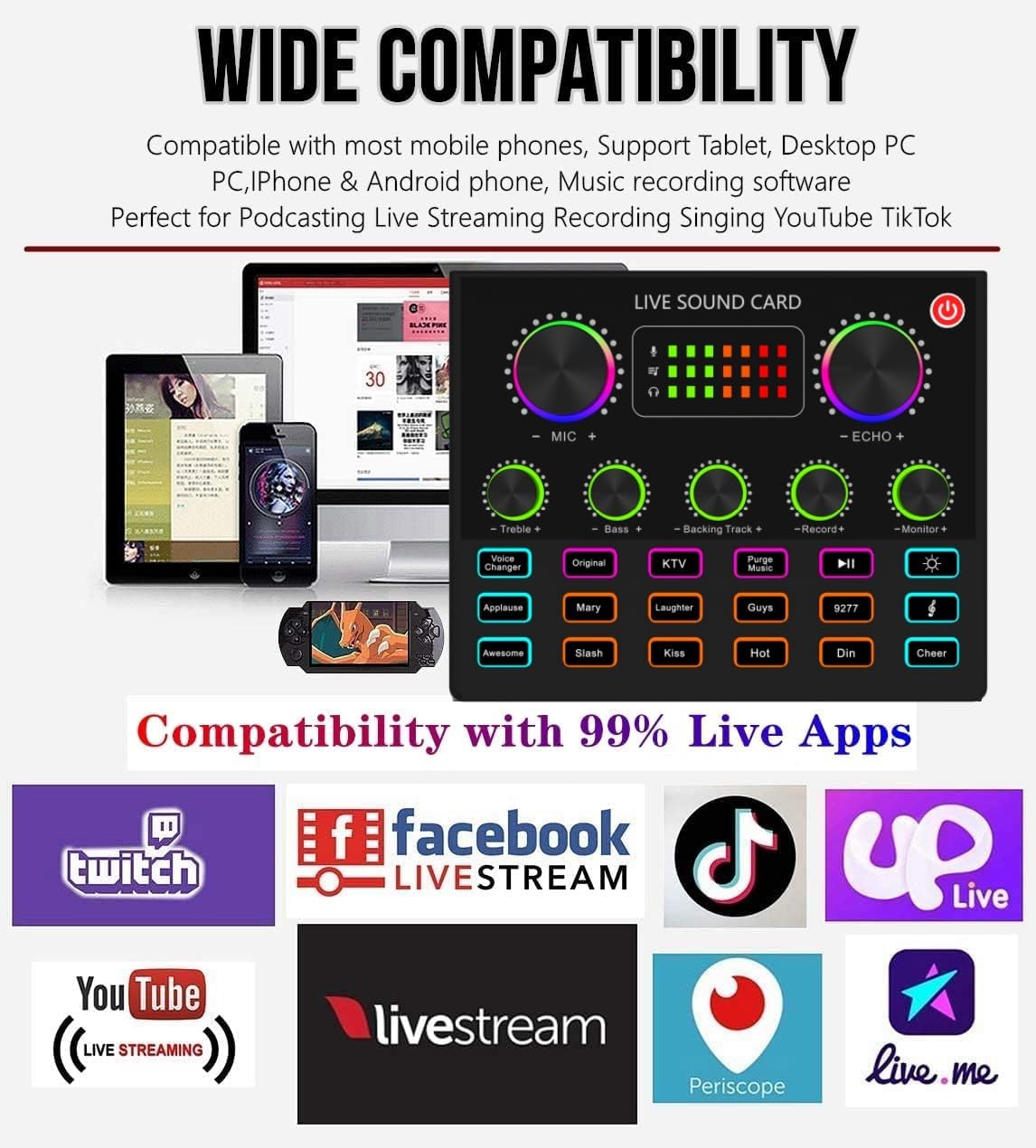
Image 7: Visual representation of the wide compatibility with various devices and platforms.
6. Specifications
| Feature | Specification |
|---|---|
| Brand | sktome |
| Model Number | V8max-N |
| Power Source | Corded Electric (internal Lithium Polymer battery included) |
| Battery Capacity | 1800mAh (Charging voltage: DC 5V, Charging current: 1A) |
| Material | Metal |
| Signal-to-Noise Ratio | 78 dB |
| Hardware Platform | Laptop, PC, Smartphone |
| Number of Channels | 1 |
| Connectivity Technology | USB, Bluetooth |
| Connector Type | USB Type-C |
| Polar Pattern (Microphone) | Unidirectional |
| Item Weight | 3.03 pounds (1.38 Kilograms) |
| Package Dimensions | 16.73 x 8.11 x 2.56 inches |
7. Troubleshooting
If you encounter any issues, refer to the following common problems and solutions:
- Microphone does not work:
- Ensure the sound card is turned on.
- Press the 48V button on the sound card to activate phantom power for the microphone.
- Check all cable connections to ensure they are secure.
- Sound card does not turn on/charge:
- Ensure the power supply is set to the 'ON' position.
- Charge the sound card for 4-5 hours before first use. If problems persist, charge for 6-8 hours.
- No sound from monitoring/recording:
- Check if the sound card is switched to the working state of the 48V microphone.
- Ensure the monitor volume is turned up.
- Connect earphones to the 'Earphone' jack to monitor.
- Echo is present:
- Adjust the 'Reverb' knob on the sound card to reduce or eliminate echo.
- Bluetooth connection issues:
- Turn on Bluetooth on the sound card and your mobile device. Search for 'M3' and connect.
- The indicator light should be solid blue when connected.
8. Maintenance
To ensure the longevity and optimal performance of your sktome V8max Podcast Equipment Bundle, follow these maintenance guidelines:
- Cleaning: Use a soft, dry cloth to clean the surfaces of the sound card and microphone. Avoid using harsh chemicals or abrasive materials.
- Storage: Store the equipment in a cool, dry place away from direct sunlight, high temperatures, and humidity when not in use.
- Cable Care: Avoid bending or twisting cables excessively to prevent damage.
- Battery Care: For prolonged storage, charge the sound card periodically to maintain battery health.
9. Warranty and Support
sktome is committed to product improvement and user experience. If you encounter any product or usage problems, please contact our after-service team. We aim to provide a reply within 12 hours.
Warranty Period: The product is covered by a 1-year warranty from the date of purchase. This warranty covers manufacturing defects and malfunctions under normal use. Please retain your purchase receipt as proof of purchase.
Contact Support: For any questions, issues, or warranty claims, please refer to the contact information provided in your product packaging or visit the official sktome store on Amazon.
10. Official Product Video
Video 1: An overview of the V8max podcast equipment bundle, highlighting its features and ease of use for beginners. This video demonstrates the starter kit and condenser microphone.
