
Introduction
The Zetronix Atom 4K USB DIY Hidden Camera is designed for covert surveillance, offering 4K UltraHD resolution and a customizable design. It is suitable for home security, professional monitoring, and discrete investigations, providing clear footage and versatility. This manual provides detailed instructions for setting up, operating, and maintaining your Atom 4K surveillance kit.
What's in the Box
Upon unboxing your Atom 4K DIY Surveillance Kit, verify that all components are present:
- DIY Camera Kit (main module with camera ribbon)
- Remote Control
- Button Attachments (various styles)

Image: The Atom 4K DIY Camera Kit showing the main module with its flexible camera ribbon and the included remote control.
Setup
1. Charging the Battery
The Atom 4K is powered by a 2000mAh removable lithium-ion battery. For optimal performance, fully charge the battery before first use. Connect the camera module to a USB power source using a compatible Type-C cable (not included). The charging indicator light will provide status.
2. Inserting the MicroSD Card
The device supports MicroSD cards up to 256GB (not included). Ensure the card is formatted to FAT32 for best compatibility. Locate the MicroSD card slot on the camera module and gently insert the card until it clicks into place.

Image: Detailed view of the Atom 4K module, highlighting the Micro SD card slot, Type-C port, and on/off switch.
3. Attaching Button Camera Lenses
The kit includes various button attachments to help disguise the camera. Select the appropriate button for your desired concealment. Carefully attach the chosen button over the camera lens on the ribbon cable.
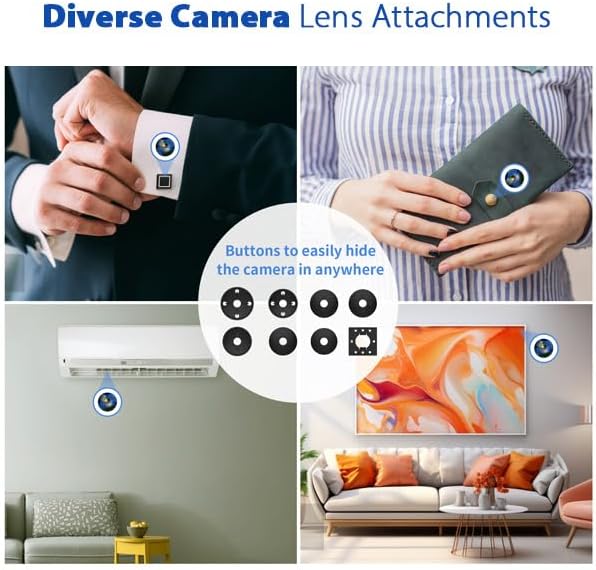
Image: Demonstrations of the Atom 4K camera's versatility with different button attachments, allowing it to blend into various environments.
Operating Instructions
Powering On/Off
To power on the device, slide the 'ON/OFF' switch to the 'ON' position. To power off, slide the switch to 'OFF'.
Recording Modes
The Atom 4K supports both continuous recording and motion-activated recording.
- Continuous Recording: Once powered on, the device can be set to record continuously. Refer to the remote control section for activation.
- Motion-Activated Recording: When motion is detected within the camera's 120° field of view, the camera automatically begins recording and saves footage to the MicroSD card. This mode conserves battery life and storage space.
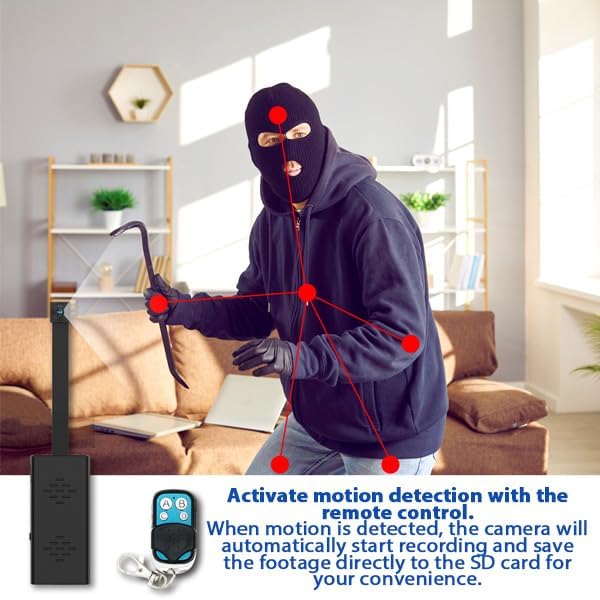
Image: Visual representation of motion detection in action, showing how the camera identifies movement and begins recording.
Using the Remote Control
The included remote control allows for discreet operation from up to 60 feet away. Use the buttons on the remote to start/stop recording or activate/deactivate motion detection.
Loop Recording
The Atom 4K supports loop recording. When the MicroSD card is full, the camera will automatically overwrite the oldest files, ensuring continuous recording without manual intervention. Video files are saved in segments, typically every 10 minutes, with each hour of 4K footage consuming approximately 9-10GB.
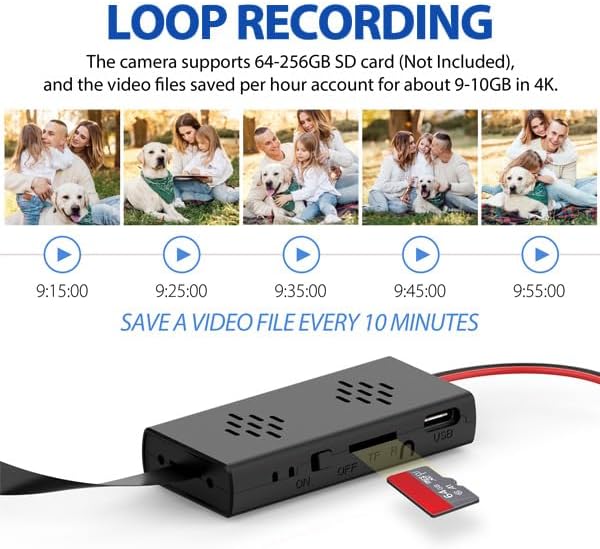
Image: Demonstration of the loop recording function, showing how the camera saves video files in 10-minute intervals, overwriting older footage when the card is full.
Date & Time Stamps
Date and time stamps can be optionally displayed in the corner of recorded videos or photos. This feature is useful for evidence collection and chronological organization of footage.
Maintenance
Battery Care
To prolong battery life, avoid extreme temperatures and fully charge the battery before long periods of inactivity. The lithium-ion battery is rated for 500,000 cycles.
Storage Management
Regularly back up important footage from your MicroSD card to a computer or external storage device. Periodically format the MicroSD card to maintain optimal performance and prevent data corruption.
Troubleshooting
- Device not powering on: Ensure the battery is fully charged. Check that the 'ON/OFF' switch is in the 'ON' position.
- No recording: Verify that a MicroSD card is properly inserted and has sufficient free space. Check if the card is formatted correctly (FAT32). Ensure the recording mode (continuous or motion-activated) is correctly activated via the remote control.
- Poor video quality: Ensure the camera lens is clean and free from obstructions. Verify that the lighting conditions are adequate.
- Remote control not working: Check the remote control's battery. Ensure you are within the operational range (up to 60 feet) and there are no significant obstructions.
Specifications
| Model Name | Atom 4K |
| Model Number | ATOM-4K-NA |
| Video Resolution | 4K UltraHD (4096 effective resolution) at 15FPS |
| Viewing Angle | 120 Degrees |
| Storage | Supports MicroSD cards up to 256GB (not included) |
| Battery | 2000mAh Lithium-Ion (4-5 hours recording time) |
| Connectivity | Wireless (RF for remote control) |
| Dimensions (L x W x H) | 2 x 1 x 1 inches (main module) |
| Included Components | DIY Camera Kit, Remote, Button Attachments |
Warranty and Support
For warranty information and technical support, please refer to the official Zetronix website or contact their customer service directly. Details regarding specific warranty periods and support channels are typically provided with your purchase documentation or on the manufacturer's website.
Manufacturer: Zetronix
Country of Origin: China