
1. Introduction
This manual provides essential information for the safe and efficient use of your TCL 75V6C 75-inch 4K LCD TV. Please read it thoroughly before operating the device and retain it for future reference.
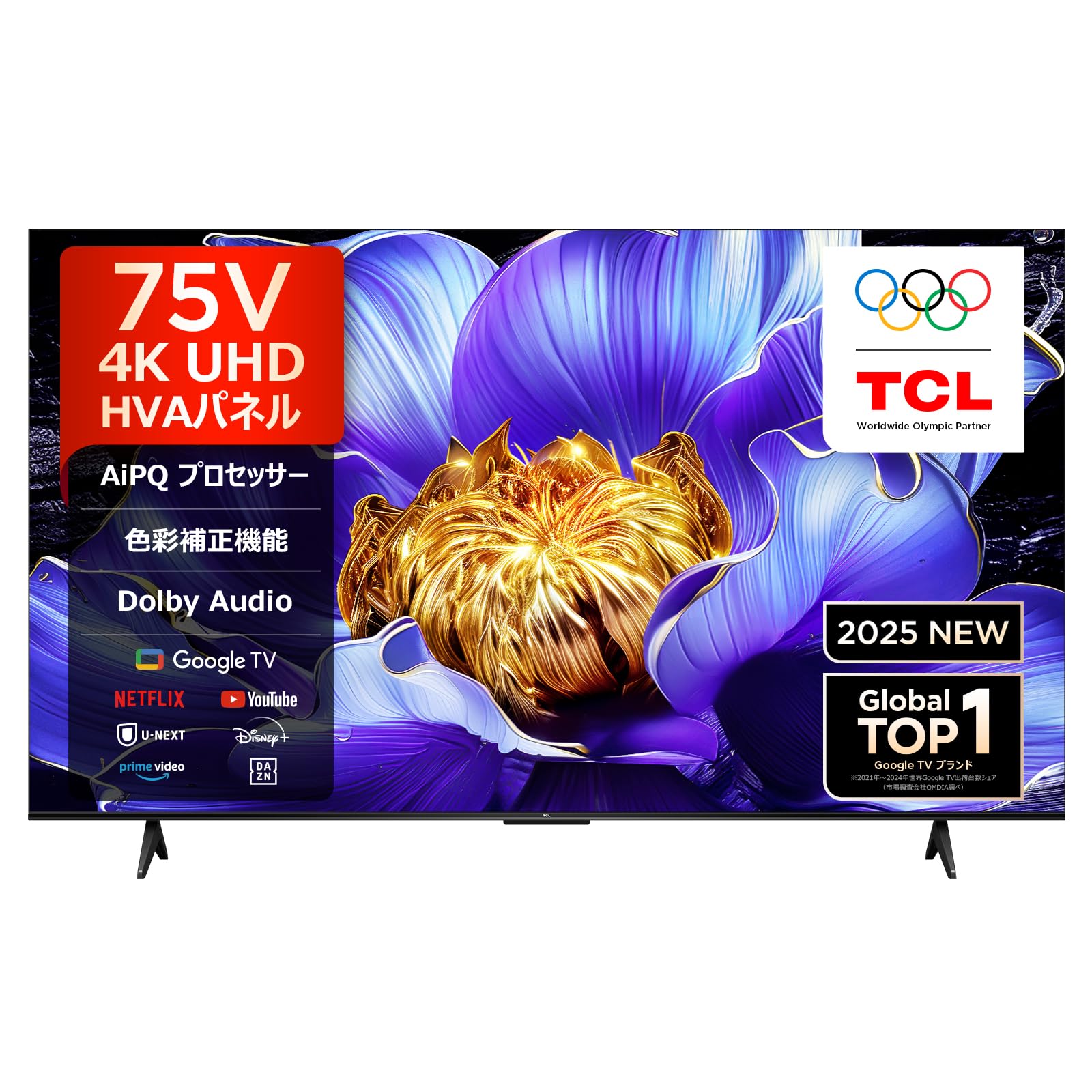
Image: Front view of the TCL 75V6C 75-inch 4K LCD TV.
2. Safety Information
Always follow basic safety precautions when using this television to reduce the risk of fire, electric shock, and injury.
- Do not block ventilation openings.
- Do not place the TV on an unstable cart, stand, tripod, bracket, or table.
- Protect the power cord from being walked on or pinched.
- Do not expose the TV to rain or moisture.
- Refer all servicing to qualified service personnel.
3. Package Contents
Verify that all items are present in the package:
- TCL 75V6C 75-inch 4K LCD TV
- User Manual
- Remote Control
- Warranty Card
- Power Cable

Image: Included remote control.
4. Setup
4.1 Unpacking
Carefully remove the TV from its packaging. It is recommended to have two people for this process due to the size and weight of the 75-inch model.
4.2 Stand Installation
If using the included stand, attach it securely to the TV following the instructions provided in the separate quick start guide. Ensure all screws are tightened to prevent instability.

Image: TV dimensions and recommended viewing distance for a 75-inch model.
4.3 Wall Mounting
For wall mounting, use a VESA-compatible bracket (300x300mm) and consult a professional installer. Refer to the wall mount manufacturer's instructions for proper installation.
4.4 Connecting Devices
Connect your external devices such as Blu-ray players, game consoles, or sound systems to the TV using the available ports.
- HDMI: The TV features 3 HDMI ports, supporting HDMI 2.1 for enhanced gaming and high-resolution content.
- USB: Two USB ports (1x USB 2.0, 1x USB 3.0) are available for media playback or connecting peripherals.
- Wi-Fi/Bluetooth: Connect to your home network wirelessly or pair Bluetooth devices.
- Optical Digital Audio: For connecting to external audio systems.

Image: Illustration of HDMI 2.1 connection for optimal performance.
4.5 Initial Power On & First-time Setup
After connecting the power cable, press the power button on the remote control. Follow the on-screen instructions to select your language, connect to your Wi-Fi network, and sign in with your Google account to access Google TV features.
5. Operating Your TV
5.1 Remote Control Overview
The remote control allows you to navigate the TV's interface, adjust volume, change channels, and access smart features. Refer to the remote control diagram in the quick start guide for button functions.
5.2 Google TV Interface
Your TCL 75V6C TV runs on Google TV, providing a personalized content experience. The home screen displays recommended content based on your viewing history and preferences from various streaming services.

Image: The Google TV home screen with various streaming applications.
5.3 Smart Features
- Voice Search (Hey Google): Press the dedicated button on your remote and speak commands to search for content, control smart home devices, or get information.
- Streaming Apps: Access popular services like YouTube, Amazon Prime Video, Netflix, Hulu, Disney+, Apple TV+, U-NEXT, and more.
- Airplay 2 & Chromecast: Wirelessly cast content (videos, photos, music) from your Apple or Android devices to the TV screen.

Image: User interacting with the TV using 'Hey Google' voice commands.

Image: Airplay 2 and Chromecast built-in functionality for screen mirroring.
5.4 Picture Settings
The TV incorporates advanced picture technologies for an optimized viewing experience:
- AiPQ Processor: TCL's proprietary processor enhances picture quality at a pixel level, featuring Ai Clarity, Ai Color, Ai Contrast, and Ai HDR for vivid and realistic images.
- HDR10 & HLG Support: Delivers a wider range of colors and contrast, revealing more detail in both bright and dark scenes.
- MEMC (Motion Estimation, Motion Compensation): Reduces motion blur and image tearing, providing smoother visuals for fast-paced action.
- HVA Panel: TCL's HVA panel technology minimizes halo effects and external light interference, offering high contrast and a wide 178-degree viewing angle.

Image: Visual representation of the AiPQ Processor.

Image: Comparison of Standard Dynamic Range (SDR) and 4K High Dynamic Range (HDR) visuals.

Image: Demonstration of MEMC technology, comparing 120Hz and 60Hz motion clarity.
5.5 Sound Settings
The TV features Dolby Audio for an immersive sound experience. Enjoy clear dialogue and rich audio details across all content.

Image: Visual representation of Dolby Audio enhancing the sound experience.
5.6 Gaming Features
The TCL 75V6C is equipped with features to enhance your gaming experience:
- ALLM (Auto Low Latency Mode): Automatically switches the TV to game mode when a game console is detected, reducing input lag.
- VRR (Variable Refresh Rate) / DLG 120Hz: Supports variable refresh rates up to 120Hz (for 1080P content on 50, 55, 65, 75-inch models) for smoother gameplay without screen tearing.
5.7 Multi-Eye Care
The TV incorporates eye-care technologies to reduce eye strain during prolonged viewing:
- Flicker-less: Reduces screen flickering.
- Low Blue Light: Minimizes harmful blue light emissions.
- Motion Compensation: Contributes to a more comfortable viewing experience.

Image: Multi-Eye Care features for reduced eye strain.
6. Maintenance
6.1 Cleaning
- Screen: Gently wipe the screen with a soft, lint-free cloth. For stubborn marks, use a screen cleaner specifically designed for TVs.
- Body: Wipe the TV body with a soft, dry cloth. Do not use abrasive cleaners or solvents.
6.2 Software Updates
Your TV may receive software updates to improve performance and add new features. To check for updates, navigate to the TV's settings menu, then select System > About > System update. Ensure your TV is connected to the internet for updates.
7. Troubleshooting
If you encounter issues with your TV, refer to the following common solutions:
| Problem | Possible Solution |
|---|---|
| No power | Check if the power cable is securely connected to the TV and the power outlet. Ensure the outlet is functioning. |
| No picture/sound | Verify the correct input source is selected. Check all cable connections (HDMI, antenna). Restart connected devices. |
| Remote control not working | Replace the batteries. Ensure there are no obstructions between the remote and the TV. |
| Network connection issues | Restart your router/modem. Check Wi-Fi password. Try connecting via Ethernet cable if available. |
| Picture quality issues (e.g., blur, tearing) | Ensure the input source is providing a high-quality signal. Adjust picture settings like sharpness or motion compensation. |
8. Specifications
| Feature | Detail |
|---|---|
| Screen Size | 75 inches |
| Display Technology | LCD |
| Resolution | 4K (3840 x 2160) |
| Refresh Rate | 60 Hz (ALLM/VRR/DLG 120Hz for gaming) |
| HDR Support | HDR10, HLG |
| Picture Processor | AiPQ Processor |
| Audio Technology | Dolby Audio (2.0ch, 30W Max Output) |
| Operating System | Google TV |
| Smart Features | Google TV, Netflix, YouTube, Amazon Prime Video, Hulu, Disney+, Apple TV+, U-NEXT, Airplay 2, Chromecast, Voice Search (Hey Google) |
| Connectivity | Bluetooth, Wi-Fi, 3x HDMI ports, 2x USB ports (1x USB 2.0, 1x USB 3.0), Optical Digital Audio |
| VESA Mount Standard | 300 x 300 mm |
| Dimensions (D x W x H) | 34.9 x 166.8 x 102.7 cm (with stand) |
| Weight (with stand) | 18.2 kg |
| Power Consumption | 190 kWh/year |
| Model Year | 2025 |
9. Warranty and Support
Your TCL 75V6C TV comes with a 1-year manufacturer's warranty from the date of purchase. Please retain your proof of purchase for warranty claims.
For technical support, service requests, or further assistance, please contact TCL customer support. You can find contact information and support resources on the official TCL website.

Image: TCL support system map and contact information. Phone: 0120-955-517, Hours: 09:00-18:00, Website: https://www.tcl.com/jp/ja/support


