
1. Introduction
This manual provides essential instructions for the safe and effective use of your Srliya Mini Washing Machine Toy. This educational toy is designed to simulate a real washing machine, offering children an interactive way to learn about laundry processes. It features washing, sealing, drainage, and music modes, promoting hands-on ability and knowledge of household tasks.

Image 1.1: The Srliya Mini Washing Machine Toy in use, demonstrating its interactive play value.
2. Safety Information
- Recommended Age: This toy is suitable for children aged 4 years and up. Adult supervision is recommended during play.
- Battery Safety: Use only the specified battery type (3 AA batteries). Do not mix old and new batteries, or different types of batteries. Ensure batteries are inserted with correct polarity. Remove batteries if the toy will not be used for an extended period.
- Water Usage: The toy is designed for use with water. Ensure the drainage hose is properly positioned to prevent spills. Do not immerse the entire toy in water.
- Small Parts: This product may contain small parts. Keep away from children under 3 years of age to prevent choking hazards.
- Cleaning: Clean the toy with a damp cloth. Do not use harsh chemicals or abrasive cleaners.
3. Package Contents
Please check the package to ensure all components are present:
- 1 x Srliya Mini Washing Machine Toy
- Accessories (e.g., miniature clothes rack, laundry baskets, detergent bottles - accessories may vary)

Image 3.1: Included accessories with the Mini Washing Machine Toy.
4. Setup
4.1 Battery Installation
- Locate the battery compartment on the back or bottom of the toy.
- Using a screwdriver (not included), open the battery compartment cover.
- Insert 3 AA batteries (not included) according to the polarity markings (+/-) inside the compartment.
- Replace the battery compartment cover and secure it with the screw.
4.2 Initial Assembly
The toy comes largely pre-assembled. Ensure the drainage hose is securely attached to the designated port on the side of the washing machine. Position the other end of the hose into a suitable container or sink for water drainage during operation.
5. Operating Instructions
The Srliya Mini Washing Machine Toy features multiple functions controlled by buttons on the top panel.

Image 5.1: Control panel with function buttons.
5.1 Power On/Off
Locate the power switch, usually a rotary knob, on the top right side of the toy. Turn it to the 'ON' position to power on the device and to 'OFF' to power it down.
5.2 Function Buttons
- Music Button: Press this button to play dynamic children's songs. Press again to cycle through different tunes or turn off the music.
- Teach Button: Activates a mode that provides general knowledge or sounds related to laundry.
- Wash Button: Initiates the washing cycle. The drum will rotate, simulating a real washing process.
- Spin Button: Activates the spin/dehydration cycle, which rotates the drum at a higher speed to remove water from miniature clothes.
5.3 Washing and Dehydration Process
- Open the front door of the washing machine.
- Place a small amount of water and miniature clothes inside the drum.
- Close the door securely.
- Turn the power switch to 'ON'.
- Press the 'Wash' button to start the washing action. The drum will rotate, and water will swirl inside.

Image 5.2: Barrel washing and dehydration in action.
- After the washing cycle, press the 'Spin' button for dehydration. The drum will spin to remove excess water.

Image 5.3: Roller-type rinsing mechanism inside the drum.
- Ensure the drainage hose is positioned correctly to allow water to exit the toy during and after cycles.
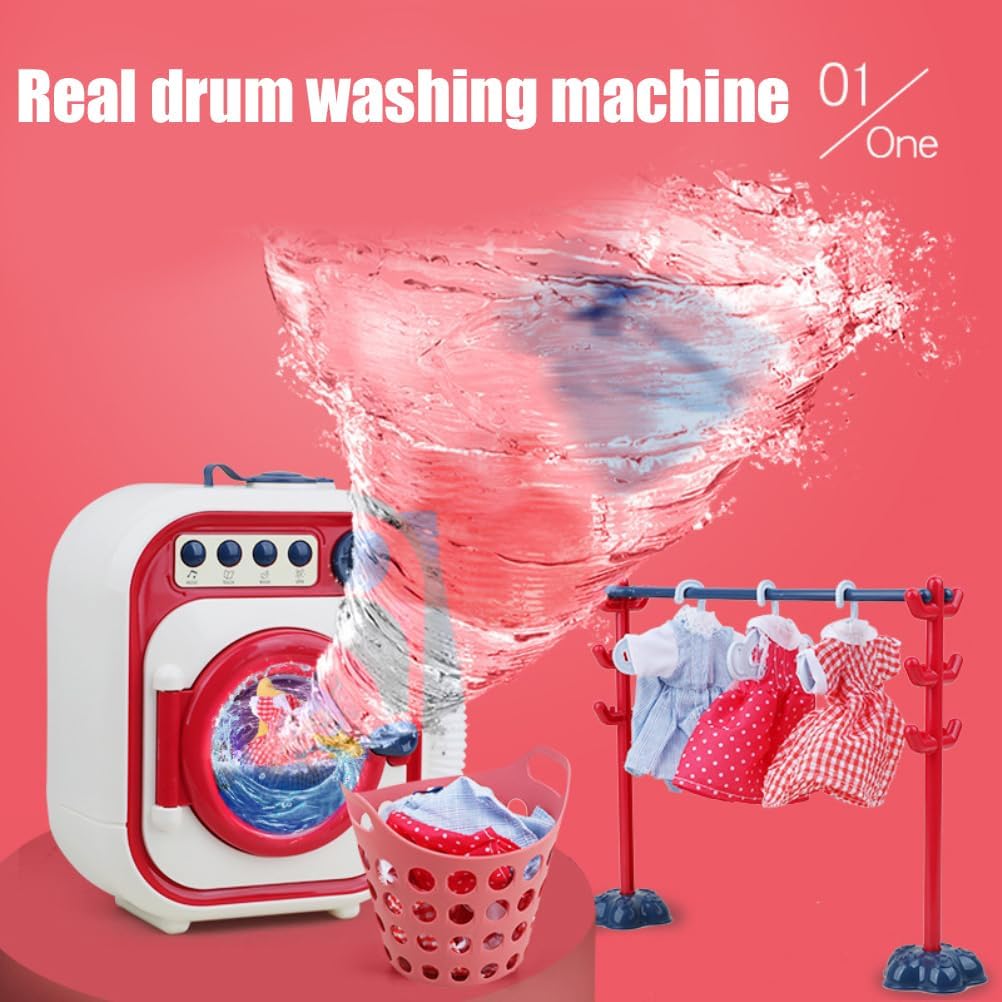
Image 5.4: Water drainage simulation.
6. Maintenance
6.1 Cleaning
After use, especially when water has been involved, it is recommended to:
- Empty any remaining water from the drum and drainage hose.
- Wipe the interior and exterior surfaces of the toy with a soft, damp cloth.
- Ensure all parts are dry before storing to prevent mold or mildew.
6.2 Storage
Store the toy in a cool, dry place away from direct sunlight and extreme temperatures. If storing for an extended period, remove the batteries.
7. Troubleshooting
- Toy not turning on: Check if batteries are inserted correctly and are not depleted. Ensure the power switch is in the 'ON' position.
- Water not draining: Verify that the drainage hose is properly connected and not kinked or blocked. Ensure the end of the hose is lower than the toy's base.
- Drum not spinning: Check battery level. Ensure no foreign objects are obstructing the drum's movement.
- Water leaking: Ensure the front door is securely closed and the drainage hose is firmly attached. The product is designed with high-density rubber to prevent leaks, but proper setup is crucial.
8. Specifications
| Feature | Detail |
|---|---|
| Model Number | Srliyaim04fxrd8b-96 |
| Dimensions (L*W*H) | 21 x 11 x 21 cm (8.25 x 4.32 x 8.25 inches) |
| Item Weight | 1010g (2.33 pounds) |
| Material | Plastic |
| Power Source | 3 x AA Batteries (not included) |
| Recommended Age | 4 years and up |

Image 8.1: Product dimensions.
9. Warranty and Support
For any questions, concerns, or support regarding your Srliya Mini Washing Machine Toy, please contact the retailer or manufacturer directly. Please retain your proof of purchase for warranty claims, if applicable. Specific warranty details may vary by region and retailer.