
NOVOO NFC1-207C
NOVOO Air Locator Tag User Manual
Model: NFC1-207C | Brand: NOVOO
1. Product Overview
The NOVOO Air Locator Tag is an ultra-slim, durable smart card designed to help you keep track of your valuable items. Compatible exclusively with Apple's Find My network, it allows for easy location of wallets, bags, keys, and passports. Its robust design features IP68 waterproofing and a long-lasting, non-rechargeable battery.

Image: The NOVOO Air Locator Tag, a slim black card, shown alongside an iPhone displaying the Apple Find My app interface, indicating its tracking capabilities.
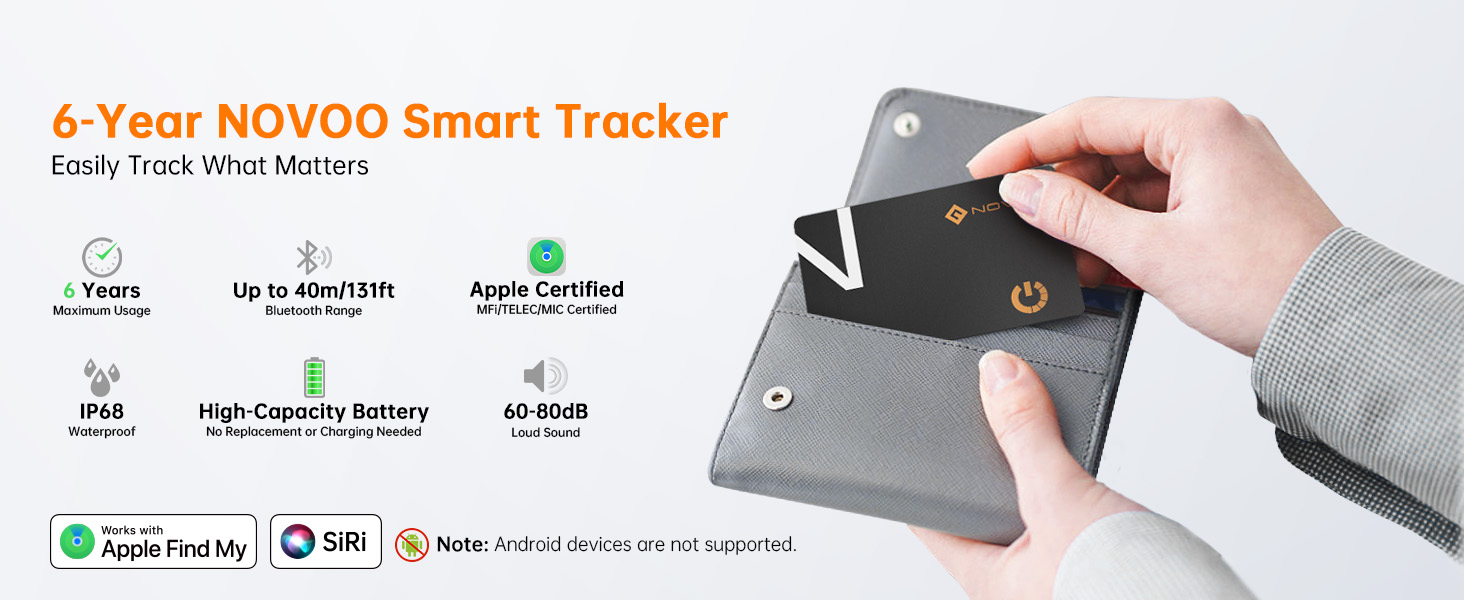
Image: Key features of the NOVOO Smart Tracker, highlighting its 6-year battery life, up to 40m Bluetooth range, Apple certification, IP68 waterproof rating, high-capacity battery, and 60-80dB loud sound.
2. Setup and Pairing
The NOVOO Air Locator Tag is designed for quick and easy setup with Apple's Find My app. Ensure your iOS device is updated and Bluetooth is enabled.
- Activate the Tag: Firmly press the center of the power button on the NOVOO Air Locator Tag. A confirmation tone will play, indicating it has entered pairing mode. Note: If it doesn't turn on, push harder on the designated spot.
- Open Find My App: On your iPhone, iPad, or Mac, open the Apple "Find My" application.
- Add New Item: Navigate to the "Items" tab within the Find My app. Tap the "+" icon and select "Add Other Supported Item."
- Connect: The app will detect the "NOVOO Smart Tag." Tap "Connect" and follow the on-screen prompts to name your item and assign an emoji.
- Confirmation: Once successfully paired, the tag will appear in your Find My app, and you will receive a confirmation message.
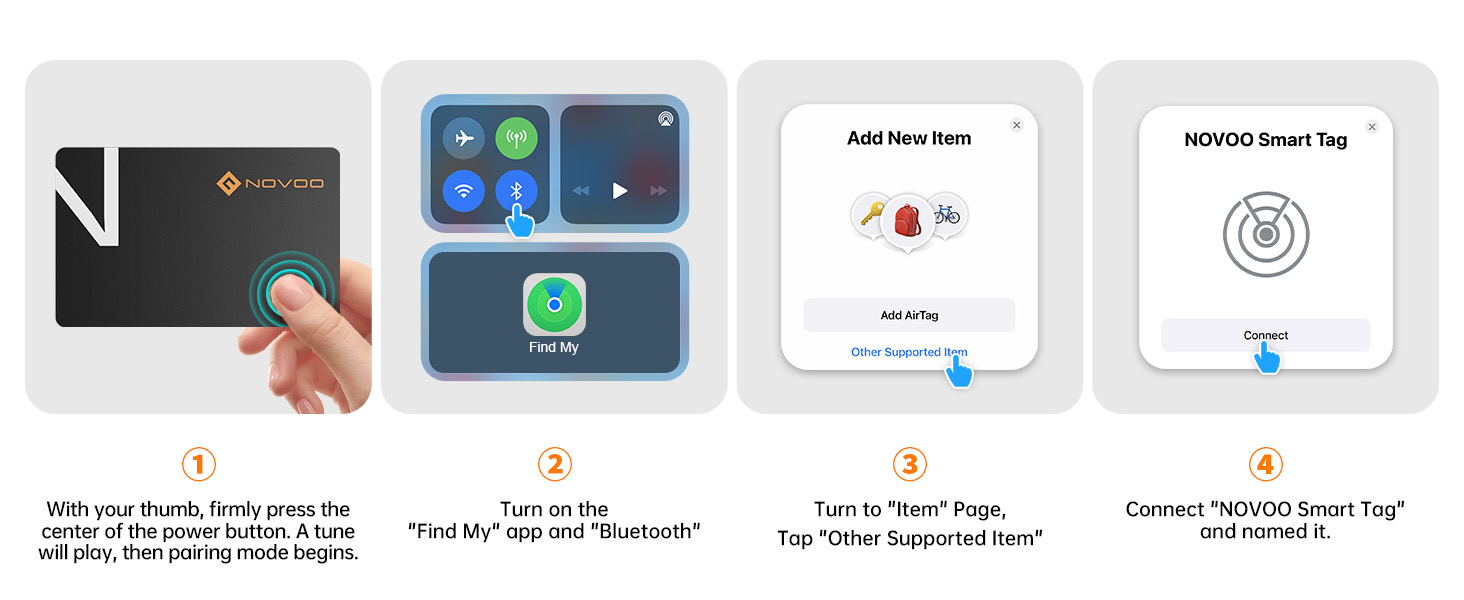
Image: A visual step-by-step guide illustrating the pairing process of the NOVOO Smart Tag with the Apple Find My application on an iPhone.
3. Operating Instructions
3.1 Locating Your Item
Once paired, you can easily locate your NOVOO Air Locator Tag using the Find My app:
- Play Sound: If your item is nearby and within Bluetooth range (up to 131 feet or 40 meters), select the tag in the Find My app and tap "Play Sound." The tag will emit an 80dB ringtone to help you pinpoint its location.
- Directions: If the tag is out of Bluetooth range, the Find My app will display its last known location on a map. You can then get directions to that location.
- Siri Integration: You can also ask Siri to locate your item by saying, for example, "Hey Siri, find my wallet."

Image: An iPhone screen showing the Apple Find My app, with a prompt to "Play Sound" to locate a nearby item, indicated by a ringing bell icon.

Image: An iPhone displaying the Apple Find My app with navigation directions to a lost item, showing a blue path on a city map.
3.2 Lost Mode
If your item is lost, activate Lost Mode in the Find My app. This leverages the vast Apple network to help locate your item. When another Apple device detects your tag, you will receive an automatic notification of its location.

Image: An iPhone screen showing the "Lost Mode" activation interface within the Find My app, with options to notify when found and leave a message.
3.3 Smart Reminders and Anti-Tracking
- Left Behind Alerts: Your iPhone can notify you if the NOVOO Air Locator Tag moves out of Bluetooth range, helping prevent accidental loss.
- Privacy Protection: The tag uses AES-128 encryption for data security. You will receive alerts if an unknown tracker is detected following you, enhancing your privacy.

Image: An iPhone screen showing a notification that reads "NOVOO Smart Tag left behind," indicating the item is no longer detected nearby.
3.4 Sharing Location
You can share your tag's location with up to 5 other Apple devices via the Find My app, allowing friends or family to help locate shared items.
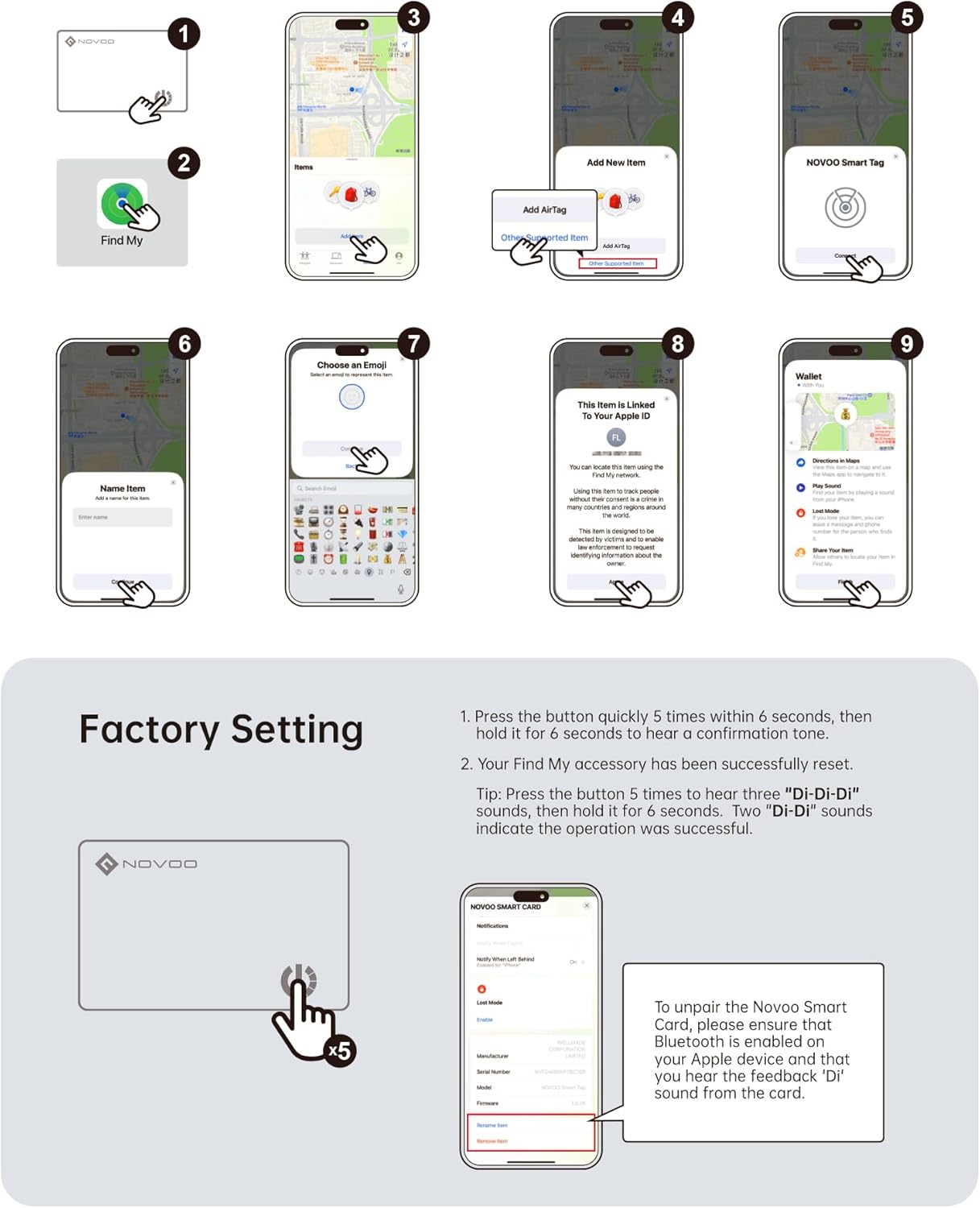
Image: An iPhone screen showing the Apple Find My app with various items and their locations, including shared items among different users represented by profile icons.
4. Maintenance
The NOVOO Air Locator Tag is designed for minimal maintenance due to its long-lasting battery and durable construction.
- Battery Life: The tag features a 540mAh non-rechargeable battery designed to last up to 6 years. You can monitor the battery level in the Find My app, and notifications will be sent when it drops below 20%. The battery is not user-replaceable.
- Waterproof Rating: With an IP68 rating, the tag is resistant to dust and can withstand submersion in water up to 1.5 meters (4.92 feet) for 30 minutes. This makes it suitable for use in various environments, but prolonged submersion or exposure to harsh chemicals should be avoided.
- Cleaning: Wipe the tag with a soft, dry cloth. Avoid using abrasive cleaners or solvents.
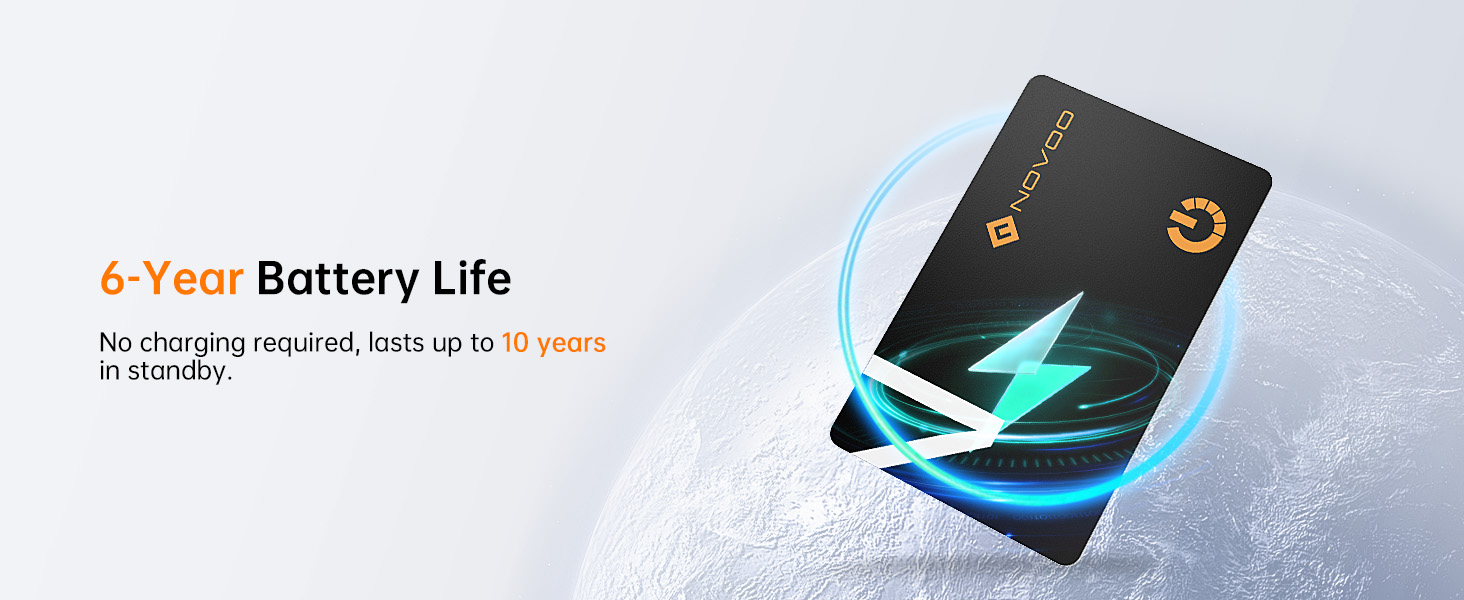
Image: The NOVOO Smart Tag with a glowing energy symbol, emphasizing its 6-year battery life and no charging requirement.

Image: The NOVOO Smart Tag partially submerged in water, visually representing its IP68 waterproof rating.
5. Troubleshooting
- Tag Not Turning On/Pairing: Ensure you are pressing firmly on the designated power button area. If the tag does not respond, try pressing harder. Confirm Bluetooth is enabled on your iOS device and that you are within range.
- No Sound from Tag: Check if the tag is within Bluetooth range of your iOS device. Ensure your device's volume is up and that the tag's battery is not critically low.
- Inaccurate Location: Location accuracy depends on the density of Apple devices in the area. In remote locations, updates may be less frequent. Ensure your iOS device has a stable internet connection.
- Unpairing the Tag (Factory Reset): To unpair the NOVOO Smart Card, ensure Bluetooth is enabled on your Apple device. Open the Find My app, select the tag, and choose the option to remove it. For a factory reset, press the button quickly 5 times within 6 seconds, then hold it for 6 seconds to hear a confirmation tone. Two "Di-Di" sounds indicate successful operation.

Image: A comparison table detailing features such as lifespan, thickness, weight, battery capacity, battery type, certifications, waterproof rating, and setup method for NOVOO Card, Apple AirTag, and other brands' cards.
6. Specifications
| Feature | Detail |
|---|---|
| Model Number | NFC1-207C |
| Product Dimensions | 3.3 x 0.4 x 3.3 inches |
| Item Weight | 0.452 ounces (12.82 Grams) |
| Battery Type | 1 Lithium Metal battery (included, non-rechargeable) |
| Battery Life | Up to 6 years |
| Waterproof Rating | IP68 |
| Bluetooth Range | Up to 131 feet (40 meters) |
| Ringtone Loudness | 80dB |
| Compatible Devices | iOS devices (iPhone, iPad, Mac) |
| Manufacturer | NOVOO |
| Country of Origin | China |
7. Warranty and Support
For warranty information and technical support, please refer to the official NOVOO website or contact their customer service directly. Keep your purchase receipt for any warranty claims.
For further assistance, you may visit the NOVOO Store on Amazon.
Related documentsNFC1-207C


Ask a question about this manual
Ask about setup, troubleshooting, compatibility, parts, safety, or missing instructions. Manuals+ will review the question and use this page’s manual context to help answer it.