
1. Introduction
This manual provides essential instructions for the safe and efficient operation, maintenance, and troubleshooting of your Shark EVOPOWER SYSTEM FIT+ Cordless Stick Cleaner, model LC150J. Please read this manual thoroughly before first use and retain it for future reference.

Image: The Shark EVOPOWER SYSTEM FIT+ Cordless Stick Cleaner LC150J, shown upright with its charging and automatic dust collection dock, alongside various cleaning attachments.
2. Important Safety Instructions
Always follow basic safety precautions when using electrical appliances to reduce the risk of fire, electric shock, or injury.
- Read all instructions before using the vacuum cleaner.
- Do not use outdoors or on wet surfaces.
- Unplug from the charger when not in use and before cleaning.
- Do not allow to be used as a toy. Close attention is necessary when used by or near children.
- Use only as described in this manual. Use only manufacturer's recommended attachments.
- Do not use with a damaged cord or plug. If appliance is not working as it should, has been dropped, damaged, left outdoors, or dropped into water, return it to SharkNinja Operating LLC for examination, repair, or adjustment.
- Do not pull or carry by cord, use cord as a handle, close a door on cord, or pull cord around sharp edges or corners. Do not run appliance over cord. Keep cord away from heated surfaces.
- Do not unplug by pulling on cord. To unplug, grasp the plug, not the cord.
- Do not handle plug or appliance with wet hands.
- Do not put any object into openings. Do not use with any opening blocked; keep free of dust, lint, hair, and anything that may reduce airflow.
- Keep hair, loose clothing, fingers, and all parts of body away from openings and moving parts.
- Do not pick up anything that is burning or smoking, such as cigarettes, matches, or hot ashes.
- Do not use to pick up flammable or combustible liquids, such as gasoline, or use in areas where they may be present.
- Do not pick up toxic material (e.g., chlorine bleach, ammonia, drain cleaner).
- Do not use in an enclosed space where vapors are present from paint, paint thinner, mothproofing substances, flammable dust, or other explosive or toxic vapors.
- Do not use on hard, sharp objects such as glass, nails, screws, or coins.
- Do not use without dust cup and/or filters in place.
- Turn off all controls before unplugging.
- Use extra care when cleaning on stairs.
- This appliance contains rechargeable batteries. Do not incinerate batteries as they may explode at high temperatures.
- Use only the charger supplied by the manufacturer to recharge.
3. Package Contents
Verify that all components are present in your package. The Shark EVOPOWER SYSTEM FIT+ LC150J includes a variety of accessories designed for comprehensive cleaning.
- Main Vacuum Unit (Handheld)
- Extension Wand
- Floor Nozzle with Brushless PowerFins
- Automatic Dust Collection Dock
- Charging Cable
- Crevice Tool
- Multi-Surface Tool
- Pet Multi-Tool (if included in your specific model)

Image: A selection of accessories including a crevice tool, multi-surface tool, and pet tool, designed to enhance cleaning versatility.
4. Setup and Assembly
Follow these steps to assemble your Shark EVOPOWER SYSTEM FIT+ Cordless Stick Cleaner and prepare it for first use.
- Assemble the Main Unit: Insert the extension wand into the floor nozzle until it clicks securely into place. Then, insert the handheld vacuum into the top of the extension wand until it clicks.
- Position the Automatic Dust Collection Dock: Place the dock on a flat, stable surface near a power outlet. Ensure there is enough space around the dock for easy access and vacuum placement.
- Connect to Power: Plug the charging cable into the dock and then into a wall outlet. The indicator lights on the dock will illuminate to confirm power connection.
- Initial Charge: Place the assembled vacuum cleaner onto the automatic dust collection dock. Ensure the vacuum is properly seated. Allow the unit to fully charge before its first use. A full charge typically takes approximately 3.5 hours.

Image: The Shark EVOPOWER SYSTEM FIT+ vacuum cleaner is shown upright and docked in a living space, ready for use or charging.
5. Operating Instructions
5.1 Powering On and Off
To turn the vacuum cleaner on or off, press the power button located on the handheld unit.
5.2 Cleaning Modes
The LC150J features intelligent cleaning modes for various situations:
- iQ Mode (Standard): This mode automatically adjusts suction power based on the amount of detected debris, ensuring efficient cleaning. The iQ Sensor intelligently supports cleaning by optimizing power for different debris levels.
- Manual Boost Mode: For stubborn dirt or quick cleaning tasks, activate the manual boost mode. This provides maximum suction power. This mode is recommended for removing large debris or when you need to clean quickly.

Image: The iQ Sensor display illustrates how suction power automatically adjusts from low to high based on the detected volume of debris, optimizing cleaning efficiency.

Image: The vacuum cleaner operating in Boost Mode, effectively picking up a significant amount of debris from a hard floor.
5.3 Using the Vacuum
The powerful suction of the LC150J effectively captures debris on all floor types, including hardwood and carpets, without hair tangling in the brush roll. Its high maneuverability and lightweight design allow the head to stay flat and move smoothly, enabling precise removal of targeted debris.
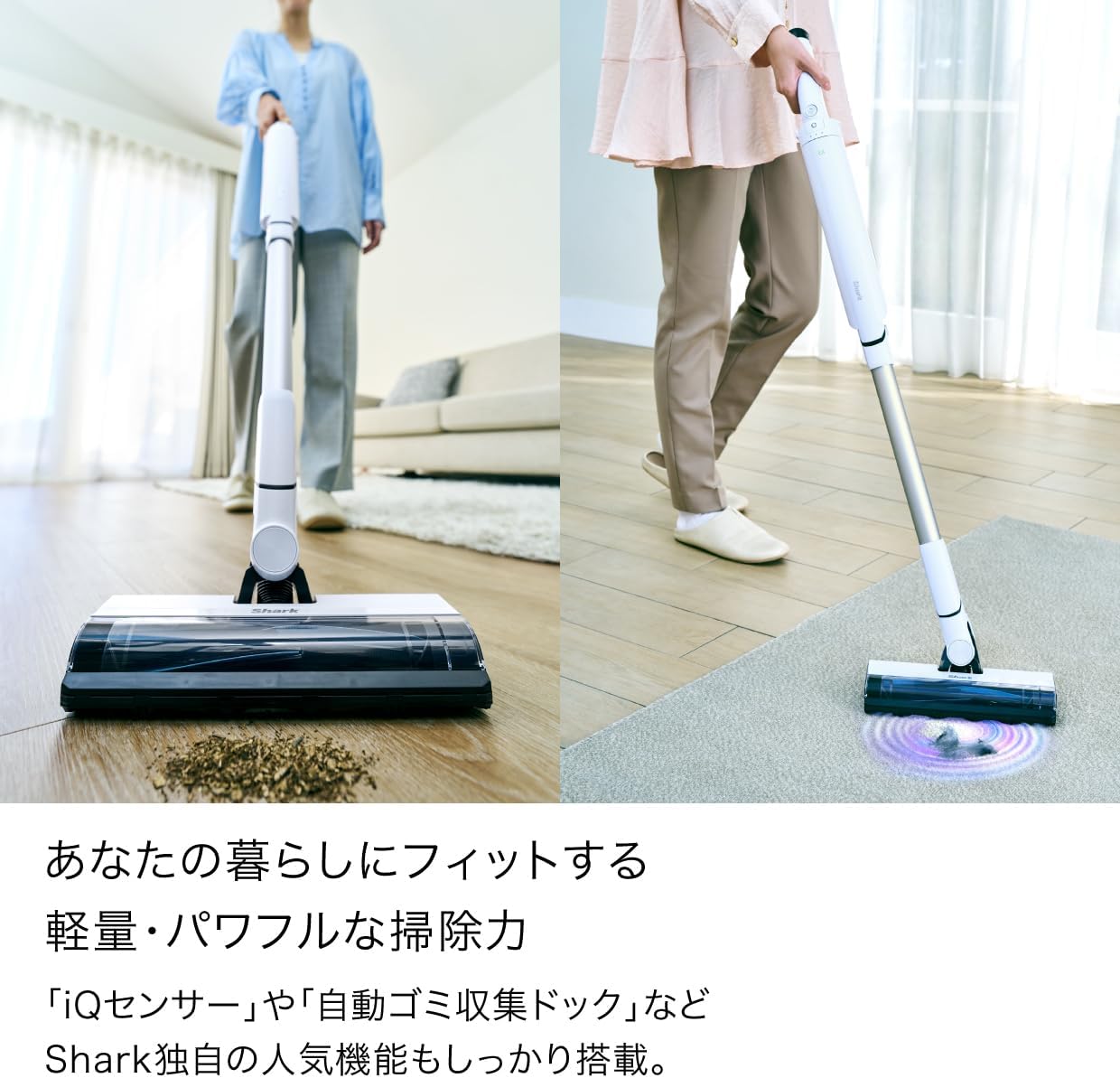
Image: A user demonstrating the Shark EVOPOWER SYSTEM FIT+ vacuum cleaner on both a hard floor with scattered debris and a carpeted surface, highlighting its versatility.
5.4 Handheld Mode
Transform your stick vacuum into a powerful handheld unit with a single touch. Simply press the release button to detach the handheld vacuum for quick clean-ups on furniture, stairs, or in your car.

Image: A user holding the Shark EVOPOWER SYSTEM FIT+ in its handheld configuration, demonstrating its use for cleaning small piles of debris on a surface.

Image: The handheld vacuum, equipped with a specialized pet tool, is shown effectively cleaning pet hair from a pet bed.
6. Maintenance
Regular maintenance ensures optimal performance and extends the lifespan of your vacuum cleaner.
6.1 Automatic Dust Collection Dock
The LC150J features an automatic dust collection dock, significantly reducing the frequency of manual dust disposal. You only need to empty the dock's dust bag approximately once a month. The actual frequency may vary based on room conditions, cleaning frequency, and area.

Image: The Shark EVOPOWER SYSTEM FIT+ vacuum cleaner is shown docked, highlighting its automatic dust collection feature which simplifies maintenance.

Image: A visual comparison demonstrating the convenience of Shark's automatic dust collection system compared to the traditional method of manually emptying a vacuum's dust cup.
6.2 Cleaning the Brush Roll
The Brushless PowerFins are designed to prevent hair tangles, making maintenance easier. Periodically check the brush roll for any accumulated debris and remove it as needed.

Image: A detailed view comparing a conventional brush roll, which often accumulates hair, with Shark's Brushless PowerFins, designed to prevent hair tangling.
6.3 Cleaning Filters
Refer to the full product manual for detailed instructions on how to access and clean the vacuum's filters. Regular cleaning of filters is crucial for maintaining suction power.
7. Troubleshooting
If you encounter any issues with your Shark EVOPOWER SYSTEM FIT+ LC150J, please consult the following common troubleshooting steps.
| Problem | Possible Cause | Solution |
|---|---|---|
| Vacuum not turning on | Battery not charged; unit not properly assembled. | Ensure the battery is fully charged. Check all connections (wand, nozzle, handheld) are securely clicked into place. |
| Loss of suction | Dust cup full; filters clogged; blockage in nozzle or hose. | Empty the dust cup. Clean or replace filters. Check for and remove any blockages. |
| Brush roll not spinning | Blockage in brush roll; brush roll jammed. | Turn off the vacuum and remove any hair or debris wrapped around the brush roll. |
| Automatic dust collection not working | Dock not powered; vacuum not seated correctly; dock dust bag full. | Ensure the dock is plugged in. Re-seat the vacuum firmly on the dock. Check and replace the dock's dust bag if full. |
For further assistance, please contact Shark customer support.
8. Specifications
- Model: LC150J
- Brand: Shark
- Form Factor: Cordless Stick / Handheld
- Color: Glacier Blue
- Product Dimensions (assembled): Approximately 15.2 cm (Length) x 26.7 cm (Width) x 104.1 cm (Height)
- Weight (packaged): Approximately 2 kg
- Power Source: Integrated Rechargeable Battery
- Special Features: iQ Sensor Technology, Automatic Dust Collection Dock, Brushless PowerFins
9. Warranty and Support
For information regarding your product's warranty, please refer to the warranty card included in your product packaging or visit the official Shark website.
If you require technical support or have questions not covered in this manual, please contact Shark customer service. Contact details can typically be found on the manufacturer's website or on your product's packaging.


