
1. Introduction
This manual provides essential information for the safe and efficient use of your TCL 55T6C 55-inch 4K Quantum Dot Smart TV. Please read these instructions carefully before operating the television and retain them for future reference. The TCL 55T6C series offers advanced features such as Quantum Dot technology for vibrant colors, an AiPQ processor for enhanced picture quality, HDR10+ and Dolby Vision support, immersive Dolby Atmos sound, and the Google TV smart platform with voice control and extensive streaming options. It also includes gaming-specific features like ALLM and VRR for a smooth experience.
2. Setup
2.1 Unpacking and Inspection
Carefully remove the TV from its packaging. Inspect the TV and all accessories for any signs of damage. Ensure all components listed in the packing list are present.
2.2 Stand Installation
If using the included stand, attach it securely to the television according to the separate assembly instructions provided in the box. Ensure all screws are tightened to prevent instability.
2.3 Wall Mounting
For wall mounting, use a VESA-compliant wall mount kit (sold separately) that supports a 200x200mm pattern. Consult a professional for installation to ensure safety and proper mounting.
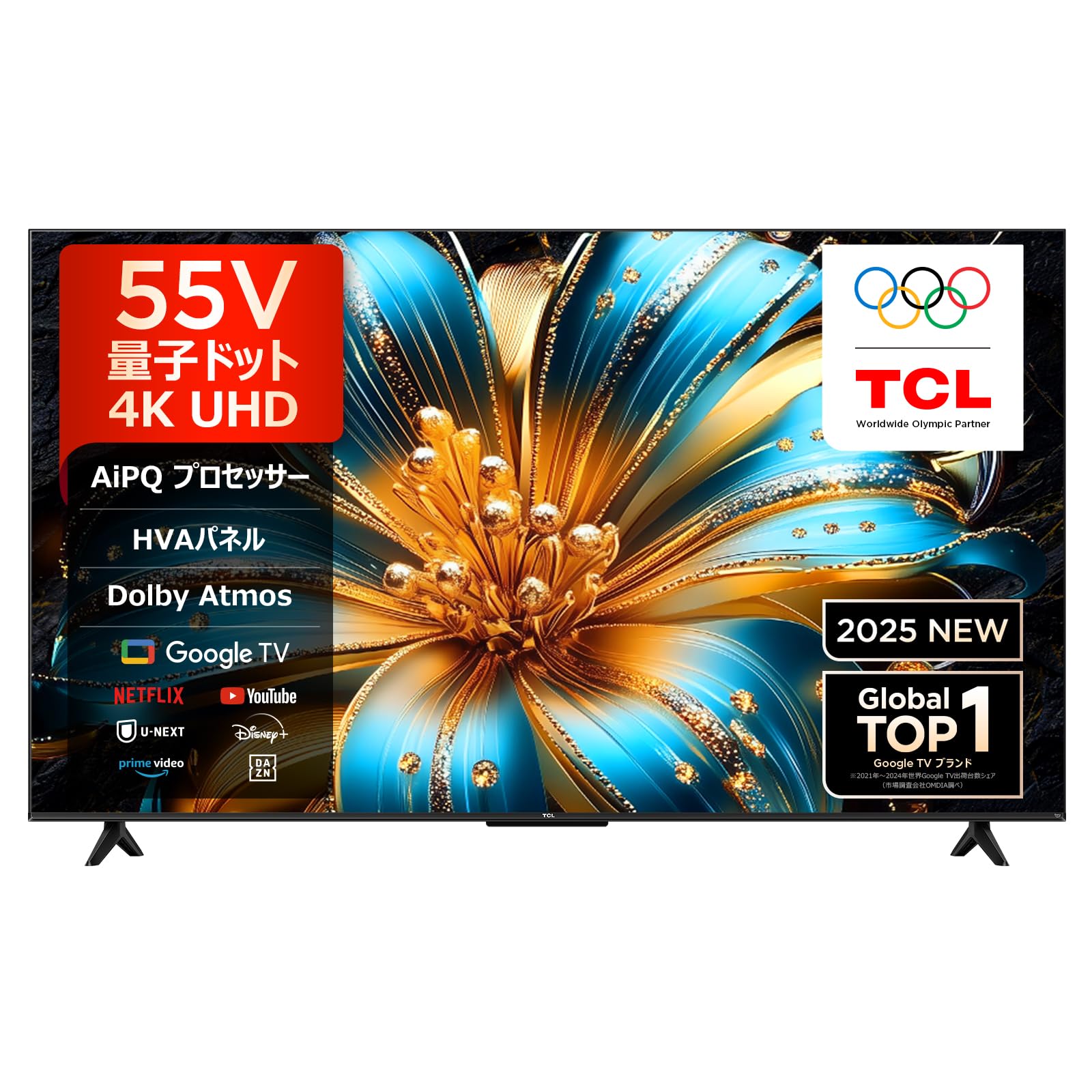
Front view of the TCL 55T6C 55-inch 4K Quantum Dot Smart TV.

Side view of the TCL 55T6C TV, highlighting its slim design.

Rear view of the TCL 55T6C TV, illustrating available ports and connections.
2.4 Connecting Peripherals
- HDMI Devices: Connect up to three HDMI devices (e.g., Blu-ray player, game console) to the HDMI ports. This TV supports HDMI 2.1 for enhanced gaming features.
- USB Devices: Connect USB storage devices to the USB port for media playback.
- Network Connection: Connect to your home network via Wi-Fi or an Ethernet cable for smart TV features and streaming.
- Bluetooth Devices: Pair Bluetooth-enabled accessories such as headphones or soundbars.
2.5 Initial Power On
After connecting all necessary cables, plug the power cord into an electrical outlet. Press the power button on the remote control or the TV to turn it on. Follow the on-screen instructions to complete the initial setup, including language selection, network configuration, and Google account login.
3. Operating Instructions
3.1 Remote Control
The included remote control allows you to navigate menus, adjust settings, and access smart features. It supports voice control; press the dedicated button and speak your commands.
3.2 Google TV Features
Your TCL 55T6C TV runs on Google TV, providing a personalized content experience. Access a wide range of streaming services like YouTube, Amazon Prime Video, Netflix, Hulu, Disney+, Apple TV+, and U-NEXT. Google AI recommends content based on your viewing history and preferences.

The Google TV interface, displaying streaming applications and personalized content suggestions.
3.3 Voice Assistant (Hey Google)
Utilize the built-in Google Assistant by saying "Hey Google" or pressing the voice button on your remote. You can search for movies, check weather, control smart home devices, and more.

A child using the "Hey Google" voice command to interact with the TCL TV.
3.4 Screen Mirroring
The TV supports AirPlay 2 and Chromecast built-in, allowing you to cast content (videos, photos, games) from your smartphone or tablet (Apple or Android) directly to the large TV screen.

Illustration of AirPlay 2 and Chromecast features, enabling screen mirroring from mobile devices to the TV.
3.5 Gaming Features (Game Master)
The Game Master feature optimizes your gaming experience. It supports ALLM (Auto Low Latency Mode) to automatically switch to game mode, reducing input lag. VRR (Variable Refresh Rate) up to 120Hz (for 1080P) ensures smoother gameplay by synchronizing the display's refresh rate with the game's frame rate, minimizing screen tearing and stuttering.

The Game Master feature enhances gaming with optimized settings for a responsive experience.

HDMI 2.1 connectivity, crucial for minimizing delay and optimizing game settings automatically.
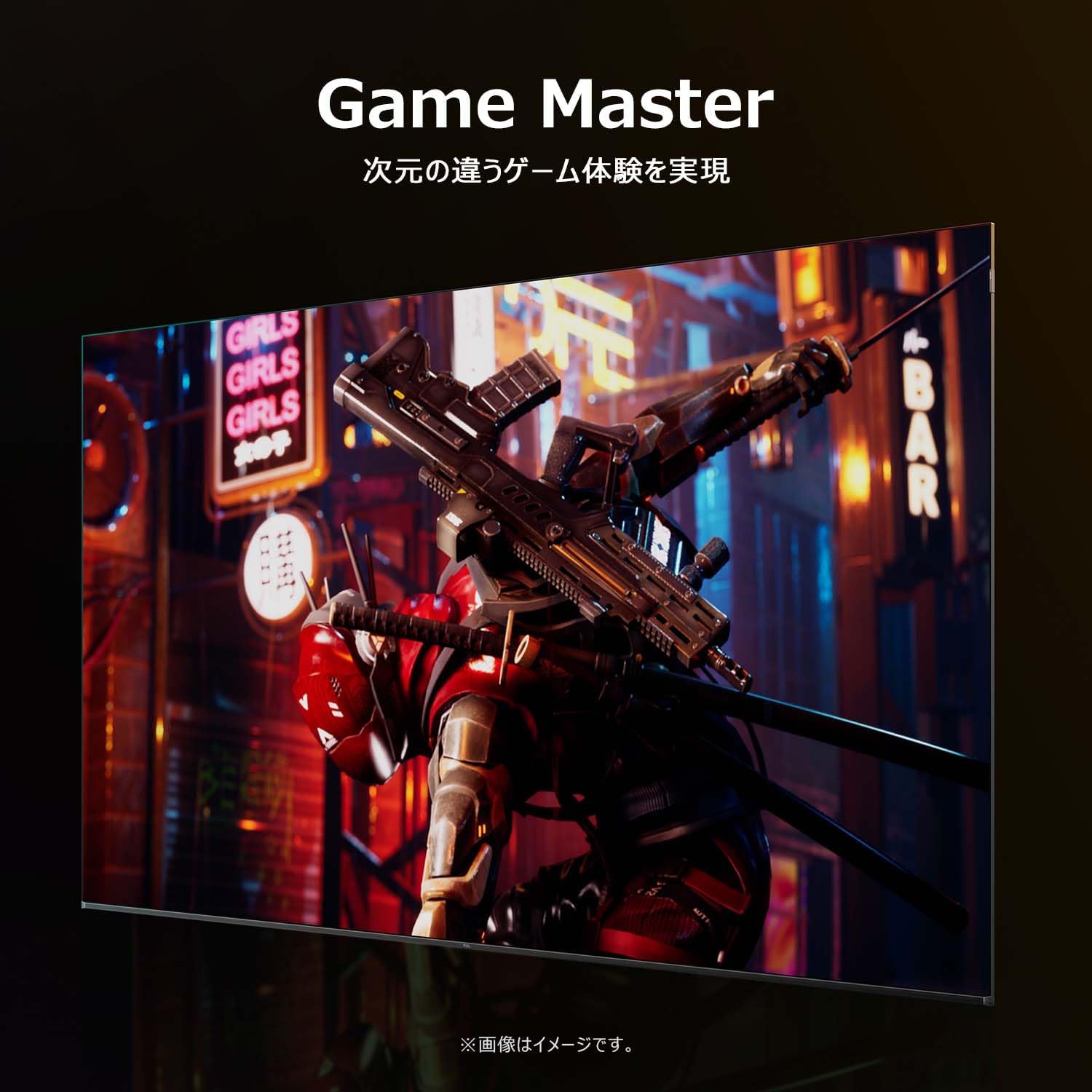
The 120Hz VRR feature provides a higher refresh rate and lower latency for smoother visuals in fast-paced games.
4. Picture and Sound Quality
4.1 Quantum Dot Technology
The TCL 55T6C utilizes Quantum Dot technology, incorporating enhanced colorful quantum crystal materials for ultra-long lifespan and vibrant color reproduction. This technology, combined with bionic color optimization, delivers a wider color gamut and more vivid, lifelike images.

Illustration of 4K Quantum Dot technology, showcasing enhanced color vibrancy.
4.2 AiPQ Processor
TCL's proprietary AiPQ processor integrates numerous picture quality adjustment algorithms. It features intelligent sensing capabilities to fine-tune picture quality at a pixel level, offering:
- AI Clarity: Precisely corrects image details for sharper, more realistic visuals.
- AI Color: Achieves natural and vibrant color reproduction close to human vision.
- AI Contrast: Analyzes subtle differences in brightness and darkness within an image for a deeper, more immersive experience.
- AI HDR: Smartly processes multi-HDR formats for optimized HDR performance.

The AiPQ processor, an intelligent chip that optimizes picture quality.
4.3 HDR Support
The TV supports multiple High Dynamic Range (HDR) formats, including HDR10+, Dolby Vision, HDR10, and HLG. This ensures stunning clarity in both bright and dark scenes, reproducing vibrant colors and intricate details as intended by creators.

HDR10+ technology delivers exceptional brightness, shadow detail, and vivid colors.
4.4 Immersive Audio
Experience three-dimensional, realistic sound with Dolby Atmos and DTS Vx support. These technologies create an enveloping audio experience that fills your room, making you feel like you are part of the action.

Dolby Atmos creates an immersive sound experience with clear, detailed audio.
4.5 Multi-Eye Care
The TV incorporates multiple eye care technologies, including flicker-less display, natural light correction, low blue light mode, and motion compensation. These features aim to improve visual comfort and reduce eye strain during prolonged viewing.

Multi-Eye Care technologies, including flicker-less, natural light correction, and low blue light, for comfortable viewing.
5. Maintenance
5.1 Cleaning the Screen
To clean the screen, gently wipe it with a soft, dry, lint-free cloth. For stubborn marks, lightly dampen the cloth with water or a specialized screen cleaner. Never spray liquid directly onto the screen.
5.2 Cleaning the TV Body
Wipe the TV body with a soft, dry cloth. Avoid using abrasive cleaners, waxes, or solvents as they can damage the finish.
5.3 General Care
- Ensure adequate ventilation around the TV to prevent overheating.
- Avoid placing the TV in direct sunlight or near heat sources.
- Unplug the TV during lightning storms or when it will be unused for extended periods.
6. Troubleshooting
If you encounter issues with your TV, refer to the following common troubleshooting steps:
- No Power: Check if the power cord is securely plugged into both the TV and the electrical outlet. Ensure the outlet is functional.
- No Picture/Sound: Verify that the correct input source is selected. Check all cable connections (HDMI, antenna, etc.) for looseness.
- Remote Control Not Responding: Replace the batteries in the remote control. Ensure there are no obstructions between the remote and the TV's IR sensor.
- Poor Picture Quality: Adjust picture settings (brightness, contrast, color). Ensure the input source is providing a high-quality signal.
- Network Connection Issues: Restart your router and modem. Reconnect the TV to the Wi-Fi network or check the Ethernet cable connection.
If problems persist after attempting these steps, please contact customer support for further assistance.
7. Specifications
| Feature | Specification |
|---|---|
| Screen Size | 55 inches |
| Resolution | 4K (3840 x 2160) |
| Display Technology | Quantum Dot, LCD, AiPQ Processor |
| Refresh Rate | 60 Hz (4K VRR 48-60Hz, 1080P VRR 48-120Hz supported) |
| HDR Compatibility | HDR10+, Dolby Vision, HDR10, HLG |
| Audio Output | 20W (2.0ch) |
| Immersive Audio Formats | Dolby Atmos, DTS Vx |
| Operating System | Google TV |
| Connectivity | 3 x HDMI, 1 x USB, Bluetooth, Wi-Fi |
| Dimensions (with stand) | 25.5 cm (D) x 122.6 cm (W) x 75 cm (H) |
| Weight (with stand) | 9.1 kg |
| VESA Mount Standard | 200x200mm |
| Included Components | Stand, User Manual, Remote Control, Warranty Card, Power Cable |
8. Warranty Information
This TCL 55T6C television comes with a 1-year manufacturer's warranty from the date of purchase. The warranty covers defects in materials and workmanship under normal use. Please retain your proof of purchase for warranty claims. For full terms and conditions, refer to the warranty card included with your product.
9. Support
For technical assistance, product inquiries, or repair services, please contact TCL customer support:
- Phone: 0120-955-517
- Operating Hours: 09:00 - 18:00 (Weekdays and holidays, excluding year-end and New Year holidays)
- Website: https://www.tcl.com/jp/ja/support

TCL customer support is available to assist you with any product-related queries.


