1. Introduction
Thank you for choosing the Shokz OpenDots ONE Ear Cuff Wireless Earphones. These open-ear earphones are designed to provide a comfortable listening experience while keeping you aware of your surroundings. This manual provides detailed instructions for setup, operation, maintenance, and troubleshooting to ensure optimal performance.

Image 1.1: Shokz OpenDots ONE earphones and charging case.
The Shokz OpenDots ONE features:
- Open-ear ear-cuff design for pressure-free comfort and situational awareness.
- Dolby Audio support for immersive, high-quality sound with 16mm equivalent dual-driver system and Bassphere technology.
- Up to 40 hours of total battery life with the charging case, including quick charge functionality.
- Bluetooth 5.4 for stable multipoint connection.
- IP54 water resistance for protection against sweat and light splashes.
- Dedicated app for sound customization, touch control settings, and finding lost earphones.
- AI noise-canceling microphone for clear calls.
- DirectPitch technology to minimize sound leakage and enhance privacy.

Image 1.2: Overview of key features including lightweight design, Dolby Audio, 40-hour battery, IP54 rating, and wireless charging.
2. Setup
2.1. Charging the Earphones and Case
Before first use, fully charge the earphones and the charging case.
- USB-C Charging: Connect the provided USB-C cable to the charging case and a power source. The indicator light on the case will show charging status. A full charge takes approximately 60 minutes.
- Wireless Charging: Place the charging case on a compatible wireless charging pad. The indicator light will confirm charging.
- Quick Charge: A 10-minute quick charge provides approximately 2 hours of playback.

Image 2.1: The charging case connected via USB-C, illustrating the 40-hour total playback and quick charge feature.

Image 2.2: The charging case placed on a wireless charging pad, demonstrating wireless charging capability.
2.2. Pairing with Your Device
- Open the charging case. The earphones will automatically enter pairing mode, indicated by a flashing LED light.
- On your device (smartphone, tablet, computer), go to Bluetooth settings.
- Select "Shokz OpenDots ONE" from the list of available devices.
- Once connected, the LED indicator on the earphones will stop flashing.
2.3. Wearing the Earphones
The OpenDots ONE features an ear-cuff design that rests gently on your ear without blocking the ear canal. They are designed to be worn without distinguishing between left and right, as the earphones automatically detect orientation.
- Gently place the earphone over your ear, ensuring the speaker rests comfortably near your ear canal.
- The flexible JointArc structure adapts to various ear shapes for a secure and comfortable fit.
- The design is compatible with glasses and masks, preventing interference.
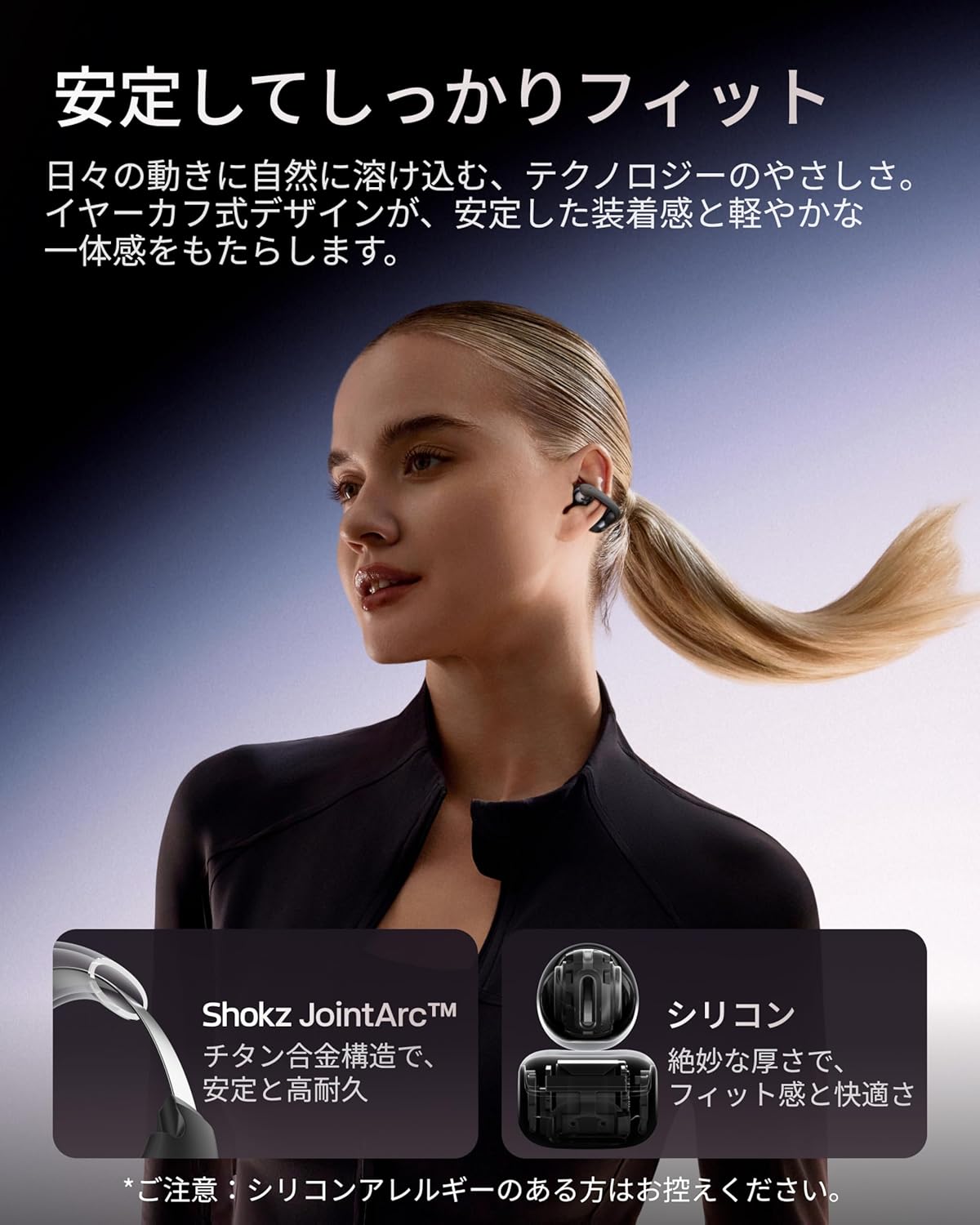
Image 2.3: A woman wearing the Shokz OpenDots ONE earphones, demonstrating the secure and comfortable ear-cuff fit.

Image 2.4: Visual guide for correct earphone placement and common incorrect wearing methods.
3. Operating the Earphones
3.1. Basic Touch Controls
The OpenDots ONE features intuitive touch controls on each earphone. You can customize these controls via the Shokz app.
- Play/Pause: Double-tap the battery compartment or JointArc area.
- Volume Up/Down: Touch and hold the top or bottom of the battery compartment.
- Next Track: Triple-tap (customizable).
- Previous Track: Quadruple-tap (customizable).
- Answer/End Call: Double-tap.
- Reject Call: Touch and hold.
- Activate Voice Assistant: Triple-tap (customizable).
3.2. Shokz App Features
Download the dedicated Shokz app for enhanced control and customization.
- Sound Customization: Choose from 4 preset EQ modes (Standard, Vocal, Bass Boost, Private) and 2 custom modes to adjust the sound profile.
- Touch Control Settings: Customize touch gestures to your preference.
- Find My Earphones: Locate misplaced earphones.
- Firmware Updates: Keep your earphones updated with the latest features and improvements.
- Prompt Volume Adjustment: Control the volume of system prompts.
- Private Mode: Enhance sound leakage prevention for increased privacy.

Image 3.1: The Shokz app interface, showing options for EQ settings and other customizations.
3.3. Multipoint Connection
The OpenDots ONE supports multipoint connection, allowing you to connect to two Bluetooth devices simultaneously. This enables seamless switching between devices, for example, from a laptop for music to a phone for a call.
- Ensure both devices are paired with your OpenDots ONE.
- The earphones will automatically switch audio source based on activity (e.g., incoming call).
4. Maintenance
4.1. Cleaning
- Wipe the earphones and charging case with a soft, dry, lint-free cloth.
- Do not use abrasive cleaners, solvents, or aerosol sprays.
- Avoid getting moisture into any openings.
4.2. Storage
- Store the earphones in their charging case when not in use to protect them and keep them charged.
- Avoid storing in extreme temperatures or high humidity.
4.3. Water Resistance (IP54)
The OpenDots ONE earphones are rated IP54, meaning they are resistant to dust and splashing water from any direction. This makes them suitable for exercise and outdoor activities in light rain. However, they are not designed for submersion in water or exposure to pressurized water jets.
- Do not intentionally submerge the earphones in water.
- If the earphones get wet, wipe them dry before placing them back in the charging case.
5. Troubleshooting
5.1. No Sound or Intermittent Audio
- Ensure the earphones are charged.
- Check that the earphones are properly paired and connected to your device.
- Verify the volume levels on both the earphones and your connected device.
- Move closer to your device to ensure a stable Bluetooth connection.
- Try disconnecting and reconnecting the Bluetooth connection.
5.2. Pairing Issues
- Ensure the earphones are in pairing mode (flashing LED).
- Turn off Bluetooth on other nearby devices to avoid interference.
- Forget the device from your phone's Bluetooth settings and try pairing again.
- Perform a factory reset (refer to the Shokz app or official support for instructions).
5.3. Charging Problems
- Ensure the USB-C cable is securely connected to both the case and the power source.
- If using wireless charging, ensure the case is correctly positioned on the charging pad.
- Try a different charging cable or power adapter.
- Clean the charging contacts on the earphones and inside the case with a dry cotton swab.
5.4. Sound Leakage
While DirectPitch technology significantly reduces sound leakage, some leakage may occur at very high volumes or in very quiet environments. To minimize this:
- Lower the volume.
- Activate "Private Mode" in the Shokz app.
6. Specifications
| Feature | Detail |
|---|---|
| Model Name | OpenDots ONE |
| Manufacturer Reference | SHOKZ E310 |
| Connectivity Technology | Wireless |
| Wireless Communication Technology | Bluetooth 5.4 |
| Frequency Response | 2400 MHz |
| Sensitivity | 97.5 dB |
| Ear Placement | Open-Ear |
| Headphone Form Factor | Open-Ear |
| Color | Black |
| Water Resistance Level | IP54 (Water Resistant) |
| Battery Life (Earphones) | Up to 10 Hours |
| Total Battery Life (with Case) | Up to 40 Hours |
| Charging Time | Approx. 60 minutes |
| Charging Style | USB-C, Wireless Charging |
| Control Type | Call Control, Volume Control, Media Control |
| Control Method | App, Touch |
| Product Weight | 65 grams |
| Materials | Titanium Alloy, Silicone, PC |
| Recommended Uses | Exercise, Entertainment, Sports, Training, Running, Work, Meetings, Daily Use, Commuting |
| Compatible Devices | Bluetooth-enabled devices |
| Included Components | OpenDots ONE Earphones ×1, OpenDots ONE Charging Case ×1, USB-C Charging Cable ×1 |
7. Warranty and Support
7.1. Warranty Information
For specific warranty details, please refer to the warranty card included with your product or visit the official Shokz website. Typically, Shokz products come with a limited warranty covering manufacturing defects.
7.2. Customer Support
If you encounter any issues not covered in this manual or require further assistance, please contact Shokz customer support through their official website or the dedicated Shokz app. You can also visit the Shokz Official Store on Amazon for additional resources.