
1. Safety Guidelines
Read all instructions carefully before operating your Jasion YC1 ST Electric Bike. Failure to follow safety guidelines may result in serious injury or property damage.
1.1 General Safety
- Always wear a helmet and appropriate safety gear when riding.
- Ensure all components are securely fastened and in good working order before each ride.
- Obey all local traffic laws and regulations.
- Do not ride under the influence of alcohol or drugs.
- Avoid riding in heavy traffic or adverse weather conditions (heavy rain, snow, ice).
1.2 Battery Safety
- Use only the original charger provided with your Jasion YC1 ST Electric Bike.
- Do not expose the battery to extreme temperatures, direct sunlight, or fire.
- Do not puncture, drop, or disassemble the battery.
- Keep the battery away from children and pets.
- If the battery is damaged or leaking, contact customer support immediately.
1.3 Riding Safety
- Be aware of your surroundings and potential hazards.
- Maintain a safe distance from other vehicles and pedestrians.
- Ensure proper tire pressure before each ride for optimal performance and safety.
- Familiarize yourself with the braking system and practice stopping in a safe area.
2. Package Contents
Upon unboxing, please verify that all items listed below are present and undamaged.
- Jasion YC1 ST Electric Bike (partially assembled)
- Charger
- Headlight
- Intuitive display
- Tool Kit
- User Manual
3. Assembly Instructions
Your Jasion YC1 ST Electric Bike comes partially assembled. Follow these steps to complete the assembly. For a visual guide, please refer to the assembly videos below.
3.1 Unboxing and Initial Setup
Carefully remove the bike and all components from the packaging. Remove all protective wrapping and zip ties. Keep the packaging for at least 30 days in case of returns or warranty claims.

Image: The Jasion YC1 ST Electric Bike components laid out after unboxing.
3.2 Handlebar Installation
Attach the handlebar to the stem, ensuring it is centered and the bolts are tightened securely using the provided tools. Adjust the angle for comfortable riding.
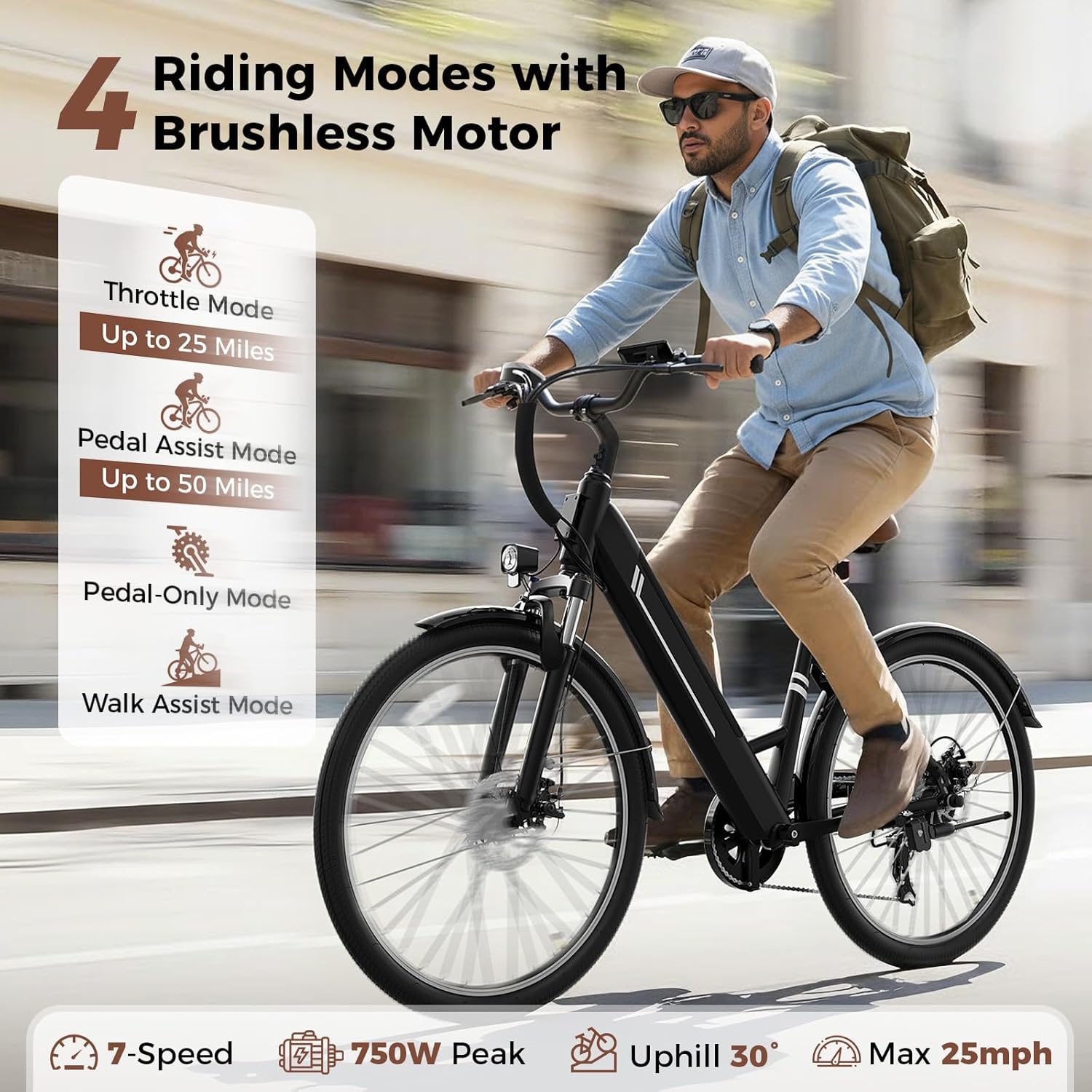
Image: Close-up of the handlebar and display unit, showing the ergonomic grips and gear shifter.
3.3 Front Wheel and Fender Attachment
Install the front wheel into the fork, ensuring the disc brake aligns correctly with the caliper. Secure the wheel with the quick-release skewer or nuts. Attach the front fender and headlight to the fork using the provided hardware.

Image: Detailed view of the front wheel assembly, including the disc brake, fender, and headlight.
3.4 Pedal and Kickstand Installation
Thread the pedals into the crank arms (note: left and right pedals are marked). Install the kickstand to the designated mounting points on the frame.
3.5 Seat Post and Battery Insertion
Insert the seat post into the frame and adjust the height for comfortable riding. Secure it with the quick-release lever. Insert the removable battery into the frame and lock it with the key.

Image: Cross-section view showing the internal removable battery integrated into the bike frame.
3.6 Assembly Videos
Video: Jasion YC1 ST Electric Bike Unboxing and Assembly. This video provides a step-by-step guide to unboxing and assembling your e-bike.
Video: Detailed Installation Video. This video offers a comprehensive guide to installing various components of the electric bike.
4. Product Features and Components
4.1 Motor & Performance
The Jasion YC1 ST is equipped with a 750W peak brushless motor, providing speeds up to 25mph for efficient commuting and outdoor exploration.
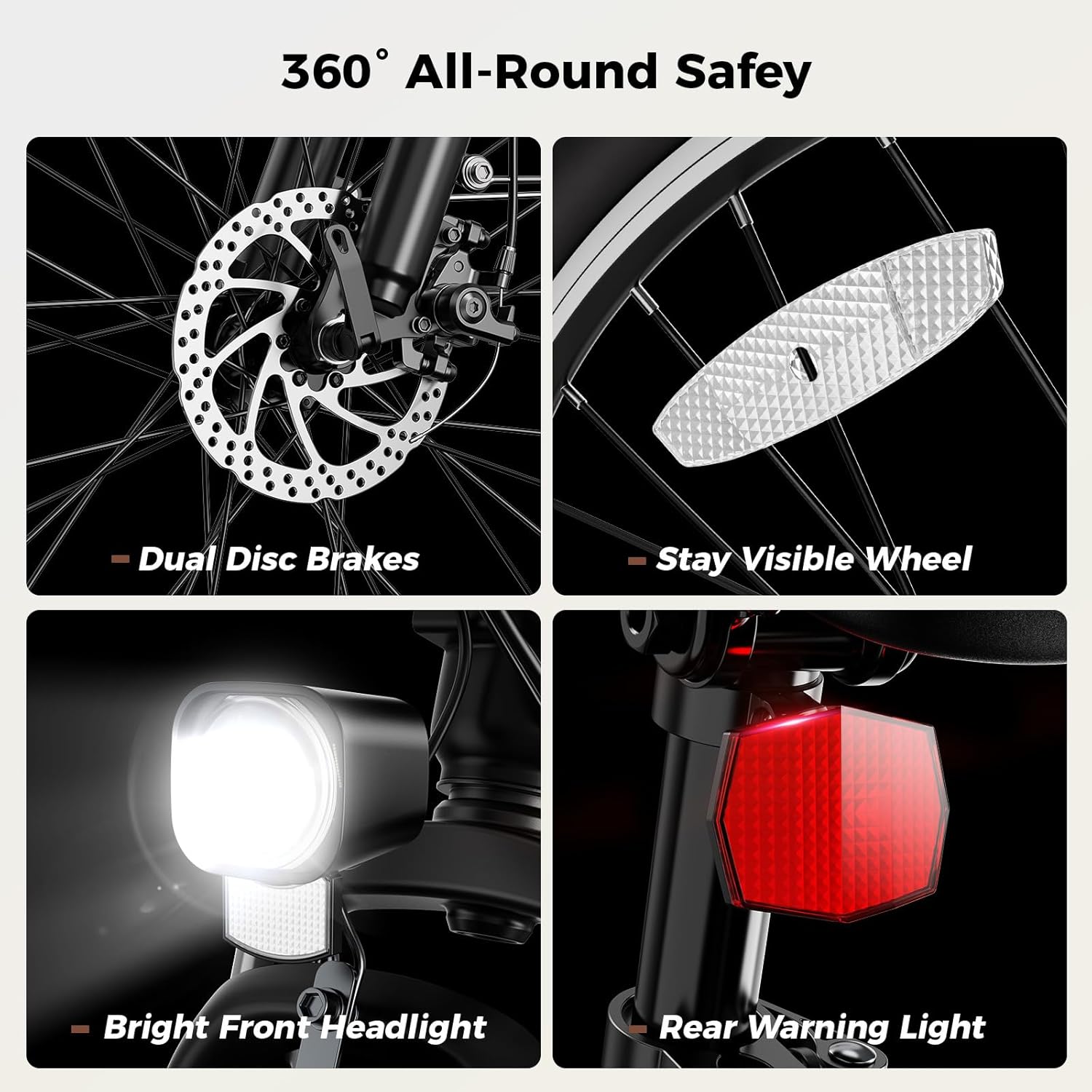
Image: A rider on the Jasion YC1 ST Electric Bike, illustrating the four riding modes and motor capabilities.
4.2 Battery System
Features a 360WH removable battery with a Battery Management System (BMS) for enhanced safety. It supports two fast charging methods, fully charging in 5-6 hours and offering a range of up to 50 miles in Pedal Assist System (PAS) mode. The removable design allows for convenient charging at home or office.
4.3 Tires & Suspension
The bike comes with 26"x2.0" tires suitable for various terrains and a lockable front suspension fork to absorb shocks and impacts, ensuring a smooth ride.

Image: Detailed view of the front suspension system, highlighting its ability to absorb road shock and improve control.
4.4 7-Speed Drivetrain
A professional 7-speed transmission allows for easy gear shifting and adaptation to diverse terrains, providing an optimal riding experience.

Image: Close-up of the 7-speed drivetrain, showing the gear system for varied riding conditions.
4.5 Dual Disc Brakes
Equipped with dual disc brakes for precise and instant stopping power, ensuring safety and control in all conditions, including downhill roads and wet weather.

Image: Detailed view of the dual disc brake system, emphasizing reliable stopping performance.
4.6 Lighting System & Reflectors
Bright LED headlights, rear reflectors, and reflective strips on the tires enhance visibility and safety during both day and night riding.
4.7 Multi-function LCD Display
The integrated LCD display provides clear, easy-to-read data such as current speed, total mileage, and battery power, allowing you to monitor your ride effectively.

Image: Close-up of the LCD screen display, showing various riding data like speed, mileage, and battery level.
5. Operating Your Jasion YC1 ST E-Bike
5.1 Riding Modes
The Jasion YC1 ST offers 3+1 riding modes to suit your preferences:
- Pure Electric Mode: Enjoy effortless rides with full electric power, no pedaling needed.
- Pedal Assist Mode (PAS): Boost your ride with motor assistance while pedaling, extending your range up to 50 miles.
- Walking Mode: Light motor push helps you walk the bike uphill or in tight spaces.
- Normal Bicycle Mode: Ride like a traditional bicycle without any electric assistance.

Image: Visual representation of the four distinct riding modes available on the Jasion YC1 ST Electric Bike.
5.2 Charging the Battery
To charge the battery, you can either charge it while it's installed in the bike or remove it for charging. Connect the charger to the battery port and then to a power outlet. The indicator light on the charger will show the charging status. A full charge typically takes 5-6 hours.
5.3 Using the LCD Display
Turn on the bike by pressing the power button on the battery. The LCD display will illuminate, showing your current speed, total mileage, and battery level. Use the control buttons near the handlebar to switch between riding modes and adjust settings.
6. Maintenance and Care
6.1 General Care
- Regularly clean your e-bike with a damp cloth. Avoid high-pressure washing directly on electrical components.
- Store the bike in a cool, dry place, away from direct sunlight and extreme temperatures.
- Lubricate the chain periodically to ensure smooth operation.
6.2 Tire Pressure
Check tire pressure before each ride. Maintain the recommended PSI (pounds per square inch) as indicated on the tire sidewall for optimal safety and performance.
6.3 Brake Inspection
Regularly inspect the brake pads and rotors for wear. Ensure the brake levers are responsive and provide adequate stopping power. Adjust or replace components as necessary.
7. Troubleshooting Common Issues
If you encounter any issues with your Jasion YC1 ST Electric Bike, please refer to the following common troubleshooting tips:
- Bike not powering on: Ensure the battery is fully charged and properly inserted. Check that the power button on the battery is pressed.
- Motor not assisting: Verify that you are in a pedal assist mode (PAS) or pure electric mode. Check for any error codes on the LCD display.
- Brakes feel weak: Inspect brake pads for wear and ensure cables are properly tensioned.
- Unusual noises: Check for loose components, rubbing parts, or debris in the drivetrain.
For more complex issues or if troubleshooting steps do not resolve the problem, please contact Jasion customer support.
8. Technical Specifications

Image: Diagram showing key dimensions and weight specifications of the Jasion YC1 ST Electric Bike.
| Feature | Specification |
|---|---|
| Bike Type | City Bike, Commuting Bike |
| Age Range (Description) | Adult |
| Brand | Jasion |
| Number of Speeds | 7 |
| Color | black+green |
| Wheel Size | 26 Inches |
| Frame Material | High Carbon Steel |
| Suspension Type | Front |
| Special Feature | 360WH Removable Battery, 750W Peak Adult Electric Bike, Adjustable Seat, Dual Disc Brake, Headlight |
| Included Components | Charger, Headlight, Intuitive display, Tool Kit |
| Size | Large |
| Brake Style | Disc |
| Model Name | YC1 ST |
| Power Source | Electric motor |
| Wheel Material | Aluminum |
| Lithium Battery Energy Content | 360 Watt Hours |
| Warranty Type | Limited |
| Maximum Weight Recommendation | 330 Pounds |
| Assembly Required | Yes |
| Bicycle Gear Shifter Type | Down Tube |
| Battery Capacity | 360 Watt Hours |
| Derailleur Configuration | Front and Rear |
| Bicycle Drivetrain Type | Derailleur |
| Electric Assist Type | Electric Assist |
| Manufacturer | Jasion |
| Frame Size | Large |
| Brand Name | Jasion |
| Warranty Description | 1 Year |
| Material | High Carbon Steel |
| Number of Items | 2 |
9. Warranty and Support
9.1 Product Warranty
The Jasion YC1 ST Electric Bike comes with a 1-year limited warranty. Please retain your proof of purchase for warranty claims. The warranty covers manufacturing defects and does not cover damage due to misuse, accidents, or normal wear and tear.
9.2 Customer Support
For technical assistance, warranty inquiries, or replacement parts, please contact Jasion customer support. Refer to the contact information provided on the product packaging or the official Jasion website.


