
PGYTECH P-PG-005
PGYTECH MagCam Phone Grip User Manual
Model: P-PG-005
1. Product Overview
The PGYTECH MagCam Phone Grip is a versatile accessory designed to enhance your mobile photography and videography experience. It features a comfortable grip, magnetic attachment for smartphones, and integrated wireless charging capabilities. The modular design allows for flexible use, including as a portable power bank or a convenient kickstand.
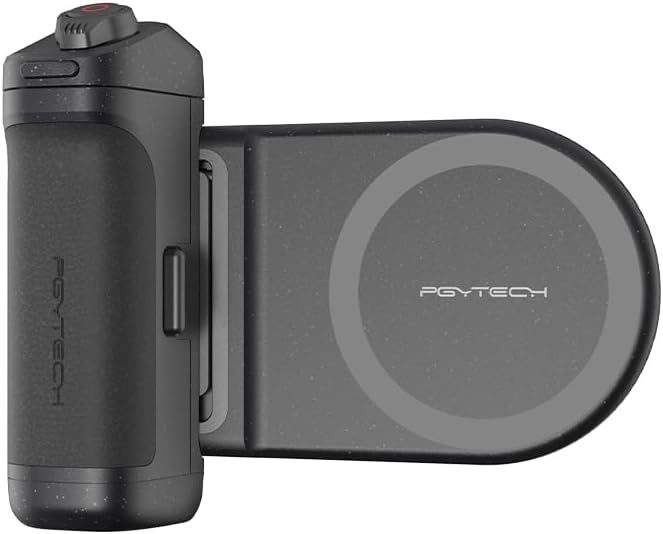
2. Package Contents and Components
Please ensure all the following components are present in your package:
- MagCam Phone Grip (Main Unit)
- Wireless Charging Module
- USB-C Charging Cable
- User Manual (this document)

3. Setup
3.1 Initial Charging
Before first use, fully charge the MagCam Phone Grip using the provided USB-C cable. Connect the cable to the USB-C port on the grip and a compatible power adapter. The battery indicator lights will show the charging status.
3.2 Attaching Your Phone
The MagCam Phone Grip uses a magnetic connection. Ensure your phone is compatible with magnetic accessories (e.g., MagSafe-enabled iPhones) or use a magnetic ring adapter (not included) for other devices. Align your phone with the magnetic charging module until it securely snaps into place.

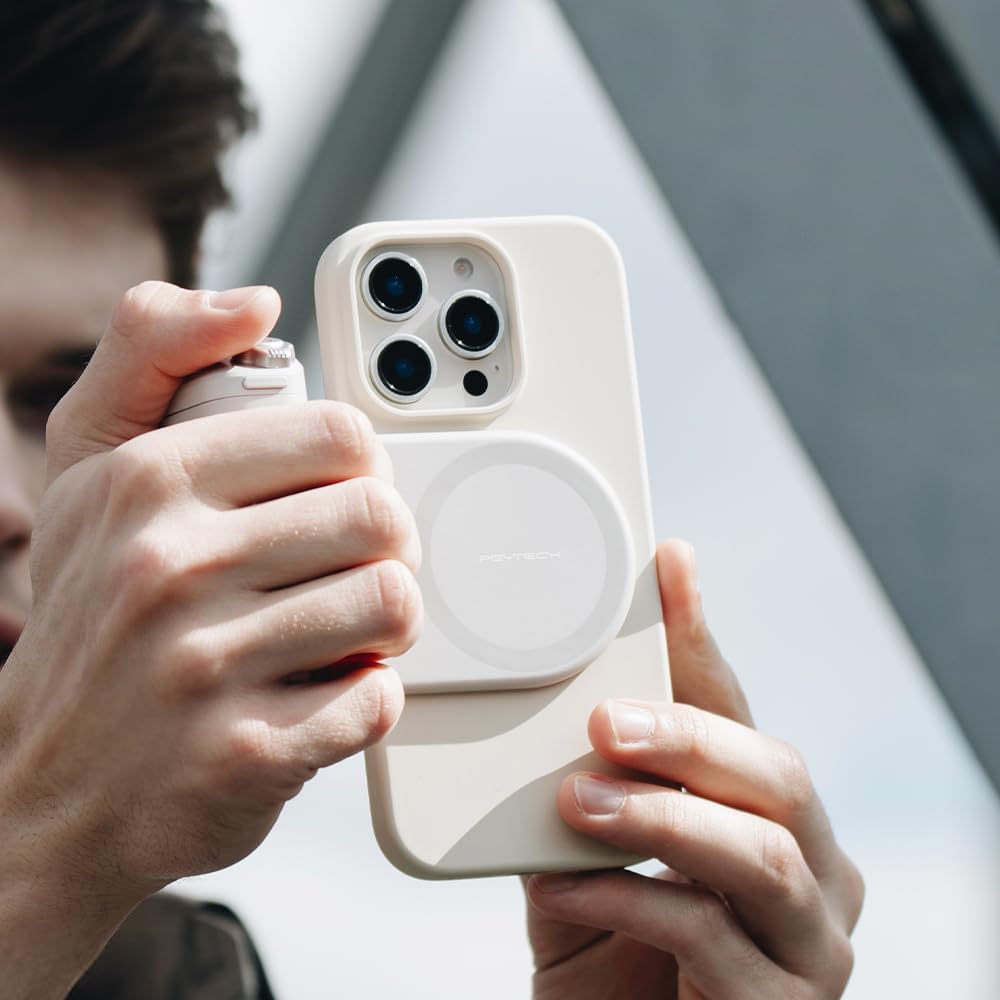
3.3 Bluetooth Pairing
To enable remote control functions, pair the grip with your smartphone via Bluetooth:
- Press and hold the power button on the grip until the Bluetooth indicator light flashes.
- On your smartphone, go to Bluetooth settings and select "PGYTECH MagCam" (or similar name) from the list of available devices.
- Once connected, the Bluetooth indicator light will turn solid.

4. Operating Instructions
4.1 Basic Functions
The MagCam Phone Grip provides several functions to enhance your phone's camera:
- Shutter Button: Press fully to take a photo or start/stop video recording. Half-press for focus (if supported by your phone's camera app).
- Zoom Adjustment: Rotate the dial around the shutter button to zoom in/out (functionality may vary by phone model and app).
- Mode Switch: Use the dedicated switch to toggle between photo and video modes.
- Front/Rear Camera Flip: Press the designated button to switch between front and rear cameras.

4.2 Wireless Charging
When attached, the wireless charging module can provide power to your compatible smartphone. The charging status will be indicated on your phone's screen.

4.3 Modular Design and Portability
The magnetic charging module can be easily detached from the grip for separate use or to reduce the overall size for portability.

The grip can also function as a kickstand for hands-free viewing.

Its compact design allows for easy storage and transport.

4.4 Compatibility
The functionality of the MagCam Phone Grip may vary depending on your smartphone's operating system and camera application. Refer to the table below for general compatibility:
| Functions | Xiaomi | Huawei | Honor | OPPO | iOS |
|---|---|---|---|---|---|
| Photo and Video Switching | ✓ | ✓ | ✓ | ✓ | ✓ |
| Camera Focus Adjustment | ✓ | ✓ | ✓ | ✓ | ✓ |
| Half-press Focus | ✓ | ✓ | ✓ | ✓ | ✓ |
| Mode Switching | ✓ | ✓ | ✓ | ✓ | X |
| Quick Launch | ✓ | ✓ | ✓ | ✓ | X |
| Camera Flip | ✓ | ✓ | ✓ | ✓ | ✓ |

5. Maintenance and Care
- Cleaning: Wipe the grip with a soft, dry cloth. Do not use harsh chemicals or abrasive materials.
- Storage: Store the device in a cool, dry place away from direct sunlight and extreme temperatures.
- Battery Care: For optimal battery life, avoid fully discharging the grip frequently. Charge it regularly, even if not in use for extended periods.
6. Troubleshooting
- Device not powering on: Ensure the grip is fully charged.
- Bluetooth not connecting: Make sure Bluetooth is enabled on your phone and the grip is in pairing mode. Try unpairing and re-pairing the device.
- Camera functions not working: Check the compatibility table (Table 4.1). Ensure your phone's camera app supports external shutter controls. Some functions may require specific app settings.
- Wireless charging not working: Ensure your phone is properly aligned with the magnetic charging module and that your phone supports wireless charging. Check for any obstructions between the phone and the module.
For more detailed troubleshooting and frequently asked questions, please visit the official PGYTECH FAQ page: PGYTECH MagCam Phone Grip FAQ
7. Specifications
| Feature | Detail |
|---|---|
| Product Weight | 250 g |
| Package Dimensions | 12.8 x 12 x 3.8 cm |
| Battery | 1 Lithium Ion battery (included) |
| Special Features | Magnetic attachment, Wireless charging |
| Connectivity | Wireless (Bluetooth) |
| Color | Black |
| Box Contents | Main unit |
| Grip Type | Ring Grip |
8. Warranty Information
PGYTECH products are manufactured to high quality standards. For specific warranty terms and conditions, please refer to the warranty card included with your product or visit the official PGYTECH website. Keep your purchase receipt as proof of purchase for warranty claims.
9. Support
For further assistance, product registration, or to explore other PGYTECH products, please visit our official brand store or contact customer support:
- PGYTECH Official Store: Amazon.co.jp/PGYTECH
- Online Support: Refer to the FAQ link in the Troubleshooting section for common issues.
Related documentsP-PG-005


Ask a question about this manual
Ask about setup, troubleshooting, compatibility, parts, safety, or missing instructions. Manuals+ will review the question and use this page’s manual context to help answer it.