
NAUTILUS Vibratone Pro Vibration Plate (ASIN: B0DVW9F6XB)
Nautilus Vibratone Pro Vibration Plate User Manual
Model: Vibratone Pro Vibration Plate (ASIN: B0DVW9F6XB)
1. Introduction
The Nautilus Vibratone Pro Vibration Plate is designed to enhance your fitness routine by stimulating muscle contractions through vibration. This platform offers a versatile and effective way to strengthen muscles, improve balance, and boost overall fitness. It is suitable for a wide range of users, from athletes to beginners, and features multiple intensity levels, speed settings, and pre-set programs.
For optimal results, consistent use of the fitness board combined with a balanced diet is recommended. This product is intended to supplement a healthy lifestyle, not replace it.
2. Important Safety Information
WARNING: Always consult your physician before starting any new exercise program, especially if you have pre-existing health concerns or medical conditions. This product is not intended to diagnose, treat, cure, or prevent any disease.
- Ensure the vibration plate is placed on a stable, level surface before use.
- Do not exceed the maximum weight capacity of 265 lbs (120 kg).
- Keep children and pets away from the device during operation.
- Do not use the device if you are pregnant, have a pacemaker, or suffer from severe heart conditions, epilepsy, or acute thrombosis.
- If you experience pain, dizziness, or discomfort during exercise, stop immediately and consult a medical professional.
- Unplug the unit from the power outlet when not in use or before cleaning.
- Do not immerse the unit in water or expose it to excessive moisture.
Nautilus assumes no responsibility for injuries or damage related to this machine’s use if safety guidelines are not followed.
3. What's Included
Upon unpacking your Nautilus Vibratone Pro Vibration Plate, please ensure all the following components are present:
- Nautilus Vibratone Pro Vibration Board
- Remote Control (requires 2 AAA batteries, not included)
- Two Detachable Resistance Bands with handles
- Power Cord
- Quick Start Guide (separate document)

Figure 3.1: Contents of the Nautilus Vibratone Pro Vibration Plate package. This image illustrates the main vibration board, the remote control, two resistance bands with clips, and the power cord, along with the product's dimensions.
4. Setup
Follow these steps to set up your vibration plate:
- Unpack: Carefully remove all components from the packaging.
- Placement: Place the Nautilus Vibratone Pro Vibration Plate on a firm, level, and non-slip surface. Ensure there is adequate space around the unit for safe exercise. The unit features slip-resistant foot mats and slide-proof suction cups on its feet for stability.
- Power Connection: Insert the power cord into the power input port on the side or back of the vibration plate, then plug the other end into a standard electrical outlet.
- Resistance Bands (Optional): If you plan to use the resistance bands, locate the attachment points on the sides of the vibration plate. Clip the carabiners of the resistance bands securely onto these points.
- Remote Control Batteries: Open the battery compartment on the back of the remote control and insert 2 AAA batteries (not included), ensuring correct polarity.
5. Operating Instructions
Your Nautilus Vibratone Pro Vibration Plate can be operated using the integrated LED touch display or the included remote control.
5.1 Powering On/Off
- Press the Power Button (symbol: circle with vertical line) on the control panel or remote to turn the unit on. The LED display will illuminate.
- Press the Power Button again to turn the unit off.
- The unit features an automatic shut-off function for safety and energy saving.
5.2 Using the LED Display and Remote Control

Figure 5.1: Smart LED Dashboard. This image highlights the intuitive LED display with icons representing adjustable speed, pre-set programs, Bluetooth speaker status, and the touch display functionality.
- Adjustable Speed: Use the Speed + and Speed - buttons on the remote or the corresponding controls on the panel to adjust the vibration intensity. There are 120 speed levels available.
- Intensity Presets: Select from 3 intensity preset modes for quick adjustments. Refer to the quick start guide for details on each preset.
- Preset Programs: The unit includes 4 pre-set workout programs. Press the Program Button (P) to cycle through these programs. Each program has a unique sequence of speed and time settings.
- Time Setting: Adjust the workout duration using the Time + and Time - buttons.
- Bluetooth Speaker: The unit has built-in Bluetooth speakers. To connect, enable Bluetooth on your mobile device and search for "Nautilus Vibratone Pro". Pair with the device to play audio through the vibration plate's speakers.
6. Features and Benefits
The Nautilus Vibratone Pro Vibration Plate is engineered with features to optimize your fitness experience:
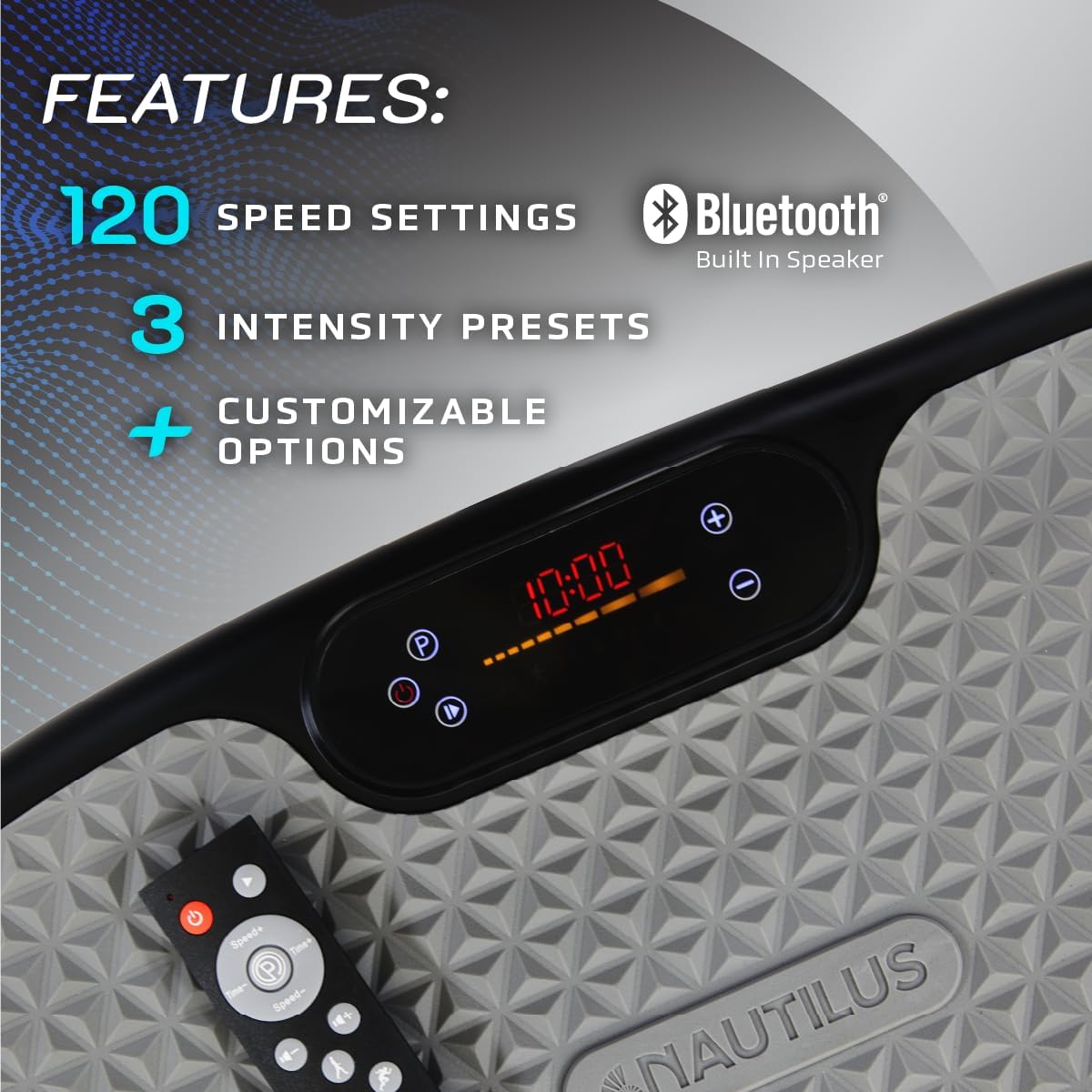
Figure 6.1: Key Features. This image visually represents the 120 speed settings, integrated Bluetooth speaker, 3 intensity presets, and customizable options available on the device.
- Full-Body Workout Platform: Strengthen your muscles, improve balance, and elevate your fitness routine. It stimulates and activates both large and small muscle groups throughout your body, including legs, back, shoulders, and arms.
- Versatile Exercise Enhancement: Boosts the effectiveness of basic exercises such as squats, push-ups, lunges, step-ups, planks, and bicep curls.
- Wide Range of Settings: Offers 120 speed levels and 3 intensity preset modes for precise control over your workout.
- Pre-set Workout Programs: Four integrated programs provide varied routines for different fitness goals.
- Bluetooth Speakers: Enjoy your favorite music or workout audio during your sessions.
- Detachable Resistance Bands: Included bands allow for upper body and core exercises, helping to tone arms, chest, abs, back, and shoulders for faster results.
- User-Friendly Interface: Features an LED display and a convenient remote control for easy operation.
- Compact and Portable Design: Weighing 14 lbs, its sleek design allows it to fit easily under furniture for convenient storage. Equipped with a slip-resistant foot mat and slide-proof suction cups for stability.
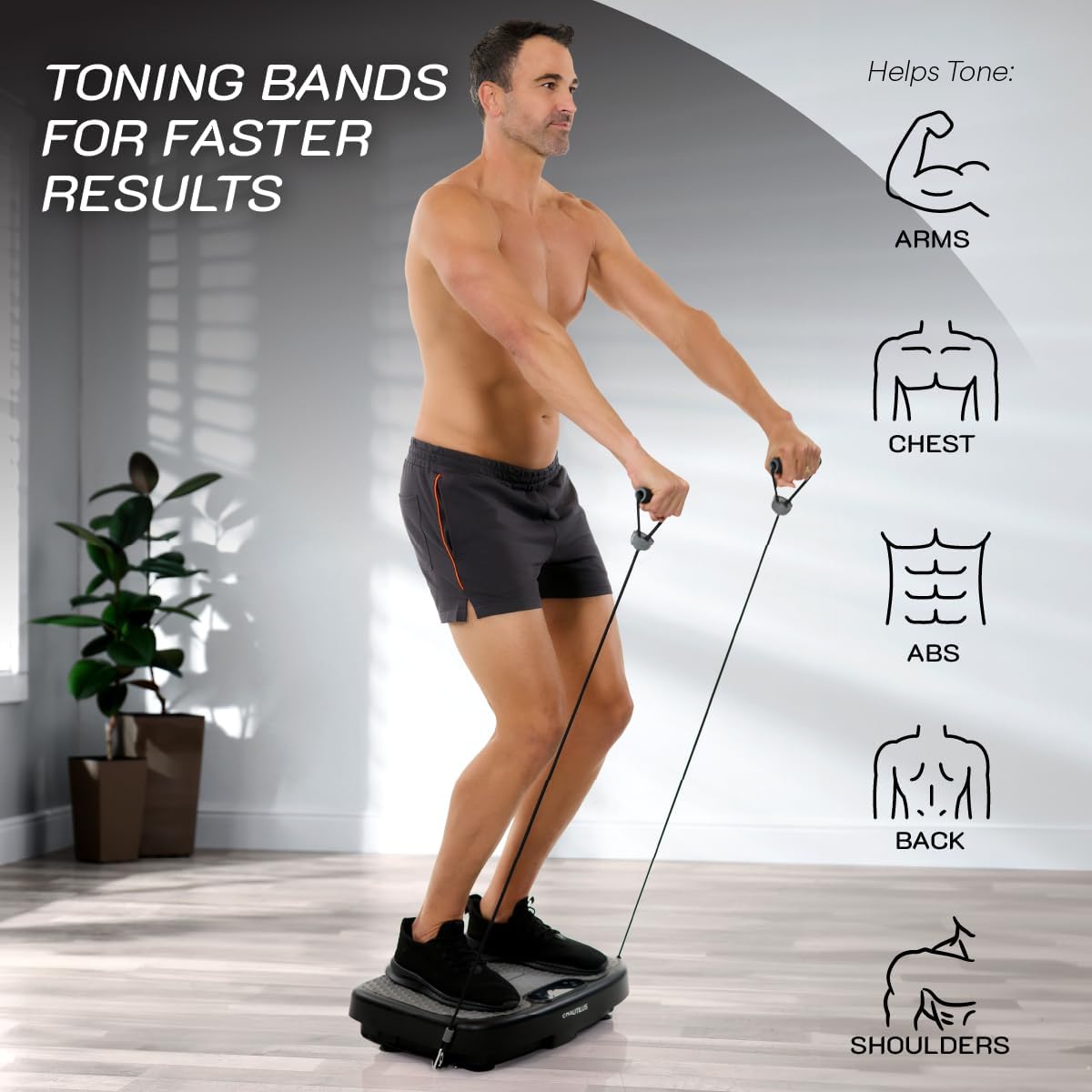
Figure 6.2: Full Body Workout Examples. This image shows different exercises like lunges, squats, glute bridges, and push-ups being performed on the Nautilus Vibratone Pro Vibration Plate.
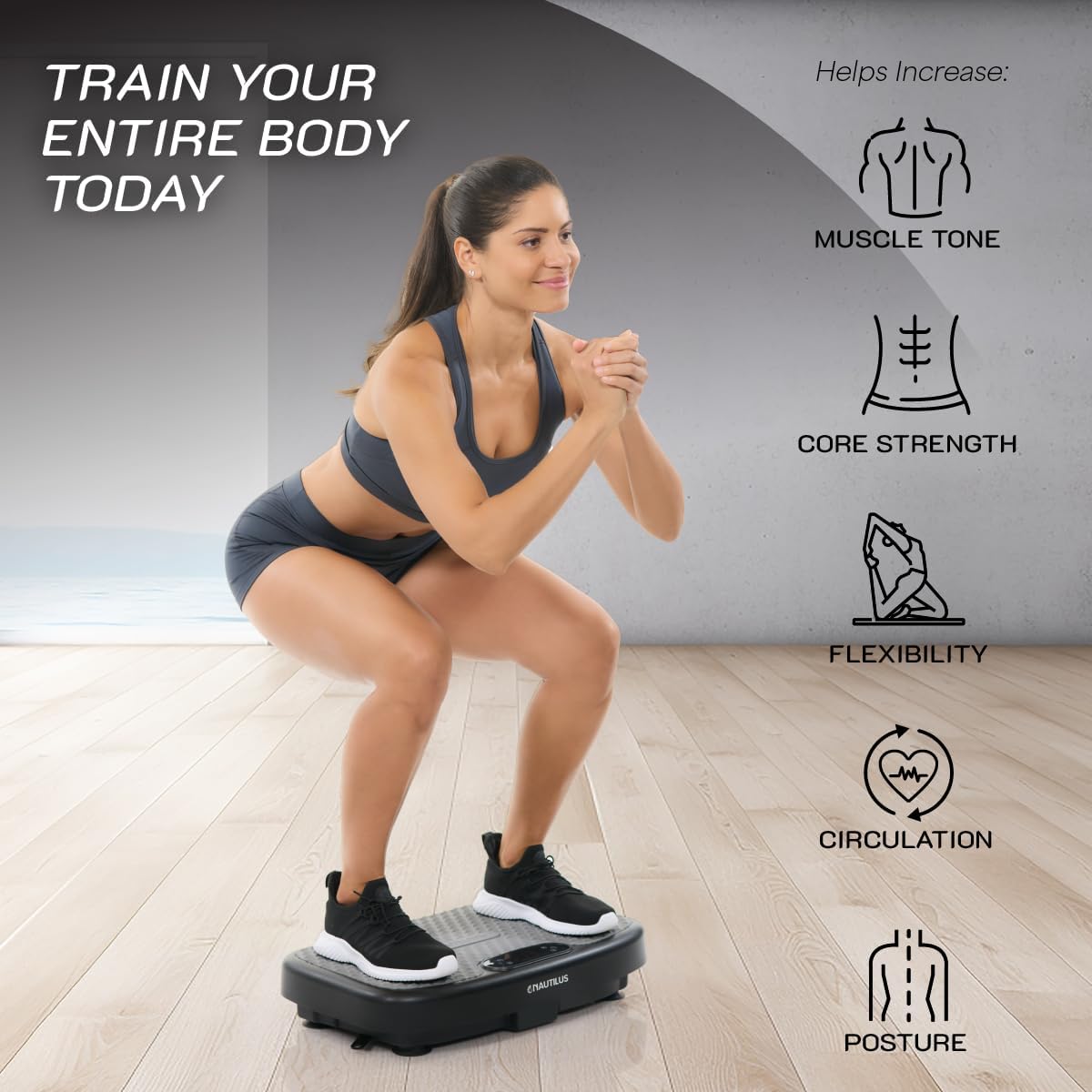
Figure 6.3: Toning Bands for Faster Results. This image illustrates how the detachable resistance bands can be used with the vibration plate to target and tone various muscle groups including arms, chest, abs, back, and shoulders.

Figure 6.4: Train Your Entire Body Today. This image shows a user engaging in a squat on the vibration plate, emphasizing the benefits of using the device for muscle tone, core strength, flexibility, circulation, and posture improvement.
7. Maintenance
Proper maintenance will ensure the longevity and optimal performance of your Nautilus Vibratone Pro Vibration Plate.
- Cleaning: After each use, wipe down the surface of the vibration plate with a soft, damp cloth. Do not use abrasive cleaners or solvents, as these can damage the finish. Ensure the unit is unplugged before cleaning.
- Storage: When not in use, store the vibration plate in a cool, dry place, away from direct sunlight and extreme temperatures. Its compact design allows it to be stored easily under a bed or couch.
- Inspection: Periodically check the power cord for any signs of damage. Inspect the resistance bands for wear and tear. If any component is damaged, discontinue use and contact customer support.
8. Troubleshooting
If you encounter any issues with your Nautilus Vibratone Pro Vibration Plate, refer to the following common problems and solutions:
| Problem | Possible Cause | Solution |
|---|---|---|
| Unit does not power on. | Power cord not properly connected or no power from outlet. | Ensure the power cord is securely plugged into both the unit and a working electrical outlet. Test the outlet with another device. |
| Remote control is not working. | Batteries are dead or incorrectly inserted. Remote is too far from the unit. | Replace the AAA batteries, ensuring correct polarity. Move closer to the unit and ensure no obstructions. |
| Vibration is weak or inconsistent. | Incorrect speed setting. Unit overloaded. | Increase the speed setting. Ensure user weight does not exceed 265 lbs. |
| Bluetooth speaker not connecting. | Bluetooth not enabled on device or unit not in pairing mode. | Ensure Bluetooth is enabled on your mobile device. Restart both the unit and your mobile device. Search for "Nautilus Vibratone Pro" in your device's Bluetooth settings. |
If the problem persists after attempting these solutions, please contact Nautilus customer support for further assistance.
9. Specifications
Detailed technical specifications for the Nautilus Vibratone Pro Vibration Plate:
| Specification | Value |
|---|---|
| Brand | NAUTILUS |
| Model | Vibratone Pro Vibration Plate |
| ASIN | B0DVW9F6XB |
| UPC | 754502054756 |
| Colour | Black |
| Material | Plastic |
| Maximum Weight Recommendation | 265 Pounds (approx. 120 kg) |
| Item Weight | 6.35 kg (14 lbs) |
| Parcel Dimensions | 58.42 x 36.2 x 15.88 cm (23 x 14.25 x 6.25 inches) |
| Power Cord Length | 6 feet |
| Speed Levels | 120 |
| Intensity Presets | 3 |
| Preset Programs | 4 |
| Bluetooth | Built-in Speaker |
| Included Components | Remote Control, Two Detachable Resistance Bands |
10. Warranty and Support
Specific warranty information for the Nautilus Vibratone Pro Vibration Plate is not provided in this manual. For details regarding warranty coverage, terms, and conditions, please refer to the official Nautilus website or the warranty card included with your product packaging.
For technical support, replacement parts, or any other inquiries, please contact Nautilus customer service through their official channels. Contact information can typically be found on the manufacturer's website or in the product's quick start guide.
Ask a question about this manual
Ask about setup, troubleshooting, compatibility, parts, safety, or missing instructions. Manuals+ will review the question and use this page’s manual context to help answer it.