
Introduction
The Stealth Cam Deceptor Max 2.0 is an advanced cellular trail camera designed for monitoring wildlife and property. It features dual-core processing for simultaneous image capture and upload, ensuring efficient operation. With a 40MP photo resolution and 1440P video recording, it delivers high-quality imagery. The camera includes a fast 0.3-second trigger speed, 100ft detection range, and no-glow LEDs for discreet night-time imaging. Integrated GPS and compatibility with the Command PRO App provide remote control, live streaming, and precise location tracking.
Safety Information
- Do not submerge the camera in water.
- Use only recommended battery types (AA batteries or 12V DC external power).
- Keep the camera away from extreme temperatures and direct sunlight for prolonged periods.
- Ensure the battery compartment is securely latched to maintain weather resistance.
- Handle the lens and sensors with care to avoid scratches or damage.
Package Contents
Verify that your package contains the following items:
- Stealth Cam Deceptor Max 2.0 Cellular Camera
- Instruction Manual
- Mounting Strap
Camera Overview
Familiarize yourself with the camera's physical components:

Front view of the Stealth Cam Deceptor Max 2.0 Cellular Camera, showing the lens, PIR sensor, and antenna.
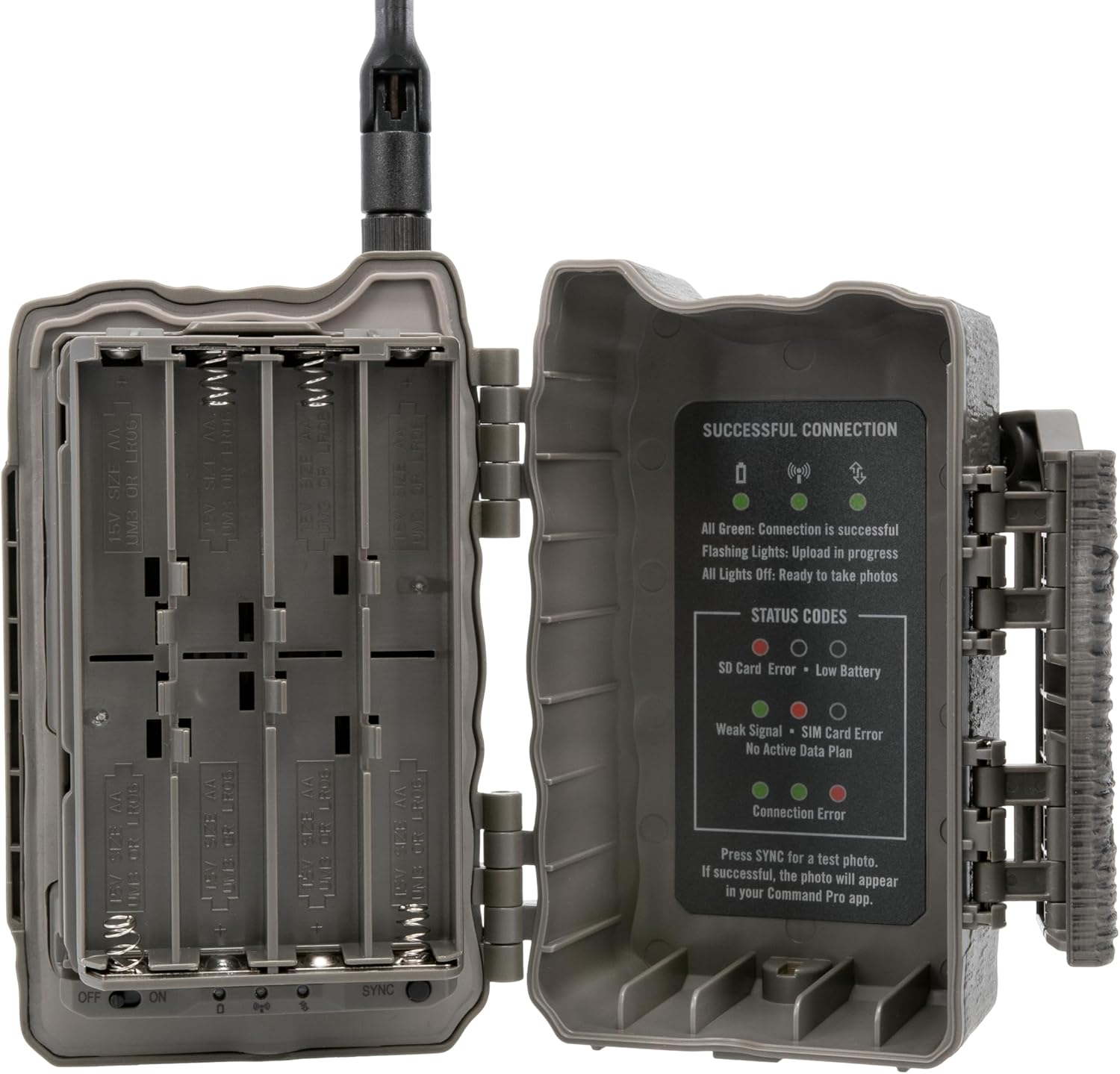
Side view of the camera with the battery compartment open, revealing the battery trays and status indicators.
Setup
1. Battery Installation
The Deceptor Max 2.0 requires 16 AA batteries (not included). It also supports external 12V DC power via an auxiliary jack.
- Open the camera's side latch to access the battery compartment.
- Insert 16 AA batteries, ensuring correct polarity (+/-).
- Close the battery compartment securely until the latch clicks.
2. SD Card Installation (Optional)
The camera includes 16GB of internal memory. For additional storage, an SD card can be used.
- Locate the SD card slot inside the camera.
- Insert a compatible SD card (up to 32GB, Class 10 or higher recommended) into the slot until it clicks.
- To remove, press the card gently to eject it.
3. Mounting the Camera
The camera features an integrated multi-position mount and a 1/4-20 threaded insert for flexible mounting options.
- Strap Mounting: Use the provided strap to secure the camera to a tree or post. Ensure the camera is stable and pointed towards the desired area.
- Threaded Insert Mounting: Attach the camera to a compatible tripod or ground mount using the 1/4-20 threaded insert at the bottom.
- Python Cable Provision: For added security, a python cable can be threaded through the designated slot.

The camera securely mounted to a tree using a strap, demonstrating a common deployment method.
4. App Installation and Activation
The Stealth Cam Deceptor Max 2.0 operates with the Command PRO App, available for smartphones.
- Download the Command PRO App from your device's app store.
- Create an account or log in.
- Follow the in-app instructions to add your camera. The camera's AIO Carrier Determination feature will automatically connect to the strongest AT&T or Verizon signal.
- Ensure the camera is powered on and in an area with cellular coverage for successful activation.
Operating Instructions
1. Powering On/Off
Locate the ON/OFF switch inside the camera's battery compartment. Switch to ON to power the camera. The camera will perform a self-check and attempt to connect to the cellular network.
2. Adjusting Settings via Command PRO App
All camera settings are managed remotely through the Command PRO App.
- Photo Resolution: Select between 4MP, 8MP, 16MP, and 40MP.
- Video Resolution: Choose 1440P QHD video with audio.
- Trigger Speed: Set the ultra-fast 0.3-second trigger speed.
- Burst Mode: Configure the camera to take 1-9 photos per trigger.
- Time-Out Delays: Customize delays from 2-59 seconds or 1-59 minutes between captures.
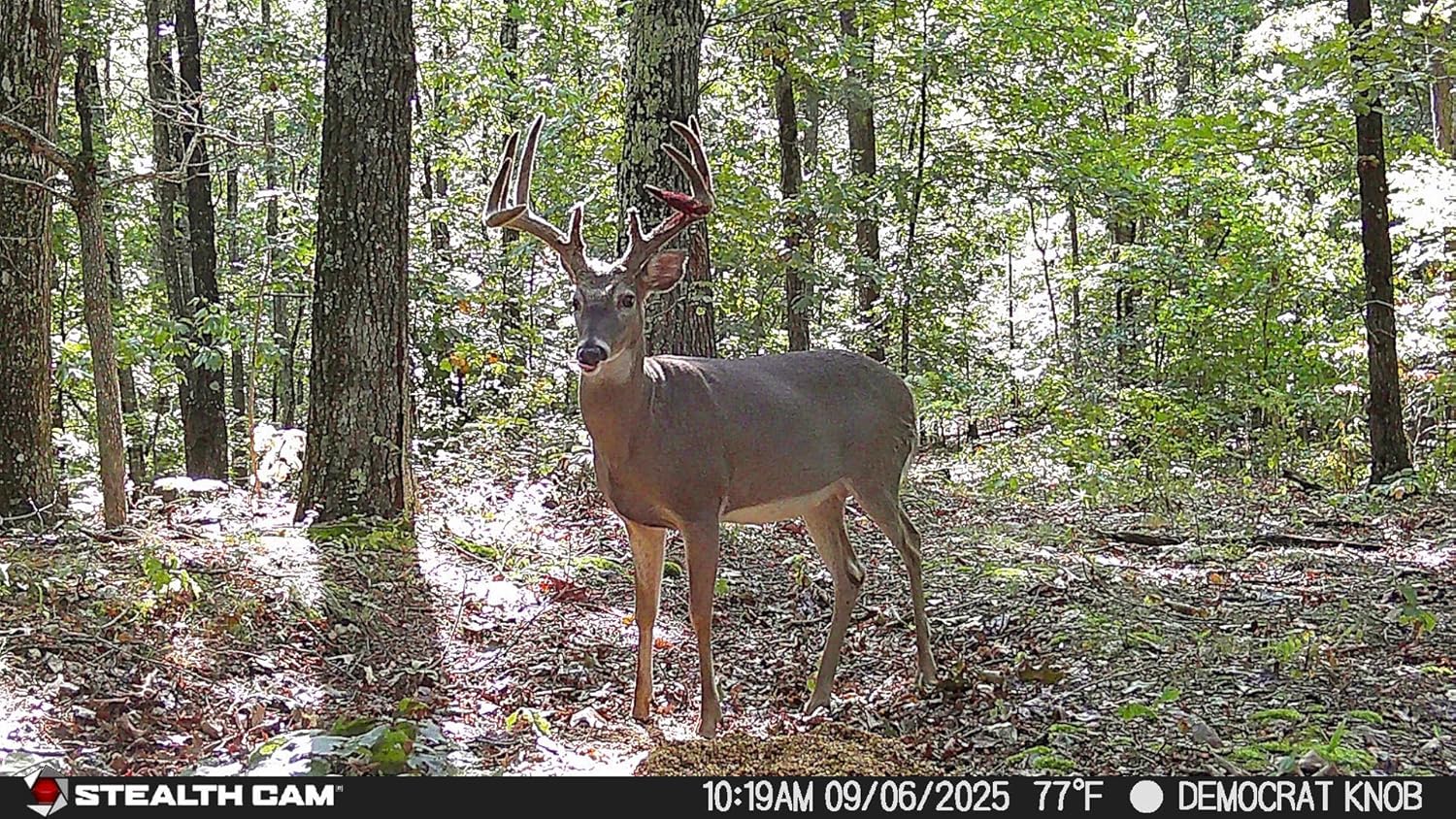
Key performance specifications of the Deceptor Max 2.0, including photo and video resolution, and detection range.
3. Live View and On-Demand Features
The Command PRO App allows for real-time monitoring and instant captures.
- Live View: Initiate a live video stream on demand to see real-time activity.
- On-Demand Photos/Videos: Request instant photo or video captures directly from the app.
4. Image and Video Retrieval
Access captured media through the Command PRO App.
- Photos and videos are automatically uploaded to your app gallery.
- Utilize the app's filters to sort media by animal type (AI identification).
- Download HD photos and 4K videos directly to your device for detailed viewing.
5. GPS Tracking
The built-in GPS provides live location tracking of your camera within the Command PRO App, helping you manage multiple camera deployments.

Advanced features of the Deceptor Max 2.0, including AI image optimization, built-in GPS, and fast trigger speed.
Maintenance
- Cleaning: Regularly clean the camera lens and PIR sensor window with a soft, lint-free cloth to ensure clear images and proper detection.
- Battery Check: Monitor battery levels via the Command PRO App. Replace AA batteries as needed or recharge external power packs.
- Firmware Updates: The Command PRO App will notify you of any available firmware updates. Follow the in-app instructions to keep your camera's software current for optimal performance.
Troubleshooting
- No Power: Check battery installation and ensure batteries are fresh. Verify external power connection if used.
- No Cellular Connection: Ensure the camera is in an area with adequate cellular signal. Check your data plan status via the Command PRO App.
- Poor Image/Video Quality: Clean the camera lens and PIR sensor. Adjust resolution settings in the app. Ensure the camera is mounted stably.
- Camera Not Triggering: Verify the PIR sensor is clear of obstructions. Adjust sensitivity settings in the app.
- App Connectivity Issues: Ensure your smartphone has a stable internet connection. Restart the app or your phone if necessary.
Specifications

Detailed specifications for the Stealth Cam Deceptor Max 2.0 Cellular Trail Camera.
| Feature | Detail |
|---|---|
| Model Name | Deceptor Max 2.0 |
| Model Number | STC-DCPTRX2 |
| Photo Resolution | 40MP (selectable: 4MP, 8MP, 16MP, 40MP) |
| Video Resolution | 1440p QHD with Audio |
| Trigger Speed | 0.3 seconds |
| Detection & Flash Range | 100 feet |
| LEDs | 36pcs 940nm No-Glow LEDs |
| Internal Memory | 16GB |
| Connectivity | Cellular (AT&T & Verizon Auto Connect), Wireless (App Controlled) |
| Power Source | 16 AA Batteries (not included), 12V DC Auxiliary Jack |
| Special Features | Dual Core Processor, Integrated AI, Built-in GPS, Live View, On-Demand Photos/Videos, Weather Proof |
| Mount Type | Integrated Multi-position Mount, 1/4-20 Threaded Insert |
| Dimensions | 7.48 x 5.51 x 3.15 inches |
Warranty
The Stealth Cam Deceptor Max 2.0 Cellular Camera is covered by a 2-Year Warranty. This warranty covers defects in materials and workmanship under normal use. For detailed warranty terms and conditions, please refer to the official Stealth Cam website or contact customer support.

Information regarding the 2-year warranty for Stealth Cam products.
Support
For further assistance, technical support, or to access additional resources, please visit the official Stealth Cam website or contact their customer service department. You can also find FAQs and troubleshooting guides within the Command PRO App.
Official Website: www.stealthcam.com
Product Video
Official product video for the Stealth Cam Deceptor 2.0, showcasing its features and capabilities.


