
PowerA XBGP0439-01
PowerA Advantage Plus Wired Controller User Manual
Model: XBGP0439-01
Introduction
The PowerA Advantage Plus Wired Controller is an officially licensed gaming controller designed for Xbox Series X|S, Xbox One, and Windows 10/11 PC. It features advanced functionalities such as adjustable height thumbsticks, Hall Effect modules for precision, mappable advanced gaming buttons, dual rumble motors, and immersive impulse triggers. This manual provides comprehensive instructions for setting up, operating, and maintaining your controller to ensure optimal performance and longevity.
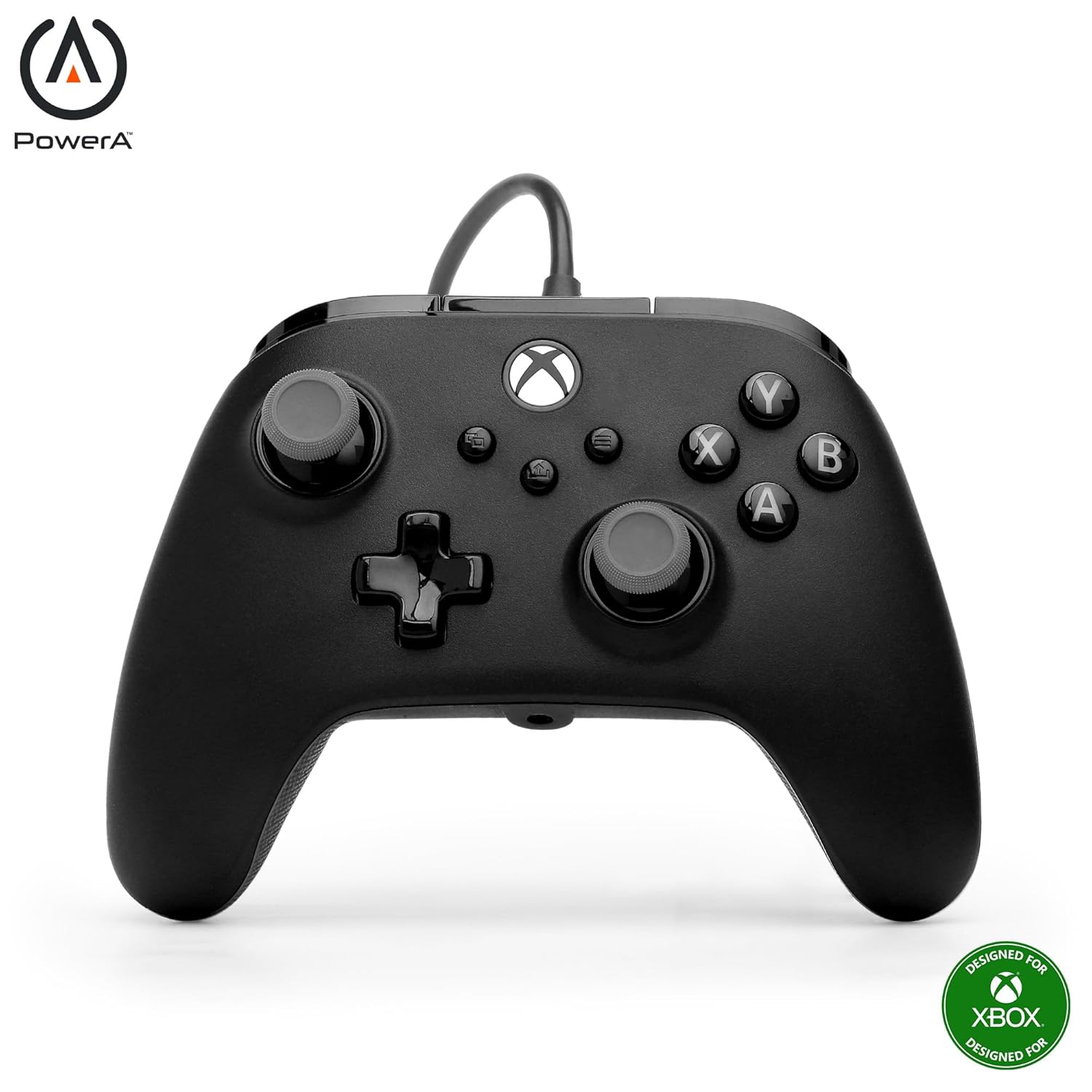
Figure 1: Front view of the PowerA Advantage Plus Wired Controller.
Key Features
- Quick-Twist Thumbsticks: Easily adjust the height of each thumbstick to 3 different positions (Standard, Medium, Tall) with a simple twist, eliminating the need to swap out parts during gameplay.
- Hall Effect Modules: Contact-free magnetic sensors in the thumbsticks provide a more fluid, pro-level feel, enhancing precision and extending the lifespan of the thumbsticks.
- Advanced Gaming Buttons: Two mappable buttons on the back of the controller can be programmed on-the-fly, mid-game, without needing to access system settings.
- Dual Rumble Motors: Experience enhanced immersion with tactile feedback and sensations that bring your virtual worlds to life.
- Immersive Impulse Triggers: Built-in motors provide reactive rumble sensations in the triggers, allowing you to feel the action of the game.
- Extra-Long USB-C Cable: A 10 ft. USB-C cable provides ample distance for comfortable and flexible gaming, eliminating the need for batteries.
- Ergonomic Design: Lightweight and comfortable with a textured grip, designed for extended gaming sessions.
- Headset Compatible: Features a 3.5 mm stereo headset jack for connecting your favorite gaming headset.
- Officially Licensed: Fully compatible with Xbox Series X|S, Xbox One, and Windows 10/11 PC.
- PowerA Gamer HQ App: Customize audio, triggers, rumble, dead zones, and more using the free official Xbox and Windows 10/11 app.
Setup
- Unpack the Controller: Carefully remove the PowerA Advantage Plus Wired Controller and its USB-C cable from the packaging.
- Connect to Console/PC:
- Insert the USB-C end of the cable into the port on the top of the controller.
- Insert the USB-A end of the cable into an available USB port on your Xbox Series X|S, Xbox One console, or Windows 10/11 PC.
- System Recognition: Your console or PC should automatically detect the controller. The Xbox button on the controller will illuminate to indicate a successful connection.
- Install Drivers (PC Only): For Windows 10/11 PC, drivers are typically installed automatically. If prompted, follow the on-screen instructions. For advanced customization, download the PowerA Gamer HQ App from the Microsoft Store.

Figure 2: Connecting the extra-long USB-C cable to the controller.
Operating Instructions
Quick-Twist Thumbsticks
The Quick-Twist Thumbsticks allow for on-the-fly height adjustment without needing to remove or replace parts. Simply twist the thumbstick cap to cycle through three distinct height settings: Standard, Medium, and Tall. This feature provides customizable control for different game genres and personal preferences.
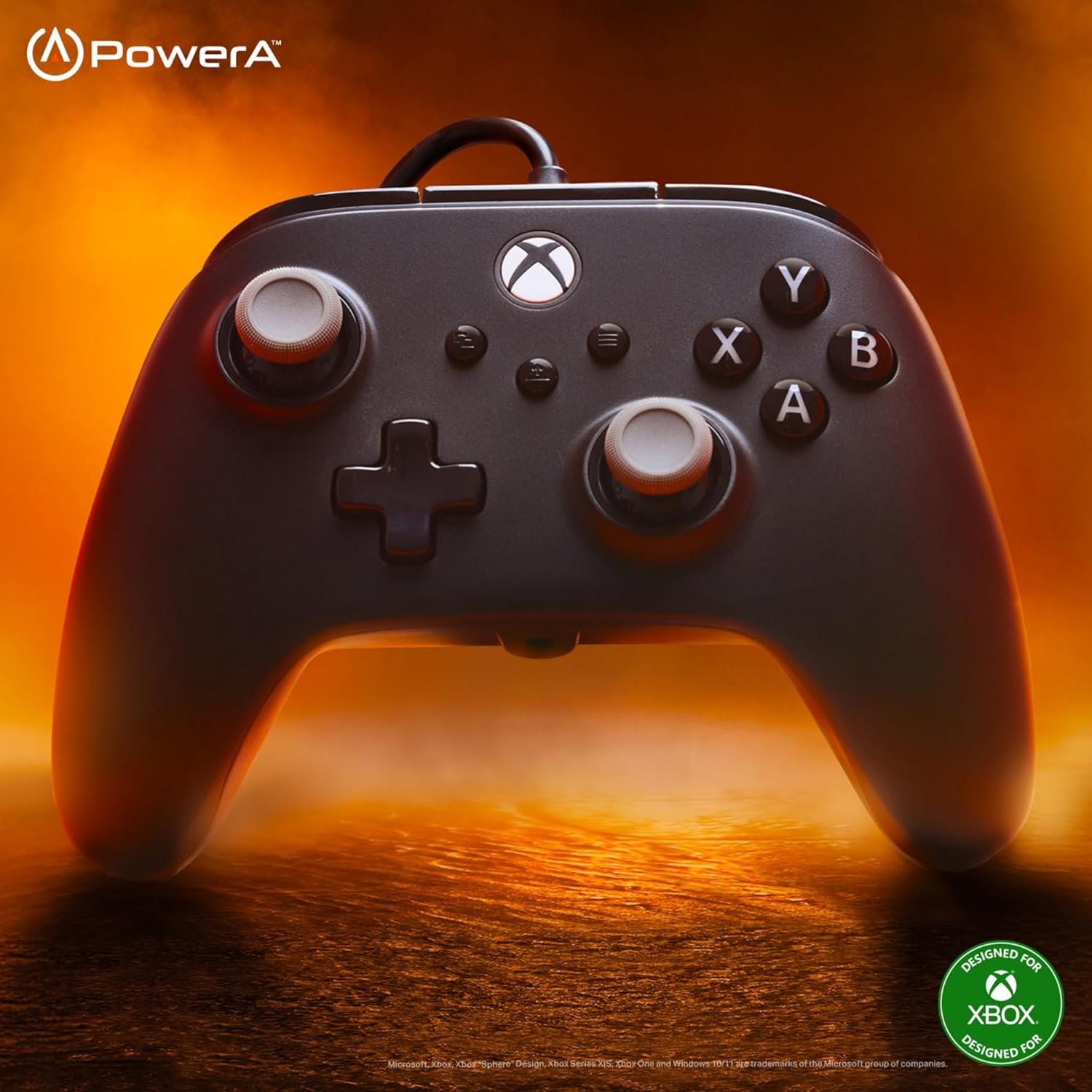
Figure 3: Quick-Twist Thumbsticks with three adjustable height settings.
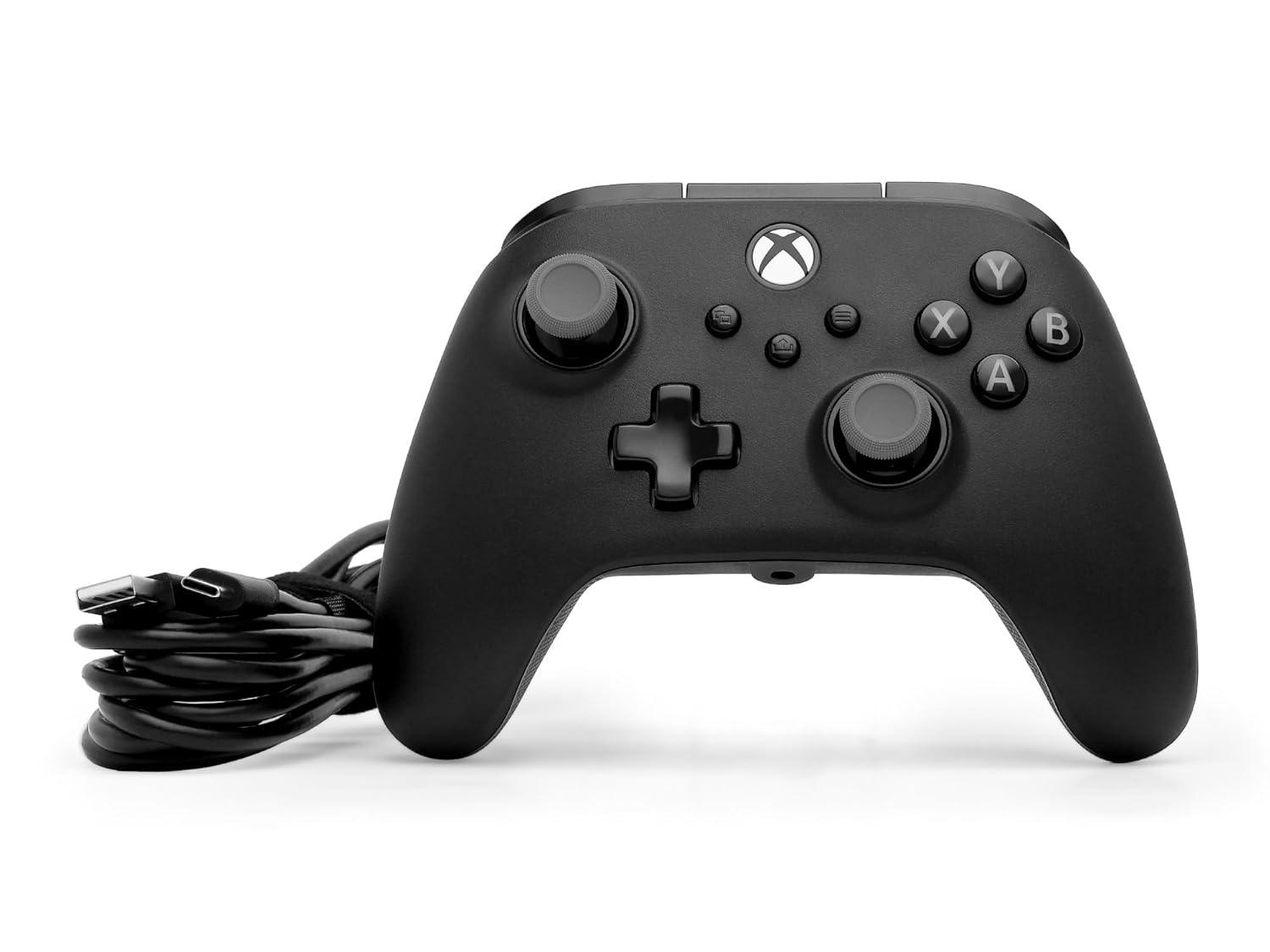
Figure 4: Illustration of Hall Effect Modules providing precise, contact-free input.
Advanced Gaming Buttons (AGB)
The controller features two mappable Advanced Gaming Buttons (AGR and AGL) located on the back. These buttons can be assigned to any standard controller button (A, B, X, Y, LB, RB, LT, RT, Left Stick Click, Right Stick Click, D-pad Up/Down/Left/Right) for quick access during gameplay.
- To Map an AGB:
- Press and hold the Program Button (small button on the back, near the top) for 2 seconds. The Program LED will flash.
- Press the Advanced Gaming Button (AGR or AGL) you wish to map. The Program LED will begin to flash rapidly.
- Press the standard button you want to map to the AGB (e.g., A, B, X, Y, etc.). The Program LED will stop flashing, indicating the AGB has been successfully mapped.
- To Reset AGBs: Press and hold the Program Button for 5 seconds. The Program LED will flash slowly, then turn off, indicating all AGBs have been reset to their default (unmapped) state.

Figure 5: Location and mapping options for Advanced Gaming Buttons.
Dual Rumble Motors and Impulse Triggers
The controller is equipped with dual rumble motors in the grips and impulse triggers to provide immersive haptic feedback. These motors activate during gameplay to simulate in-game actions like explosions, impacts, or engine vibrations, enhancing your gaming experience.

Figure 6: Visual representation of the immersive impulse triggers.

Figure 7: Visual representation of the dual rumble motors in the controller grips.
PowerA Gamer HQ App
For advanced customization and fine-tuning of your controller, download the free PowerA Gamer HQ App from the Microsoft Store on your Xbox or Windows 10/11 PC. This app allows you to:
- Adjust audio settings.
- Remap buttons.
- Set trigger dead zones.
- Configure stick dead zones.
- Adjust vibration settings.
- Create and manage multiple controller profiles.
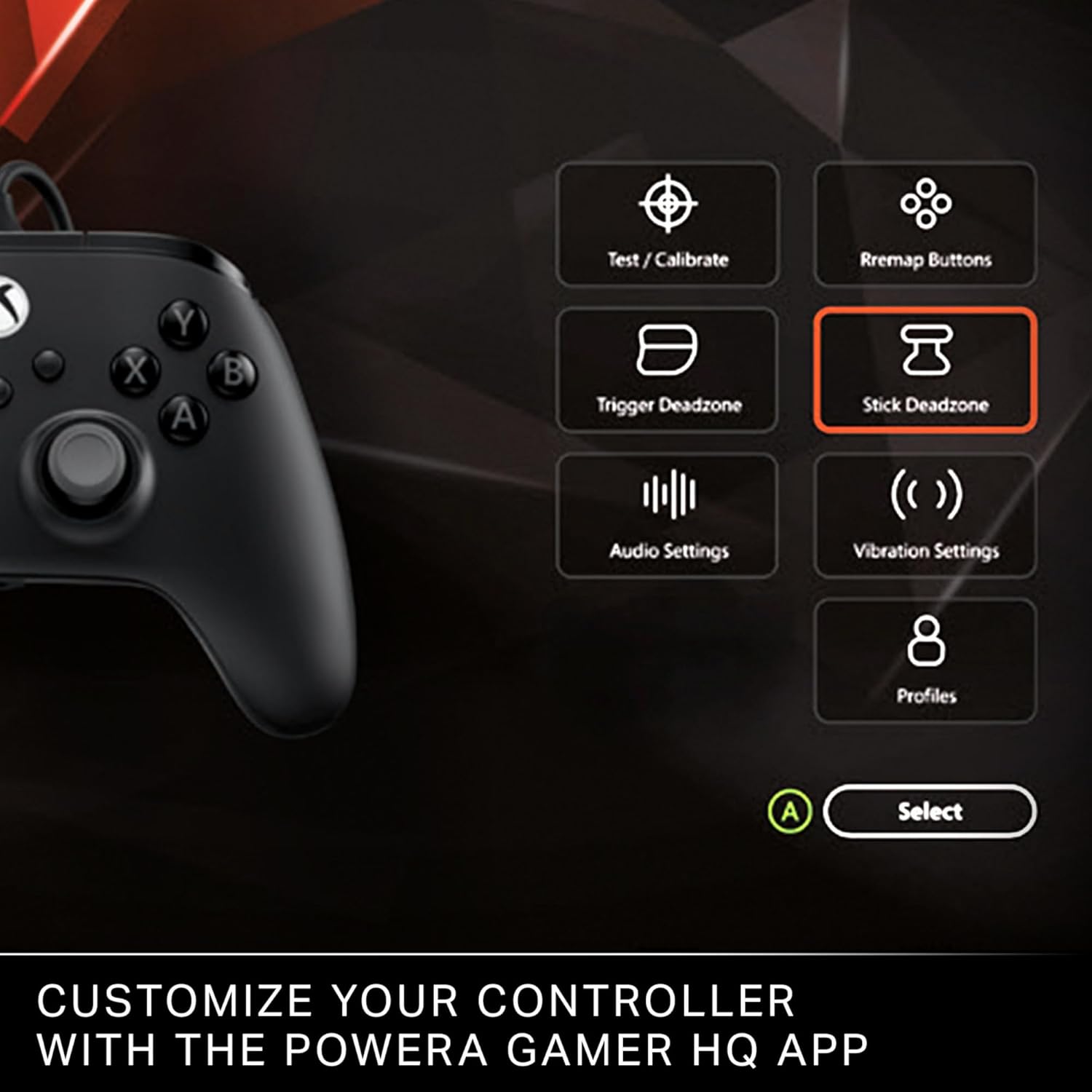
Figure 8: Customize your controller settings using the PowerA Gamer HQ App.
Maintenance
- Cleaning: Use a soft, dry cloth to wipe down the controller regularly. For stubborn dirt, slightly dampen the cloth with water. Avoid using harsh chemicals or abrasive cleaners.
- Storage: When not in use, store the controller in a cool, dry place away from direct sunlight and extreme temperatures. Avoid wrapping the cable too tightly around the controller to prevent damage.
- Cable Care: The extra-long USB-C cable is designed for durability, but avoid excessive bending, twisting, or pulling on the cable, especially near the connectors.
Troubleshooting
- Controller Not Responding:
- Ensure the USB-C cable is securely connected to both the controller and the console/PC.
- Try connecting the controller to a different USB port on your console/PC.
- Restart your console or PC.
- If on PC, ensure the necessary drivers are installed or try reinstalling them via the PowerA Gamer HQ App or Windows Device Manager.
- Buttons or Sticks Not Functioning Correctly:
- Check if any Advanced Gaming Buttons are accidentally mapped to an unintended function. Reset AGBs if necessary (refer to "Operating Instructions").
- Calibrate the thumbsticks and triggers using the PowerA Gamer HQ App to address any dead zone or sensitivity issues.
- Ensure the Quick-Twist Thumbsticks are securely seated in their desired height setting.
- No Rumble Feedback:
- Verify that rumble feedback is enabled in your game's settings and in the PowerA Gamer HQ App.
- Some games may not fully support Impulse Trigger compatibility.
Specifications
| Feature | Detail |
|---|---|
| Model Number | XBGP0439-01 |
| Compatibility | Xbox Series X|S, Xbox One, Windows 10/11 PC |
| Connectivity | Wired (USB-C) |
| Cable Length | 10 ft. (3 meters) |
| Thumbsticks | Quick-Twist Adjustable Height, Hall Effect Modules |
| Mappable Buttons | 2 Advanced Gaming Buttons |
| Haptic Feedback | Dual Rumble Motors, Impulse Triggers |
| Audio Jack | 3.5 mm Stereo Headset Jack |
| Dimensions | 6.14 x 4.21 x 2.56 inches |
| Weight | 10.2 ounces |
| Manufacturer | PowerA |
| Country of Origin | China |
| Release Date | March 25, 2025 |
Warranty and Support
The PowerA Advantage Plus Wired Controller comes with a 2-year Limited Warranty. For warranty claims or technical support, please visit the official PowerA website or contact their customer service.
For additional information and a downloadable PDF user manual, please refer to the following link:
You can also find more information and support on the PowerA Store on Amazon.
Product Overview Video
Video 1: Official launch video showcasing the features of the PowerA Advantage Plus Wired Controller for Xbox. This video highlights the Quick-Twist Thumbsticks, Hall Effect Modules, and Advanced Gaming Buttons.
Related documentsXBGP0439-01


Ask a question about this manual
Ask about setup, troubleshooting, compatibility, parts, safety, or missing instructions. Manuals+ will review the question and use this page’s manual context to help answer it.