
1. Product Overview
The MERIDIAN Slimmer Trimmer is an electric razor designed for precise and gentle hair removal on sensitive skin areas, including bikini lines and pubic hair. Its compact, waterproof design and ceramic blade ensure a smooth, comfortable experience without nicks, bumps, or razor burn. The trimmer is rechargeable and travel-friendly, offering convenience for at-home or on-the-go grooming.

Image: The MERIDIAN Slimmer Trimmer in Onyx, showcasing its sleek design.
2. What's Included
Your MERIDIAN Slimmer Trimmer package includes the following items:
- 1x MERIDIAN Slimmer Trimmer (Model MEC146A)
- 2x Guide Combs (for adjustable trimming lengths)
- 1x Cleaning Brush
- 1x USB-C Charging Cable

Image: All components included in the MERIDIAN Slimmer Trimmer package.
3. Features
- Ceramic Blade Technology: Designed for a smooth, gentle trim on sensitive areas, minimizing nicks, bumps, and irritation.
- Waterproof Design: Suitable for both wet and dry use, allowing for convenient grooming in the shower.
- LED Spotlight: Provides enhanced visibility for precise trimming in hard-to-reach areas.
- Rechargeable & Cordless: Features a USB-C rechargeable battery with up to 90 minutes of runtime.
- Adjustable Guide Combs: Two included combs allow for different hair lengths.
- Travel Lock: Prevents accidental activation during travel.

Image: Key features of the Slimmer Trimmer, including its ceramic blade and waterproof design.
Video: An overview of the Meridian Slimmer Trimmer, demonstrating its compact design, safe ceramic blade, and waterproof capabilities for pubic and body hair grooming.
4. Setup
- Initial Charge: Before first use, fully charge the trimmer using the provided USB-C cable. Connect the cable to the trimmer and a compatible USB power source (e.g., laptop, power bank, USB-C charger). The indicator light will show charging status. A full charge provides up to 90 minutes of runtime.
- Attaching Guide Combs: If desired, select one of the two guide combs. Align the comb with the trimmer head and gently push until it clicks into place. Ensure it is securely attached before use.
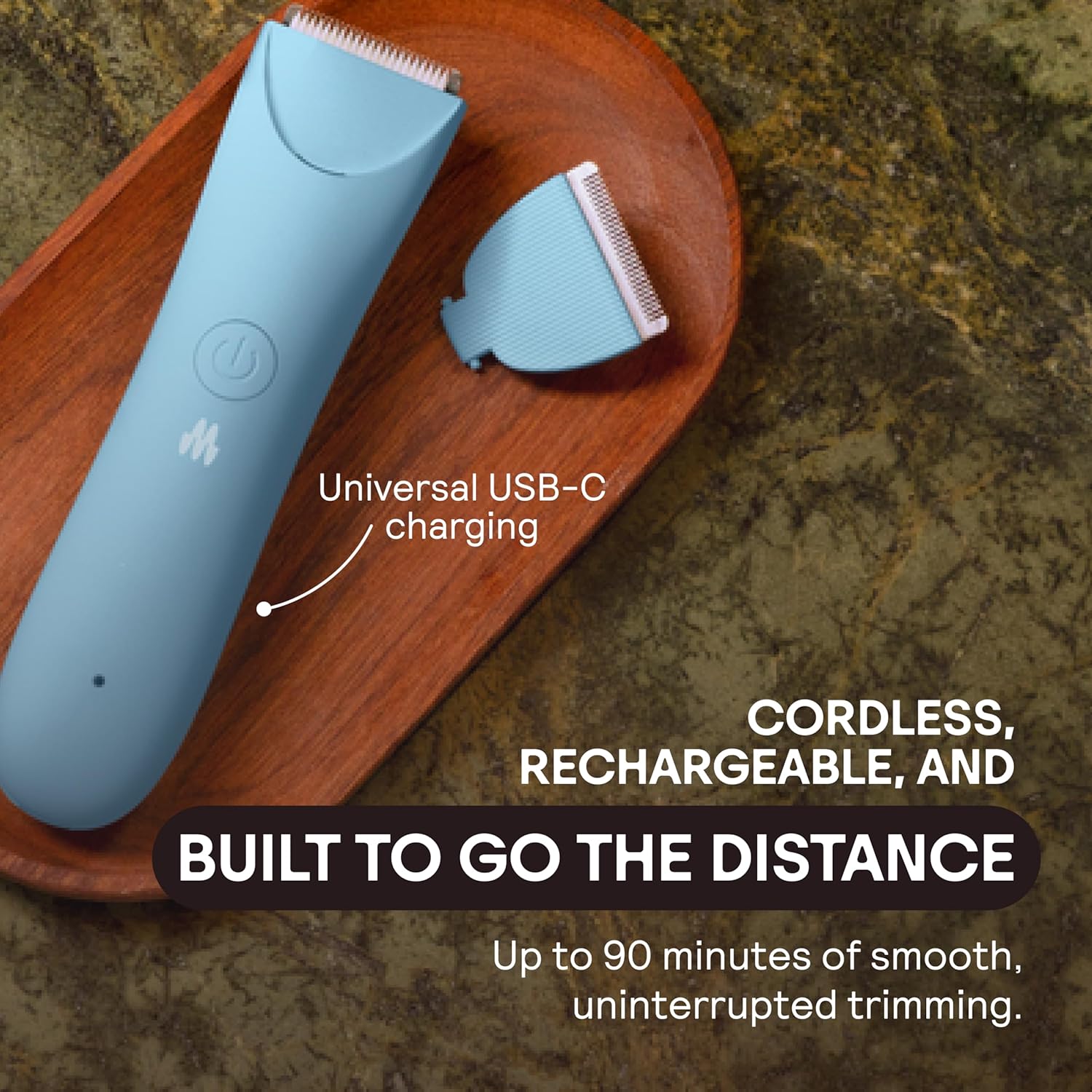
Image: The trimmer connected to its USB-C charging cable.

Image: Illustrates convenient charging options for the trimmer.
5. Operation
- Power On/Off: Press the power button once to turn on the trimmer. Press it again to activate the LED spotlight for improved visibility. A third press will turn the trimmer off.
- Trimming Technique: Allow the trimmer to warm up for a few moments. Gently place the flat side of the blade against your skin. Trim in the opposite direction of hair growth for the smoothest results.
- Wet or Dry Use: The trimmer is waterproof and can be used in the shower or on dry skin.
- Travel Lock: To activate the travel lock, press and hold the power button for 3 seconds. The trimmer will flash to indicate it is locked. Repeat the process to unlock.

Image: Demonstrates the trimmer's versatility for various body areas.

Image: Provides essential trimming tips for optimal results.
6. Maintenance
Regular cleaning and maintenance ensure the longevity and performance of your trimmer.
- Cleaning the Blade: After each use, remove the guide comb (if attached). Use the provided cleaning brush to remove any trapped hairs from the blade. For a deeper clean, the trimmer head can be rinsed under running water due to its waterproof design. Ensure the trimmer is off before cleaning.
- Blade Replacement: Over time, blades may dull. Replacement ceramic blades are available from MERIDIAN to maintain optimal trimming performance. Refer to the product packaging or MERIDIAN's official website for replacement instructions.
7. Safety Guidelines
- Always keep the trimmer away from water sources when not in use, even though it is waterproof.
- Avoid use on broken, irritated, or sensitive skin to prevent further injury or discomfort.
- Ensure the blades are clean and sharp. Dull blades can pull hair and cause irritation.
- Do not attempt to disassemble the trimmer beyond removing the blade head for cleaning.
- Keep out of reach of children.
8. Troubleshooting
- Trimmer not turning on: Ensure the trimmer is fully charged. If the battery indicator light is red, it needs charging.
- Reduced performance or pulling hair: The blade may be dull or clogged with hair. Clean the blade thoroughly or consider replacing it.
- Trimmer turns on randomly: This could indicate an issue with the power button or internal components. Ensure the travel lock is engaged when not in use. If the problem persists, contact customer support.
9. Specifications
| Model Name | MEC146A |
| Brand | MERIDIAN |
| Color | Onyx |
| Blade Material | Ceramic |
| Power Source | Battery Powered |
| Battery Runtime | Up to 90 minutes |
| Special Features | Detachable Head, Ergonomic, Lighted, Self-Cleaning, Waterproof |
| Item Weight | 0.27 Kilograms |
10. Warranty and Support
For warranty information, product support, or to purchase replacement parts, please visit the official MERIDIAN website or contact their customer service directly. Keep your proof of purchase for any warranty claims.