
1. Introduction
This manual provides essential information for the safe and efficient operation of your Midea Freezone 2-Burner Built-In Induction Cooktop, model CFBD22. Please read these instructions carefully before installation and use, and keep them for future reference.
The Midea Freezone 2-Burner Built-In Induction Cooktop brings efficiency and convenience to your kitchen. Its induction heating technology focuses heat directly on the pan base for faster cooking and energy savings. The Turbo function provides a maximum power of 3500W for rapid heating. Nine power levels ensure versatile and precise temperature control. Freezone technology allows simultaneous heating of two zones for larger cookware. Safety features include rapid cooling, an automatic shutdown sensor, and a safety lock. The ceramic glass surface is modern and easy to clean.
2. Important Safety Information
Always follow basic safety precautions when using electrical appliances to reduce the risk of fire, electric shock, burns, or injury.
- Electrical Safety: Ensure the cooktop is connected to a properly grounded electrical outlet with the correct voltage (220 Volts) and current capacity. Do not use extension cords or adapters.
- Induction Cookware: Only use cookware compatible with induction cooktops. Compatible materials include stainless steel, cast iron, and pans with a magnetic base. Test compatibility by placing a magnet on the pan's bottom; if it sticks, it is compatible.
- Burn Hazard: While the cooktop surface itself does not generate heat directly, residual heat from the pan can make the cooking zone hot. Exercise caution and avoid touching the hot surface immediately after use.
- Automatic Shutdown: The cooktop features an automatic shutdown sensor that turns off the heating zone if a pan is removed, preventing accidents.
- Safety Lock: Utilize the safety lock feature to prevent accidental operation, especially by children or pets. Press and hold the lock button for 3 seconds to activate/deactivate.
- Ventilation: Ensure adequate ventilation around the cooktop during operation.
- Cleaning: Always disconnect power before cleaning. Allow the cooktop to cool completely before cleaning the ceramic glass surface.
3. Product Overview and Features
Your Midea Freezone Induction Cooktop is designed for modern cooking with advanced features:
- Induction Technology: Heats cookware directly, offering faster cooking and energy efficiency.
- Freezone Function: Allows combining two heating zones into one large zone, ideal for oversized pots, griddles, or roasting pans.
- Turbo Function: Provides maximum power (up to 3500W) for rapid boiling or searing.
- 9 Power Levels: Offers precise temperature control for various cooking methods, from simmering to high-heat frying.
- Touch Slide Control: Intuitive touch controls for easy power level adjustment and function selection.
- Timer Function: Set cooking times up to 99 minutes for individual zones or as a minute minder.
- Safety Lock: Prevents unintended operation.
- Automatic Pan Detection & Shutdown: Cooktop only activates with compatible cookware and turns off if cookware is removed.
- Ceramic Glass Surface: Durable, sleek, and easy to clean.

Image: The Midea Freezone 2-Burner Built-In Induction Cooktop with two cooking zones active, demonstrating its sleek design and functionality.
4. Installation and Setup
This cooktop is designed for built-in installation. For safety and optimal performance, professional installation by a qualified technician is highly recommended.
4.1. Pre-Installation Checks
- Verify that the electrical supply matches the cooktop's requirements (220 Volts).
- Ensure the countertop cutout dimensions are appropriate for the cooktop (Product Dimensions: 52 x 28.8 x 5.9 cm).
- Confirm that there is at least 3 mm safety distance between the sides of the cooktop and the internal surfaces of the countertop.

Image: An illustration of the Midea Induction Cooktop's underside, highlighting the required safety distance for installation and power specifications for each zone.
4.2. Electrical Connection
The cooktop must be hardwired into a dedicated circuit by a licensed electrician. Do not use plugs or sockets for connection unless specified by local regulations and the manufacturer.
5. Operating Instructions
5.1. Powering On/Off
- To turn on: Press the power button (LIGAR/desligar). The display will show "0" for each zone.
- To turn off: Press the power button again.
5.2. Selecting a Cooking Zone and Adjusting Power
- Place a compatible pan on the desired cooking zone.
- Select the cooking zone by touching its corresponding control.
- Adjust the power level from 1 to 9 using the touch slide control or the '+' and '-' buttons.

Image: The cooktop display illustrating the 9 power levels (300W-3500W) and visual examples of different cooking tasks achievable at each level, from melting chocolate to boiling liquids.
5.3. Using the Freezone Function
- To activate Freezone: Place a large pan or griddle across both cooking zones. Select one of the zones and then press the Freezone button (FREEZONE icon). The two zones will combine and operate as a single large heating area with increased power (up to 3500W).
- To deactivate Freezone: Press the Freezone button again.

Image: The Freezone feature in action, showing a large roasting pan occupying both cooking zones, demonstrating its suitability for larger cookware.
5.4. Turbo Function
- To activate Turbo: Select a cooking zone and then press the Turbo button (if available, or increase power to maximum). This will provide maximum power for 5 minutes for rapid heating.
5.5. Timer Function
- The timer can be used as a minute minder or to automatically turn off a cooking zone after a set time (up to 99 minutes).
- To set: Select the desired cooking zone, then press the timer button. Use the '+' and '-' buttons to adjust the time.

Image: The cooktop's control panel, highlighting the timer function and the touch slide control for precise adjustments.
5.6. Safety Lock
- To activate: With the cooktop on or off, press and hold the lock button (TRAVA DE SEGURANÇA icon) for 3 seconds. The controls will be locked.
- To deactivate: Press and hold the lock button again for 3 seconds.
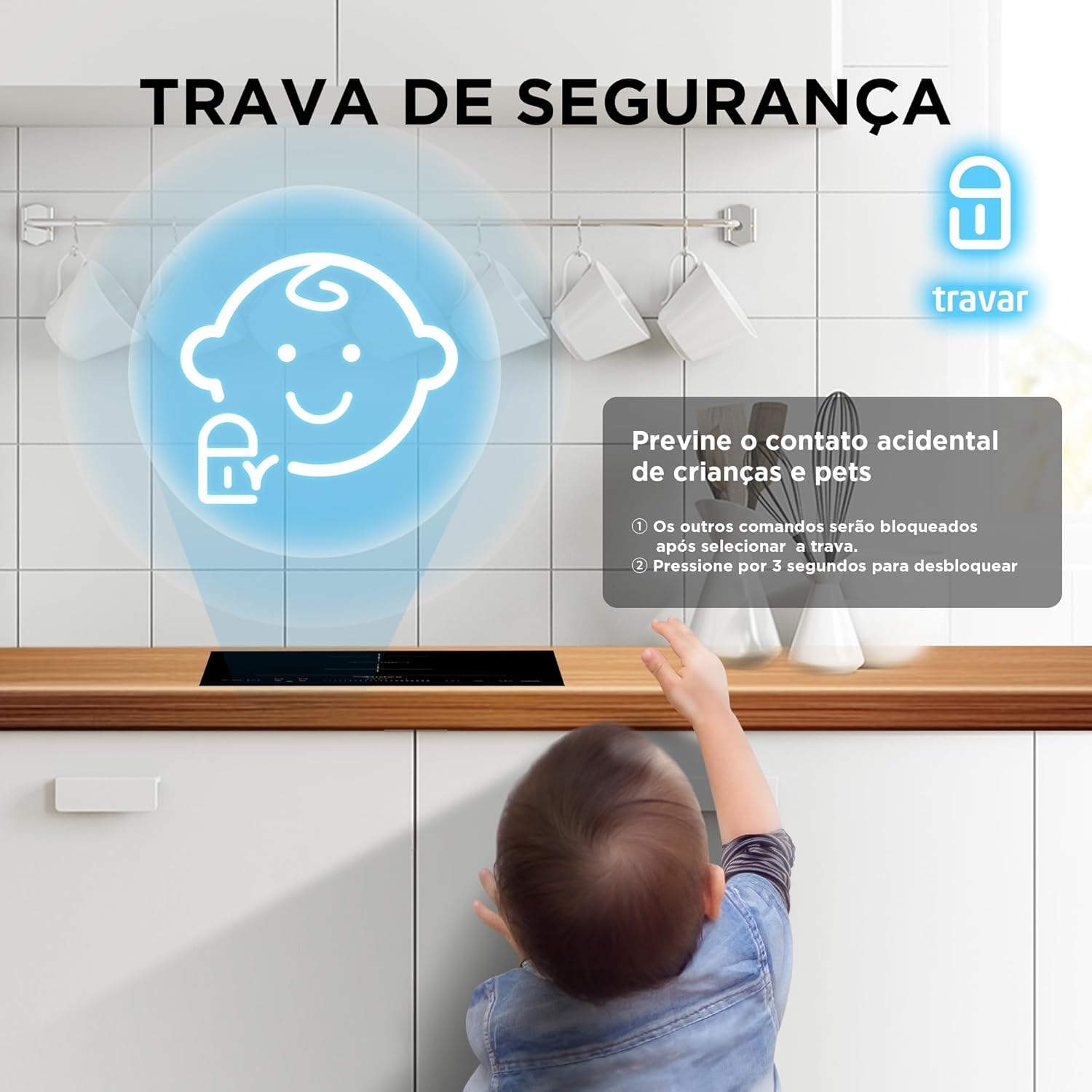
Image: A visual representation of the safety lock feature, showing a child near the cooktop, emphasizing its role in preventing accidental activation.
5.7. Pan Compatibility
The cooktop requires cookware with a magnetic base. Use the magnet test to check your pans.
- Compatible: Stainless steel, cast iron, enameled cast iron, and pans with a magnetic base.
- Incompatible: Aluminum, copper, glass, ceramic, and non-magnetic stainless steel.

Image: An overhead view of the cooktop demonstrating various compatible cookware types, including stainless steel, cast iron, and magnetic-base pans.
6. Maintenance and Cleaning
Regular cleaning and maintenance will ensure the longevity and optimal performance of your cooktop.
- Always ensure the cooktop is turned off and completely cool before cleaning.
- For light spills and daily cleaning, wipe the ceramic glass surface with a soft cloth and mild detergent.
- For stubborn stains, use a ceramic cooktop cleaner and a non-abrasive pad.
- Avoid using abrasive cleaners, scouring pads, or harsh chemicals, as these can scratch or damage the surface.
- Wipe control panel gently with a damp cloth. Do not allow water to seep into the controls.

Image: A hand wiping the ceramic glass surface of the cooktop with a soft cloth, demonstrating the ease of cleaning.
7. Troubleshooting
If you encounter issues with your cooktop, refer to the following common problems and solutions:
| Problem | Possible Cause | Solution |
|---|---|---|
| Cooktop does not turn on. | No power supply; safety lock activated. | Check circuit breaker. Deactivate safety lock by pressing and holding for 3 seconds. |
| Cooking zone not heating. | Incompatible cookware; no pan detected; pan not centered. | Use induction-compatible cookware. Ensure pan is placed correctly and centered on the zone. |
| Display shows an error code. | Specific internal error. | Refer to the full user manual for specific error code meanings. If the issue persists, contact Midea customer support. |
| Cooktop makes a humming noise. | Normal operation for induction cooktops, especially at high power. | This is normal and not a fault. The noise may vary with cookware type and power level. |
If the problem persists after attempting these solutions, please contact Midea customer support or a qualified service technician.
8. Technical Specifications
| Feature | Specification |
|---|---|
| Brand Name | Midea |
| Model Information | CFBD22 |
| Certification | FI-58507 GZES231112092001 |
| Product Dimensions (L x W x H) | 52 x 28.8 x 5.9 cm |
| Weight | 4.38 kg |
| Part Number | CFBD22 |
| Special Features | Induction, Automatic Shutdown |
| Burner Type | Induction |
| Heating Elements | 2 |
| Color | Black |
| Voltage | 220 Volts |
| Fuel Type | Electric |
| Material Type | Ceramic Glass |
| Included Components | Induction Cooktop, User Manual |
| Battery Operated | No |
| ASIN | B0DVHWP8PV |
9. Warranty and Support
Your Midea Freezone 2-Burner Built-In Induction Cooktop comes with a manufacturer's warranty. Please refer to the warranty card included with your product for specific terms and conditions, including coverage duration and claim procedures.
For technical assistance, service requests, or further inquiries, please contact Midea customer support. Contact information can typically be found in the included user manual or on the official Midea website.
Keep your purchase receipt as proof of purchase for warranty claims.


