
OPPO OPPO Reno 13 FS 5G 12/512 Graphite Grey
OPPO Reno13 FS 5G Smartphone User Manual
Model: OPPO Reno 13 FS 5G 12/512 Graphite Grey
Brand: OPPO
1. Introduction
Welcome to the user manual for your new OPPO Reno13 FS 5G smartphone. This guide provides essential information to help you set up, operate, maintain, and troubleshoot your device. Please read this manual thoroughly to ensure optimal performance and longevity of your smartphone.
The OPPO Reno13 FS 5G is a powerful device featuring a 6.67-inch AMOLED display, 512GB of internal storage, 12GB of RAM, and a robust 5800 mAh battery. It runs on Android 15 and is equipped with a Qualcomm Snapdragon 6 Gen 1 Mobile Platform, ensuring smooth and efficient performance for all your mobile needs.
2. Product Overview
Familiarize yourself with the physical components and design of your OPPO Reno13 FS 5G smartphone.
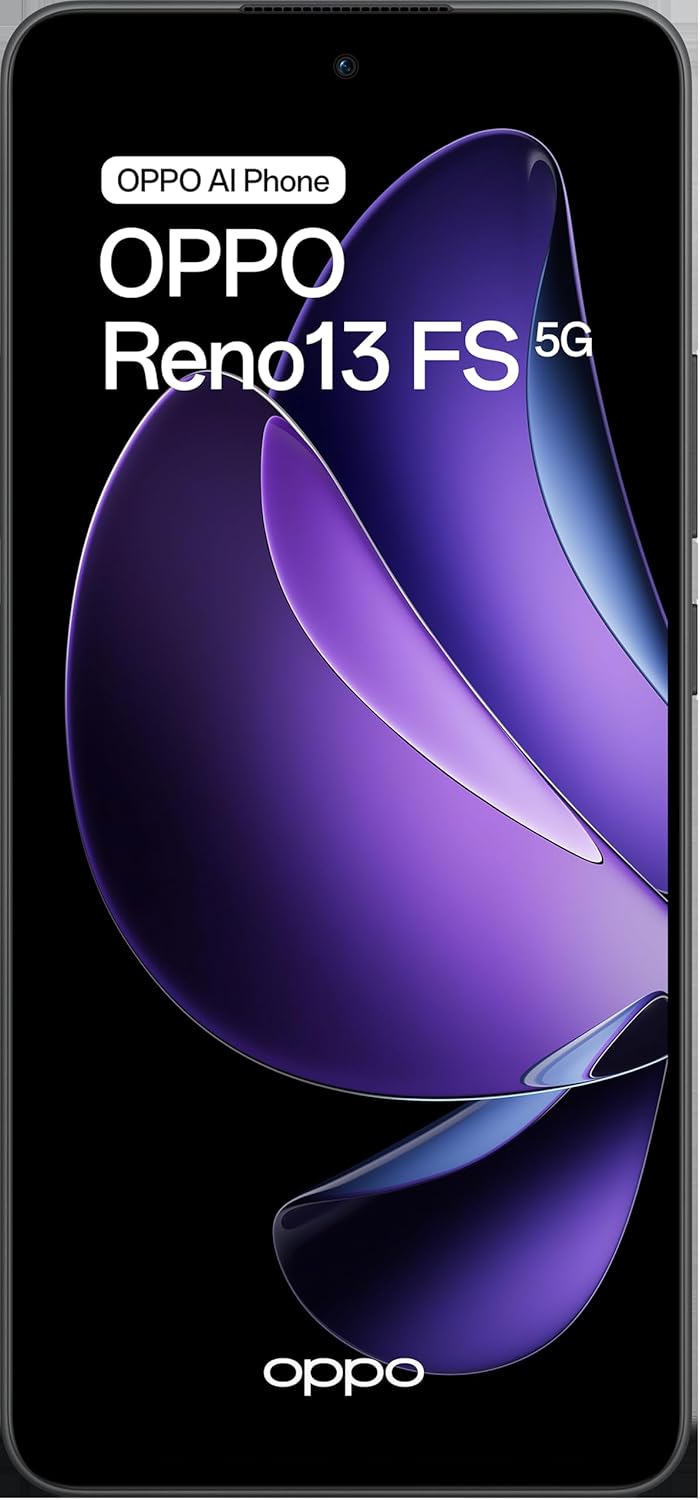
This image displays the front of the OPPO Reno13 FS 5G smartphone, highlighting its vibrant display and the prominent 'OPPO AI Phone' and 'OPPO Reno13 FS 5G' branding.
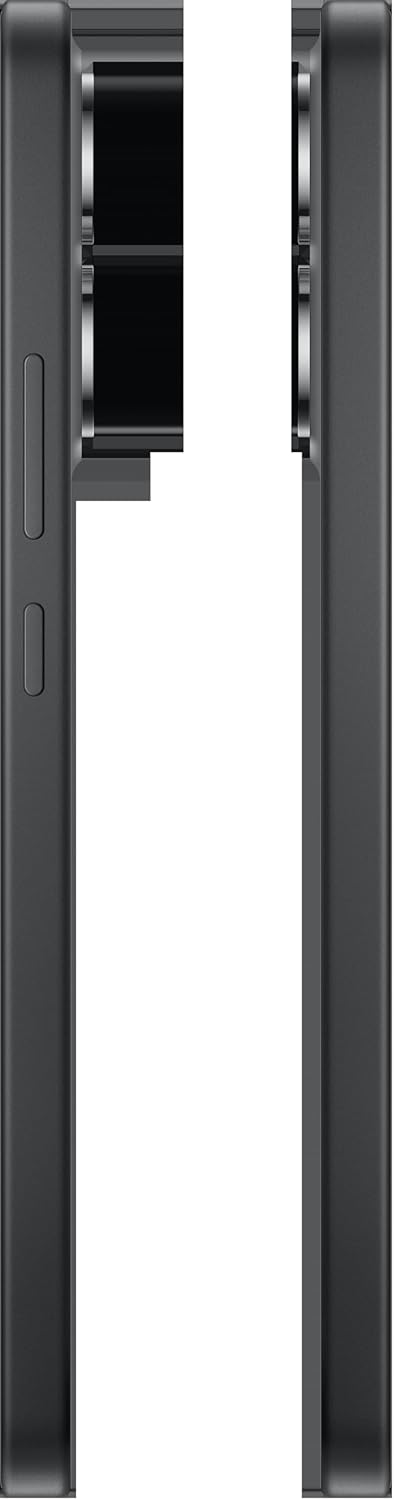
An angled view of the OPPO Reno13 FS 5G, showcasing the sleek design of the front display and the slim profile of the device.

This image provides a clear side view of the OPPO Reno13 FS 5G, detailing the placement of the volume rocker and power button.

The back of the OPPO Reno13 FS 5G is shown, featuring its distinctive camera module and the subtle OPPO branding at the bottom.

This image captures the top and bottom edges of the OPPO Reno13 FS 5G, revealing the USB-C charging port, speaker grille, and microphone.

This image presents both the front and back of the OPPO Reno13 FS 5G side-by-side, offering a complete visual overview of the device.
3. Setup
3.1. SIM Card Installation
The OPPO Reno13 FS 5G supports Dual-SIM functionality. To install your SIM cards:
- Locate the SIM card tray on the side of your device.
- Insert the SIM ejector tool (usually found in the phone's packaging) into the small hole next to the tray and push gently until the tray pops out.
- Place your Nano-SIM cards into the designated slots on the tray. Ensure the gold contacts are facing down.
- If expanding storage, insert a microSDXC card into the dedicated slot (if available on your model).
- Carefully push the tray back into the phone until it clicks into place.
3.2. Initial Charging and Power On
Before first use, it is recommended to fully charge your device. Use the provided USB-C cable and power adapter.
- Connect the USB-C cable to the phone's charging port and the adapter to a power outlet.
- Once sufficiently charged, press and hold the Power button (located on the side) until the OPPO logo appears on the screen.
- Follow the on-screen prompts to complete the initial setup, including selecting your language, connecting to Wi-Fi, and setting up your Google account.
4. Operating Instructions
4.1. Basic Navigation
Your OPPO Reno13 FS 5G operates on Android 15, utilizing intuitive touch gestures:
- Tap: Select an item or open an application.
- Swipe: Scroll through screens, lists, or content.
- Pinch: Zoom in or out on photos and web pages.
- Long Press: Access contextual menus or move icons.
4.2. Calls and Messaging
- Making Calls: Open the Phone app, enter the number, and tap the call icon.
- Sending Messages: Open the Messages app, tap 'Start chat', enter the recipient, and type your message.
4.3. Camera Usage
The OPPO Reno13 FS 5G features a 50MP main camera and a 32MP front camera.
- Open the Camera app from your home screen or app drawer.
- Select your desired mode (Photo, Video, Portrait, etc.).
- Tap the shutter button to capture photos or start/stop video recording.
- Use the toggle to switch between the front and rear cameras.
4.4. Connectivity
- Wi-Fi: Go to Settings > Network & internet > Wi-Fi to connect to available networks.
- Bluetooth: Go to Settings > Connected devices > Bluetooth to pair with other Bluetooth devices.
- Mobile Data (5G): Ensure your SIM card is active and mobile data is enabled in Settings > Network & internet > Mobile network.
4.5. Storage Management
Your device comes with 512GB of internal storage. You can expand this via microSDXC.
- Regularly check your storage usage in Settings > Storage.
- Delete unnecessary files, apps, or clear cache to free up space.
- Utilize cloud storage services for backups of photos and documents.
5. Maintenance
5.1. Battery Care
The OPPO Reno13 FS 5G has a 5800 mAh non-removable battery.
- Avoid extreme temperatures, as they can degrade battery life.
- Use the original charger and cable for optimal charging.
- Avoid completely draining the battery frequently. Charge it before it drops too low.
5.2. Cleaning Your Device
- Use a soft, lint-free cloth to wipe the screen and back of the phone.
- For stubborn smudges, slightly dampen the cloth with water or a screen cleaner.
- Avoid using harsh chemicals or abrasive materials.
5.3. Software Updates
Regularly check for and install software updates to ensure your device has the latest features, security patches, and performance improvements.
- Go to Settings > About phone > Software update.
- Connect to a stable Wi-Fi network before downloading updates.
6. Troubleshooting
This section addresses common issues you might encounter with your OPPO Reno13 FS 5G.
- Device Not Powering On: Ensure the battery is charged. If it still doesn't turn on, try holding the Power button for 10-15 seconds.
- Apps Crashing/Freezing: Close the app and reopen it. If the issue persists, clear the app's cache (Settings > Apps > [App Name] > Storage & cache > Clear cache).
- Network Connectivity Issues: Check if Airplane mode is off. Restart your phone. Verify your SIM card is properly inserted. Contact your network provider if problems persist.
- Slow Performance: Close background apps, clear cache, and ensure sufficient storage space. Restarting the device can also help.
- Factory Reset: As a last resort for persistent software issues, you can perform a factory reset (Settings > System > Reset options > Erase all data (factory reset)). Warning: This will erase all data on your phone. Back up important data before proceeding.
7. Specifications
| Feature | Specification |
|---|---|
| Model Number | OPPO Reno 13 FS 5G 12/512 Graphite Grey |
| Operating System | Android 15 |
| Processor | Qualcomm Snapdragon 6 Gen 1 Mobile Platform, 8 cores |
| RAM | 12GB |
| Internal Storage | 512GB (expandable via microSDXC) |
| Display | 6.67 inches, AMOLED, 1080 x 2400 Pixels |
| Rear Camera | 50MP; f/1.8; FOV 78°; 5P lens; AF; OIS supported |
| Front Camera | 32 MP, f/2.4, FOV 82°; 5P lens |
| Battery | 5800 mAh, non-removable |
| Dimensions (L x W x H) | 16.22 x 7.5 x 0.78 cm |
| Weight | 192 g |
| SIM Type | Dual-SIM (Nano-SIM) |
| Network Compatibility | 2G GSM, 3G WCDMA, 4G FDD LTE, 5G (N1/N2/N3/N5/N7/N8/N12/N20/N26/N28/N38/N40/N41/N66/N77/N78) |
8. Warranty and Support
For detailed warranty information, please refer to the warranty card included with your product packaging or visit the official OPPO website. OPPO provides customer support for product inquiries, technical assistance, and service requests.
To obtain support, please visit the official OPPO support page or contact their customer service channels available in your region. Keep your proof of purchase and product serial number handy when seeking support.
Related documentsOPPO Reno 13 FS 5G 12/512 Graphite Grey


Ask a question about this manual
Ask about setup, troubleshooting, compatibility, parts, safety, or missing instructions. Manuals+ will review the question and use this page’s manual context to help answer it.