
FIREBAT AK2 N150, AM02 N100
FIREBAT Mini PC User Manual
Models: AK2 N150 & AM02 N100
1. Introduction
This manual provides detailed instructions for setting up, operating, maintaining, and troubleshooting your FIREBAT Mini PC. This guide covers both the AK2 model with the Intel N150 processor and the AM02 model with the Intel N100 processor. Please read this manual thoroughly before using your device to ensure optimal performance and longevity.
2. Product Overview
The FIREBAT Mini PCs are compact and powerful computing solutions designed for various applications, from home use to business and education. They offer robust performance in a small form factor.

Figure 2.1: FIREBAT AK2 N150 (top) and AM02 N100 (bottom) Mini PCs, showcasing their compact design and various ports.

Figure 2.2: Rear and side view of the AK2 N150 Mini PC, highlighting its connectivity options including LAN, HDMI, USB, and DC power input.

Figure 2.3: Front and side view of the AM02 N100 Mini PC, showing USB 3.2 ports, USB Type-C, 3.5mm audio jack, and power button.
2.1. Components and Ports
Both models feature a range of ports for versatile connectivity:
- Power Button: To turn the device on/off.
- USB Ports: Multiple USB 3.2 Type-A ports for peripherals.
- USB Type-C Port: For data transfer and display output (AM02 model).
- HDMI Ports: For connecting to displays (AK2 has 2 HDMI, AM02 has 1 HDMI and 1 DP).
- DisplayPort (DP): For connecting to displays (AM02 model).
- LAN Ports: For wired network connection (AK2 has 2 LAN, AM02 has 1 LAN).
- 3.5mm Audio Jack: For headphones or speakers.
- DC Power Input: For connecting the power adapter.
3. Setup Guide
Follow these steps to set up your FIREBAT Mini PC:
- Connect Peripherals:
- Connect your monitor(s) to the HDMI or DisplayPort(s) on the Mini PC.
- Connect your keyboard and mouse to the USB ports.
- If using a wired network, connect an Ethernet cable to the LAN port.
- Connect Power: Plug the power adapter into the DC power input port on the Mini PC, then plug the adapter into a power outlet.
- Power On: Press the power button on the Mini PC. The power indicator light should illuminate.
- Initial Setup: Follow the on-screen instructions to complete the operating system setup, including language, region, and network configuration (if not already connected via Ethernet, you can set up Wi-Fi here).
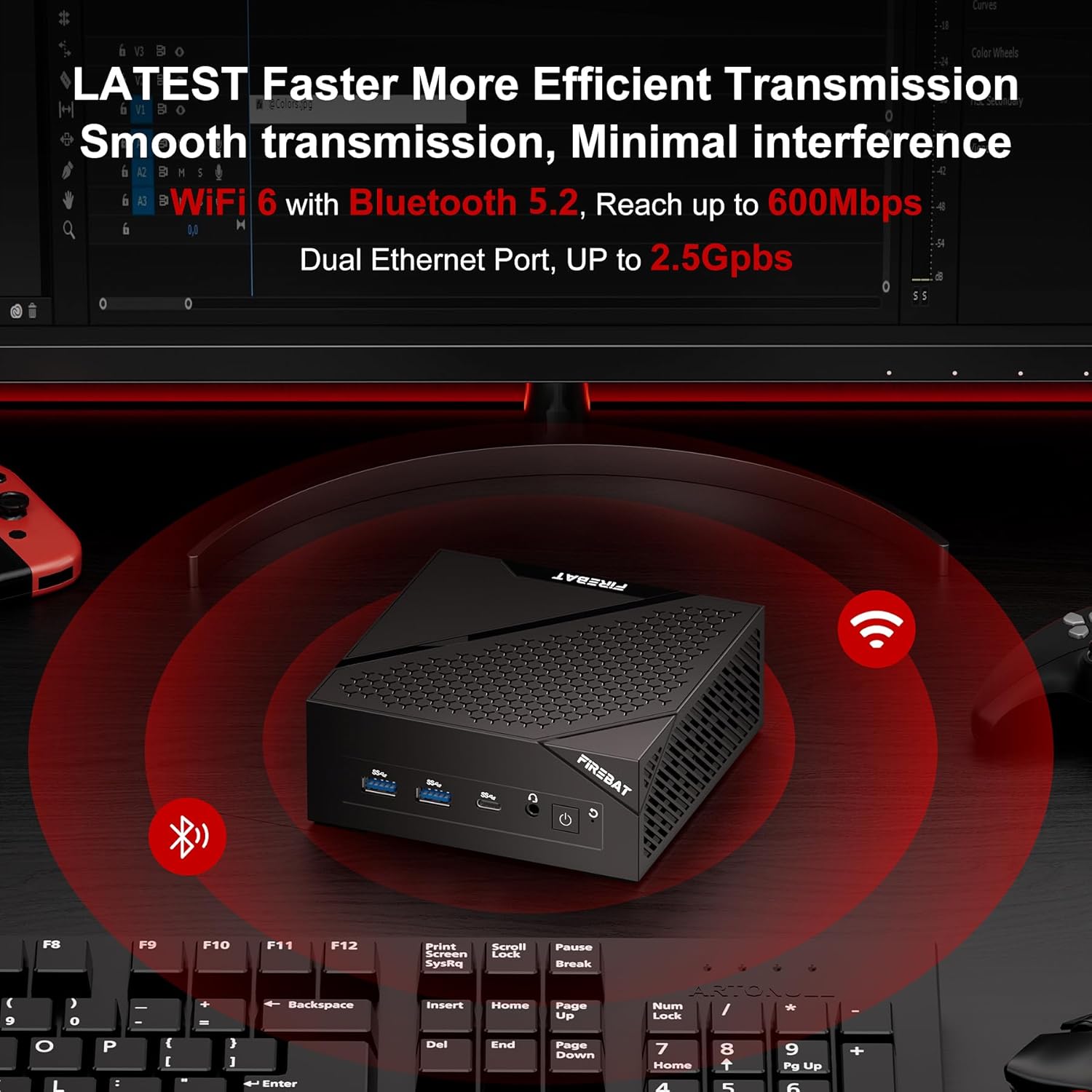
Figure 3.1: Example setup of the Mini PC connected to essential peripherals for immediate use.
4. Operating Instructions
4.1. Performance Overview
The FIREBAT Mini PCs are equipped with advanced Intel processors for efficient performance:
- AK2 Model (N150 CPU): Features the newest Intel 13th Gen Twin Lake-N N150 processor (up to 3.6GHz) with enhanced Super Fin technology, offering significant performance improvements over previous generations.
- AM02 Model (N100 CPU): Equipped with the Intel 12th Gen Alder Lake-N N100 processor (up to 3.4GHz) and Intel 10nm enhanced Super Fin technology, providing robust performance for daily tasks.

Figure 4.1: Details of the Intel N150 processor, highlighting its 4 cores, 3.60GHz turbo frequency, and 15W power consumption.

Figure 4.2: Details of the Intel N100 processor, emphasizing its 4 cores/4 threads and improved performance for multi-tasking.
4.2. Connectivity
Both models support stable and high-speed network transmission:
- Wi-Fi 6: For fast wireless internet connectivity.
- Bluetooth 5.2: For connecting wireless accessories like keyboards, mice, and headphones.
- Dual Ethernet Ports (AK2) / Single Ethernet Port (AM02): For reliable wired network connections, supporting speeds up to 2.5Gbps on the AM02 model.

Figure 4.3: Illustration of the Mini PC's advanced wireless capabilities, including Wi-Fi 6 and Bluetooth 5.2.
4.3. Security Features
The Mini PCs integrate security features for data protection:
- TPM 2.0: CPU Integrated Trusted Platform Module 2.0 protects sensitive data such as encryption keys and user credentials, making it difficult for malware and attackers to access or tamper with data.

Figure 4.4: Visual representation of the CPU Integrated TPM 2.0, emphasizing its role in protecting sensitive data.
4.4. Display and Expansion
- 4K UHD Triple Display: Both models support connecting multiple 4K UHD displays for enhanced productivity and immersive experiences.
- Storage Expansion: The devices come with 512GB M.2 SSD and 16GB RAM, and the storage is expandable up to 2TB for increased capacity.
Figure 4.5: The AK2 Mini PC's ports and compatibility with devices like printers, monitors, projectors, and gaming consoles.
Figure 4.6: A FIREBAT Mini PC setup demonstrating dual monitor support for enhanced multitasking.
5. Maintenance
Proper maintenance ensures the longevity and optimal performance of your Mini PC:
- Cleaning: Regularly clean the exterior of the Mini PC with a soft, dry cloth. Use compressed air to clear dust from vents to ensure proper airflow.
- Ventilation: Ensure the Mini PC is placed in a well-ventilated area. Do not block the ventilation holes.
- Software Updates: Keep your operating system and drivers updated to ensure security and performance.
- Storage Management: Periodically check your storage usage. If needed, you can expand the M.2 SSD up to 2TB.

Figure 5.1: Illustration of the Mini PC's cooling system, emphasizing the importance of clear ventilation for optimal performance.
6. Troubleshooting
If you encounter issues with your FIREBAT Mini PC, refer to the following common problems and solutions:
| Problem | Possible Cause | Solution |
|---|---|---|
| No Power | Power adapter not connected, faulty outlet, power button not pressed correctly. | Ensure power adapter is securely connected to both the Mini PC and a working power outlet. Press the power button firmly. |
| No Display | Monitor cable loose, incorrect input source on monitor, faulty monitor. | Check HDMI/DP cable connections. Ensure monitor is set to the correct input source. Test with another monitor if possible. |
| No Network Connection | Ethernet cable loose, Wi-Fi disabled, driver issue, router problem. | Check Ethernet cable. Ensure Wi-Fi is enabled in OS settings. Restart router/modem. Update network drivers. |
| Slow Performance | Too many applications running, insufficient storage, overheating. | Close unnecessary applications. Free up disk space. Ensure proper ventilation. |
7. Specifications
Detailed specifications for the FIREBAT Mini PC models:
| Feature | AK2 N150 Model | AM02 N100 Model |
|---|---|---|
| Processor | Intel 13th Gen Twin Lake-N N150 (4 Cores, up to 3.6GHz) | Intel 12th Gen Alder Lake-N N100 (4 Cores/4 Threads, up to 3.4GHz) |
| Graphics | Intel UHD Graphics (1000MHz) | Intel UHD Graphics |
| RAM | 16GB DDR4 | 16GB LPDDR5 4000MHz SODIMM |
| Storage | 512GB M.2 SSD (Expandable up to 2TB) | 512GB M.2 2280 NGFF/NVMe SSD (Expandable up to 2TB) |
| Operating System | Default (Windows compatible) | Default (Windows compatible) |
| Video Output | 2x HDMI (4K UHD Triple Display Support) | 1x HDMI, 1x DisplayPort (DP1.4), 1x Type-C (4K UHD Triple Display Support) |
| USB Ports | Multiple USB 3.2 Type-A | Multiple USB 3.2 Type-A, 1x USB Type-C |
| Network | Dual LAN (Gigabit Ethernet), Wi-Fi 6, Bluetooth 5.2 | 2.5GbE RJ45, Wi-Fi 6, Bluetooth 5.2 |
| Security | CPU Integrated TPM 2.0 | CPU Integrated TPM 2.0 |
| Additional Features | Wake On LAN, PXE Boot, RTC Wake, Auto Power On | Wake On LAN, PXE Boot, RTC Wake, Auto Power On |
8. Warranty and Support
FIREBAT is committed to providing high-quality products and excellent customer support. For any inquiries, technical assistance, or warranty claims, please contact our support team.
- Email Support: support@firebatpc.com
- Website: www.firebatpc.com
FIREBAT has been deeply involved in the field of computers and accessories for over ten years, focusing on product quality and performance to bring convenience and enjoyment to your life.
Related documentsAK2 N150, AM02 N100


Ask a question about this manual
Ask about setup, troubleshooting, compatibility, parts, safety, or missing instructions. Manuals+ will review the question and use this page’s manual context to help answer it.