Introduction
Welcome to the user manual for your new Samsung Galaxy S25 Ultra SM-S938B/DS AI Smartphone. This guide provides essential information to help you set up, operate, and maintain your device, ensuring you get the most out of its advanced features, including its powerful AI capabilities and high-resolution camera system.
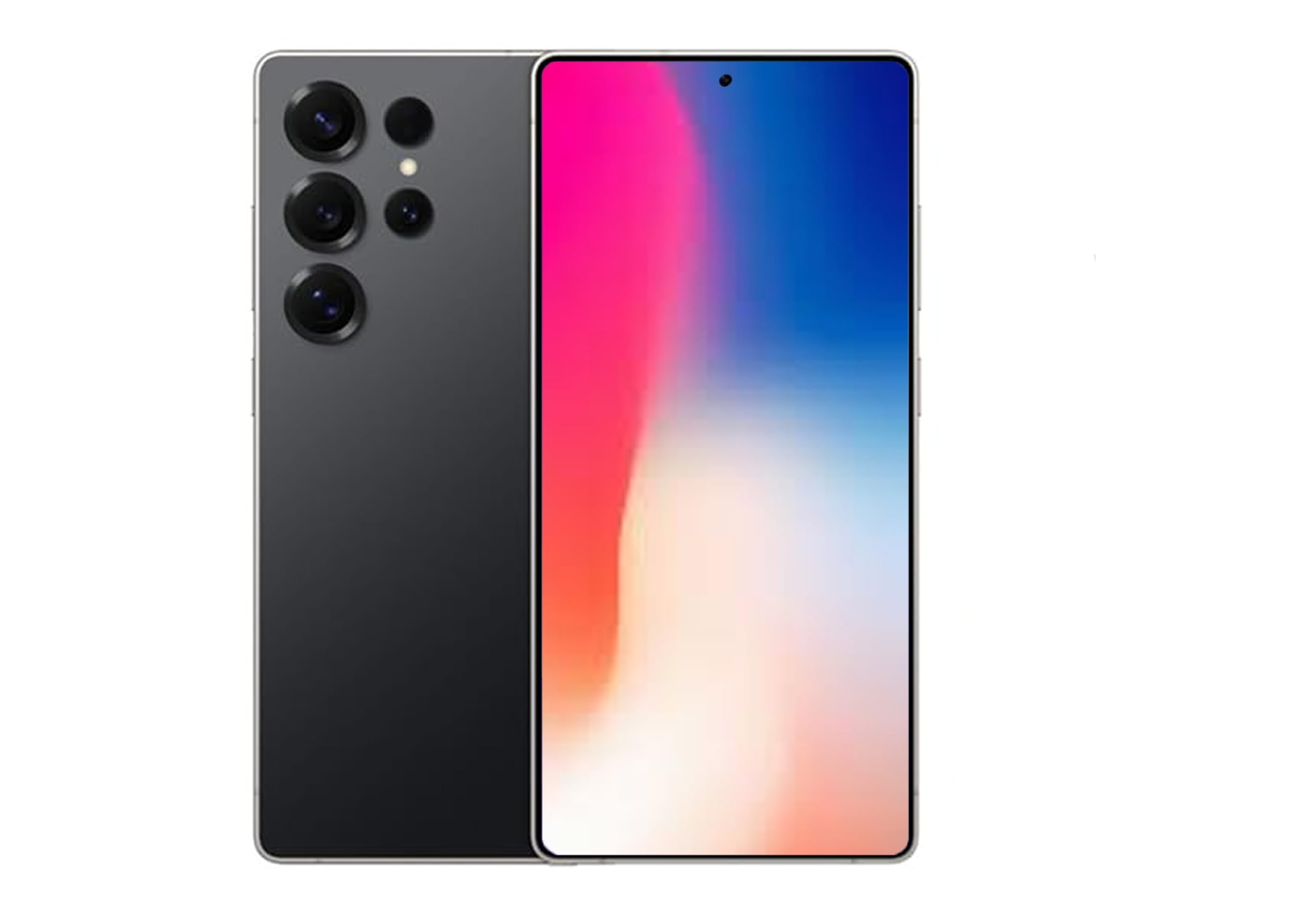
Figure 1: Samsung Galaxy S25 Ultra in Titanium Black.
1. Setup and Initial Configuration
1.1 Inserting the SIM Card
The Samsung Galaxy S25 Ultra supports Dual SIM functionality. To insert your SIM card(s):
- Locate the SIM card tray on the side of your device.
- Use the provided ejection tool to open the tray.
- Place your Nano-SIM card(s) into the tray with the gold contacts facing down. Ensure they are correctly seated.
- Gently push the tray back into the slot until it clicks into place.
Note: For USA buyers, this device is compatible with GSM carriers such as T-Mobile, Metro, Tello, Mint, and Ultra. It is not compatible with CDMA carriers like Verizon, Sprint, Boost, AT&T, Cricket, US Cellular, Xfinity, or Visible.
1.2 Powering On/Off
- To Power On: Press and hold the Side key until the Samsung logo appears.
- To Power Off: Press and hold the Side key and Volume Down button simultaneously, then tap "Power off" on the screen. Alternatively, swipe down from the top of the screen to open the Quick Panel, tap the Power icon, and select "Power off".
1.3 Initial Setup Wizard
Upon first power-on, follow the on-screen instructions to complete the initial setup, including language selection, Wi-Fi connection, Google account setup, and security settings (Face Recognition is available).
2. Operating Your Galaxy S25 Ultra
2.1 Basic Navigation
Navigate your device using intuitive touch gestures. Swipe, tap, pinch, and spread to interact with apps and content on the 6.9-inch AMOLED display.
2.2 AI Features (Galaxy AI)
The Galaxy S25 Ultra integrates advanced AI features to enhance your daily experience:
- Now Brief: Stay informed with daily insights and information from selected apps, displayed proactively on your device.
- AI Camera with Audio Eraser: Capture vibrant videos even in low-light conditions. The Audio Eraser feature minimizes unwanted background noises, allowing for clearer audio in your recordings.
- Smart Switch: Easily transfer your photos, videos, music, apps, contacts, and conversations securely from your old device to your new Galaxy S25 Ultra.
- Interpreter Calls: Utilize AI for real-time translation during phone calls.
- Google Gemini Integration: Access advanced AI assistance for various tasks and queries.
2.3 Camera Functions
Your Galaxy S25 Ultra features a powerful camera system with a 200 MP effective video resolution and 8K video capture capabilities. It includes four rear-facing cameras and one 12 MP front-facing camera.
- Portrait Features: Advanced portrait modes automatically adjust skin tones and preserve natural textures for professional-looking photos.
- Video Recording: Record stunning 8K videos at 30 frames per second.
- Zoom: Utilize the advanced zoom capabilities for capturing distant subjects with clarity.
2.4 Media Playback
Control your music and other media directly from the lock screen. Swipe through tracks and manage playback with ease.
3. Maintenance and Care
3.1 Cleaning Your Device
To keep your Galaxy S25 Ultra in optimal condition:
- Wipe the screen and body with a soft, lint-free cloth.
- Avoid using harsh chemicals or abrasive materials.
3.2 Software Updates
Regularly check for and install software updates to ensure your device has the latest features, security patches, and performance improvements. Go to Settings > Software update to check for updates.
3.3 Water Resistance
The Galaxy S25 Ultra is water resistant. However, it is not waterproof. Avoid submerging the device in water for extended periods or exposing it to high-pressure water jets. Always ensure the SIM tray is properly closed to maintain water resistance.
4. Troubleshooting Common Issues
- Device not turning on: Ensure the battery is charged. Connect the device to a charger and try powering it on after a few minutes.
- Apps freezing or crashing: Close the problematic app and reopen it. If the issue persists, restart your device.
- Poor network connection: Check your SIM card insertion. Ensure you are within your carrier's coverage area. Restarting the device can often resolve minor network issues.
- Battery draining quickly: Adjust screen brightness, close unused apps, and review battery usage in settings to identify power-hungry applications.
- Screen unresponsive: Perform a forced restart by pressing and holding the Side key and Volume Down button for more than 7 seconds.
5. Specifications
| Feature | Specification |
|---|---|
| Brand | Samsung |
| Model Name | SM-S938BZKKTPA |
| Memory Storage Capacity | 512 GB |
| Screen Size | 6.9 Inches |
| Resolution | 3120 x 1440 |
| Refresh Rate | 120 Hz |
| Wireless Carrier | Unlocked (GSM compatible) |
| Cellular Technology | 5G |
| Connectivity Technology | 2G, 3G, 4G, 5G |
| Color | Black |
| SIM Card Slot Count | Dual SIM |
| Form Factor | Bar |
| Biometric Security Feature | Face Recognition |
| SIM Card Size | Nano |
| Water Resistance Level | Water Resistant |
| Headphones Jack | No headphone jack |
| Flash Memory Supported Size Maximum | 512 GB |
| Model Year | 2025 |
| Phone Talk Time | 24 Hours |
| Effective Video Resolution | 200 MP |
| Video Capture Resolution | 8k |
| Frame Rate | 30 fps |
| Display Type | AMOLED |
| Display Resolution Maximum | 3120x1440 |
| Display Pixel Density | 498 Pixels Per Inch (PPI) |
| Front Photo Sensor Resolution | 12 MP |
| Number of Rear Facing Cameras | 4 |
| Number of Front Cameras | 1 |
| Battery Capacity | 5000 Milliamp Hours |
| Item Weight | 250 Grams |
| Item Dimensions | 6.3 x 4.72 x 1.18 inches |
| GPS Geotagging Functionality | True |
6. Warranty and Support
For detailed warranty information, technical support, and service inquiries, please visit the official Samsung support website or contact their customer service. You can find more information at the Samsung Store on Amazon or the official Samsung website.


