Introduction
The BAOFENG UV-7B is a versatile handheld ham radio designed for reliable communication across multiple bands. It features Bluetooth app programming, a clear 1.77-inch color display, 1000 programmable channels, and convenient USB-C charging. This manual provides essential information for setting up, operating, and maintaining your UV-7B radio.
What's in the Box
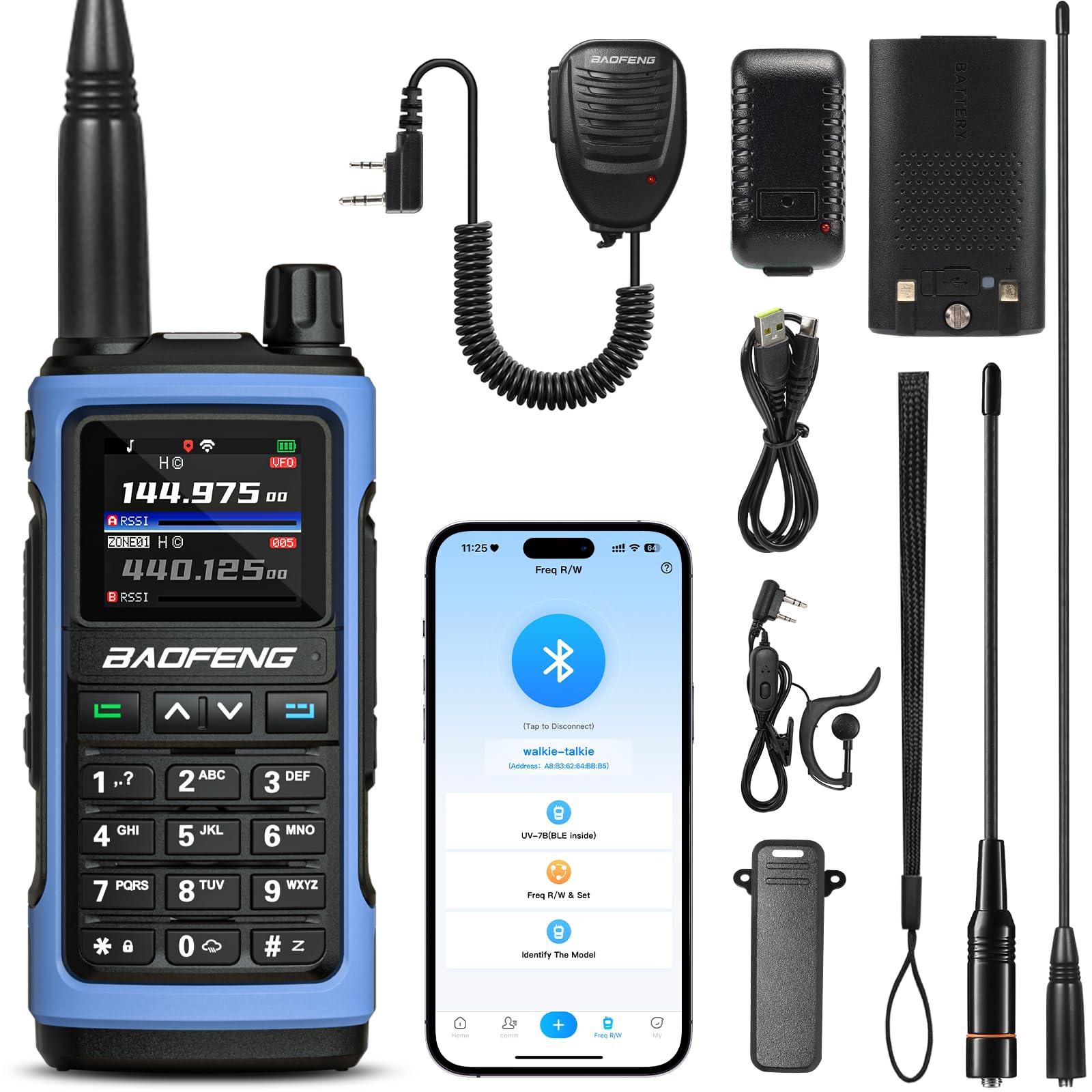
Verify that all items are present in your package:
- 1 x BAOFENG UV-7B Radio
- 1 x 1800mAh Battery
- 1 x USB Charging Cable
- 1 x Adapter
- 1 x Belt Clip
- 1 x Wrist Strap
- 1 x Speaker Mic
- 1 x Headset
- 1 x Standard Antenna
- 1 x Long High Gain Antenna

Key Features
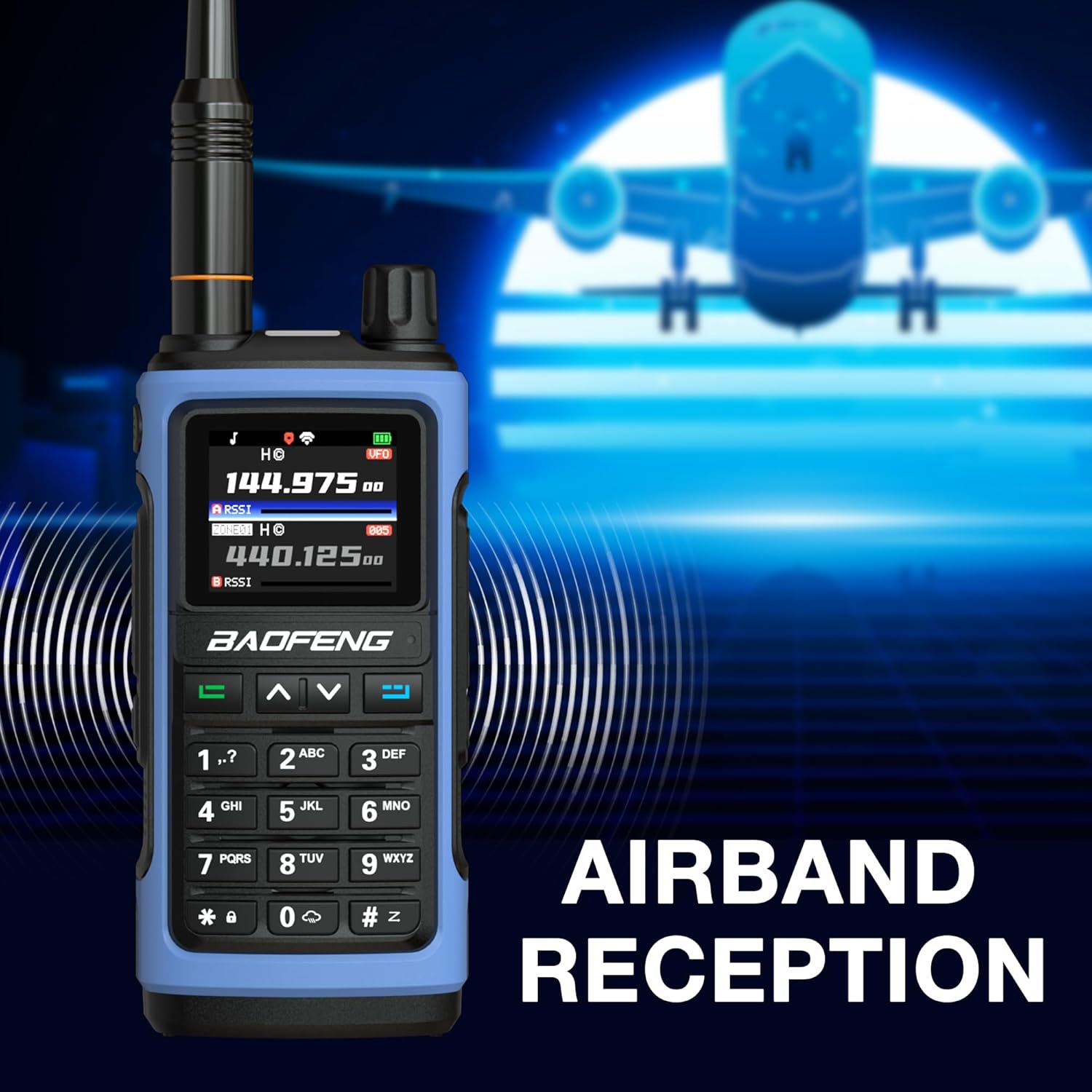
- Multi-Band Transmission & Reception: Transmit on VHF, UHF, and 1.25m. Receive across 7 bands, including FM radio, Aviation, NOAA weather, 1.25m, and 350MHz.
- BT App Programming: Customize channels, frequencies, and settings wirelessly via a smartphone app (iOS & Android).
- Large & Clear Display: 1.77-inch color screen for enhanced readability, showing frequencies, channel names, and real-time activity.
- 1000 Channels & 10 Zones: Organize channels into customizable zones for efficient management.
- Custom Controls & Quick Sync: Assign functions to the side key for instant access. One-touch frequency copy for quick team synchronization.
- Rechargeable & Portable: Equipped with a rechargeable battery and USB-C charging.
- Integrated Flashlight: Built-in flashlight with steady and SOS modes.
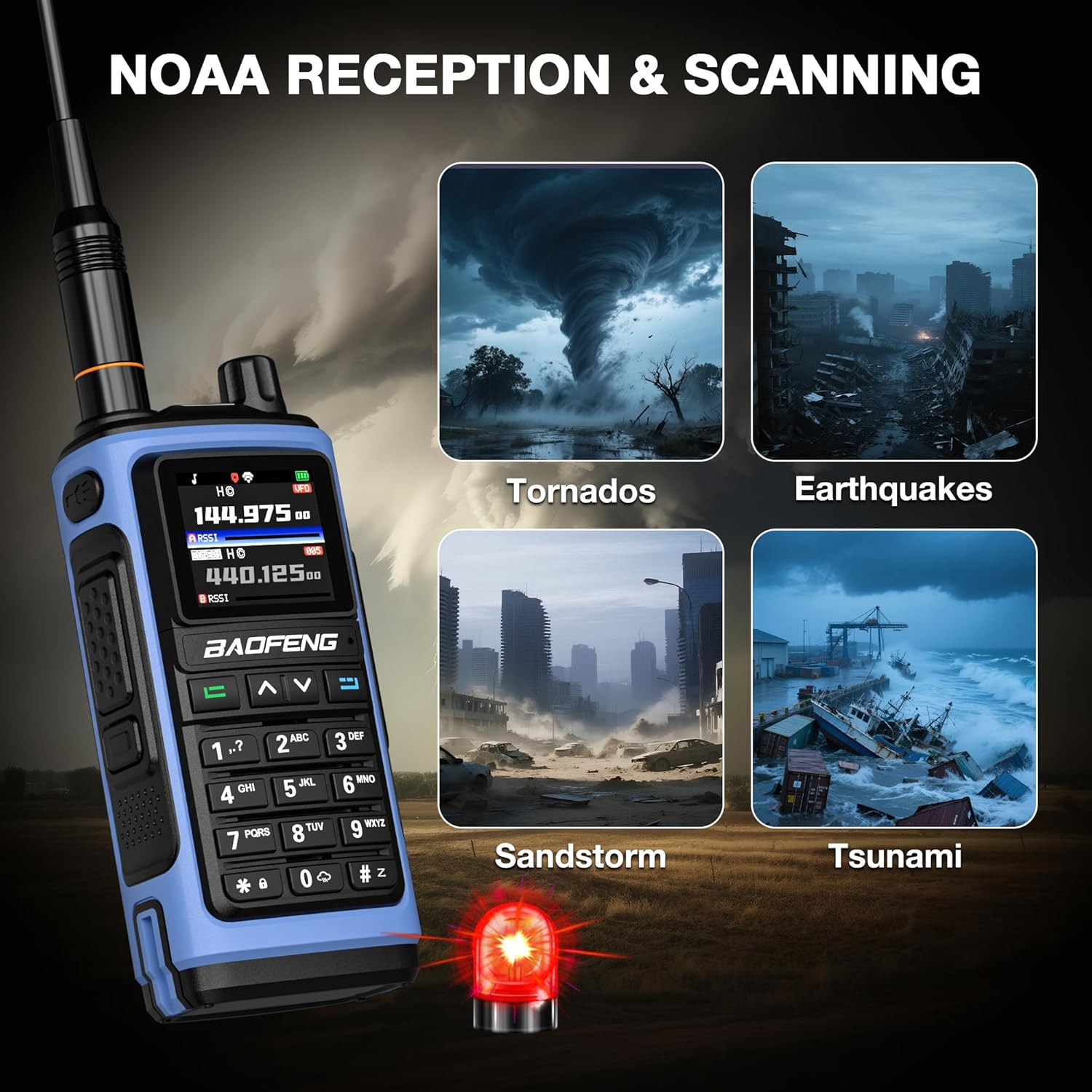
- NOAA Weather Reception: Receive NOAA weather alerts for emergency preparedness.
Setup
- Install Battery: Align the battery with the contacts on the back of the radio and slide it into place until it clicks securely.
- Attach Antenna: Screw the desired antenna (Standard or High Gain) clockwise onto the antenna connector at the top of the radio until finger-tight. Do not overtighten.
- Attach Belt Clip (Optional): Secure the belt clip to the back of the radio using the provided screw.
- Initial Charge: Before first use, fully charge the radio battery using the supplied USB-C cable and adapter. Refer to the "Charging" section for details.
Operating Instructions
Power On/Off and Volume
- Power On: Rotate the power/volume knob clockwise until you hear a click and the display illuminates.
- Power Off: Rotate the power/volume knob counter-clockwise until you hear a click and the display turns off.
- Adjust Volume: Rotate the power/volume knob clockwise to increase volume and counter-clockwise to decrease it.
Channel Selection
- Use the UP and DOWN arrow keys to navigate through channels or frequencies.
- In Channel Mode, these keys will cycle through programmed channels.
- In Frequency Mode, these keys will adjust the frequency in steps.
Transmitting (PTT)
- To transmit, press and hold the Push-to-Talk (PTT) button located on the left side of the radio.
- Speak clearly into the microphone.
- Release the PTT button to stop transmitting and listen for a response.
Flashlight and SOS Strobe
- The UV-7B includes a built-in LED flashlight.
- To activate the flashlight, press the dedicated flashlight button (often a side key or a function key).
- Press again to cycle through steady light, SOS strobe, and off modes.

Programming
The BAOFENG UV-7B offers multiple programming options for channels, frequencies, and settings:
- BT App Programming: Use the dedicated smartphone application (available for iOS and Android) to wirelessly customize your radio settings. This method is generally user-friendly for beginners.
- CPS Software: For advanced or bulk setup, Computer Programming Software (CPS) can be used on a PC.
- CHIRP Software: The radio also supports CHIRP software on PC. When using CHIRP, select "UV-21ProGPS" as the model for compatibility.
- Keypad Programming: Basic programming and adjustments can be made directly through the radio's keypad and menu system.

Easy Channel Copy (Clone)
The UV-7B supports one-touch frequency copy, allowing you to quickly match frequencies with another radio. This is useful for rapid deployment and team communication.

Multi-Band Reception
The UV-7B is capable of receiving signals across a wide range of frequencies, enhancing its utility for various applications:
- FM Radio: Listen to standard FM broadcast radio (65-108MHz).
- Aviation Band: Monitor air traffic communications (108-136MHz).
- NOAA Weather Radio: Receive official weather alerts and forecasts (162.400-162.550MHz).
- 1.25m Band: Receive on the 220MHz amateur radio band.
- 350MHz Band: Receive on the 350MHz band.
NOAA Weather Reception
The NOAA Weather Radio feature provides access to continuous weather broadcasts directly from the National Oceanic and Atmospheric Administration. This is crucial for staying informed during outdoor activities or emergencies.
- To access NOAA Weather Radio, navigate to the designated NOAA channels (typically 162.400-162.550 MHz).
- The radio can scan these frequencies to find the strongest signal.
Charging
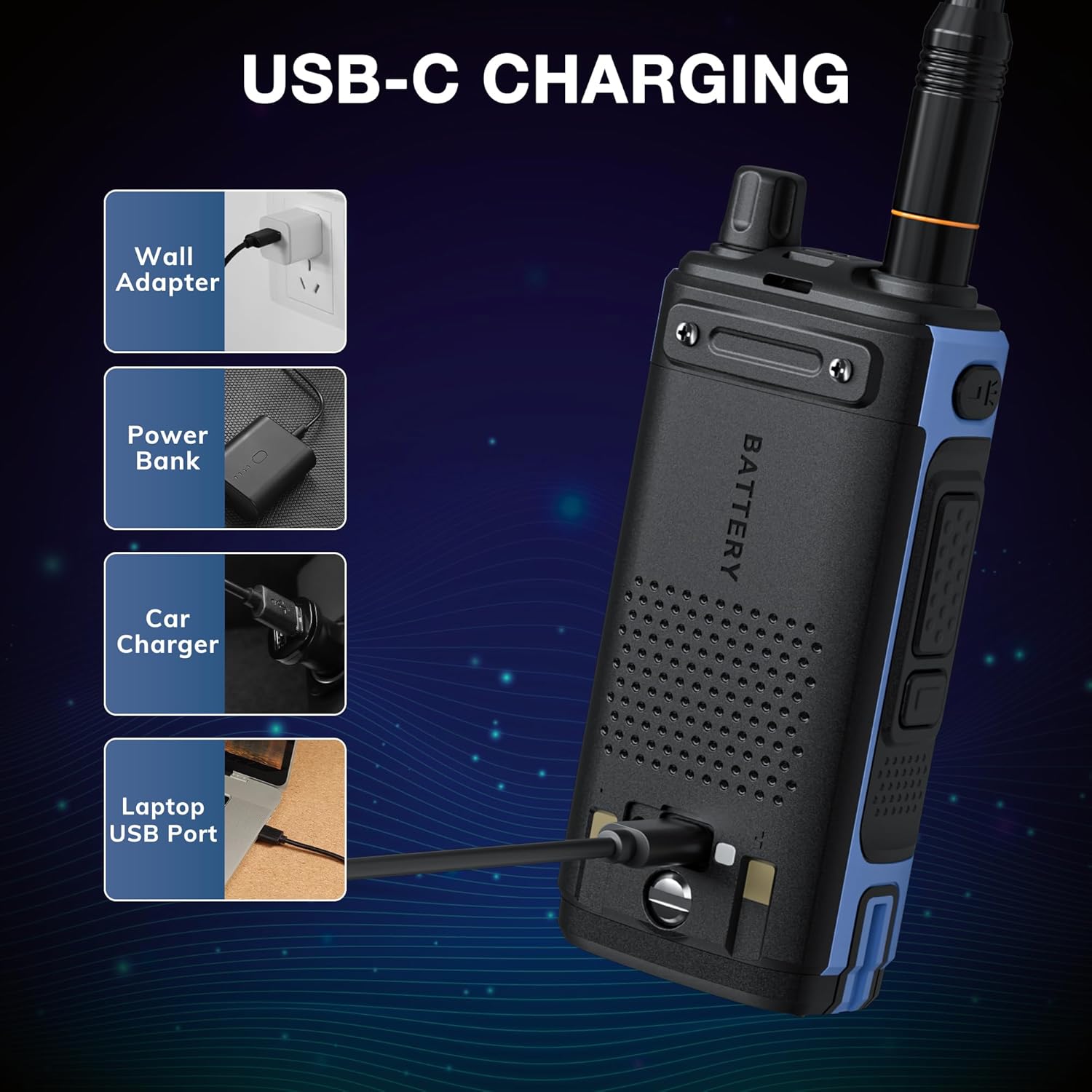
The BAOFENG UV-7B is equipped with a USB-C port for convenient charging.
- Connect the supplied USB-C cable to the radio's USB-C port.
- Connect the other end of the USB-C cable to the provided adapter, a power bank, a car charger, or a laptop USB port.
- The charging indicator on the radio will show the charging status. Ensure the radio is fully charged before extended use.
Maintenance
- Cleaning: Use a soft, damp cloth to clean the radio's exterior. Avoid harsh chemicals or abrasive cleaners.
- Battery Care: To prolong battery life, avoid fully discharging the battery frequently. Store the radio and battery in a cool, dry place when not in use for extended periods.
- Antenna Care: Ensure the antenna is securely attached. Do not bend or force the antenna, as this can damage the connector.
- Water Resistance: This device is not water-resistant. Avoid exposure to water or high humidity.
Troubleshooting
| Problem | Possible Cause | Solution |
|---|---|---|
| Radio does not power on. | Battery is low or not installed correctly. | Charge the battery. Reinstall the battery, ensuring it clicks into place. |
| Cannot transmit or receive. | Incorrect frequency/channel, antenna not connected, or low battery. | Verify frequency/channel settings. Ensure antenna is securely attached. Charge the battery. |
| Poor audio quality. | Low signal strength, incorrect squelch setting, or damaged speaker/mic. | Adjust squelch level. Move to an area with better signal. Check speaker/mic for damage. |
| Bluetooth app not connecting. | Bluetooth is off on radio or phone, incorrect app version, or interference. | Ensure Bluetooth is enabled on both devices. Restart radio and phone. Try pairing again. |
Specifications
| Feature | Detail |
|---|---|
| Item Model Number | UV-7B |
| Item Weight | 1.43 pounds |
| Package Dimensions | 8.03 x 4.72 x 4.29 inches |
| Number of Channels | 1000 |
| Frequency Range | UHF, VHF (Multi-band TX/RX, FM/Aviation/NOAA RX) |
| Talking Range Maximum | 3 Mile (Note: Actual range varies based on terrain and conditions) |
| Water Resistance Level | Not Water Resistant |
| Special Features | 1.77 inches Digital Display, Flashlight & SOS Strobe, Mobile APP Programming via Bluetooth, USB-C Rechargeable, Voice Operated Transmission |
| Compatible Devices | Repeater, Smartphone |
Warranty and Support
The BAOFENG UV-7B comes with an 18 Months Warranty and Lifetime Support. For warranty claims or technical assistance, please contact BAOFENG customer service through their official channels or the retailer where the product was purchased.