1. Introduction
The MAGIC SELECT Emergency Light V16 is a DGT-approved warning device designed to enhance safety during road emergencies. Manufactured in Spain under strict quality controls, this certified accessory is essential for situations involving accidents or vehicle breakdowns. Its compact and portable design ensures it can be easily stored and deployed when needed, providing a crucial visual warning to other road users.

Image 1.1: The V16 Emergency Light is designed for various emergency situations on the road, providing a visible warning for cars and motorcycles.
2. Product Overview
The MAGIC SELECT Emergency Light V16 features a robust design with a magnetic base for secure attachment to metallic surfaces. It emits a highly visible flashing yellow light, ensuring detection from up to 1 kilometer away. The device is waterproof with an IP55 protection rating, making it reliable in adverse weather conditions. Each unit includes a 9V 6LR61 disposable battery for immediate use.
- Type: V16 Emergency Warning Light
- Visibility: Up to 1 km
- Activation: Manual button on magnetic base
- Power Source: 9V 6LR61 Battery (included)
- Waterproof Rating: IP55
- Dimensions: Approximately 7 cm (height) x 9 cm (width)

Image 2.1: The package includes four V16 emergency lights and a 9V battery, ready for use.
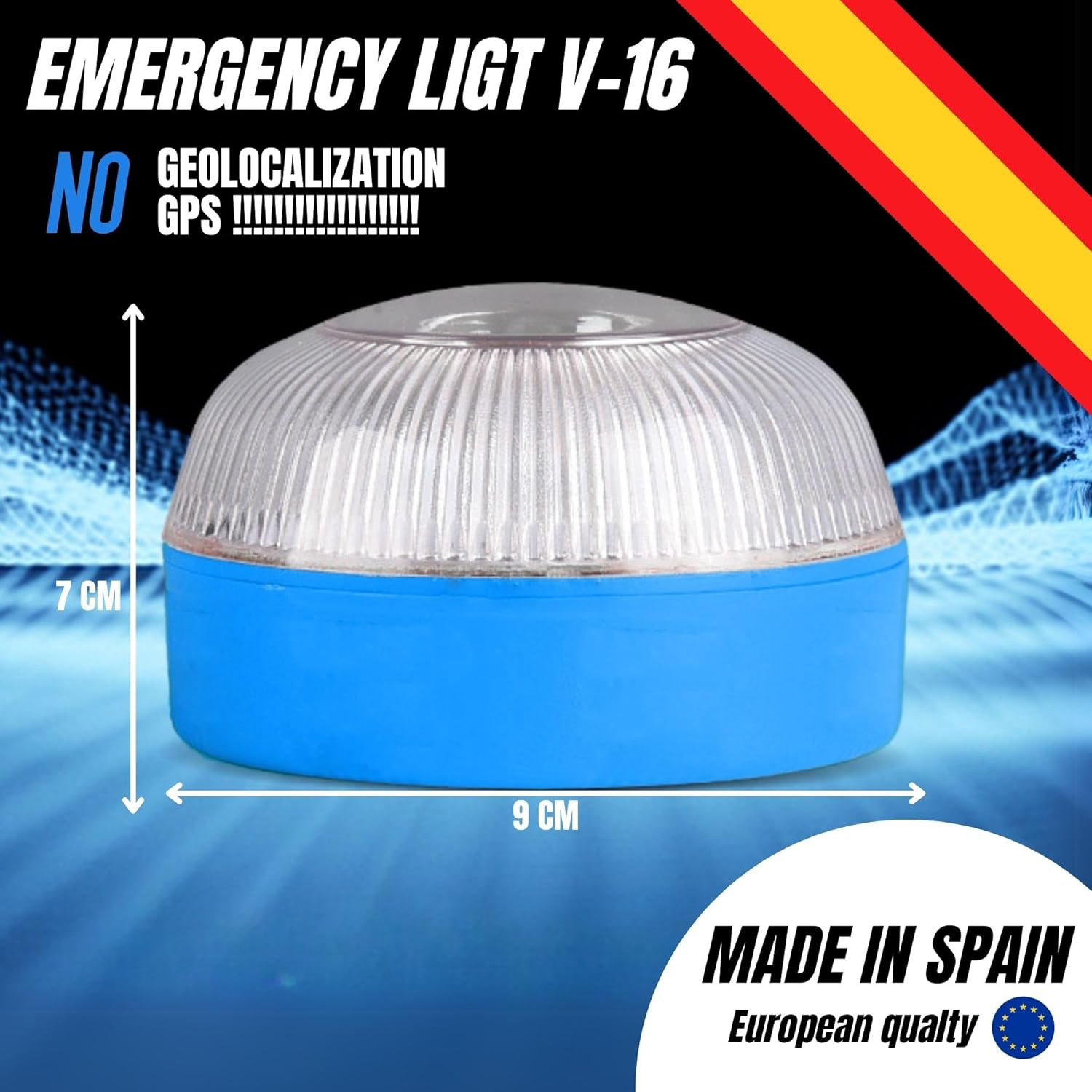
Image 2.2: The compact dimensions of the V16 light make it easy to store and deploy.

Image 2.3: The IP55 waterproof rating ensures the device functions reliably in wet conditions.
3. Safety Information
Please read and understand all safety instructions before using the MAGIC SELECT Emergency Light V16.
- Vehicle Movement: Do not use the emergency light while the vehicle is in motion. The device may detach, causing damage or creating a hazard.
- Secure Placement: Always ensure the light is securely attached to a clean, flat metallic surface on your vehicle to prevent accidental dislodgement.
- Battery Handling: Handle batteries according to manufacturer instructions. Do not expose batteries to extreme temperatures or dispose of them in fire. Replace batteries responsibly.
- Visibility: While the light provides significant visibility, always exercise caution and follow local traffic laws when dealing with roadside emergencies.
4. Setup
Follow these steps to prepare your Emergency Light V16 for use:
- Unpack: Carefully remove the emergency light and the included 9V 6LR61 battery from its packaging.
- Locate Battery Compartment: Turn the emergency light upside down to locate the battery compartment cover on the base.
- Insert Battery: Open the battery compartment. Insert the 9V 6LR61 battery, ensuring the positive (+) and negative (-) terminals align correctly with the markings inside the compartment.
- Secure Cover: Close the battery compartment cover firmly to ensure a watertight seal.
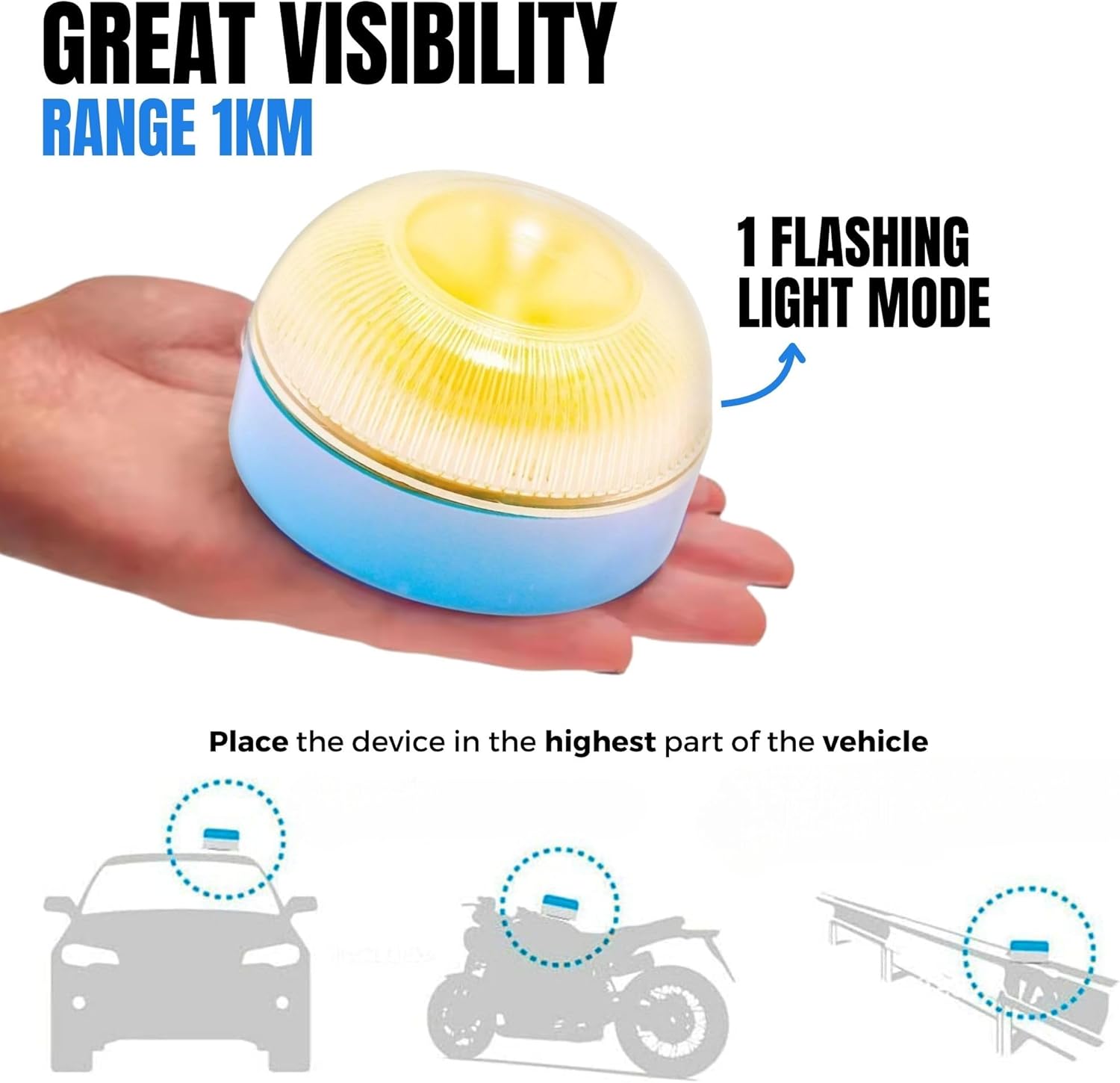
Image 4.1: Illustration of battery insertion and the activation button on the magnetic base.
5. Operating Instructions
To activate and deploy your Emergency Light V16:
- Activate: Press the button located on the magnetic base of the device. The light will immediately begin to flash a bright yellow signal.
- Placement: Place the activated emergency light horizontally on the highest metallic part of your vehicle. This could be the roof of a car, the tank or fender of a motorcycle, or a metallic guardrail nearby. The strong magnetic base will secure the light in position.
- Visibility: The flashing light will provide a warning signal visible up to 1 kilometer away, alerting approaching traffic to your presence.
- Deactivate: To turn off the light, simply press the button on the magnetic base again.

Image 5.1: Simple steps for quick and effective deployment of the emergency light.

Image 5.2: Recommended placement on vehicles for maximum visibility, highlighting the 1km range.
6. Maintenance
Proper maintenance ensures the longevity and reliability of your Emergency Light V16.
- Battery Replacement: When the light dims or fails to activate, it is time to replace the 9V 6LR61 battery. Follow the steps in the 'Setup' section to open the compartment, remove the old battery, insert a new one with correct polarity, and securely close the cover.
- Cleaning: Wipe the exterior of the device with a soft, damp cloth. Do not use abrasive cleaners or solvents, as these may damage the housing or lens.
- Storage: Store the emergency light in a cool, dry place, such as your vehicle's glove box or trunk, away from direct sunlight and extreme temperatures.
7. Troubleshooting
If you encounter issues with your Emergency Light V16, refer to the following common problems and solutions:
| Problem | Possible Cause | Solution |
|---|---|---|
| Light does not turn on | Dead or incorrectly inserted battery | Check battery polarity; replace with a new 9V 6LR61 battery. |
| Light is dim or flickers | Low battery power | Replace the 9V 6LR61 battery. |
| Light detaches from vehicle | Unclean surface or improper placement | Ensure the metallic surface is clean and flat. Re-position the light firmly. |
8. Specifications
- Brand: MAGIC SELECT
- Model Number: L1963
- Power Source: 9V 6LR61 Battery
- Visibility Range: 1 kilometer
- Protection Rating: IP55 (Waterproof)
- Item Weight (per unit): Approximately 0.35 lbs (based on package weight of 1.39 lbs for 4 units)
- Dimensions: Approximately 7 cm (height) x 9 cm (diameter)
- Manufacturer: Living Tech SL
- ASIN: B0DTZ6415T
- UPC: 8435670641963
9. Warranty and Support
For specific warranty details regarding your MAGIC SELECT Emergency Light V16, please refer to the documentation included with your purchase or contact the seller directly. Warranty terms may vary based on region and retailer.
For technical assistance, product inquiries, or to report any issues, please reach out to the manufacturer, Living Tech SL, or the authorized reseller from whom you purchased the product. Contact information can typically be found on the product packaging or the seller's website.


