
1. Important Safety Information
Please read all instructions carefully before installation and operation. Failure to follow these instructions may result in property damage, personal injury, or death. Keep this manual for future reference.
- Professional Installation: Installation, maintenance, and repair of this unit must be performed by qualified, licensed HVAC technicians. Improper installation can lead to electric shock, fire, or water leakage.
- Electrical Safety: Ensure the unit is connected to a properly grounded power supply with the correct voltage (208-230V). Do not use extension cords. Disconnect power before any maintenance or cleaning.
- Refrigerant Handling: This unit contains R-32 refrigerant. R-32 is a mildly flammable refrigerant. Handle with care and ensure proper ventilation during service. Do not release refrigerant into the atmosphere.
- Clearance: Maintain adequate clearance around both indoor and outdoor units for proper airflow and service access.
- Children and Pets: Keep children and pets away from the unit during operation and maintenance.
2. Product Overview
The TOSOT Cosmo Series 30,000 BTU Mini-Split Air Conditioner and Heating System is a ductless inverter unit designed for efficient climate control in residential or commercial spaces. It provides both cooling and heating capabilities, making it suitable for year-round comfort.
Key Features
- Smart Control: Control your unit remotely using the Gree+ app on your smartphone or through voice commands.
- High Efficiency: With a Seasonal Energy Efficiency Ratio (SEER2) of up to 22, this unit is designed to reduce energy consumption and operating costs.
- Advanced Inverter Technology: The inverter compressor allows for stable temperatures and efficient operation, cooling in temperatures up to 122°F and heating as low as -13°F.
- Quiet Operation: The unit operates at low noise levels, ranging from 22dB to 36dB, ensuring a peaceful environment.
- Ductless Design: Simplifies installation and provides flexible placement options.
Included Components
The following components are typically included with your TOSOT Mini-Split system:

Image: Detailed view of the indoor unit, outdoor unit, remote control, and various installation accessories such as drywall anchors, mounting screws, AAA batteries, remote control holder, insulation sleeve, signal cable, electrical cable, wall cuff, drain joint, tape, sealing gum, and refrigerant pipe.
- Indoor Unit
- Outdoor Unit
- 16 Ft. Copper Line Set
- Remote Control
- User Manuals (Indoor Unit, Outdoor Unit)
- Installation Accessories (Drywall Anchors, Mounting Screws, AAA Batteries, Remote Control Holder, Insulation Sleeve, Signal Cable, Electrical Cable, Wall Cuff, Drain Joint, Tape, Sealing Gum, Refrigerant Pipe)
Note:

Image: Several cardboard boxes stacked on a wooden pallet, indicating that the unit set may be shipped in multiple packages and arrive at different times.
Every unit set may be shipped in multiple packages and arrive at different times. Please ensure all packages are received before beginning installation.
3. Setup and Installation
Installation of the TOSOT Mini-Split system requires specific tools and technical knowledge. It is strongly recommended that installation be performed by a certified HVAC professional to ensure proper function, safety, and warranty validity. Refer to the detailed installation manuals provided with your unit for complete instructions.
General Installation Steps (Overview)
- Site Selection: Choose appropriate locations for both the indoor and outdoor units, ensuring adequate clearance for airflow and maintenance.
- Mounting the Indoor Unit: Secure the mounting plate to the wall, then attach the indoor unit.
- Installing the Outdoor Unit: Place the outdoor unit on a stable, level surface or a dedicated mounting bracket. Ensure it is elevated to prevent water accumulation.
- Drilling Wall Hole: Create a hole through the wall for the refrigerant lines, electrical cable, and drain hose.
- Refrigerant Line Set Connection: Connect the pre-charged 16ft copper line set between the indoor and outdoor units. Ensure proper flaring and torque for leak-free connections.
- Electrical Connections: Connect the power and communication wiring according to local electrical codes and the wiring diagram in the manual.
- Vacuuming the System: Evacuate the refrigerant lines using a vacuum pump to remove air and moisture. This is a critical step for system performance and longevity.
- Drainage: Ensure the drain hose from the indoor unit is properly routed to allow condensate to flow freely away from the unit and building foundation.

Image: Technical drawing illustrating the dimensions of the 30,000 BTU and 36,000 BTU indoor and outdoor units, providing measurements for installation planning.
Installation Video Reference
Video: An overview of the unboxing and installation process for a TOSOT Mini Split system, demonstrating the components and general setup. This video is provided by a seller and offers visual guidance for installation.
4. Operating Instructions
Your TOSOT Mini-Split system can be operated using the included wireless remote control or via the Gree+ smartphone application.
Remote Control Functions
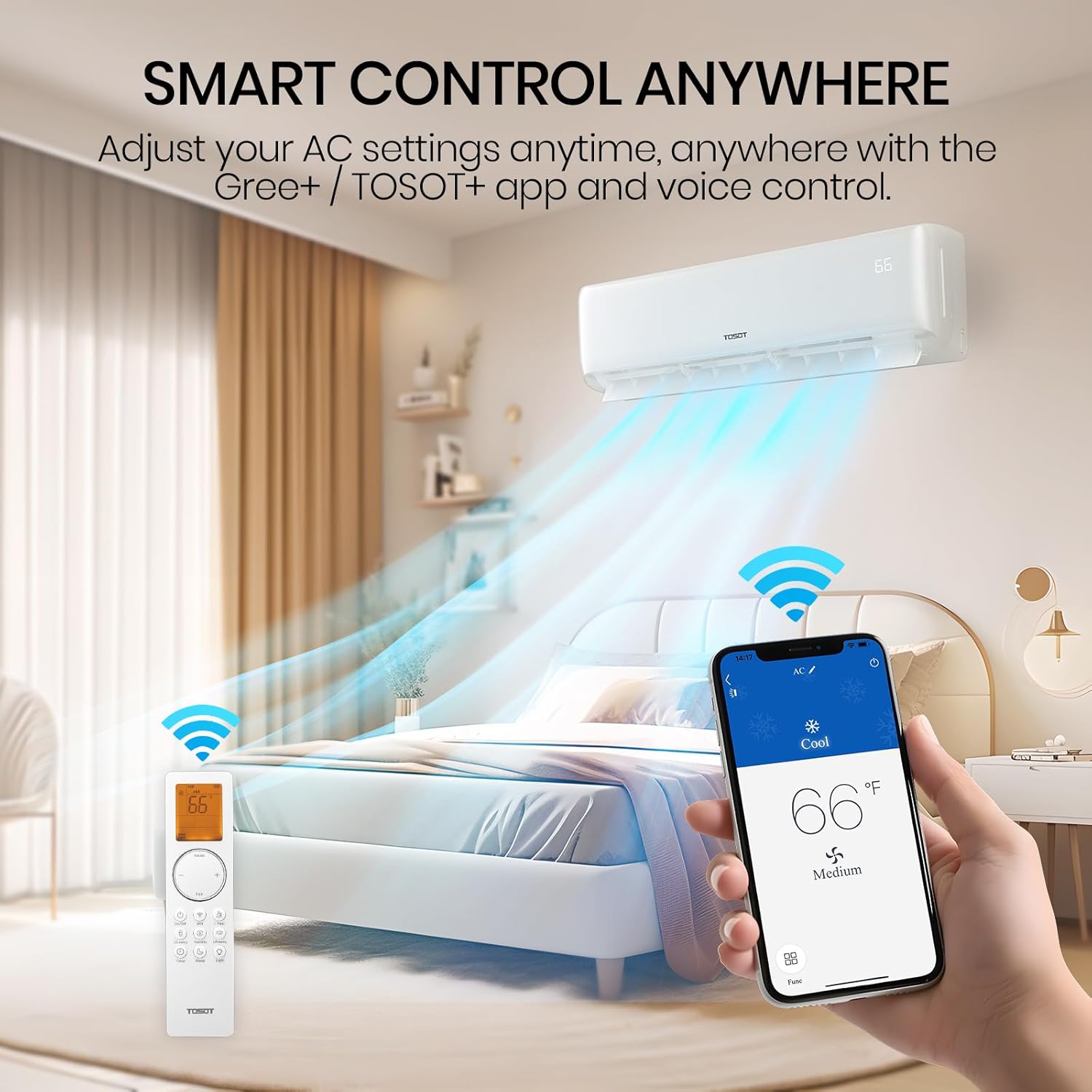
Image: A user holding the remote control, with the indoor unit visible in the background, demonstrating the ease of adjusting settings. The remote features buttons for various modes and functions.
- MODE: Cycles through operating modes (Cool, Heat, Fan, Dry/Dehumidify, Auto).
- FAN: Adjusts fan speed (Auto, Low, Medium, High).
- TEMP ▲/▼: Increases or decreases the set temperature.
- SWING: Controls the vertical louver movement for air distribution.
- SLEEP: Activates sleep mode for energy-efficient and quiet operation during sleep.
- TURBO: Provides rapid cooling or heating.
- WIFI: Activates or deactivates Wi-Fi connectivity.
- LIGHT: Turns the display light on the indoor unit on or off.
- TIMER ON/OFF: Sets a timer for the unit to turn on or off automatically.
Operating Modes

Image: Visual representation of the four primary operating modes: Cooling (30,000 BTU/h), Heating (30,000 BTU/h), Fan (7 speeds), and Dehumidifying (177.60 Pints/day).
- Cool Mode: Provides cooling to lower the room temperature.
- Heat Mode: Provides heating to raise the room temperature.
- Fan Mode: Circulates air without heating or cooling.
- Dry (Dehumidify) Mode: Reduces humidity in the room.
- Auto Mode: Automatically selects the appropriate operating mode based on the room temperature and desired setting.
Wi-Fi and Voice Control
The TOSOT Cosmo Series is Wi-Fi enabled, allowing for convenient control through the Gree+ app. Follow the instructions in the dedicated Wi-Fi setup guide to connect your unit to your home network. Once connected, you can adjust settings, change modes, and monitor your unit from anywhere using your smartphone or compatible voice control devices.
5. Maintenance
Regular maintenance ensures optimal performance and longevity of your TOSOT Mini-Split system. Always disconnect power to the unit before performing any maintenance.
Filter Cleaning
- Frequency: Clean the air filters every two weeks or more frequently if the unit is used heavily or in dusty environments.
- Procedure: Open the front panel of the indoor unit, remove the air filters, and wash them with lukewarm water and a mild detergent. Rinse thoroughly and allow them to dry completely before reinserting.
Outdoor Unit Cleaning
- Frequency: Clean the outdoor unit coils and fan blades annually or as needed.
- Procedure: Use a soft brush or vacuum cleaner to remove dirt, leaves, and debris from the coils and fan. Do not bend the coil fins. Ensure the area around the outdoor unit is clear of obstructions.
Seasonal Checks
- Drainage System: Periodically check the condensate drain line for blockages to prevent water leakage.
- Electrical Connections: Inspect all electrical connections for tightness and signs of wear.
- Refrigerant Lines: Check for any signs of leaks or damage to the refrigerant lines.
6. Troubleshooting
This section provides solutions for common issues you may encounter. If the problem persists, contact a qualified service technician.
| Problem | Possible Cause | Solution |
|---|---|---|
| Unit does not turn on | No power supply; Remote control batteries dead; Circuit breaker tripped | Check power connection; Replace remote batteries; Reset circuit breaker |
| Insufficient cooling/heating | Dirty air filters; Blocked outdoor unit; Incorrect mode setting; Room size exceeds capacity | Clean air filters; Clear obstructions from outdoor unit; Select correct mode; Ensure unit matches room size |
| Unusual noises | Loose parts; Fan obstruction; Refrigerant flow noise (normal) | Check for loose components; Remove fan obstruction; Consult manual for normal operating sounds |
| Water leakage from indoor unit | Blocked drain hose; Improper installation angle | Clear drain hose; Verify indoor unit is level and drain hose has proper slope |
| Wi-Fi connection issues | Router issues; Incorrect Wi-Fi settings; Unit too far from router | Restart router; Reconfigure Wi-Fi settings in Gree+ app; Move unit closer to router or use Wi-Fi extender |
7. Specifications
Detailed technical specifications for the TOSOT Cosmo Series 30,000 BTU Mini-Split Air Conditioner and Heating System.
| Specification | Value |
|---|---|
| Model Number | GWH30ATEXH-D6DNA1G/O |
| Cooling Capacity | 30,000 BTU/h (2.5 Tons) |
| Heating Capacity | 30,000 BTU/h |
| Seasonal Energy Efficiency Ratio (SEER2) | 22 |
| Applicable Floor Area | Up to 1800 sq ft |
| Voltage | 208-230 Volts |
| Refrigerant Type | R-32 |
| Noise Level (Indoor Unit) | 22-36 dB |
| Outdoor Unit Dimensions (D x W x H) | 39.37 x 29.37 x 16.81 inches |
| Indoor Unit Dimensions (W x H x D) | 42.4 x 13.1 x 9.7 inches |
| Item Weight | 201 pounds |
| Manufacturer | Gree Electric Appliances, Inc. of Zhuhai |
| Special Features | Fast Cooling, Wi-Fi Enabled, Voice Control |
8. Warranty and Support
Warranty Information
The TOSOT Cosmo Series Mini-Split Air Conditioner and Heating System comes with a 5-Year Warranty. Please refer to the warranty card included with your product for full terms, conditions, and registration details. Keep your proof of purchase for warranty claims.
Customer Support
For technical assistance, troubleshooting beyond this manual, or warranty service, please contact TOSOT Customer Support. Contact information can be found in the included product documentation or on the official TOSOT website.


