
1. Introduction
This manual provides detailed instructions for the safe and efficient use of your K&F CONCEPT KF-V99 Pro 99Wh V-Mount Battery. This high-capacity battery is designed to power professional cameras, camcorders, monitors, video lights, and other compatible devices, offering versatile connectivity and fast charging capabilities.
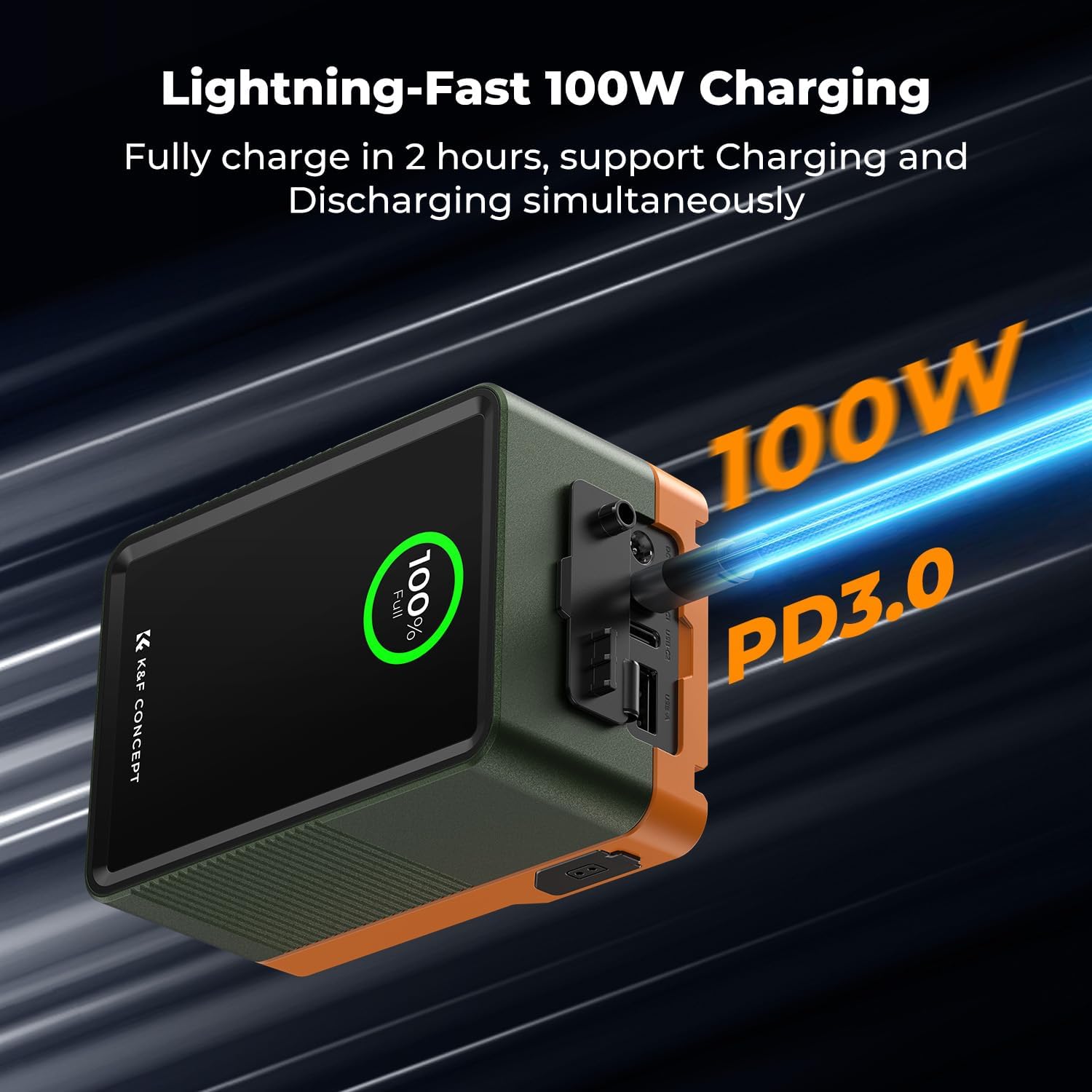
Image: The K&F CONCEPT KF-V99 Pro 99Wh V-Mount Battery.
2. What's in the Box
Verify that all items are present in your package:
- 1 x K&F CONCEPT V99 Pro V Mount Battery
- 1 x 240W USB-C Charging Cable (39.3")
- 1 x User Manual

Image: The K&F CONCEPT V-Mount Battery, 240W USB-C charging cable, and user manual, shown next to the product packaging.
3. Key Features
- High Capacity & Air Travel Friendly: 99Wh (14.8V/6700mAh) capacity, suitable for carry-on luggage on airplanes.
- Extensive Connectivity Options: Features two USB-C ports, one USB-A port, one DC (12V, 5.5x2.5mm) port, and one D-Tap port for powering various devices simultaneously.
- 100W Bi-Directional PD Fast Charging: USB-C ports support 100W Power Delivery for rapid charging of the battery (approx. 2.5 hours) and efficient charging of laptops, smartphones, and other devices.
- Real-Time TFT Color Display: A clear display shows the output power for each port and the overall battery status, aiding in effective power management.
- Robust Construction with Emergency Lighting: Constructed from durable aluminum alloy and fire-resistant PC with a scratch-resistant acrylic cover. Includes an emergency night light for low-light conditions.
4. Product Overview
4.1 Ports and Interfaces
The KF-V99 Pro battery offers a variety of input and output ports for maximum compatibility:
- USB-C1: PD3.0 100W In/Out
- USB-C2: PD3.0 65W Out
- USB-A: Max 24W Out
- DC: 12V Out (5.5x2.5mm)
- D-Tap: 7A In; 16.8V 12A (Max) Out
- BP: 7A In; 16.8V 12A (Max) Out

Image: Detailed diagram highlighting the various input and output ports on the K&F CONCEPT V-Mount Battery.
4.2 TFT Color Display
The integrated TFT color display provides real-time information on the battery's status, including:
- Total Distribution of Power (TDP)
- Charging Status
- Real-time Battery Level (percentage)
- Individual port output/input voltage and wattage

Image: The K&F CONCEPT V-Mount Battery's TFT display showing battery percentage and power distribution across ports.
5. Charging the Battery
The KF-V99 Pro battery can be charged using its USB-C1 port or a D-Tap charger.
- Connect the provided 240W USB-C charging cable to the USB-C1 port on the battery.
- Connect the other end of the USB-C cable to a compatible PD100W or higher power adapter (not included).
- The TFT display will indicate the charging status and current battery level. A full charge takes approximately 2.5 hours with a 100W PD adapter.
Alternatively, use a D-Tap charger (not included) connected to the D-Tap port for charging.

Image: The K&F CONCEPT V-Mount Battery providing 100W output, charging both a laptop and a camera.
6. Operating Instructions
6.1 Powering On/Off
- To power on the battery and activate the TFT display, press the power button located on the side.
- To power off, press and hold the power button until the display turns off.
6.2 Connecting Devices
Connect your camera, monitor, video light, or other compatible devices to the appropriate output ports (USB-C, USB-A, DC, D-Tap) on the battery. The battery can power multiple devices simultaneously.

Image: The K&F CONCEPT V-Mount Battery mounted on a camera rig, demonstrating its use in a professional setup.
6.3 Emergency Light Function
The battery includes an emergency light. To activate or deactivate it, refer to the specific instructions in the included user manual or press the designated button if available.
Video: A demonstration of the K&F CONCEPT V-Mount Battery's ports and display, showing how to connect and power various devices like a label maker, e-reader, and game controller.
7. Safety Information
Please read and follow these safety guidelines to ensure proper operation and prevent damage or injury:
- Do not disassemble, modify, or attempt to repair the battery.
- Avoid exposing the battery to extreme temperatures, direct sunlight, or fire.
- Keep the battery away from water and other liquids.
- Use only compatible charging cables and adapters.
- Store the battery in a cool, dry place when not in use.
- The built-in BMS (Battery Management System) provides protection against over-temperature, over-voltage, over-discharge, over-current, over-charging, and short-circuits.

Image: A visual representation of the K&F CONCEPT V-Mount Battery's built-in safety features, including temperature, over-voltage, over-current, over-charging, short-circuit, and over-discharge protection.
8. Specifications
| Feature | Detail |
|---|---|
| Model | KF-V99 Pro |
| Material | Aluminum + Fireproof PC |
| Capacity | 14.8V 6700mAh 99Wh |
| Rated Power | 100W In / Out |
| Product Dimensions | 108*76*57mm / 4.2 x 2.9 x 2.2 inches |
| Weight | 630g / 1.39 lbs |
| Charging Time | 2 hours (with PD100W or higher adapter) |
| Input (USB-C1) | 100W (Max) |
| Input (BP/D-Tap) | 16.8V 7A (Max) |
| Output (USB-C1) | 100W (Max) |
| Output (USB-C2) | 65W (Max) |
| Output (USB-A) | 24W (Max) |
| Output (DC) | 12V |
| Output (BP/D-Tap) | 16.8V 12A (Max) |
| Charging Protocol | PD3.0, QC3.0, QC2.0, AFC, FCP, SCP, DCP, PPS, Apple |
9. Troubleshooting
If you encounter issues with your KF-V99 Pro battery, consider the following:
- Battery not charging: Ensure the charging cable is securely connected to both the battery's USB-C1 port and a compatible power adapter. Verify the power adapter is functioning correctly.
- Device not powering on: Check that the battery is sufficiently charged. Ensure the device is correctly connected to the appropriate output port on the battery. Confirm the device's power requirements are within the battery's output capabilities.
- Display not working: Press the power button to activate the display. If it remains unresponsive, the battery may be fully discharged or require a reset (disconnect all cables and reconnect after a few minutes).
10. Warranty and Support
For warranty information, technical support, or service inquiries, please refer to the official K&F CONCEPT website or contact their customer service directly. Keep your purchase receipt for warranty claims.


