
1. Introduction
This manual provides instructions for the Northpoint LED Dimmable Wall Sconce. This battery-powered wall light offers soft, indirect 3000K warm white illumination, designed for flexible placement indoors. It features dimmable brightness, a memory function, and a timer for convenience.
2. Safety Instructions
- Read all instructions before installation and use.
- This product is intended for indoor use only. Do not expose to moisture or extreme temperatures.
- Do not attempt to disassemble or modify the device. This may void the warranty and pose a safety risk.
- Keep out of reach of children.
- Use only the provided USB-C cable for charging.
3. Package Contents
Verify that all items are present in the package:
- Northpoint LED Dimmable Wall Sconce (1 unit)
- USB-C Cable
- Mounting Material (screws, wall plugs)
- User Manual (this document)
4. Product Overview and Features
The Northpoint LED Wall Sconce is designed to provide ambient lighting with flexible control. Its square, minimalist design integrates well into various interior styles.
- Dimmable Light: Adjust brightness to your preference.
- Memory Function: Remembers the last brightness setting.
- Timer Function: Automatically turns the light on or off.
- Wireless Operation: Integrated battery allows for flexible placement.
- Warm White Light: 3000K color temperature for a cozy atmosphere.

Close-up view of the Northpoint LED Wall Sconce, highlighting its square design and light output area.
5. Installation
The wall sconce can be easily mounted using the included hardware.
- Choose a suitable indoor location on a wall. Ensure the surface is clean and dry.
- Mark the desired drilling points on the wall using the sconce's mounting plate as a template.
- Drill holes at the marked points. Insert the wall plugs into the drilled holes.
- Align the mounting plate with the holes and secure it to the wall using the provided screws.
- Attach the wall sconce to the mounted plate, ensuring it is securely fastened.
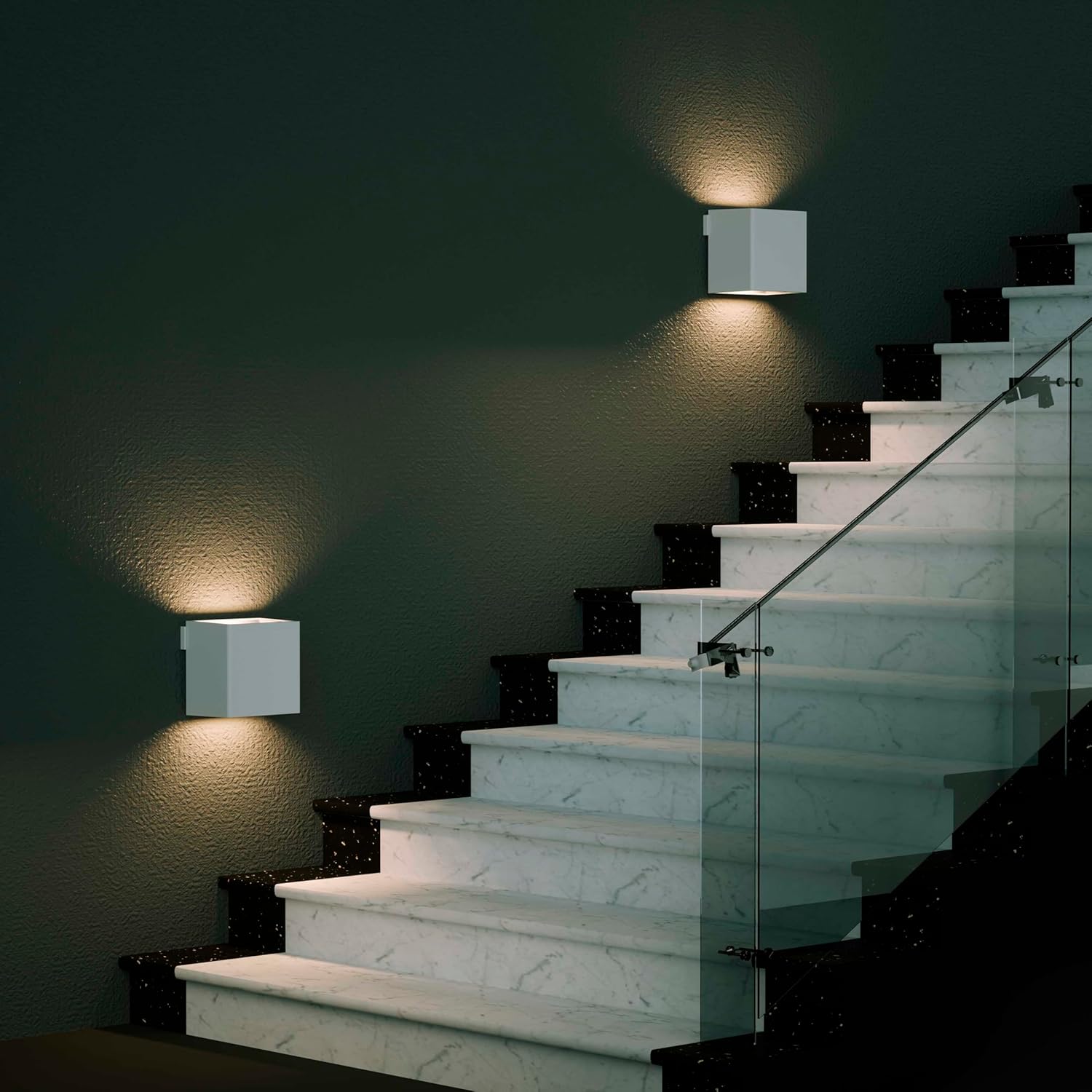
Two Northpoint LED Wall Sconces installed on a staircase wall, providing warm indirect lighting.
6. Operation
The wall sconce is controlled via a touch-sensitive interface.
- Power On/Off: Briefly touch the control area to turn the light on or off.
- Dimming: While the light is on, press and hold the control area to adjust the brightness. Release when the desired brightness is reached. The memory function will recall this setting next time it's turned on.
- Timer Function: Specific instructions for activating and setting the timer function are typically detailed in the full product manual. Generally, a quick double-tap or a specific press-and-hold sequence might activate a preset timer (e.g., 30 minutes, 60 minutes). Refer to the physical manual for precise timer activation.

A Northpoint LED Wall Sconce mounted above a shelf with books, illustrating its warm light output.
7. Charging
The wall sconce is powered by an integrated battery and can be recharged using the provided USB-C cable.
- Locate the USB-C charging port on the device.
- Connect one end of the USB-C cable to the sconce and the other end to a compatible USB power adapter (not included) or a computer USB port.
- An indicator light (if present) will typically show the charging status. Refer to the physical manual for specific indicator light behavior.
- Once fully charged, disconnect the USB-C cable.
8. Maintenance
To ensure the longevity and optimal performance of your wall sconce, follow these maintenance guidelines:
- Cleaning: Wipe the surface with a soft, dry cloth. Do not use abrasive cleaners or solvents.
- Battery Care: For best battery life, avoid fully discharging the battery frequently. Recharge when the light output noticeably diminishes.
- Storage: If storing the sconce for an extended period, charge it to approximately 50% and store in a cool, dry place. Recharge every few months to prevent deep discharge.
9. Troubleshooting
| Problem | Possible Cause | Solution |
|---|---|---|
| Light does not turn on. | Battery is depleted. | Charge the device using the USB-C cable. |
| Light is dim or flickers. | Low battery. | Recharge the device. |
| Cannot adjust brightness. | Incorrect operation. | Ensure you are pressing and holding the control area to dim. |
| Timer function not working. | Incorrect activation. | Refer to the specific instructions in the physical manual for timer activation. |
10. Specifications

Image showing the dimensions of the Northpoint LED Wall Sconce: approximately 10 cm height, 10 cm width, and 8 cm depth.
| Brand | Northpoint |
| Model Number | NP-RWL-Parent |
| Dimensions (L x W x H) | 15 x 4.5 x 15 cm (approx. 10 x 8 x 10 cm as per image) |
| Weight | 194 grams |
| Power Source | Battery Powered |
| Voltage | 3.7 Volts |
| Luminous Flux | 150 lm |
| Color Temperature | 3000 Kelvin (Warm White) |
| Control Method | Touch |
| Energy Efficiency Label | A |
| Indoor/Outdoor Use | Indoor |
11. Warranty and Support
For warranty information or technical support, please refer to the documentation included with your purchase or contact Northpoint customer service. Keep your proof of purchase for warranty claims.