
1. Introduction
Thank you for choosing the Generico H-WASH&DRY 350 Slim Washer-Dryer. This appliance is designed to provide efficient and convenient laundry care for your home. This manual contains important information on the safe installation, use, and maintenance of your new washer-dryer. Please read it carefully before using the appliance and keep it for future reference.
2. Safety Information
Always follow basic safety precautions when using electrical appliances to reduce the risk of fire, electric shock, or injury to persons.
- Ensure the appliance is properly grounded.
- Do not allow children to play on or in the appliance.
- Keep flammable materials away from the appliance.
- Do not operate the appliance if it is damaged or malfunctioning.
- Always unplug the appliance before cleaning or performing maintenance.
- Do not wash or dry articles that have been cleaned in, washed in, soaked in, or spotted with combustible or explosive substances.
3. Product Overview
The Generico H-WASH&DRY 350 is a compact and efficient washer-dryer, featuring advanced technologies for superior laundry results. Its slim design (45 cm depth) makes it ideal for spaces where traditional machines might not fit.
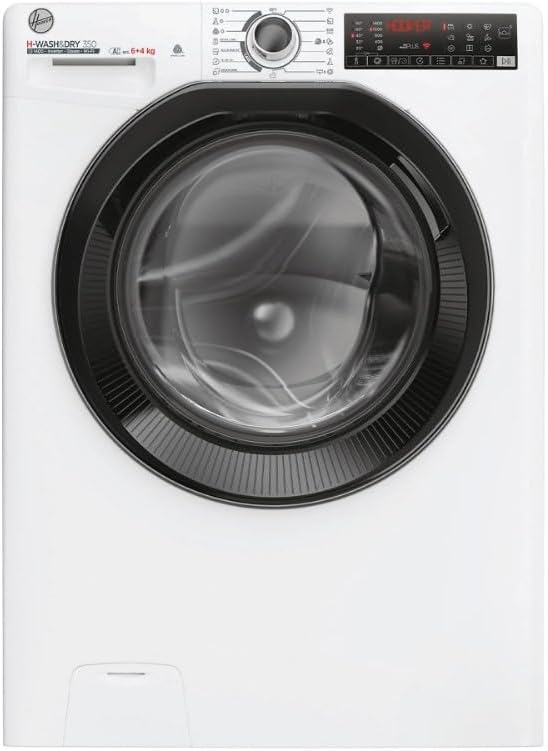
Figure 3.1: Front view of the Generico H-WASH&DRY 350 slim washer-dryer. This image shows the appliance from the front, with the loading door closed, control panel visible at the top, and the detergent dispenser drawer.
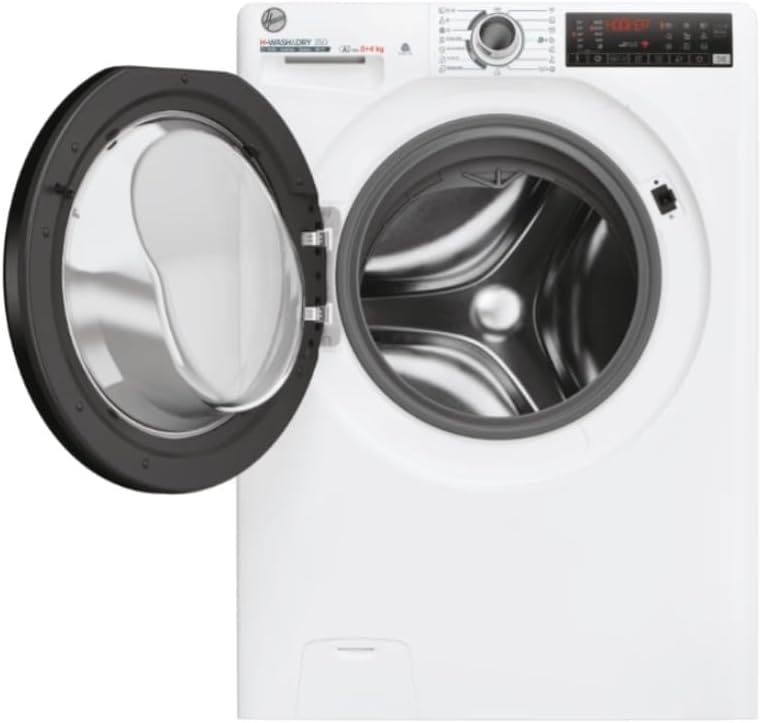
Figure 3.2: Front view of the Generico H-WASH&DRY 350 slim washer-dryer with the door open. This image highlights the spacious drum and the door mechanism, indicating ease of loading and unloading.
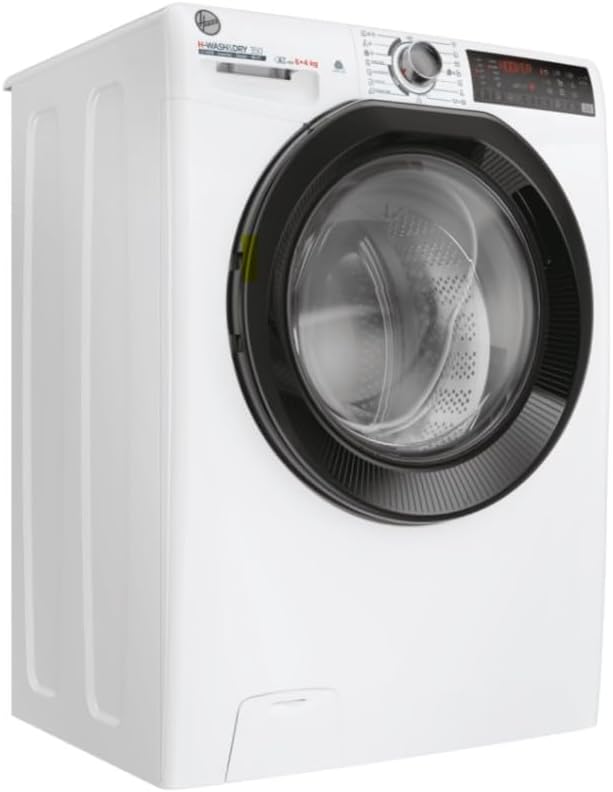
Figure 3.3: Angled view of the Generico H-WASH&DRY 350 slim washer-dryer. This perspective showcases the slim profile of the appliance, emphasizing its space-saving design.
Key Features:
- Eco-Power Motor: Ensures high performance with reduced energy consumption.
- Eco Doser: Optimizes detergent usage for efficient cleaning.
- Kg Mode Plus: Automatically adjusts water and energy consumption based on load weight.
- hOn App Connectivity (Wi-Fi + BLE): Allows for advanced remote control and access to extra content and programs.
- Allergy Care Pro: Specialized program designed to remove allergens from fabrics.
- Energy Efficiency: 10% more efficient than Class A.
4. Installation and Setup
4.1 Unpacking
Carefully remove all packaging materials. Inspect the appliance for any damage. Remove the transit bolts from the rear of the machine before use. Keep packaging materials out of reach of children.
4.2 Location
Place the appliance on a firm, level floor. Ensure there is adequate ventilation around the machine. Avoid placing it in direct sunlight or near heat sources.
4.3 Water and Drain Connections
- Connect the water inlet hose to a cold water tap with a 3/4" thread.
- Ensure the drain hose is securely placed into a standpipe or connected to a sink trap, preventing kinks or blockages.
4.4 Electrical Connection
Connect the power cord to a properly grounded 220 Volt (AC) electrical outlet. Do not use extension cords or adapters. Ensure the electrical supply matches the requirements specified on the appliance's rating plate.
4.5 Leveling the Appliance
Adjust the adjustable feet at the bottom of the appliance to ensure it is perfectly level. A level machine reduces vibration and noise during operation.
5. Operating Instructions
5.1 Control Panel Overview
The control panel features a program selector dial, a display screen, and various function buttons. Refer to the detailed diagram in your printed manual for specific button functions.
5.2 Loading Laundry
Open the front-loading door and load laundry, ensuring not to overload the drum. For optimal results, leave enough space for clothes to tumble freely. The appliance has a washing capacity of 6 kg and a drying capacity of 4 kg.
5.3 Adding Detergent
Pull out the detergent dispenser drawer. Add appropriate amounts of detergent and fabric softener to the designated compartments. The Eco Doser feature helps optimize detergent usage.
5.4 Selecting a Program
Turn the program selector dial to choose the desired wash or wash&dry program. The display will show the estimated cycle time and default settings. Use the option buttons to customize settings such as temperature, spin speed, or drying level.
5.5 Starting a Cycle
Press the Start/Pause button to begin the selected program. The door will lock, and the cycle will commence.
5.6 Using the hOn App
Download the hOn app on your smartphone or tablet. Follow the in-app instructions to connect your washer-dryer via Wi-Fi or Bluetooth (BLE). The app allows for remote control, access to additional programs, and smart diagnostics.
6. Wash and Dry Programs
The H-WASH&DRY 350 offers a variety of programs tailored for different fabric types and laundry needs. The Kg Mode Plus function automatically adjusts resources based on the load, ensuring efficiency.
- Cotton: For durable cotton items.
- Synthetics: For synthetic and mixed fabrics.
- Delicates: Gentle wash for delicate items.
- Wool/Hand Wash: Specific program for wool and hand-washable garments.
- Quick Wash: For lightly soiled items needing a fast cycle.
- Allergy Care Pro: A specialized cycle designed to remove common allergens from fabrics, ideal for sensitive skin.
- Wash&Dry Programs: Integrated cycles for washing and drying in one go.
7. Maintenance and Cleaning
Regular maintenance ensures the longevity and optimal performance of your appliance.
7.1 Cleaning the Detergent Dispenser
Periodically remove and clean the detergent dispenser drawer to prevent residue buildup. Rinse it under running water and reinsert.
7.2 Cleaning the Filter
Locate the filter at the bottom front of the appliance. Place a shallow container underneath to catch any residual water. Unscrew the filter, clean it of lint and debris, and then securely screw it back in.
7.3 Cleaning the Drum
Run a maintenance wash cycle (e.g., a hot wash with no laundry and a descaling agent) periodically to clean the drum and remove any detergent or fabric softener residue.
7.4 External Cleaning
Wipe the exterior of the appliance with a soft, damp cloth. Do not use abrasive cleaners or solvents.
8. Troubleshooting
Before contacting customer service, refer to the following common issues and their solutions:
| Problem | Possible Cause | Solution |
|---|---|---|
| Appliance does not start | No power; Door not closed; Program not selected. | Check power supply; Ensure door is firmly closed; Select a program and press Start. |
| Water leakage | Hoses loose; Detergent drawer clogged; Filter loose. | Check hose connections; Clean detergent drawer; Tighten filter. |
| Excessive vibration/noise | Transit bolts not removed; Appliance not level; Uneven load. | Remove transit bolts; Adjust feet to level; Redistribute laundry in drum. |
| Poor washing results | Overloading; Incorrect detergent; Wrong program. | Reduce load size; Use appropriate detergent; Select suitable program. |
9. Specifications
| Feature | Detail |
|---|---|
| Model | H-WASH&DRY 350 |
| Brand | Generico |
| Washing Capacity | 6 kg |
| Drying Capacity | 4 kg |
| Maximum Spin Speed | 1400 RPM |
| Dimensions (L x P x A) | 60 x 45 x 85 cm |
| Color | White |
| Voltage | 220 Volt (AC) |
| Weight | 50 kg |
| Access Type | Front Load |
| Special Features | High Efficiency, Wi-Fi + BLE Connectivity, Eco-Power Motor, Eco Doser, Kg Mode Plus, Allergy Care Pro |
10. Warranty and Support
This appliance is designed for durability and performance. In the unlikely event of a malfunction, please refer to the troubleshooting section first. For further assistance, contact your retailer or authorized service center.
Spare Parts Availability: Essential spare parts for this appliance will be available for a period of 15 years from the date of purchase within the EU, ensuring long-term support and repairability.
Please retain your proof of purchase for warranty claims.