
Zmol B0DTT5L783
ZMOL Electric Heavy Duty Pencil Sharpener User Manual
Introduction
Thank you for choosing the ZMOL Electric Heavy Duty Pencil Sharpener. This manual provides essential information for the safe and efficient operation, maintenance, and troubleshooting of your new sharpener. Please read these instructions carefully before use and retain them for future reference.
This electric pencil sharpener is designed for frequent use in classrooms, offices, and homes. It features a robust motor, multiple sharpening modes, and safety mechanisms to ensure a reliable and consistent sharpening experience.
Setup
- Unpack the Sharpener: Carefully remove the sharpener and all packaging materials from the box. Ensure all components are present and undamaged.
- Choose a Stable Location: Place the sharpener on a flat, stable surface. The unit is equipped with upgraded non-slip suction cups on its base to prevent movement during operation.
- Connect Power: Plug the power adapter into a standard electrical outlet.
- Install Shavings Box: Ensure the shavings collection box is correctly inserted and securely closed. The sharpener will not operate if the shavings box is removed or improperly closed, a safety feature designed to prevent accidental contact with the blade.

The sharpener features upgraded non-slip suction cups for enhanced stability on various surfaces.
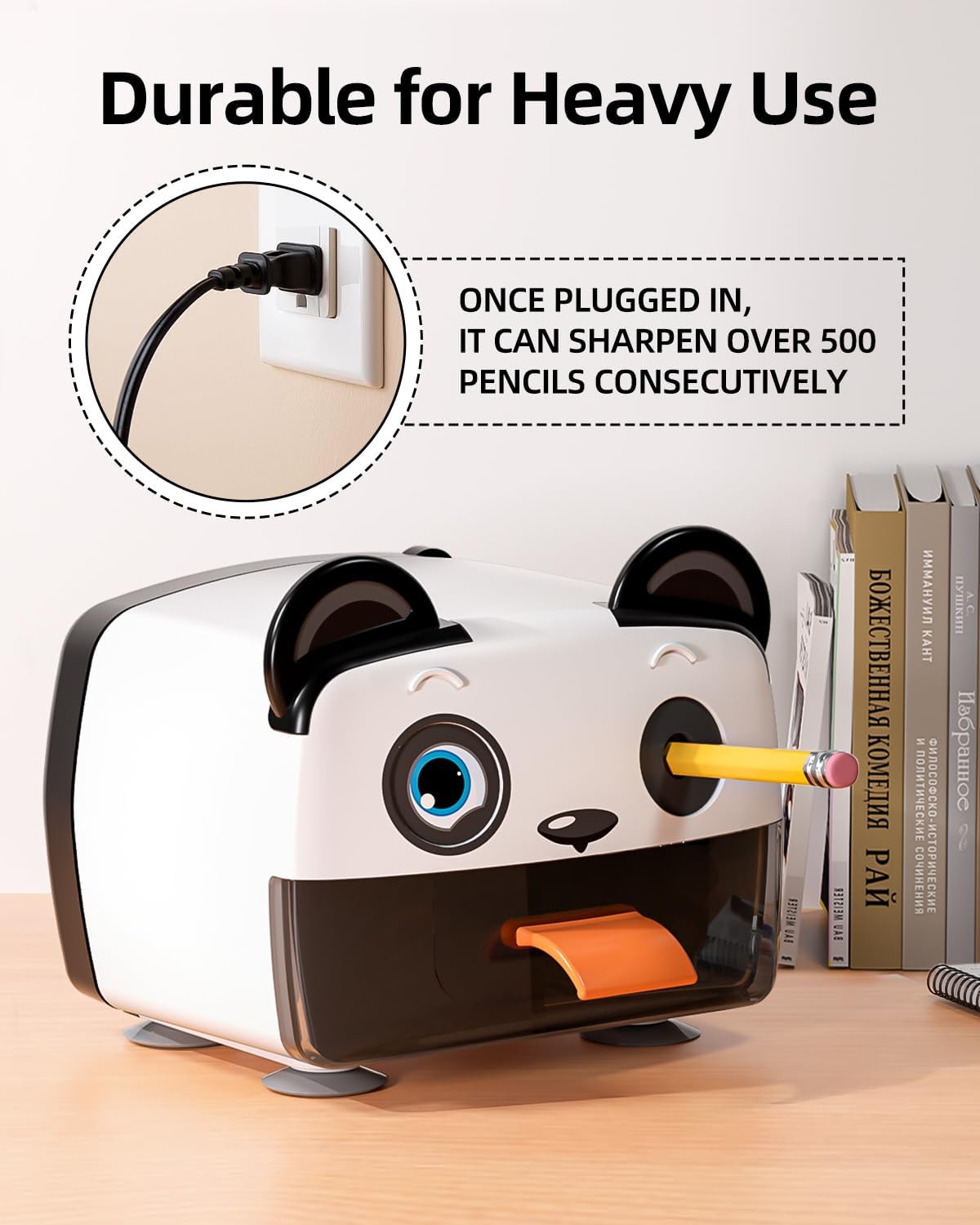
Connect the sharpener to a power source for operation.
Operating Instructions
- Select Sharpening Mode: The sharpener offers three sharpening modes: Sharp, Medium, and Blunt. Rotate the dial on the front of the sharpener to select your desired point.
- Sharp Mode: Ideal for precise writing and detailed work.
- Medium Mode: Suitable for general writing and drawing.
- Blunt Mode: Recommended for colored pencils and situations where a less fragile tip is preferred.
- Insert Pencil: Gently insert a 6-8mm diameter pencil (graphite or colored pencil) into the sharpening hole. The sharpener will automatically begin operation.
- Automatic Stop Feature: The sharpener is equipped with an auto-stop feature that prevents over-sharpening. Once the pencil reaches the selected sharpness, the motor will stop automatically. It is normal for the sharpener to continue running for a few seconds after the pencil is removed or reaches its optimal point before fully stopping.
- Pencil Compatibility: This sharpener is compatible with various pencil types, including Classic #2, Triangular, Watercolor, Oil-based, and Chalk pastel pencils.

Choose from Sharp, Medium, or Blunt sharpening modes using the dial.

The auto-stop feature prevents over-sharpening and conserves pencil length.

The sharpener accommodates various pencil types and features a spiral blade for smooth sharpening.
Maintenance
- Emptying the Shavings Box: Regularly check and empty the shavings collection box to maintain optimal performance and prevent blockages. To empty, gently pull out the shavings box. The sharpener will automatically stop operating when the box is removed. Dispose of shavings responsibly.
- Cleaning the Blade: For best results, occasionally clean any pencil residue from the blade assembly. Always unplug the sharpener before cleaning. Use a soft brush or cloth to carefully remove debris. Do not use water or harsh chemicals.
- Blade Longevity: The sharpener is equipped with a durable helical blade designed for over 10,000 sharpening cycles. Proper maintenance will help ensure its long lifespan.

The sharpener automatically stops when the shavings receptacle is removed for safety and convenience.

The helical blade is designed for extended durability, providing over 10,000 sharpening cycles.
Troubleshooting
- Sharpener does not turn on:
- Ensure the power adapter is securely plugged into both the sharpener and a working electrical outlet.
- Verify that the shavings collection box is correctly inserted and fully closed. The sharpener has a safety switch that prevents operation if the box is open or removed.
- Pencil is not sharpening or sharpens unevenly:
- Check if the pencil diameter is within the supported range (6-8mm).
- Ensure the pencil is inserted straight into the sharpening hole.
- Empty the shavings box if it is full, as excessive shavings can impede sharpening.
- Clean any debris from around the blade assembly (after unplugging the unit).
- Sharpener stops prematurely:
- This is likely the auto-stop feature engaging, indicating the pencil has reached the selected sharpness.
- If the pencil is not sharp enough, ensure you have selected the desired sharpening mode (Sharp, Medium, or Blunt).
Specifications
| Feature | Specification |
|---|---|
| Brand | Zmol |
| Model Number | B0DTT5L783 |
| Pencil Diameter Compatibility | 6-8mm |
| Sharpening Modes | Sharp, Medium, Blunt (3 modes) |
| Blade Type | Helical Blade |
| Blade Lifespan | 10,000+ sharpenings |
| Safety Features | Auto-Stop, Shavings Box Safety Switch, Non-slip Suction Base |
Warranty
The ZMOL Electric Heavy Duty Pencil Sharpener comes with a 1-Year Limited Warranty from the date of purchase. This warranty covers manufacturing defects and workmanship under normal use. Please retain your proof of purchase for warranty claims.

The product is covered by a 1-Year Limited Warranty.
Support
For further assistance, technical support, or warranty inquiries, please contact ZMOL customer service. Refer to the product packaging or the ZMOL official website for the most current contact information.
Related documentsB0DTT5L783


Ask a question about this manual
Ask about setup, troubleshooting, compatibility, parts, safety, or missing instructions. Manuals+ will review the question and use this page’s manual context to help answer it.