
Introduction
Thank you for choosing the EKO Automatic Bathroom Trash Can. This innovative touchless garbage bin is designed to provide a hygienic and convenient waste disposal solution for your bathroom, bedroom, or office. Featuring advanced motion sensor technology, a durable stainless steel finish, and a user-friendly design, this manual will guide you through its setup, operation, and maintenance to ensure years of reliable use.

Image: The EKO Automatic Bathroom Trash Can in a modern bathroom, highlighting its sleek design and compact size.
Product Overview
The EKO Automatic Bathroom Trash Can combines functionality with elegant design. Key features include:
- Advanced Motion Sensor: For hands-free, hygienic operation.
- Rechargeable Design: Convenient Type-C charging with water-resistant port.
- Elegant Stainless Steel Finish: Fingerprint-resistant and IPX4 water-resistant for durability.
- Removable Inner Bucket: Simplifies cleaning and bag replacement.
- Soft-Close Mechanism: Ensures quiet lid operation.
- Slim and Compact: Ideal for small spaces.
- Non-Slip Base: Provides stability and protects floors.
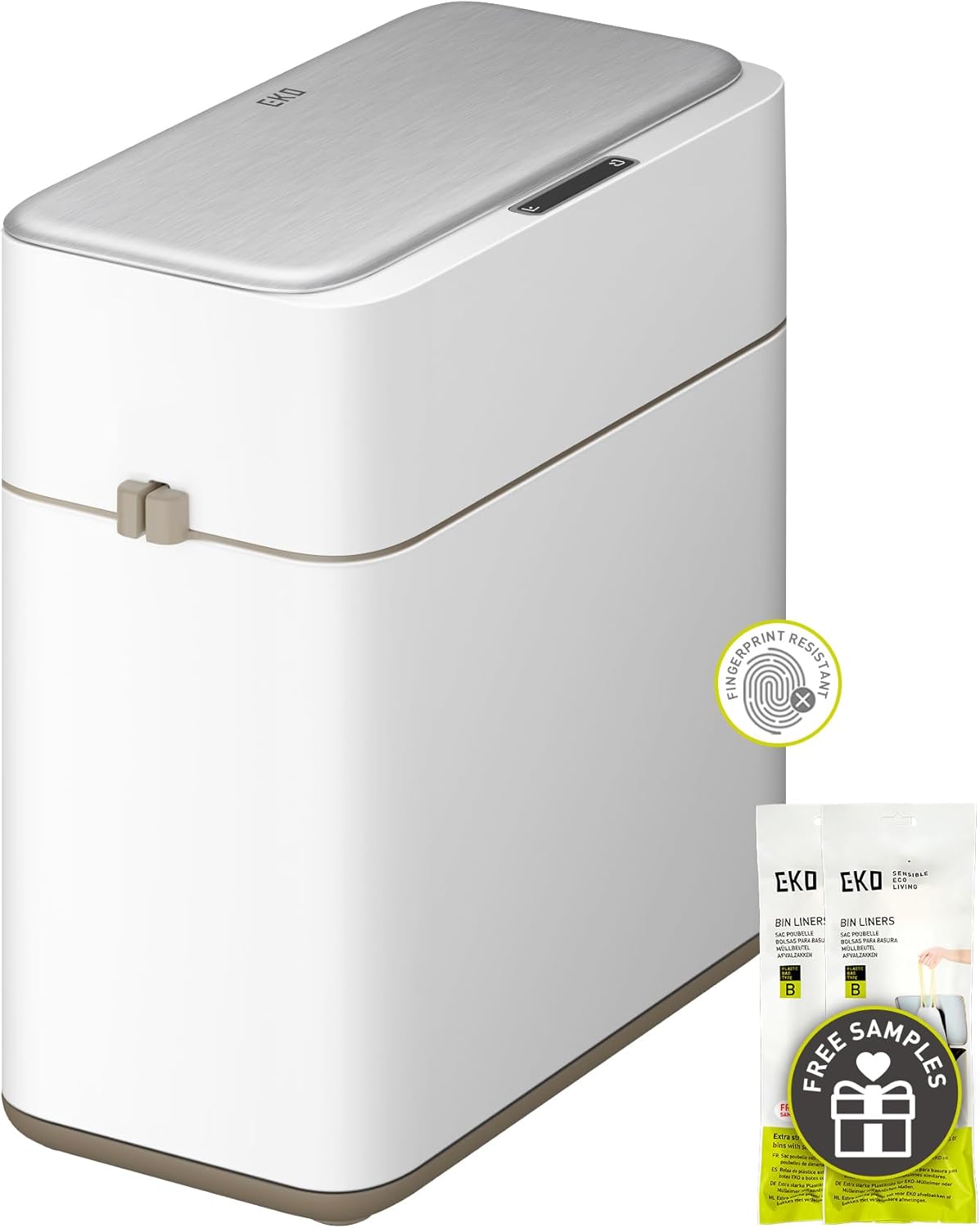
Image: A full view of the EKO Automatic Bathroom Trash Can, showcasing its modern aesthetic and included sample bin liners.
Setup Instructions
- Unboxing: Carefully remove the trash can and all components from the packaging.
- Battery Installation (if applicable): If your model uses AA batteries, locate the battery compartment on the underside of the lid. Insert 2 AA batteries, ensuring correct polarity. Secure the battery cover.
- Charging (for rechargeable models): Connect the Type-C charging cable to the charging port (protected by a silicone cover) and a suitable power source. Charge until the indicator light shows a full charge.
- Insert Inner Bucket: Place the removable inner bucket inside the main body of the trash can.
- Install Trash Bag: Drape a trash bag (EKO Code B bags recommended) over the rim of the inner bucket. Use the built-in bag fixer to secure the bag and hide any excess material for a clean look.
- Place Lid: Carefully place the lid assembly onto the main body of the trash can, ensuring it is properly aligned and seated.

Image: A visual guide demonstrating the quick and easy process of changing the trash bag, including the removable inner bucket and bag stabilizer.
Operating Instructions
- Motion Sensor Operation: Wave your hand approximately 0.3 seconds above the motion sensor located on the lid. The lid will automatically open. It will close softly after a few seconds of inactivity.
- Manual Open/Close: To keep the lid open for an extended period, simply tap the designated button on the lid. To close it manually, press the close button.
- Power On/Off: To power the unit on or off, press and hold the power button for 3 seconds.

Image: A detailed diagram showing the manual open/close and power on/off buttons on the lid of the trash can.
Maintenance
- Cleaning the Exterior: The elegant stainless steel finish is fingerprint-resistant and IPX4 water-resistant. Wipe the exterior with a soft, damp cloth and mild detergent. Avoid abrasive cleaners.
- Cleaning the Inner Bucket: The removable inner bucket can be easily lifted out for hassle-free cleaning. Wash with soap and water, rinse thoroughly, and dry completely before placing it back into the main body.
- Battery Replacement: If the motion sensor becomes unresponsive or the lid operation slows down, it may be time to replace the batteries (for non-rechargeable models). Follow the battery installation steps in the Setup section.
- Charging: For rechargeable models, ensure regular charging to maintain optimal performance. The silicone-protected charging port helps prevent water damage.

Image: A visual representation of the trash can's dimensions and its removable inner bucket, emphasizing ease of cleaning.
Troubleshooting
| Problem | Possible Cause | Solution |
|---|---|---|
| Lid not opening/closing | Low batteries or unit is off. | Replace batteries or charge the unit. Ensure power switch is ON. |
| Lid opens unexpectedly | Sensor obstructed or too close to objects. | Ensure no objects are within the sensor's range. Reposition the trash can if necessary. |
| Lid is noisy | Mechanism may need cleaning or lubrication. | Clean the lid mechanism. If noise persists, contact customer support. |
| Odors escaping | Lid not sealing properly or bag is full. | Ensure the lid is properly seated. Replace the trash bag regularly. |
Specifications
- Brand: EKO
- Model: EK9240RP-8L-MW
- Capacity: 2.1 Gallons (8 Liters)
- Color: White
- Material: Stainless Steel
- Opening Mechanism: Motion-Sensor
- Product Dimensions: 5.9"L x 11.8"W x 12.9"H
- Special Features: Rechargeable, Motion Sensor, Smudge Resistant, Soft Close, Removable Bucket, Non-slip Base
- Water Resistance: IPX4
- Item Weight: 5.44 pounds
- Recommended Use: Bathroom, Bedroom, Office

Image: The trash can positioned next to a toilet, illustrating its slim and compact design that fits well in small spaces.
Warranty & Support
For warranty information or technical support, please visit the official EKO website or contact their customer service. Keep your purchase receipt as proof of purchase for any warranty claims.
Visit the EKO Store: EKO Store on Amazon
