
1. Introduction
This manual provides essential information for the safe and efficient operation of your new Midea 1.7 Cu. Ft. 30-inch Over-the-Range Microwave, Model MMO17S3AST. Please read these instructions thoroughly before installation and use, and retain them for future reference.
2. Important Safety Instructions
To reduce the risk of fire, electric shock, injury to persons, or exposure to excessive microwave energy when using your appliance, follow basic precautions, including the following:
- Read all instructions before using the appliance.
- Read and follow the specific "PRECAUTIONS TO AVOID POSSIBLE EXPOSURE TO EXCESSIVE MICROWAVE ENERGY" found in this section.
- This appliance must be grounded. Connect only to properly grounded outlets. See "GROUNDING INSTRUCTIONS" in this manual.
- Install or locate this appliance only in accordance with the provided installation instructions.
- Do not heat whole eggs or sealed containers, as they may explode.
- Maintain the appliance and its ventilation openings free from obstructions.
- Do not operate this appliance if it has a damaged cord or plug, if it is not working properly, or if it has been damaged or dropped.
- Only qualified service personnel should service this appliance. Contact an authorized service facility for examination, repair, or adjustment.
3. Package Contents
Verify that all items listed below are present in your package:
- Midea Over-the-Range Microwave Unit
- Glass Turntable Tray
- Turntable Ring
- Mounting Plate
- Top Cabinet Template
- Wall Template
- Hardware Bag (screws, bolts, washers)
- Exhaust Adapter
- User Manual
4. Installation and Setup
4.1 Before You Begin
- Ensure the installation area has a dedicated 120V, 60Hz, 15 or 20 Amp grounded electrical outlet.
- Confirm that the cabinet opening dimensions are suitable for a 30-inch over-the-range microwave.
- The microwave must be installed above a cooking surface.
4.2 Mounting the Microwave
Installation typically involves securing a mounting plate to the wall studs and then attaching the microwave to the plate and the upper cabinet. Detailed templates are provided to assist with drilling pilot holes for proper alignment. Professional installation is recommended for safety and optimal performance.

Image: Midea over-the-range microwave installed above a stovetop with pots, demonstrating its placement in a kitchen.
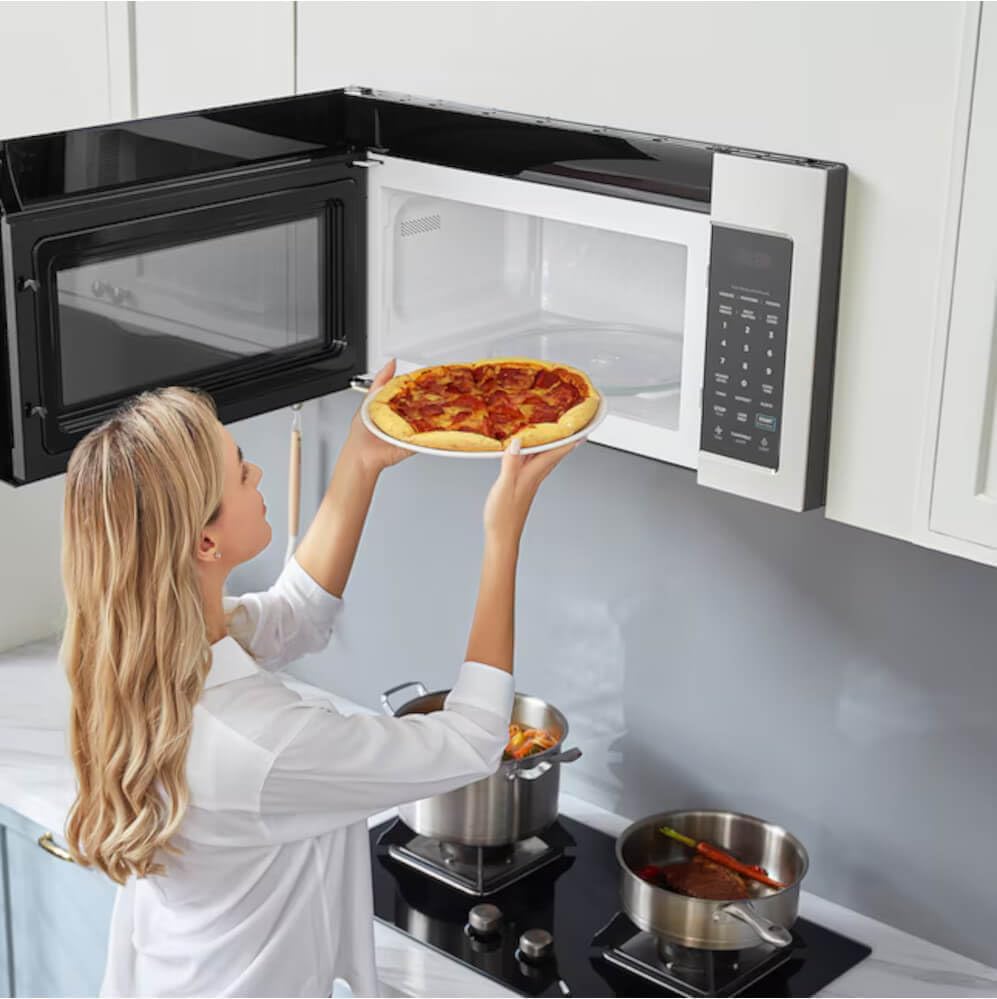
Image: Side view of the Midea over-the-range microwave installed, showing its sleek profile and integration with kitchen cabinetry.
5. Operating Instructions
5.1 Control Panel Overview
The microwave features an intuitive touch control panel for easy operation. Refer to the image below for key control panel elements.

Image: Front view of the Midea over-the-range microwave, highlighting the control panel with digital display and various function buttons.
5.2 Basic Microwave Operation
- Place food in a microwave-safe container on the turntable.
- Close the microwave door securely.
- Enter the desired cooking time using the number pads.
- Press the 'POWER LEVEL' button to adjust power if needed (default is 100%). Use number pads to select power level (1-10).
- Press 'START' to begin cooking.
- To stop cooking, press 'STOP/Clear'.
5.3 Auto Cook Menus
The microwave includes 19 pre-programmed auto cook menus for common food items, simplifying cooking. Select the desired food category and quantity, then press 'START'.

Image: Close-up of the Midea microwave's control panel displaying various auto cook menu options like popcorn, potato, vegetables, and more.
5.4 Melt/Soften Functions
Utilize the dedicated 'MELT/SOFTEN' pad for precise melting or softening of ingredients. Press the button multiple times to cycle through options such as Melt Butter, Melt Chocolate, Soften Ice Cream, and Soften Cream Cheese.

Image: Detailed view of the Midea microwave's control panel, illustrating the Melt/Soften pad and its corresponding settings for butter, chocolate, ice cream, and cream cheese.
5.5 Fan and Light Operation
The microwave is equipped with a 2-speed 300 CFM fan to help remove smoke and odors from your cooking area, and LED cooktop lighting to illuminate your stovetop. Press the 'FAN' button to cycle through fan speeds (High, Low, Off) and the 'LIGHT' button to turn the cooktop light on or off.

Image: A Midea over-the-range microwave with its cooktop light illuminated, showing steam being drawn away by the fan from pots on the stovetop below.
6. Maintenance and Cleaning
6.1 Interior Cleaning
The microwave interior features an Ez Clean Diamondback Coating for easy cleaning. Wipe the interior with a damp cloth and mild soap after each use. For stubborn stains, a microwave-safe cleaner can be used. Do not use abrasive cleaners or scouring pads.
6.2 Exterior Cleaning
Clean the stainless steel exterior with a soft cloth and a mild detergent or a stainless steel cleaner. Avoid harsh chemicals that may damage the finish.
6.3 Filter Maintenance
The grease filters located on the underside of the microwave should be cleaned regularly (monthly or as needed) to maintain proper ventilation. Remove the filters, wash them in hot water with detergent, rinse thoroughly, and allow them to dry completely before reinstalling.
7. Troubleshooting
Before contacting customer service, review the following common issues and their solutions:
| Problem | Possible Cause | Solution |
|---|---|---|
| Microwave does not start | Door not closed properly; Power outage; Fuse blown/circuit breaker tripped. | Ensure door is latched; Check household fuse/circuit breaker; Contact an electrician if issue persists. |
| Food not heating evenly | Food not stirred/rotated; Incorrect power level/cook time; Turntable not rotating. | Stir/rotate food during cooking; Adjust power/time; Ensure turntable is correctly placed and clean. |
| Excessive steam inside oven | High moisture content in food. | This is normal for foods with high moisture. Ensure proper ventilation is maintained. |
| Fan not working | Fan setting is off; Obstruction in fan. | Press the 'FAN' button to turn on; Check for and remove any obstructions. |
8. Specifications
Technical Data for Midea MMO17S3AST Microwave
| Feature | Value |
|---|---|
| Brand | Midea |
| Model Number | MMO17S3AST |
| Capacity | 1.7 Cubic Feet |
| Installation Type | Over-the-Range |
| Wattage | 1000 watts |
| Voltage | 120 Volts (AC) |
| Controller Type | Touch |
| Human Interface Input | Touchscreen |
| Item Weight | 50.6 Pounds |
| Product Dimensions | 33.4 x 19.6 x 20.6 inches |
| Number of Power Levels | 10 |
| Heating Method | Microwave Radiation |
| Inner Material Type | Stainless Steel |
| Defrost Feature | Auto Defrost |
| Fan Speed | 2-Speed (300 CFM) |
| Interior Coating | Ez Clean Diamondback Coating |
| Lighting | LED Cooktop Lighting |
| Sensor Technology | Moisture Sensor |
9. Warranty and Support
9.1 Product Warranty
Midea products are manufactured to high-quality standards and are warranted against defects in materials or workmanship. Specific warranty terms and duration may vary. Please refer to the warranty card included with your product or visit the official Midea website for detailed warranty information.
9.2 Customer Support
For technical assistance, troubleshooting beyond this manual, or to inquire about service, please contact Midea customer support. You can find contact information on the official Midea website or by referring to the documentation included with your appliance. For more information about Midea products, visit the Midea Store.


