
1. Introduction
The Roline USB 3.2 Gen 2 Type C to Gigabit Ethernet Converter Cable allows you to connect your PC or notebook, equipped with a USB 3.1 / USB 3.2 Gen 2 Type C interface, to a Gigabit Ethernet network. This cable converter provides a stable and high-speed wired network connection, ideal for devices without a built-in Ethernet port or for improving network reliability.
This manual will guide you through the installation, operation, and maintenance of your new converter cable.
2. Product Overview
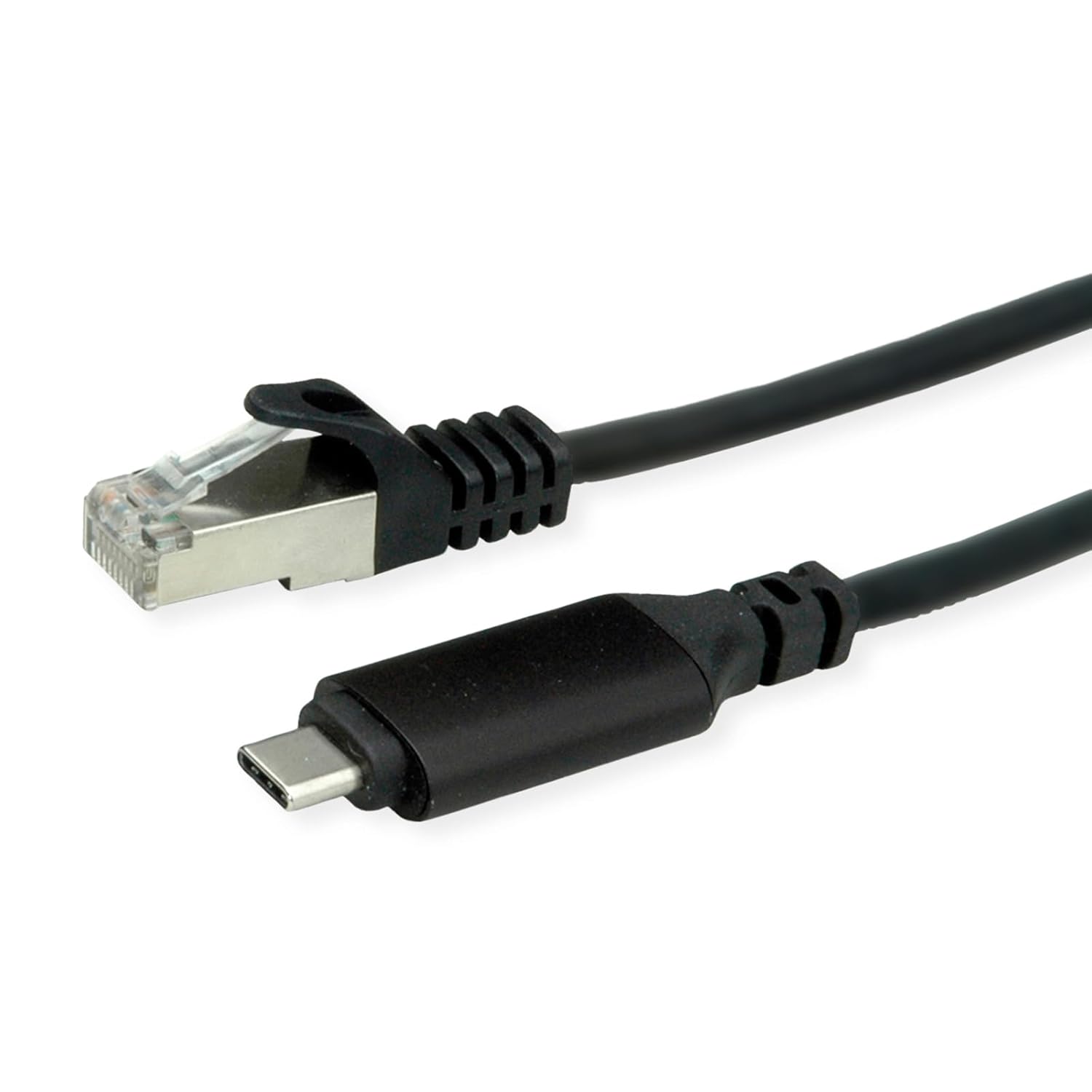
Figure 2.1: The Roline USB-C to Gigabit Ethernet Converter Cable, showcasing the USB Type-C connector on one end and the RJ45 Gigabit Ethernet connector on the other. Both connectors are black, and the cable is also black.

Figure 2.2: A closer view of the Roline converter cable, highlighting the robust design of both the USB-C and Ethernet connectors, designed for reliable data transmission.

Figure 2.3: This image provides an alternative perspective of the Roline converter cable, emphasizing the compact and durable construction of the adapter housing and connectors.
Key Features:
- Supports USB 3.2 Gen 2, backward compatible with USB 3.0 / USB 2.0.
- Features a Type-C connector for connection to the computer.
- Easy plug-and-play installation.
- Supports Gigabit Ethernet with auto-sensing, MDI/-MDIX, and half/full duplex operation.
- Powered directly by the USB interface, requiring no external power adapter.
- Compatible with Windows XP/Vista/7/8/10 and Mac OS X.
3. Setup and Installation
Setting up your Roline USB 3.2 Gen 2 Type C to Gigabit Ethernet Converter Cable is straightforward. The device is designed for plug-and-play functionality, meaning no complex driver installations are typically required for most modern operating systems.
Installation Steps:
- Connect to your Computer: Insert the USB Type-C connector of the converter cable into an available USB Type-C port on your PC or notebook. Ensure the port supports USB 3.1 / USB 3.2 Gen 2 for optimal performance, though it is backward compatible with USB 3.0 and USB 2.0 ports.
- Connect to Network: Plug a standard RJ45 Ethernet cable (not included) from your router, modem, or network switch into the Gigabit Ethernet port on the converter cable.
- Verify Connection: Your operating system should automatically detect the new network adapter. Look for network activity indicators (LEDs on the converter, if present, or network icon in your system tray) to confirm a successful connection.

Figure 3.1: An illustrative diagram demonstrating the connection flow: a laptop with a USB-C port connects to the Roline converter, which then connects to a Gigabit LAN router, establishing a wired network connection.
If prompted, allow your operating system to install any necessary drivers. For most Windows 10/11 and macOS versions, this process is automatic.
4. Operating Instructions
Once installed, the Roline USB 3.2 Gen 2 Type C to Gigabit Ethernet Converter Cable operates as a standard wired network adapter. It provides a stable and fast Ethernet connection for your device.
Network Operation:
- Automatic Configuration: The converter supports auto-sensing, MDI/-MDIX, and half/full duplex operation, meaning it will automatically configure itself to match the network settings of your router or switch.
- Power Source: The device is powered directly via the USB interface of your computer, eliminating the need for an external power supply.
- Network Speed: It supports Gigabit Ethernet speeds (10/100/1000 Mbps), providing high-speed data transfer for demanding applications like streaming, gaming, and large file transfers.
To ensure optimal performance, always use high-quality Ethernet cables (Cat5e or Cat6 recommended for Gigabit speeds) and connect the converter to a USB 3.2 Gen 2 compatible port on your computer if available.
5. Maintenance
The Roline USB 3.2 Gen 2 Type C to Gigabit Ethernet Converter Cable is designed for durability and requires minimal maintenance. Following these simple guidelines will help ensure its longevity and reliable performance:
- Cleaning: Use a soft, dry cloth to gently wipe the cable and connectors. Avoid using liquid cleaners, solvents, or abrasive materials, as these can damage the device.
- Storage: When not in use, store the cable in a cool, dry place, away from direct sunlight and extreme temperatures. Avoid tightly coiling the cable to prevent internal damage.
- Handling: Always grasp the connectors when plugging or unplugging the cable. Avoid pulling on the cable itself, as this can strain the internal wires and connections.
- Environment: Keep the cable away from excessive moisture, dust, and corrosive substances.
6. Troubleshooting
If you encounter issues with your Roline USB 3.2 Gen 2 Type C to Gigabit Ethernet Converter Cable, please refer to the following common problems and solutions:
Common Issues and Solutions:
- No Network Connection / Device Not Recognized:
- Ensure the USB Type-C connector is fully inserted into your computer's port.
- Try connecting the converter to a different USB Type-C port on your computer.
- Verify that the Ethernet cable is securely connected to both the converter and your router/modem/switch.
- Restart your computer and network equipment (router, modem).
- Check your operating system's Device Manager (Windows) or System Information (macOS) to see if the network adapter is listed and functioning correctly. You may need to update or reinstall drivers if an issue is indicated.
- Slow Network Speed:
- Ensure you are using a USB 3.1 / USB 3.2 Gen 2 compatible port on your computer. Connecting to a USB 2.0 port will limit speeds.
- Verify that your Ethernet cable is rated for Gigabit speeds (Cat5e or Cat6).
- Check your router/switch settings to ensure it is configured for Gigabit Ethernet.
- Test with a different Ethernet cable.
- Ensure there are no other applications or devices consuming excessive bandwidth on your network.
- Intermittent Connection:
- Check for loose connections at both the USB-C and Ethernet ends.
- Ensure the cable is not bent or kinked excessively.
- Test the converter on another computer to rule out a computer-specific issue.
- Update your computer's USB controller drivers.
If the problem persists after trying these steps, please contact Roline customer support for further assistance.
7. Specifications
| Feature | Description |
|---|---|
| Model Number | 12021165 |
| Brand | Roline |
| Connector Type | USB Type C (Male) to RJ45 Ethernet (Female) |
| USB Standard | USB 3.2 Gen 2 (backward compatible with USB 3.0 / USB 2.0) |
| Ethernet Speed | Gigabit Ethernet (10/100/1000 Mbps) |
| Features | Auto-sensing, MDI/-MDIX, Half/Full Duplex |
| Power Source | USB Bus-Powered |
| Compatible Operating Systems | Windows XP/Vista/7/8/10, Mac OS X |
| Cable Type | USB |
| Package Dimensions | 7.87 x 6.57 x 0.67 inches |
| Item Weight | 1.41 ounces |


