
Introduction
The Suptig Power Bank with Battery Charger is a versatile device designed to provide portable power for various electronic products, including cameras, mobile phones, and specifically, GoPro Hero 5, 6, 7, 8, 9, 10, 11, and 12 batteries. Featuring a 10,000mAh built-in lithium battery, it offers both external device charging and dedicated GoPro battery charging compartments. Its compact design and multiple safety protections ensure reliable and safe operation.
What's in the Box
Please verify that all items are present upon unboxing:
- 1x 10000mAh Power Bank with Battery Charger
- 2x Charging Cables
- 1x 1/4 Tripod Mount Adapter
- 2x 1/4 Screws
- 2x Battery Adapter Pads
Video: Unboxing the Suptig Power Bank with Battery Charger, showing the main unit, charging cables, tripod mount adapter, screws, and battery adapter pads.
Product Overview
The Suptig Power Bank features a compact design with multiple functionalities. It includes a digital LCD display for real-time power monitoring, dual 1/4-inch threaded nuts for mounting, and various charging ports.

Image: Front view of the Suptig Power Bank, highlighting the LCD display and the Suptig logo.

Image: Side view of the power bank, illustrating the USB-C (input/output) and USB-A (output) ports.

Image: The power bank with its battery charging compartments open, indicating compatibility with GoPro Hero 9, 10, 11, and 12 batteries.
Setup
1. Initial Charging of the Power Bank
- Connect one of the provided charging cables to the USB-C port on the power bank.
- Connect the other end of the cable to a suitable USB power adapter (not included).
- The LCD display will show the charging status of the internal power bank battery. Charge until the display indicates 100%.
2. Inserting GoPro Batteries
- Open the battery compartment cover on the side of the power bank.
- Insert compatible GoPro Hero 5, 6, 7, 8, 9, 10, 11, or 12 batteries into the designated slots. Ensure correct orientation.
- Close the battery compartment cover. The LCD display will show the charging status of the inserted batteries.

Image: A hand inserting a GoPro battery into the charging slot of the power bank.
Operating Instructions
1. Charging GoPro Batteries
Once GoPro batteries are inserted into the charging compartments, the power bank will automatically begin charging them if it has sufficient power. The LCD display will show the individual charge status of each battery.
2. Charging External Devices
The power bank can charge other electronic devices such as mobile phones or cameras using its USB-A or USB-C output ports.
- Connect your device's charging cable to either the USB-A port or the USB-C port on the power bank.
- Connect the other end of the cable to your electronic device.
- The power bank will automatically detect and begin charging your device. The LCD display will show the remaining power of the power bank.

Image: The power bank simultaneously charging a smartphone via USB-A and a GoPro camera via USB-C, demonstrating its multi-device charging capability.
3. Using the Tripod Mounts
The power bank features two built-in 1/4-inch threaded nuts, allowing it to be mounted on tripods, light stands, or camera accessories. This is useful for extended video shooting or powering devices while mounted.
- Attach the provided 1/4 tripod mount adapter or screws to your desired accessory (e.g., a camera hot shoe mount, a tripod).
- Securely fasten the power bank to the accessory using the 1/4-inch threaded nuts.
- Connect your camera or other device to the power bank for continuous power.

Image: The power bank mounted on a small tripod, with a GoPro camera attached to the top, illustrating its use for stable, long-term power.

Image: The power bank and a GoPro camera mounted on a bicycle handlebar, demonstrating its versatility for outdoor activities.
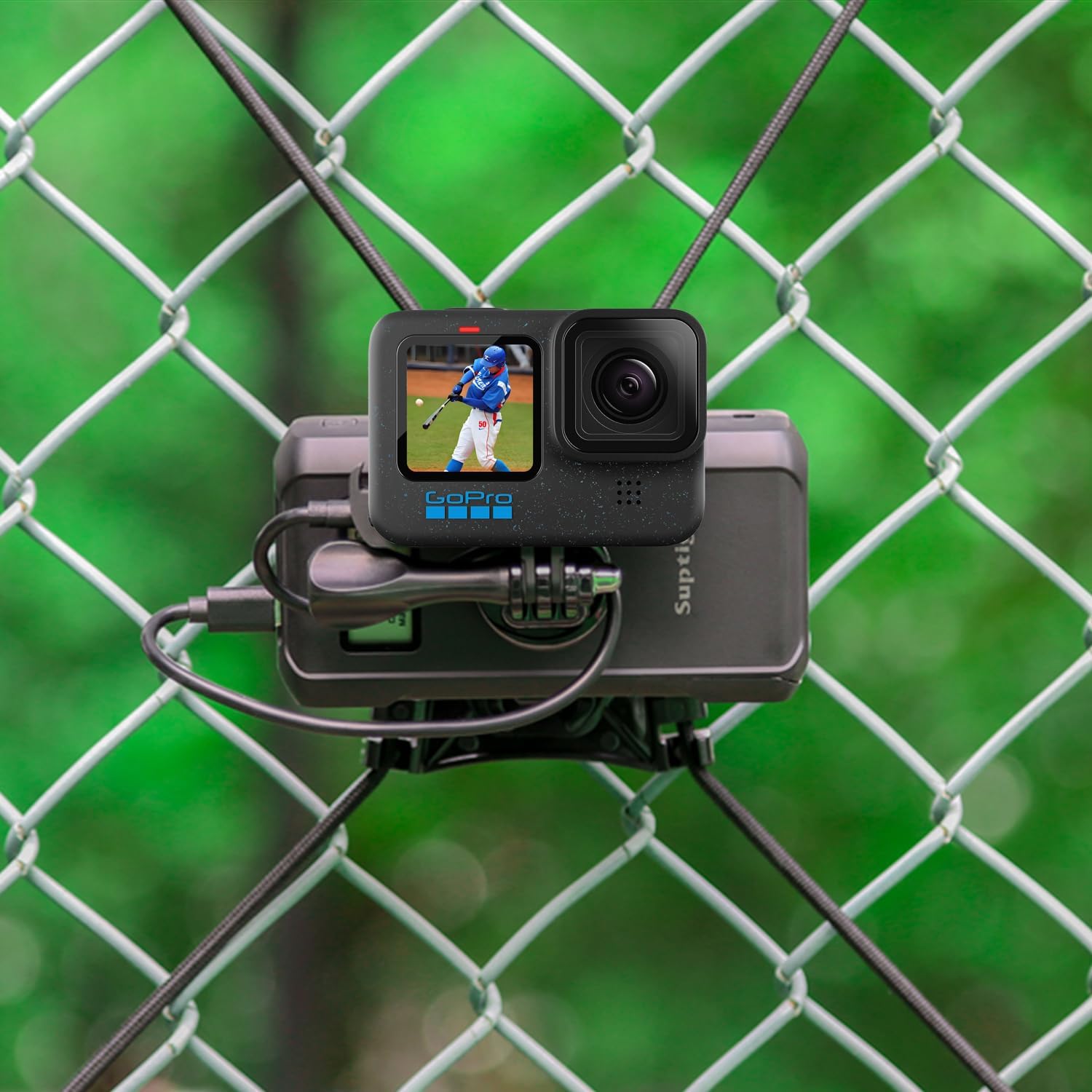
Image: The power bank and a GoPro camera mounted on a chain-link fence, showcasing its adaptability for various shooting environments.
Maintenance
- Keep the power bank dry and away from extreme temperatures.
- Clean the device with a soft, dry cloth. Avoid using harsh chemicals or abrasive materials.
- Store the power bank with a partial charge (around 50-75%) if not used for extended periods to prolong battery life.
Troubleshooting
1. Power Bank Not Charging
- Ensure the charging cable is securely connected to both the power bank's USB-C input and the power adapter.
- Verify that the power adapter is functioning correctly and plugged into a live outlet.
- Try using a different charging cable or power adapter.
2. GoPro Batteries Not Charging
- Ensure the GoPro batteries are correctly inserted into the charging slots with the proper orientation.
- Check the LCD display for any error messages or indicators.
- Confirm that the GoPro batteries are compatible with the charger (Hero 5-12). Note that some older GoPro Hero 7 batteries may not fit due to slight variations in battery dimensions.
- Ensure the power bank itself has sufficient charge.
3. External Device Not Charging
- Verify that the charging cable is securely connected to the power bank's output port (USB-A or USB-C) and your device.
- Ensure your device's charging cable is functional.
- Check the power bank's LCD display to confirm it has remaining charge.
Specifications
| Feature | Detail |
|---|---|
| Brand | Suptig |
| Battery Capacity | 10,000mAh (Internal) |
| Battery Cell Composition | Lithium Ion |
| Color | Black |
| Power Source | Corded Electric (for recharging power bank) |
| Number of Ports | 2 (1x USB-C, 1x USB-A) |
| Item Dimensions (L x W x H) | 4.7 x 2.6 x 1.5 inches |
| Item Weight | 0.03 Pounds |
| UPC | 744591828574 |
Warranty
This product comes with a 1-year warranty from the date of purchase. Please retain your proof of purchase for warranty claims. The warranty covers manufacturing defects and malfunctions under normal use. It does not cover damage caused by misuse, accidents, unauthorized modifications, or natural disasters.
Support
For further assistance, technical support, or warranty inquiries, please contact Suptig customer service through the retailer where the product was purchased or visit the official Suptig website.