
Anern Anern-3600
Anern 3600W Hybrid Solar Inverter User Manual
Model: Anern-3600
1. Introduction
This manual provides essential information for the safe and efficient operation of your Anern 3600W Hybrid Solar Inverter. This all-in-one unit integrates a 3600W pure sine wave inverter, a 120A MPPT solar charge controller, and a battery charger. It is designed to convert 24V DC power to 110V/120V AC power, suitable for various home backup, RV, and off-grid applications. Please read this manual thoroughly before installation and use.

Figure 1: Anern 3600W Hybrid Solar Inverter (Model Anern-3600)
2. Safety Information
Observe the following safety precautions to prevent injury and damage to the inverter or connected equipment:
- Installation must be performed by qualified personnel.
- Ensure all wiring complies with local and national electrical codes.
- Do not disassemble the inverter. There are no user-serviceable parts inside.
- Disconnect all power sources (PV, battery, AC input) before performing any wiring or maintenance.
- Avoid contact with live terminals.
- Install the inverter in a well-ventilated area, away from flammable materials and moisture.
- Ensure proper grounding of the inverter.
- This inverter is equipped with multiple protection features including overcurrent, low-voltage, short-circuit, overheating, and overload protection.

Figure 2: Inverter Protection Features and Wi-Fi Monitoring Capability
3. Product Features
The Anern 3600W Hybrid Solar Inverter offers a range of features for reliable power management:
- Integrated System: Combines a 3600W pure sine wave inverter, 120A MPPT solar charge controller, and battery charger.
- High Efficiency: Solar charge module utilizes optimized MPPT tracking technology for up to 98% efficiency.
- Battery Compatibility: Supports 24V Lead-Acid (Sealed, AGM, Gel, Flooded) and Lithium batteries. Includes built-in lithium activation.
- Battery-Free Operation: Capable of powering loads directly from the PV array without a connected battery.
- Dual AC Output: Provides two AC outputs for flexible load management.
- LCD Display: Features a responsive RGB LCD screen and indicator LEDs for real-time monitoring and configuration.
- Multiple Operating Modes: Offers 4 charging modes and 2 output modes to suit diverse application needs.
- Comprehensive Protection: Includes protection against overvoltage, undervoltage, reverse polarity, short circuits, overheating, and overload.
- Remote Monitoring: Supports Wi-Fi monitoring for system control via a mobile application.

Figure 3: Key Specifications and Features Overview

Figure 4: Battery Compatibility and Battery-Free Operation
4. Package Contents
Verify that all items are included in your package:
- Anern 3600W Hybrid Solar Inverter (Model Anern-3600)
- User Manual (this document)
- Mounting accessories (if applicable, check packaging)
- Communication cable (if applicable, for Wi-Fi module)
5. Setup Instructions
5.1. Unpacking and Inspection
Carefully unpack the inverter and inspect it for any shipping damage. If any damage is found, contact your supplier immediately.
5.2. Mounting the Inverter
Select a suitable location for mounting the inverter. It should be:
- Indoors, protected from direct sunlight, rain, and dust.
- Well-ventilated to ensure adequate heat dissipation.
- Mounted vertically on a solid surface.
- Accessible for wiring and maintenance.
Use appropriate mounting hardware (not always included) to secure the inverter to the wall.
5.3. Wiring Connections
All wiring must be performed with all power sources disconnected. Refer to the wiring diagram (usually found on the inverter or in a detailed wiring section of the full manual) for specific terminal connections.
- Battery Connection: Connect the 24V battery bank to the inverter's battery terminals. Ensure correct polarity (+ to + and - to -). Use appropriately sized cables and fuses.
- PV Array Connection: Connect the solar panel array to the PV input terminals. Observe correct polarity and ensure the PV input voltage and current are within the inverter's specifications (Max PV Power 4200W, Max DC Voltage 500VDC).
- AC Input Connection (Grid/Generator): If connecting to a utility grid or generator, connect the AC input to the designated terminals.
- AC Output Connection (Loads): Connect your AC loads (appliances) to the inverter's AC output terminals. The inverter features dual AC outputs.
- Grounding: Connect the inverter's ground terminal to a reliable earth ground.
5.4. Initial Power-Up and Configuration
After all connections are secure and verified:
- Turn on the battery breaker/switch.
- Turn on the PV array breaker/switch.
- If applicable, turn on the AC input breaker.
- The inverter will power on and the LCD display will illuminate.
- Use the control buttons on the LCD panel to configure system settings such as charging current, voltage thresholds, and priority modes according to your requirements.
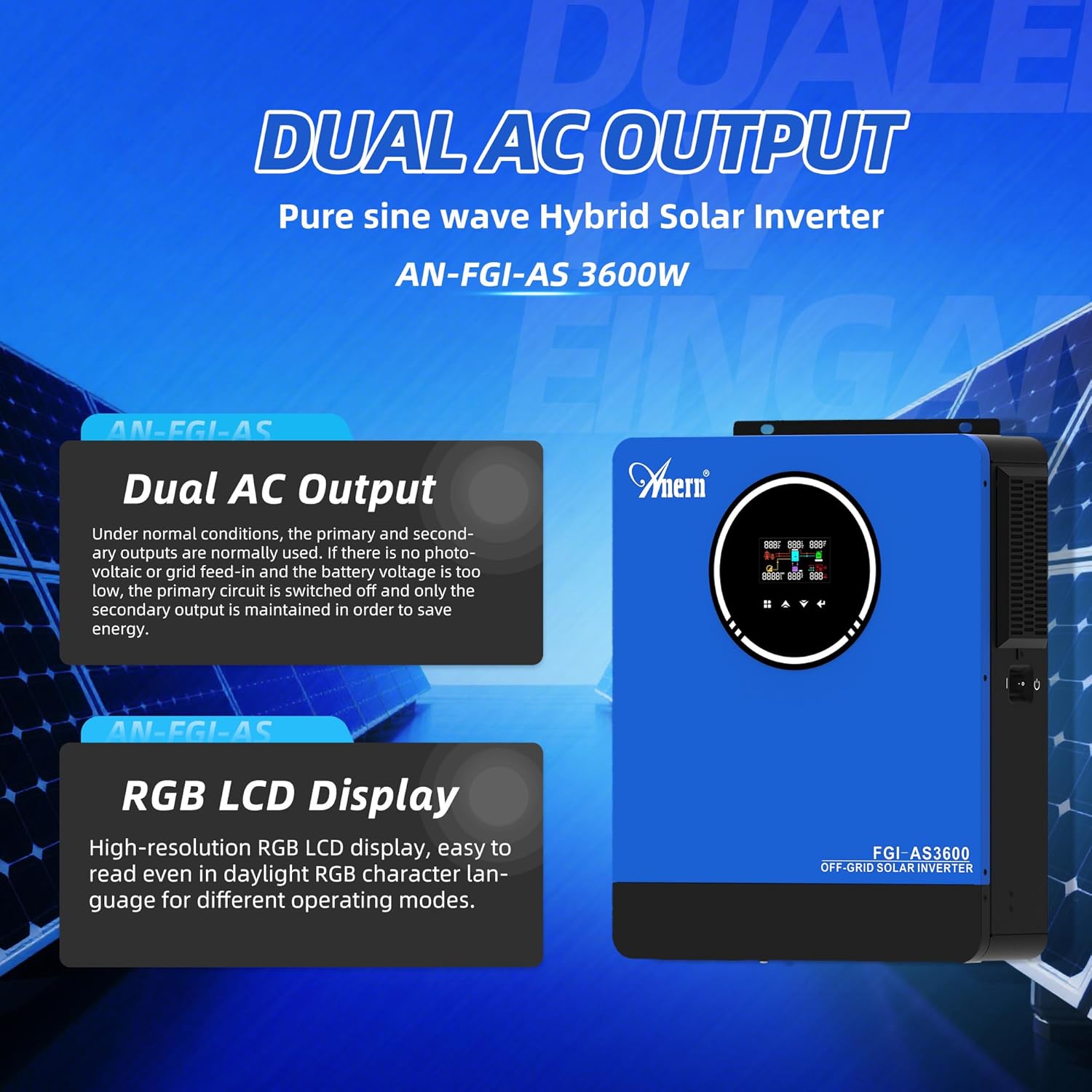
Figure 5: Dual AC Output and RGB LCD Display for Configuration
6. Operating Modes
The inverter supports various charging and output modes to optimize power usage.
6.1. Charging Modes
You can select one of four charging modes:
- Only Solar: The inverter charges the battery exclusively from solar energy.
- Mains Supply Priority: The inverter prioritizes charging from the utility grid (mains supply). Solar energy will supplement if available.
- Solar Priority: The inverter prioritizes charging from solar energy. The utility grid will be used if solar power is insufficient.
- Mains Supply and Solar Charging Combination: The inverter uses both mains supply and solar energy to charge the battery simultaneously.
6.2. Output Modes
The inverter offers two output modes for continuous power supply:
- Power Bypass: In this mode, loads are powered directly from the AC input (utility grid or generator), bypassing the inverter. The inverter acts as a charger.
- Inverter Output: Loads are powered by the inverter, drawing energy from the battery or directly from the PV array (if in battery-free mode).

Figure 6: Charging and Output Mode Diagram
7. Maintenance
Regular maintenance ensures optimal performance and longevity of your inverter:
- Cleaning: Periodically clean the inverter's exterior and ventilation openings to prevent dust buildup, which can hinder cooling. Use a dry, soft cloth.
- Connection Check: Annually inspect all electrical connections for tightness and corrosion. Loose connections can cause overheating and poor performance.
- Environmental Check: Ensure the installation environment remains within specified temperature and humidity ranges.
- Battery Inspection: If using lead-acid batteries, check electrolyte levels and terminal condition as per battery manufacturer guidelines.
- Firmware Updates: Check the manufacturer's website for any available firmware updates for improved performance or new features.
8. Troubleshooting
This section provides solutions to common issues. For problems not listed here, contact technical support.
| Problem | Possible Cause | Solution |
|---|---|---|
| Inverter does not power on | No battery connection; Battery voltage too low; Loose wiring; Blown fuse. | Check battery connections and voltage; Ensure battery breaker is on; Inspect fuses. |
| No AC output | Overload; Short circuit; Inverter fault; AC output breaker tripped. | Reduce load; Check for short circuits in wiring; Reset AC output breaker; Restart inverter. |
| Battery not charging from PV | PV array disconnected; Insufficient sunlight; PV voltage too low/high; MPPT controller fault. | Check PV connections; Verify sunlight conditions; Ensure PV voltage is within range; Check MPPT settings. |
| Overload warning/shutdown | Connected load exceeds inverter capacity. | Reduce the total load connected to the inverter. |
| High temperature warning | Poor ventilation; Ambient temperature too high; Fan malfunction. | Ensure adequate airflow around the inverter; Relocate to a cooler area; Clean vents. |
9. Specifications
Detailed technical specifications for the Anern 3600W Hybrid Solar Inverter:
| Feature | Specification |
|---|---|
| Model Number | Anern-3600 |
| Rated Power | 3600W |
| Peak Power | 7200W |
| DC Input Voltage | 24VDC |
| AC Output Voltage | 110V/120VAC |
| AC Output Frequency | 50Hz/60Hz (Auto detection) |
| Waveform | Pure Sine Wave |
| MPPT Charge Controller Current | 120A |
| Max PV Array Power | 4200W |
| Max PV DC Voltage | 500VDC |
| Battery Compatibility | 24V Lead-Acid (Seal, AGM, Gel, Flooded), Lithium |
| Product Dimensions | 20.47 x 17.72 x 8.46 inches |
| Item Weight | 22.2 pounds |
10. Warranty and Support
For warranty information, please refer to the documentation provided with your purchase or contact Anern customer service. If you encounter any issues or require technical assistance, please reach out to Anern support through their official website or contact channels.
Related documentsAnern-3600


Ask a question about this manual
Ask about setup, troubleshooting, compatibility, parts, safety, or missing instructions. Manuals+ will review the question and use this page’s manual context to help answer it.