
Introduction
Welcome to the Mobvoi Home Treadmill Pro user manual. This guide provides essential information for setting up, operating, maintaining, and troubleshooting your new treadmill. Designed for home use, the Mobvoi Home Treadmill Pro offers a convenient and effective way to stay active, featuring compatibility with wearables, virtual training paths, and a compact, foldable design.
With a maximum speed of 12 km/h and a robust 2.25 HP motor, it supports both walking and running exercises. Its integrated Bluetooth speaker allows for an immersive workout experience, while the interactive displays keep you informed of your progress.
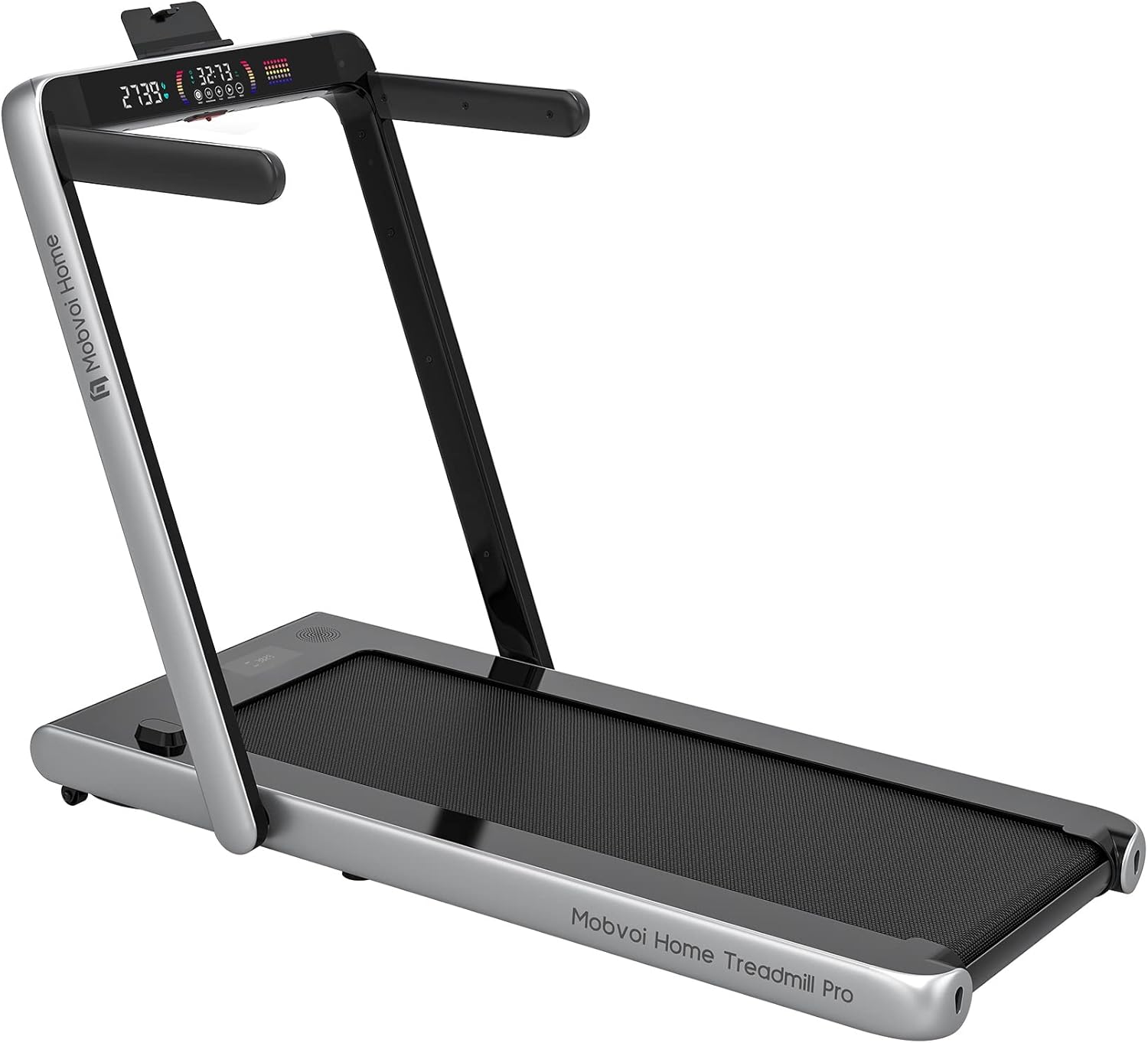
Figure 1: Mobvoi Home Treadmill Pro
Safety Information
Please read all safety instructions carefully before using the treadmill to ensure safe operation and prevent injury or damage to the device.
- Do not place the treadmill on a carpet during use, as the carpet itself absorbs heat and can impair ventilation and heat dissipation functions. In severe cases, this can lead to motor burnout.
- Do not place the treadmill in a damp location, as moisture can easily lead to malfunctions of the motor parts. The treadmill should be set up in a well-ventilated, dry place.
- Remember not to place the treadmill on an uneven floor. Using the treadmill for training on an uneven surface can cause the body to lose balance and lead to falls and damage to the treadmill.
- Always attach the safety key to your clothing before starting. In case of a fall, the key will be pulled out, and the belt will stop immediately.
What's in the Box
Upon unpacking, please ensure all the following components are present:
- Mobvoi Home Treadmill Pro
- Safety Key
- Lubricant
- User Manual
Setup
Unpacking and Placement
Carefully remove the treadmill from its packaging. The Mobvoi Home Treadmill Pro is designed for easy movement and storage. It comes with built-in wheels, allowing it to glide smoothly under a desk, couch, or bed.

Figure 2: Easy to move and store
Assembly
The Mobvoi Home Treadmill Pro comes largely pre-assembled. You will primarily need to attach the side arms (if desired for running mode) using the provided screws. Ensure all connections are secure before use.
Initial Lubrication and Belt Alignment
Before first use, it is recommended to lubricate the running belt and check its alignment as per the instructions in the included user manual. Proper lubrication and alignment ensure smooth operation and prolong the life of your treadmill.
Operating Instructions
Powering On/Off
Connect the power cord to a suitable outlet. Use the main power switch on the treadmill to turn it on or off. A loud "Bluetooth mode" announcement may occur upon powering on.
Control Panel and Remote Control
The treadmill can be controlled via the touch-sensitive control panel on the handle or the included remote control. The remote control allows you to start/stop the treadmill and adjust the speed conveniently during your workout.

Figure 3: Remote Control and Key Features
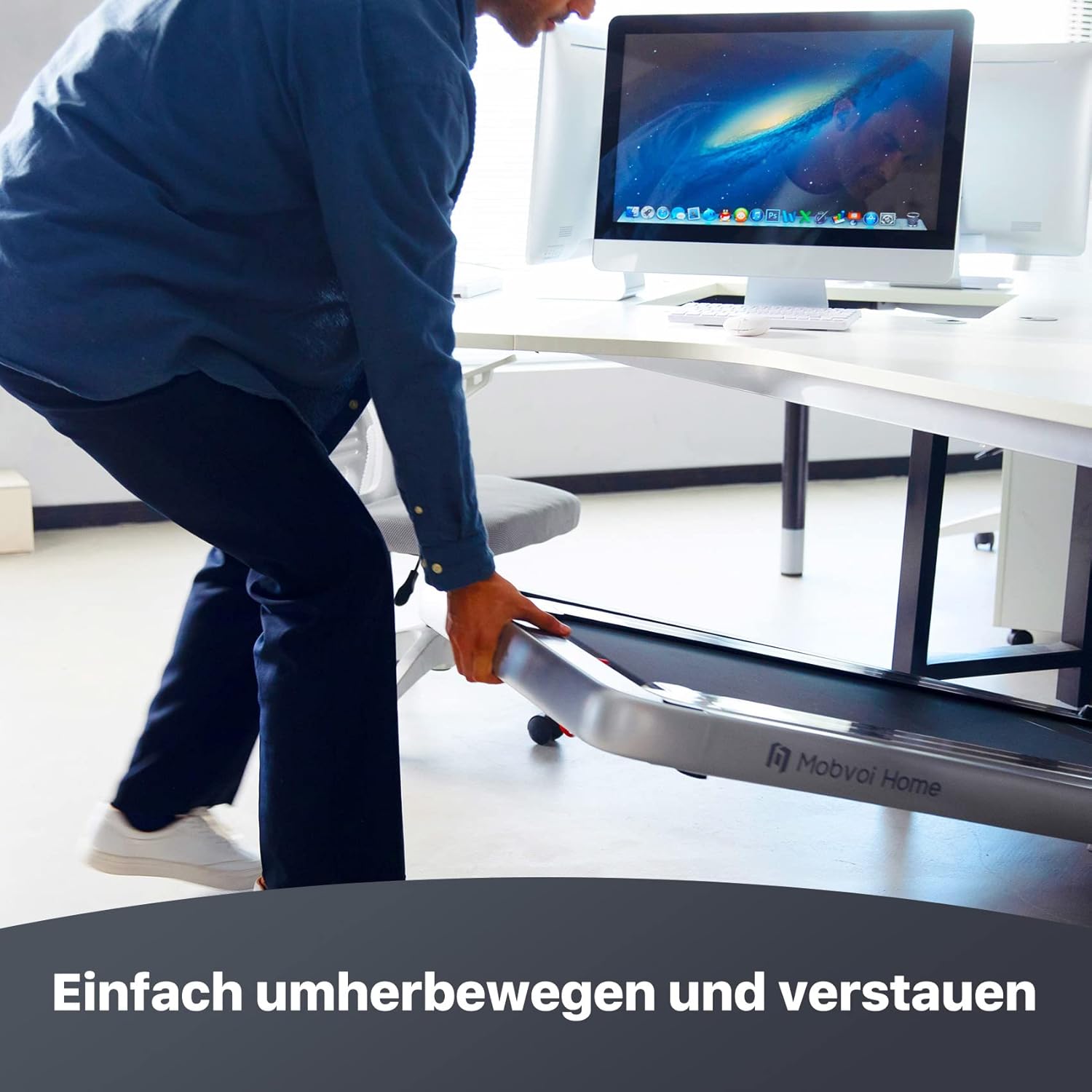
Figure 4: Interactive Displays and Features
Walking and Running Modes
The treadmill supports two main modes:
- Walking Mode: With a maximum speed of 4 km/h, this mode is ideal for under-desk use or light walking.
- Running Mode: With a maximum speed of 12 km/h, this mode is suitable for jogging and running exercises. The side arms can be raised for added stability during running.

Figure 5: Dual Walking and Running Modes
Safety Key
Always attach the safety key to your clothing before beginning your workout. If the key is detached from the treadmill, the belt will immediately stop, providing an emergency stop function.
Bluetooth Speaker
The integrated Bluetooth speaker allows you to connect your smartphone or other Bluetooth-enabled devices to play music during your workout. This enhances your training experience.
Smartwatch Connectivity and Virtual Training Paths
The Mobvoi Home Treadmill Pro is compatible with smartwatches (e.g., TicWatch) via the Mobvoi Treadmill App. Once paired, you can exchange monitored heart rate, calorie consumption, pace, and steps between devices. This allows you to save, track, and share detailed workout results.
Access multiple virtual training communities for an immersive experience, making your workouts more engaging and less solitary.

Figure 6: Smartwatch Compatibility

Figure 7: Virtual Training Paths
Maintenance
Regular maintenance ensures the longevity and optimal performance of your treadmill.
- Lubrication: Apply lubricant to the running belt regularly as instructed in the manual (typically every few months depending on usage). This reduces friction and wear.
- Cleaning: Keep the treadmill clean by wiping it down with a damp cloth after each use. Avoid using abrasive cleaners.
- Belt Adjustment: Periodically check the running belt for proper tension and alignment. Adjust if necessary using the provided tools to prevent slipping or excessive wear.
Troubleshooting
If you encounter any issues with your Mobvoi Home Treadmill Pro, refer to the following common troubleshooting tips:
- Treadmill not starting: Ensure the power cord is securely plugged in, the main power switch is on, and the safety key is properly placed.
- Unusual noises: Check for proper belt lubrication and alignment. Ensure no foreign objects are caught under the belt.
- Belt slipping: The running belt may need adjustment or tensioning. Refer to the manual for instructions on how to adjust the belt.
- Bluetooth connectivity issues: Ensure Bluetooth is enabled on your device and the treadmill. Try restarting both devices.
For more complex issues or if troubleshooting steps do not resolve the problem, please contact Mobvoi customer support.
Specifications
| Feature | Specification |
|---|---|
| Brand | Mobvoi |
| Model Number | T4000 |
| Color | Silver |
| Material Type | Acrylonitrile Butadiene Styrene (ABS) |
| Frame Material | Stainless Steel |
| Product Dimensions (L x W x H) | 135 x 69 x 110 cm |
| Item Weight | 38 Kilograms |
| Horsepower | 2.25 Kilowatts (approx. 2.25 HP) |
| Maximum Speed | 12 km/h |
| Maximum User Weight | 120 kg |
| Display Type | LCD |
| Power Source | Corded Electric |
| Special Feature | Foldable |
| Batteries Included | Yes (1 Lithium-Metal battery required) |

Figure 8: Product Dimensions and Weight Capacity
Warranty and Support
Mobvoi products are designed and manufactured to the highest quality standards. For information regarding warranty coverage, terms, and conditions, please refer to the warranty card included with your product or visit the official Mobvoi website.
For technical support, spare parts, or service inquiries, please contact Mobvoi customer service through their official channels. Have your model number (T4000) and purchase details ready when contacting support.


