
1. Safety Information
Please read all instructions carefully before operating the appliance to ensure safe and proper use. Retain this manual for future reference.
- Electrical Safety: Ensure the unit is connected to a properly grounded outlet. Do not use extension cords.
- Placement: Position the ice maker on a flat, stable surface. Allow adequate clearance around the unit for proper ventilation.
- Water Connection: Connect the ice maker to a potable water supply only. Ensure all water connections are secure to prevent leaks.
- Refrigerant: This appliance uses C5H10 refrigerant. Handle with care and ensure proper ventilation during installation and maintenance.
- Children: Keep children away from the appliance during operation and cleaning.
- Transportation: After transport, keep the unit upright for at least 24 hours before plugging it in to allow refrigerants to settle.
2. Setup and Installation
Proper installation is crucial for the optimal performance and longevity of your ice maker. Follow these steps carefully.
2.1 Unboxing and Initial Inspection
Carefully remove the ice maker from its packaging. Inspect the unit for any signs of damage during transit. Ensure all accessories are present: ice maker machine, water filter, water hose, drain hose, and ice scoop.
Video: Unboxing and initial setup of the Coolski 15" Commercial Under Counter Ice Maker Machine. This video demonstrates how to safely remove the ice maker from its packaging and identify included accessories.
2.2 Leveling the Unit
The ice maker must be level for proper operation. Use the adjustable feet at the bottom of the unit to ensure it is stable and level on your chosen surface.
2.3 Drain Pipe Installation
This ice maker uses a gravity drain system. It is critical that the entire drain pipe is positioned lower than the ice maker's drain outlet to ensure smooth water flow and prevent blockages or leaks. If your sewer connection is higher than the ice maker's drain outlet, an external drain pump (not included) will be required.
Video: Instructions for installing the drain hose for the under counter ice maker. This video highlights the importance of ensuring the drain pipe is lower than the unit's outlet for proper gravity drainage.

Image: Rear view of the ice maker with the drain pipe correctly installed, illustrating the gravity drain principle where the pipe must be lower than the machine's outlet.
2.4 Water Line and Filter Connection
Connect the provided water hose to the ice maker's water inlet and to your kitchen water supply. Install the inline water filter as shown in the video to remove sediment and improve ice quality. Ensure all connections are tight to prevent leaks.
Video: Detailed instructions for connecting the water line and installing the water filter for the under counter ice maker. This video guides users through the process of ensuring a secure and filtered water supply.
2.5 Initial Placement
After installation, allow the ice maker to stand upright for at least 24 hours before plugging it into a power outlet. This allows the refrigerant to stabilize, preventing potential damage to the cooling system.

Image: The ice maker shown in both freestanding and built-in configurations, highlighting its compact dimensions (15"W x 21"D x 33"H) suitable for various spaces.
3. Operating Instructions
Your Coolski ice maker is designed for user-friendly operation with its intuitive LCD digital control panel.
3.1 Control Panel Overview
The LCD digital control panel allows you to monitor and adjust the ice making process. Bright LED lights indicate the current status, including 'Making Ice', 'Fall Ice', 'Ice Full', 'Temp. Mode', 'Hight Temp.', and 'Water Short'.

Image: A detailed view of the LCD digital control panel, showing indicators for ice making status, temperature, and water levels, along with buttons for mode selection and ice thickness adjustment.
3.2 Selecting Ice Cube Size
You can choose from three different ice cube sizes to suit your needs. Use the 'UP' and 'DOWN' buttons on the control panel to adjust the ice thickness. This allows for thin ice in 8 minutes, medium in 12 minutes, or thick in 16 minutes.
3.3 Ice Production
The machine can produce up to 130 pounds of ice per day and store up to 30 pounds. It produces 32 clear ice cubes per batch. An ice scoop is included for convenient serving.
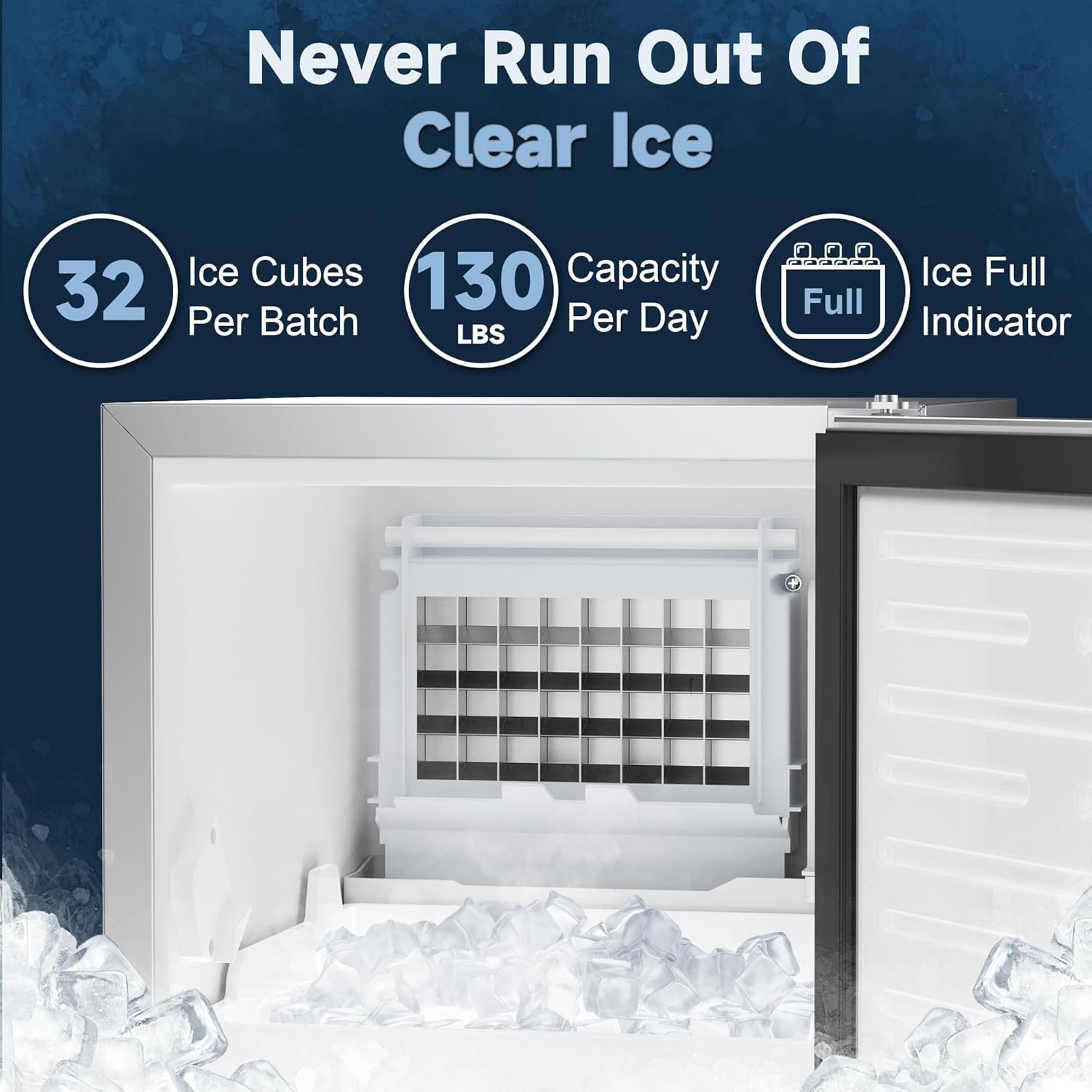
Image: The interior of the ice maker, displaying freshly made clear ice cubes in the storage bin and the ice production grid above. Key features like 32 cubes per batch and 130 lbs/day capacity are highlighted.
4. Maintenance
Regular maintenance ensures your ice maker operates efficiently and produces high-quality ice.
4.1 Automatic Self-Cleaning Function
The ice maker features an automatic self-cleaning function. To activate, press and hold the 'Clean' button on the control panel for 3 seconds. This function helps maintain the cleanliness of the internal components.

Image: The ice maker's interior during the automatic self-cleaning cycle, with the 'Clean' button highlighted on the control panel.
4.2 Water Filter Replacement
The inline water filter removes sediment from the water, enhancing the taste and clarity of the ice. To maintain optimal performance, replace the water filter at least once every six months, or more frequently depending on water quality and usage.
4.3 General Cleaning
- Exterior: Wipe the stainless steel exterior with a soft cloth and mild detergent. Avoid abrasive cleaners.
- Interior: Periodically clean the ice storage bin and other interior surfaces with a solution of mild soap and water. Rinse thoroughly and dry.
- Condenser: The condenser fins should be cleaned regularly to ensure efficient cooling. Unplug the unit and use a soft brush or vacuum cleaner to remove dust and debris.
5. Specifications
| Feature | Detail |
|---|---|
| Brand | Coolski |
| Model Name | 55SS-100 |
| Product Dimensions | 21"D x 15"W x 33"H |
| Weight | 65 Pounds |
| Ice Production Capacity | 130 Lbs/Day |
| Ice Storage Capacity | 30 Pounds |
| Ice Cubes Per Batch | 32 Pcs |
| Wattage | 285.00 W |
| Installation Type | Built-in or Freestanding |
| Drainage Type | Gravity Drain |
| Certifications | ETL, DOE |
6. Troubleshooting
If you encounter issues with your ice maker, please refer to the following common troubleshooting tips before contacting customer support.
- No Ice Production: Check if the unit is plugged in and powered on. Ensure the water supply is connected and turned on. Verify the water filter is not clogged.
- Ice Not Forming Properly: Ensure the ambient temperature is within the recommended operating range. Check for proper ventilation around the unit.
- Water Leaks: Inspect all water line and drain hose connections for tightness. Ensure the drain hose is correctly positioned for gravity drainage (lower than the unit's outlet).
- Unusual Noise: Some operational noise is normal. If the noise is excessive or unusual, ensure the unit is level and not vibrating against other objects.
- Error Codes: Refer to the specific error codes displayed on the LCD panel in the full user manual for detailed solutions.
If problems persist after attempting these steps, please contact customer support for further assistance.
7. Warranty and Support
For warranty information, please refer to the documentation included with your product or contact Coolski customer support. Customer support is available to assist with any questions or issues you may have regarding your ice maker.
For assistance, please visit the Coolski Store on Amazon or refer to the contact information provided in your product packaging.


