
Mitlvge ZQ
Mitlvge 8.1 Cuft Extra Large Biometric Safe User Manual
Model: ZQ
Introduction
This user manual provides comprehensive instructions for the operation, maintenance, and troubleshooting of your Mitlvge 8.1 Cuft Extra Large Biometric Safe. Designed for home, business, and office use, this heavy-duty safe offers advanced security features including biometric fingerprint access, electronic combination lock, and traditional key entry, along with fire and water resistance for your valuables.

Figure 1: Mitlvge 8.1 Cuft Extra Large Biometric Safe.
This image displays the Mitlvge 8.1 Cuft Extra Large Biometric Safe with its door open, revealing the spacious interior, removable shelves, and a hidden lock box. The biometric keypad and keyhole are visible on the exterior.
Package Contents
Upon unpacking, please verify that all components are present:
- Biometric Home Safe x 1
- Emergency key x 2
- External battery box x 1
- Fireproof Document Bag x 1
- User Manual x 1
- Internal Lock Box Keys x 2
- Foot Mat x 4

Figure 2: Package Contents.
This image illustrates all items included in the safe's package: the biometric safe itself, emergency keys, an external battery box, a fireproof document bag, and the user manual.
Important: Do not store the emergency keys or external battery box inside the safe.
Setup and Installation
Initial Power-Up
The safe requires batteries for the electronic keypad and biometric scanner. Insert the required batteries into the designated battery compartment, typically located on the inside of the safe door.
Securing the Safe
For enhanced security, it is highly recommended to secure the safe to a wall or floor using the pre-drilled holes and included mounting hardware. This prevents unauthorized removal of the safe.

Figure 3: Securing the Safe.
This image demonstrates the process of securing the safe to a wall or floor, highlighting the pre-drilled holes and the use of bolts for permanent installation to prevent theft.
Video 1: Securing the Safe to Prevent Theft (0:14 - 0:18).
This video segment illustrates the steps to securely bolt the safe to a wall or floor, a crucial step for preventing the safe from being removed by unauthorized individuals.
Operating Instructions
Unlocking Methods
Your Mitlvge safe offers three primary methods for unlocking:
- Biometric Fingerprint: The semiconductor fingerprint reader provides rapid and accurate recognition. The safe supports storage of up to 29 fingerprints with a response time of less than 1 second.
- Electronic Combination Lock: Set a personal password between 3 to 8 digits.
- Emergency Key: Two emergency keys are provided for manual access, particularly useful if you forget your password or if the batteries are depleted.

Figure 4: Biometric Fingerprint Scanner.
A detailed view of the safe's biometric fingerprint scanner and digital keypad, illustrating the quick and secure access mechanism.

Figure 5: Four Ways to Open.
This diagram visually explains the four methods to open the safe: using a fingerprint, a personal code, an emergency key, or by connecting the external battery box and entering a code.
Video 2: Quick Access by Fingerprint (0:01 - 0:04).
This video segment demonstrates the rapid fingerprint recognition feature, allowing for quick and convenient access to the safe's contents.
Video 3: Backup Keys, Personal Code, and Emergency Type-C Power (0:30 - 0:36).
This video segment illustrates the alternative unlocking methods: using backup keys, entering a personal code, and utilizing the emergency Type-C power source for access when batteries are low or lost keys.
Setting Passwords and Fingerprints
Refer to the detailed instructions in the included User Manual for programming your personal password and registering fingerprints. It is crucial to follow these steps carefully to ensure proper security and access.
Mute Function
To operate the safe silently, you can activate the mute function. Press the "3+#" button to turn off the sound. Press and hold the "3+#" button again to turn on the mute function.

Figure 6: Mute Function.
This image highlights the safe's mute function, ideal for situations requiring silent operation, such as in a bedroom at night.
Maintenance
To ensure the longevity and optimal performance of your Mitlvge safe, regular maintenance is recommended:
- Cleaning: Wipe the exterior and interior surfaces with a soft, damp cloth. Avoid abrasive cleaners or solvents that could damage the finish.
- Battery Check: Periodically check the battery level. Replace batteries promptly when indicated or if the safe shows signs of low power.
- Lock Mechanism: Ensure the lock bolts and hinges are free from obstructions. Do not force the door or locking mechanism.
Fireproof and Water-resistant Document Bag
The included fireproof and water-resistant document bag provides an additional layer of protection for sensitive documents, cash, ID cards, and small valuables. Store these items within the bag inside the safe for maximum security against fire and water damage.
Video 4: Fireproof and Water-resistant Document Bag (0:37 - 0:38).
This brief video segment highlights the fireproof and water-resistant document bag, emphasizing its role in providing extra protection for valuable items.
Troubleshooting
Alarm System
The safe is equipped with an anti-theft alarm system. If an incorrect password is entered six times in a row, or if the safe detects violent vibration, the alarm will activate for 20 seconds. The alarm sound exceeds 70 decibels.
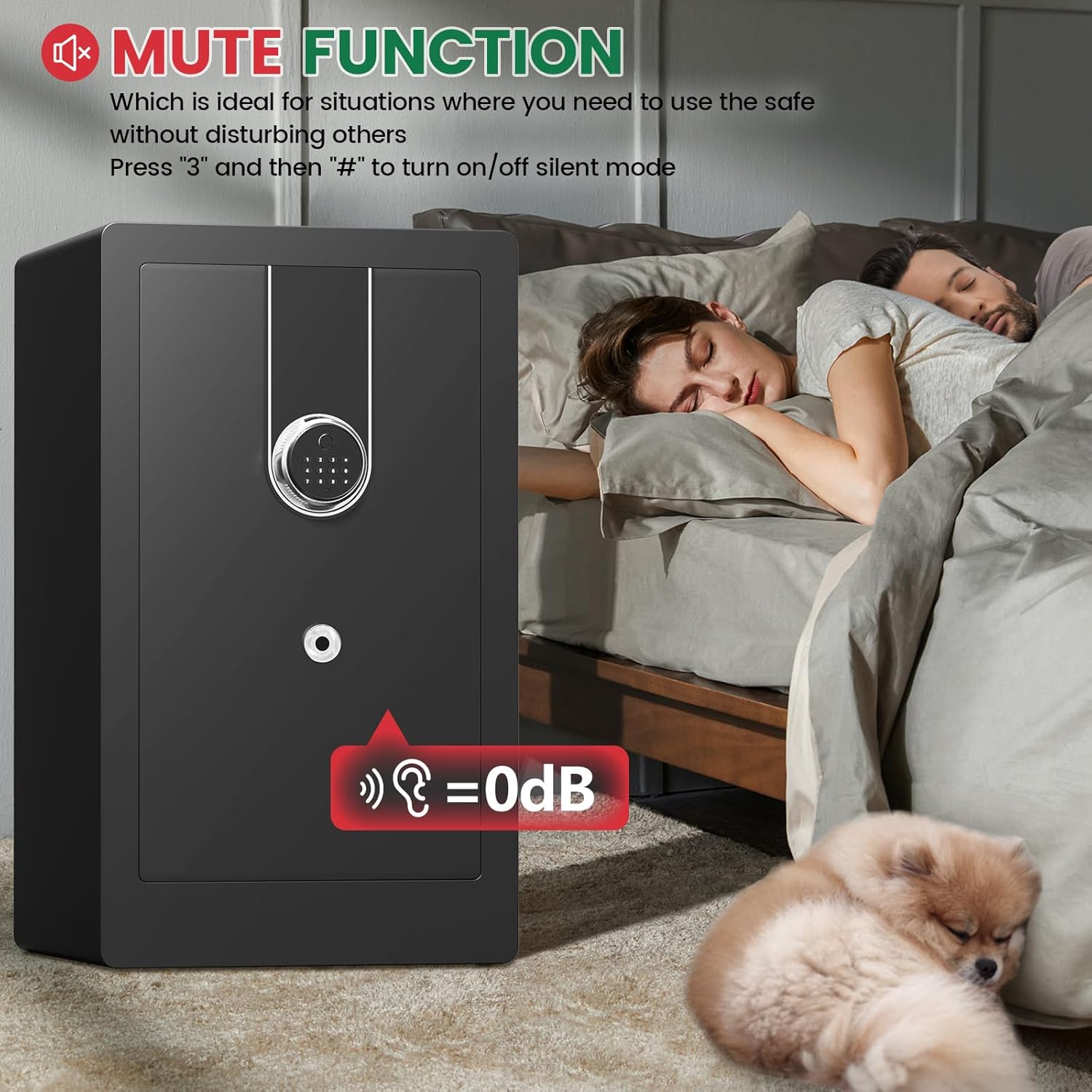
Figure 7: Alarm System.
This image visually represents the safe's dual alarm system, which activates upon continuous wrong password entries or violent vibrations, emitting a loud alert.
Video 5: Anti-theft Dual Smart Alert (0:19 - 0:23).
This video segment demonstrates the safe's anti-theft dual smart alert system, showing how it responds to continuous wrong password entries and violent vibrations with an audible alarm.
Power Issues
If the batteries run out, you can use the external battery box with a Type-C cable to provide temporary power and open the safe using your personal code. Alternatively, use one of the emergency keys.
Specifications
| Feature | Detail |
|---|---|
| Brand | Mitlvge |
| Product Dimensions | 14.96"D x 16.93"W x 31.5"H |
| Lock Type | Biometric, Electronic Combination Lock, Key |
| Color | Black |
| Capacity | 8.1 Cubic Feet |
| Material | Alloy Steel |
| Special Features | Alarm System, Anti-Theft, Biometric Fingerprint, Combination Lock, Removable Shelf |
| Mounting Type | No installation required (but recommended for security) |
| Control Type | Biometric / Key Control |
| Item Weight | 78 Pounds |
| Alarm | Password Error Alarm and Vibration Alarm |
| Water Resistance Level | Water Resistant |
| Model Number | ZQ |
| Date First Available | January 21, 2025 |

Figure 8: Safe Dimensions and Weight.
This image provides a visual representation of the safe's dimensions (14.96"D x 16.93"W x 31.5"H) and its weight (78 lbs), highlighting its large capacity.

Figure 9: Removable Steel Shelf.
This image illustrates the versatility of the safe's interior with a removable steel shelf, allowing users to customize storage space for various items like cash, jewelry, documents, firearms, passports, and medicine.
Video 6: Lockbox and Removable Shelves (0:24 - 0:29).
This video segment showcases the internal lockbox and the two removable shelves, demonstrating how they help keep valuables organized and allow for flexible storage configurations.
Warranty and Support
Mitlvge offers a 5-year return or exchange warranty and lifetime technical support for this product. All parts can be replaced for free within the warranty period.
If you have any questions or require assistance after receiving your safe, please contact Mitlvge Shop online immediately. We are committed to solving any issues within 24 hours.
For further information or to explore other products, visit the official Mitlvge Store.
Ask a question about this manual
Ask about setup, troubleshooting, compatibility, parts, safety, or missing instructions. Manuals+ will review the question and use this page’s manual context to help answer it.