1. Introduction
The GODOX V1 Pro V1Pro-F is a high-performance camera flash speedlite designed for professional photographers and enthusiasts using Fujifilm cameras. This upgraded version supports Fujifilm's TTL (Through-The-Lens) automatic flash function, offering powerful performance and versatile lighting capabilities for various photographic applications. This manual provides essential information for the safe and effective use of your GODOX V1 Pro V1Pro-F.
2. Package Contents
Upon opening the package, please verify that all components are present and in good condition:
- GODOX V1 Pro V1Pro-F Flash Unit
- Rechargeable Lithium Battery
- Battery Charger
- USB-C Cable
- Mini Stand
- Protective Case
- Instruction Manual (this document)
- Detachable Fill Light Component SU-1 (if included in kit)
Note: The "Godox V1PRO-F kits" mentioned in the product details typically include these items. Specific contents may vary slightly.
3. Setup
3.1 Battery Installation and Charging
Before first use, fully charge the lithium battery. Insert the battery into the flash unit according to the polarity indicators.

Figure 3.1: The GODOX V1 Pro V1Pro-F flash unit connected to a Type-C charging cable and also showing the VC26 charger option for the battery. This illustrates the modern charging convenience of the device.
- Connect the battery to the charger.
- Plug the charger into a power source.
- The charging indicator will show the charging status. A full charge typically takes approximately 3.5 hours.
- Alternatively, the flash unit supports Type-C charging directly.
3.2 Mounting the Flash to Your Camera
- Ensure your camera is powered off.
- Slide the flash hot shoe into your camera's hot shoe mount.
- Tighten the locking knob on the flash unit to secure it firmly to the camera.
- Power on your camera, then power on the flash unit.
4. Operating Instructions
4.1 Power On/Off
Press and hold the power button for approximately 2 seconds to turn the flash unit on or off.
4.2 Mode Switching (TTL / Manual)
The GODOX V1 Pro V1Pro-F allows for quick switching between TTL (Through-The-Lens) automatic flash mode and Manual flash mode.

Figure 4.1: The control panel of the GODOX V1 Pro V1Pro-F, highlighting the dedicated TTL and M buttons for quick mode switching. This feature enables photographers to adapt rapidly to different shooting conditions.
- Press the TTL/M button to toggle between TTL and Manual modes.
- In TTL mode, the flash output is automatically adjusted by the camera.
- In Manual mode, you can manually set the flash power output using the control dial.
4.3 Flash Head Adjustment (Swivel and Tilt)
The round flash head offers extensive flexibility for direct and bounce flash techniques.

Figure 4.2: The GODOX V1 Pro V1Pro-F flash head demonstrating its horizontal swivel from 0° to 330° and vertical tilt from -7° to 120°. This range of motion allows for versatile light positioning and bounce flash applications.
- Horizontal Swivel: The flash head can swivel from 0° to 330°.
- Vertical Tilt: The flash head can tilt from -7° to 120°.
- Adjust the head to direct light as needed for bounce flash off ceilings or walls, or for direct illumination.
4.4 Modeling Light
The integrated LED modeling light assists in pre-visualizing the lighting effect before taking a shot.

Figure 4.3: A photographer utilizing the GODOX V1 Pro V1Pro-F's adjustable LED modeling light to refine their lighting setup. The modeling light helps in achieving precise illumination and improving shooting efficiency.
- The modeling light has 10 adjustable levels.
- Refer to the flash unit's display and controls to adjust the intensity of the modeling light.
4.5 Continuous Flash Capability
The V1 Pro supports up to 100 full-power continuous flashes, ideal for capturing fast-moving subjects.
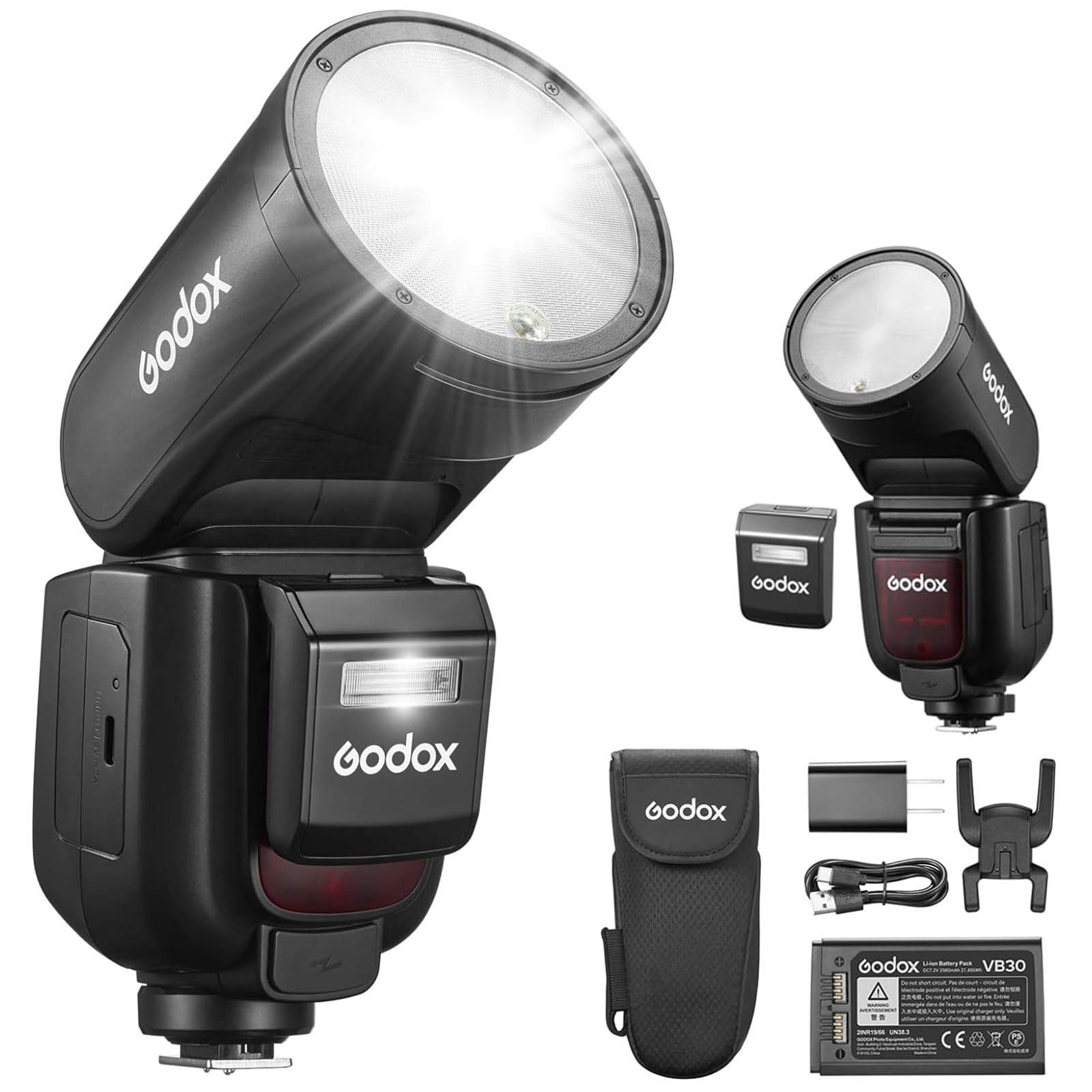
Figure 4.4: A photographer capturing a moment with the GODOX V1 Pro V1Pro-F, illustrating its capability for continuous shots at full power. This feature is beneficial for dynamic photography where multiple rapid flashes are required.
- This feature is automatically engaged when shooting in continuous mode on your camera, provided the flash is set to a compatible mode (e.g., Manual with sufficient power).
- The flash unit is designed with thermal protection to manage heat during rapid firing.
4.6 Wireless Functionality and Strobe Mode
The V1 Pro features a 2.4G radio system for wireless control and supports high-frequency strobe mode.
- Wireless Control: The flash can act as a master or slave unit, controlling or being controlled by other GODOX 2.4G wireless system devices within a 100-meter range. Refer to the dedicated wireless flash section in the full manual for detailed setup.
- Strobe Mode: This mode allows the flash to fire multiple times during a single exposure (up to 199Hz) for creative motion blur effects. Adjust frequency and number of flashes via the flash unit's menu.
4.7 Detachable Fill Light Component SU-1
The GODOX V1 Pro introduces the detachable SU-1 fill light component, allowing for versatile lighting setups.

Figure 4.5: The GODOX V1 Pro V1Pro-F flash unit alongside its innovative detachable SU-1 fill light component. This design allows the V1 Pro to function as both a bounce flash and a dedicated fill light, offering flexibility and a lighter solution when needed.
- The SU-1 can be attached to the flash unit to provide additional fill light.
- It can also be used separately for more flexible lighting arrangements.
- Consult the SU-1 specific instructions for attachment and operation details.
5. Maintenance
- Keep the flash unit dry. Do not expose it to rain or moisture.
- Clean the flash head and body with a soft, dry cloth. Avoid using solvents or harsh chemicals.
- Store the unit in a cool, dry place when not in use. Remove the battery if storing for extended periods.
- Avoid strong impacts or dropping the unit.
- Do not attempt to disassemble or repair the flash unit yourself. Refer to qualified service personnel.
6. Troubleshooting
| Problem | Possible Cause | Solution |
|---|---|---|
| Flash does not fire. |
|
|
| Flash output is inconsistent or incorrect. |
|
|
| Overheating warning. |
|
|
| Wireless trigger not working. |
|
|
7. Specifications
| Feature | Detail |
|---|---|
| Model | GODOX V1 PRO-F |
| Compatible Mountings | Fujifilm |
| Flash Type | External Shoe Mount Flash |
| Power Output | 76Ws (Maximum) |
| Battery | 7.2V/2980mAh Lithium Battery |
| Full Power Flashes | Approx. 500 |
| Recycling Time | Approx. 1.5 seconds |
| Continuous Flash | Up to 100 full-power flashes |
| Flash Sync Speed | 1/200s (Standard, HSS supported) |
| Wireless System | 2.4G Radio System |
| Wireless Range | Up to 100 meters |
| Strobe Mode Frequency | Up to 199Hz |
| Flash Head Swivel | 0° to 330° (Horizontal) |
| Flash Head Tilt | -7° to 120° (Vertical) |
| Modeling Light | LED, 10-level adjustable |
| Product Dimensions | 9 x 3.7 x 7 inches |
| Item Weight | 10.4 ounces |
8. Warranty and Support
8.1 Warranty Information
GODOX products typically come with a limited manufacturer's warranty. Please refer to the warranty card included in your product packaging or visit the official GODOX website for detailed warranty terms and conditions specific to your region and product model. Keep your purchase receipt as proof of purchase for warranty claims.
8.2 Customer Support
For technical assistance, troubleshooting not covered in this manual, or service inquiries, please contact GODOX customer support:
- Website: Visit the official GODOX website (www.godox.com) for FAQs, software updates, and contact information.
- Email/Phone: Refer to the contact section on the GODOX website for regional email addresses and phone numbers.
When contacting support, please have your product model (V1 PRO-F) and serial number ready.


