
1. Introduction
This manual provides detailed instructions for the Sanorum G58 Smartwatch. Please read this manual thoroughly before using your device to ensure proper operation and to maximize its features. Keep this manual for future reference.

Image: The Sanorum G58 Smartwatch, featuring a rose gold casing, a black mesh strap, and an additional pink silicone strap. A sunflower-design necklace is also shown, indicating a bundled accessory.
2. Package Contents
Verify that all items are present in your package:
- Sanorum G58 Smartwatch (with pre-installed strap)
- Additional Strap (e.g., silicone or mesh, depending on variant)
- Charging Cable
- User Manual
- Sunflower Necklace (may be included as an accessory)

Image: A woman wearing the Sanorum G58 Smartwatch and the accompanying sunflower necklace, illustrating the product's design and accessories.
3. Setup
3.1 Charging the Smartwatch
Before first use, fully charge the smartwatch. Connect the magnetic charging cable to the charging contacts on the back of the watch and plug the USB end into a power adapter (not included) or a computer's USB port. The watch display will indicate charging status.
3.2 App Installation and Pairing
- Download the App: Scan the QR code in the manual or on the watch packaging, or search for the designated companion app in your smartphone's app store (compatible with Android 4.4+ and iOS 8.0+).
- Register/Log In: Open the app and follow the on-screen instructions to create an account or log in.
- Pair the Device: Ensure Bluetooth is enabled on your smartphone. In the app, navigate to 'Device' or 'Add Device' and select the Sanorum G58 from the list of available devices. Confirm the pairing request on both your phone and the smartwatch.

Image: The Sanorum G58 Smartwatch displaying an incoming call, illustrating its phone function capabilities after successful pairing.
4. Operating Instructions
4.1 Basic Navigation
- Touchscreen: Swipe left/right to access different functions, swipe up/down for notifications or quick settings. Tap to select.
- Side Button: Press to return to the home screen or wake the device. Long press for power options.
4.2 Phone Functions
Once paired via Bluetooth 5.3, the smartwatch supports phone calls and notifications.
- Making/Receiving Calls: Use the built-in microphone and speaker to make or answer calls directly from your wrist. Access contacts or dial numbers via the watch interface.
- Notifications: Receive alerts for incoming calls, messages, and app notifications (e.g., Facebook, Line) directly on your watch screen.

Image: The Sanorum G58 Smartwatch showcasing its Bluetooth 5.3 call features, including ringtone, speaker, microphone, dialpad, contact list, and call history. Examples of social media notifications are also displayed.
4.3 Health Monitoring
The G58 Smartwatch offers comprehensive health tracking features:
- Heart Rate Monitor: Continuous 24/7 heart rate monitoring.
- SpO2 Monitor: Measures blood oxygen levels.
- Sleep Analysis: Tracks sleep patterns and quality.
- Stress and Mood Monitoring: Provides insights into your stress levels.
- Breathing Training: Guided breathing exercises for relaxation.
- Menstrual Cycle Tracking: Predicts periods, ovulation, and safe days. Input your data into the app for personalized tracking.

Image: The Sanorum G58 Smartwatch displaying a menstrual cycle calendar, highlighting period prediction, menstruation, and ovulation days. This feature assists in women's health tracking.
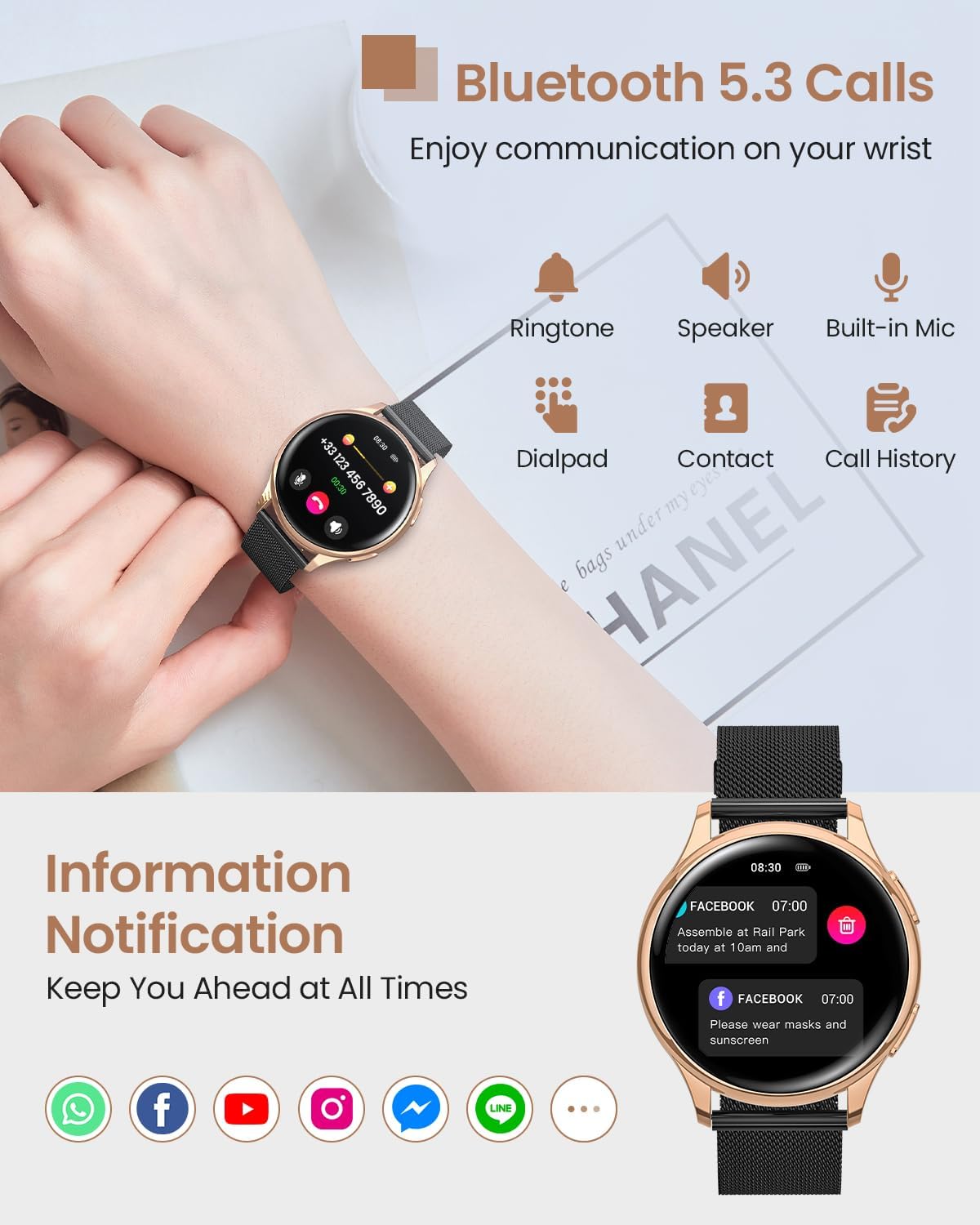
Image: The Sanorum G58 Smartwatch interface showing icons for sleep tracking, blood pressure (Bp), SpO2, and heart rate, indicating its 24/7 health monitoring capabilities.
4.4 Sports Modes
The smartwatch supports over 120 sports modes. Select your activity from the sports menu to track metrics such as calories burned, distance, steps, and heart rate during exercise. The IP68 waterproof rating allows for use during various activities, including swimming.
- UV Value Monitoring: The watch can estimate UV intensity, helping you protect yourself during outdoor sports.

Image: A woman exercising while wearing the Sanorum G58 Smartwatch, which displays real-time sports data such as calories (564 Kcal), distance (1.4 Km), UV Index (8), and steps (6598/8000).
4.5 Watch Faces Customization
Personalize your smartwatch with over 400 online watch faces or create your own DIY designs through the companion app.
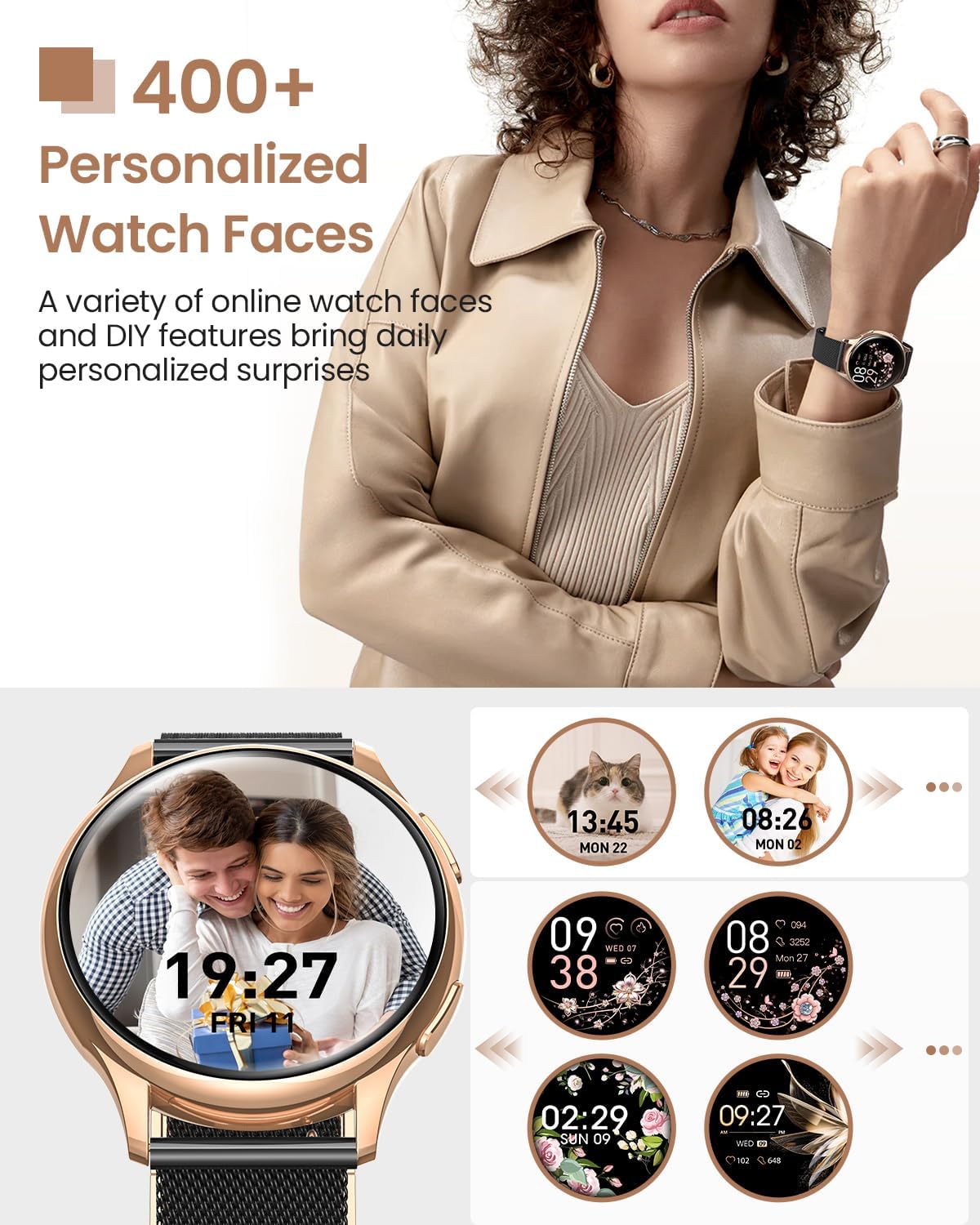
Image: The Sanorum G58 Smartwatch displaying various personalized watch face options, including designs with floral patterns, digital time, and custom photos.
4.6 Other Features
- Voice Assistant: Access your smartphone's voice assistant directly from the watch.
- SOS Emergency Call: Configure emergency contacts in the app for quick access.
- Weather Forecast: View current weather conditions and forecasts.
- Music Playback Control: Control music playing on your smartphone.
5. Maintenance
5.1 Cleaning
Wipe the watch and straps regularly with a soft, damp cloth. Avoid using harsh chemicals or abrasive materials. Ensure the charging contacts are clean and dry before charging.
5.2 Water Resistance (IP68)
The Sanorum G58 Smartwatch has an IP68 water resistance rating, meaning it is protected against dust and can withstand immersion in water up to 1.5 meters for up to 30 minutes. It is suitable for daily use, hand washing, and swimming. Avoid hot water, steam, or prolonged immersion in deep water.
5.3 Battery Care
The 300mAh battery provides extended usage. To prolong battery life, avoid extreme temperatures and fully discharge/recharge the watch periodically.
6. Troubleshooting
- Watch not turning on: Ensure the watch is fully charged.
- Cannot pair with phone: Ensure Bluetooth is on, the app is open, and the watch is within range. Try restarting both devices.
- Inaccurate health data: Ensure the watch is worn snugly on the wrist, not too tight or too loose.
- Notifications not appearing: Check app permissions on your phone and ensure notifications are enabled in the smartwatch app settings.
7. Specifications
| Feature | Specification |
|---|---|
| Model | G58 |
| Screen Size | 1.27 Inches |
| Display Type | Digital |
| Connectivity | Bluetooth 5.3 |
| Compatibility | Android 4.4+, iOS 8.0+ |
| Water Resistance | IP68 |
| Battery Capacity | 300mAh |
| Memory Storage | 128 MB |
| Special Features | Accelerometer, Heart Rate Monitor, SpO2 Monitor, Sleep Monitor, Menstrual Cycle Tracker, Microphone, Touchscreen |
| Color | Rose gold black |
8. Warranty and Support
Sanorum products are designed for reliability and performance. For warranty information or technical support, please refer to the contact details provided on the product packaging or the official Sanorum website. Keep your purchase receipt as proof of purchase.