
1. Introduction
The TASCAM DR-07XP is a portable handheld recorder designed for high-quality audio capture in various environments. It offers advanced recording capabilities, flexible connectivity, and user-friendly operation, making it suitable for musicians, videographers, podcasters, and field recorders.
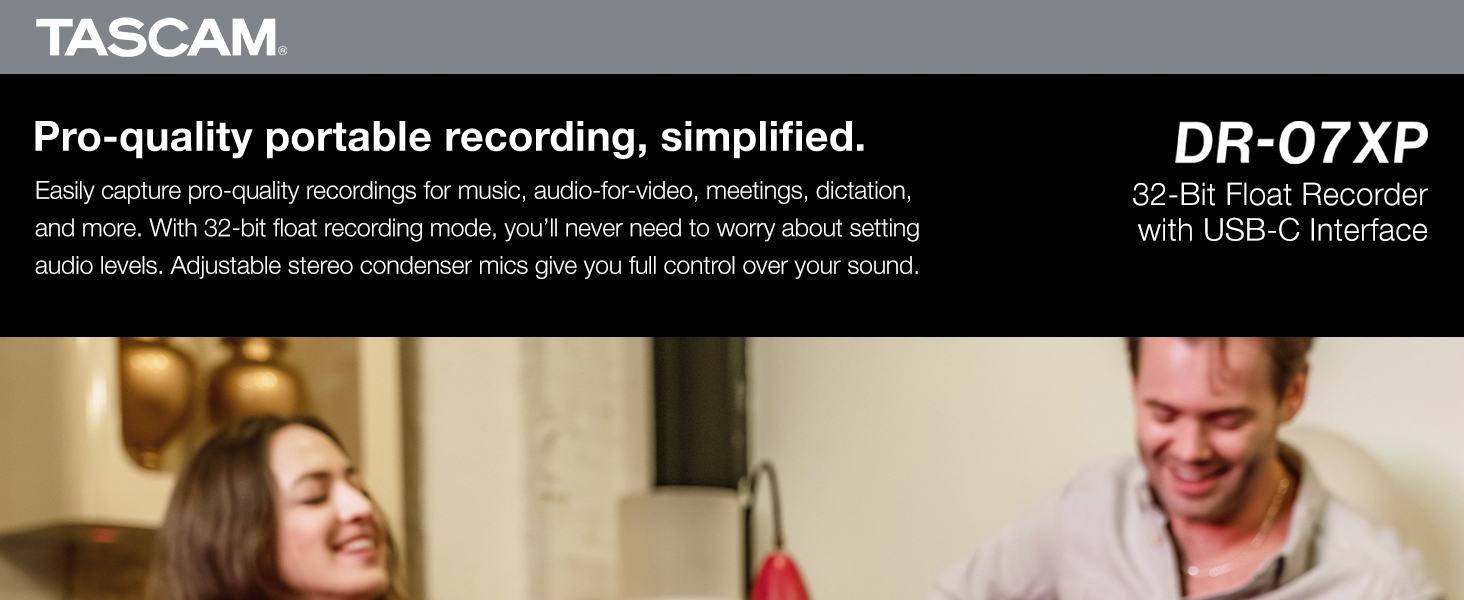
Image: The TASCAM DR-07XP handheld recorder, highlighting its simplified professional recording capabilities.
2. Key Features
- Adjustable Stereo Condenser Microphones: Features A/B or X/Y unidirectional condenser microphones capable of handling sound sources up to 125dB SPL.
- 32-Bit Float Recording: Ensures audio recordings are clear, distinct, and free of distortion, eliminating the need for precise input level setting.
- USB-C Audio Interface: Functions as a 2-in/2-out USB-C audio interface for direct recording to your computer.
- Versatile Inputs/Outputs: Includes a 3.5mm stereo MIC/EXT IN jack with plug-in power and a 3.5mm stereo HEADPHONES/LINE OUT jack.
- Long Battery Life: Up to 17.5 hours of operation with 2 x AA alkaline batteries (sold separately).
- MicroSD Card Support: Supports microSD, microSDHC, and microSDXC cards up to 512 GB (memory card not included).
- RF Noise Shielding: Superior shielding of sensitive components effectively cuts interference from Radio Frequency (RF), Wi-Fi, and other digital signals.
- Built-in Reference Speaker: A monaural speaker allows for quick recording checks without headphones.
- Sound-Sensitive Auto Recording: Automatically starts recording when sound is detected.
- TASCAM Audio File Manager: Free software for easy adjustment of levels from 32-bit float recordings and file organization.

Image: Detail of the adjustable stereo condenser microphones, showing their flexible A/B or X/Y configurations.
3. Setup
3.1 Battery Installation
- Open the battery compartment cover on the back of the unit.
- Insert two AA alkaline batteries, ensuring correct polarity (+/-).
- Close the battery compartment cover securely.
3.2 Memory Card Installation
- Locate the microSD card slot on the side of the unit.
- Insert a compatible microSD, microSDHC, or microSDXC card (up to 512 GB) until it clicks into place.
- To remove, gently push the card to eject it.
3.3 Connecting to Computer (USB-C)
- Connect the DR-07XP to your computer using a USB-C cable.
- The unit can function as a 2-in/2-out audio interface for direct recording to your computer's DAW.
3.4 Connecting External Microphones/Line-in
- Plug your external microphone or line-level source into the 3.5mm MIC/EXT IN jack.
- This jack provides plug-in power for compatible microphones.
3.5 Connecting Headphones/Line-out
- Connect headphones to the 3.5mm HEADPHONES/LINE OUT jack for monitoring.
- Alternatively, use this jack to output audio to another device.
4. Operating Instructions
4.1 Basic Recording
- Press the REC button once to enter record-ready mode.
- Adjust input levels using the dedicated controls to avoid clipping.
- Press REC again to start recording.
- Press the STOP button to end recording.
4.2 Recording Modes and Settings
The DR-07XP supports various recording formats and sample rates:
- Formats: 32-bit float, 24-bit, 16-bit WAV, and MP3.
- Sample Rates: 96kHz, 48kHz, 44.1kHz.
Access these settings via the menu to select the desired quality for your recordings.
4.3 Adjustable Microphone Configuration
The built-in stereo condenser microphones can be adjusted between A/B and X/Y configurations to optimize stereo imaging for different recording scenarios.

Image: The TASCAM DR-07XP with its adjustable microphones, ready for various recording setups.
4.4 Using Built-in Effects
The DR-07XP includes several built-in effects to enhance your recordings:
- Lowcut Filter: Reduces unwanted low-frequency noise.
- Gate: Eliminates background noise below a certain threshold.
- Compressor: Reduces dynamic range, making quiet sounds louder and loud sounds softer.
- Limiter: Prevents audio from exceeding a set level, avoiding clipping.
These effects can be quickly toggled on/off via dedicated buttons or adjusted in detail through the main menu.
4.5 Auto Recording Features
- Auto Rec: Starts recording automatically when sound is detected.
- Prerecord: Captures a few seconds of audio before the REC button is pressed.
- Auto Level: Automatically adjusts input gain to maintain optimal recording levels.
- Tone Mark: Plays a sound at the beginning and end of a recording for easy synchronization.
4.6 Playback and Overdubbing
- Use the navigation buttons to browse and play recorded files.
- The MARK function allows you to place markers in your recordings and skip between them during playback.
- The overdub feature enables recording new audio tracks over existing ones.
4.7 Using as USB Microphone/Audio Interface
Connect the DR-07XP to your computer via USB-C. Select it as an audio input/output device in your computer's sound settings or DAW to use it as a high-quality USB microphone or 2-in/2-out audio interface.
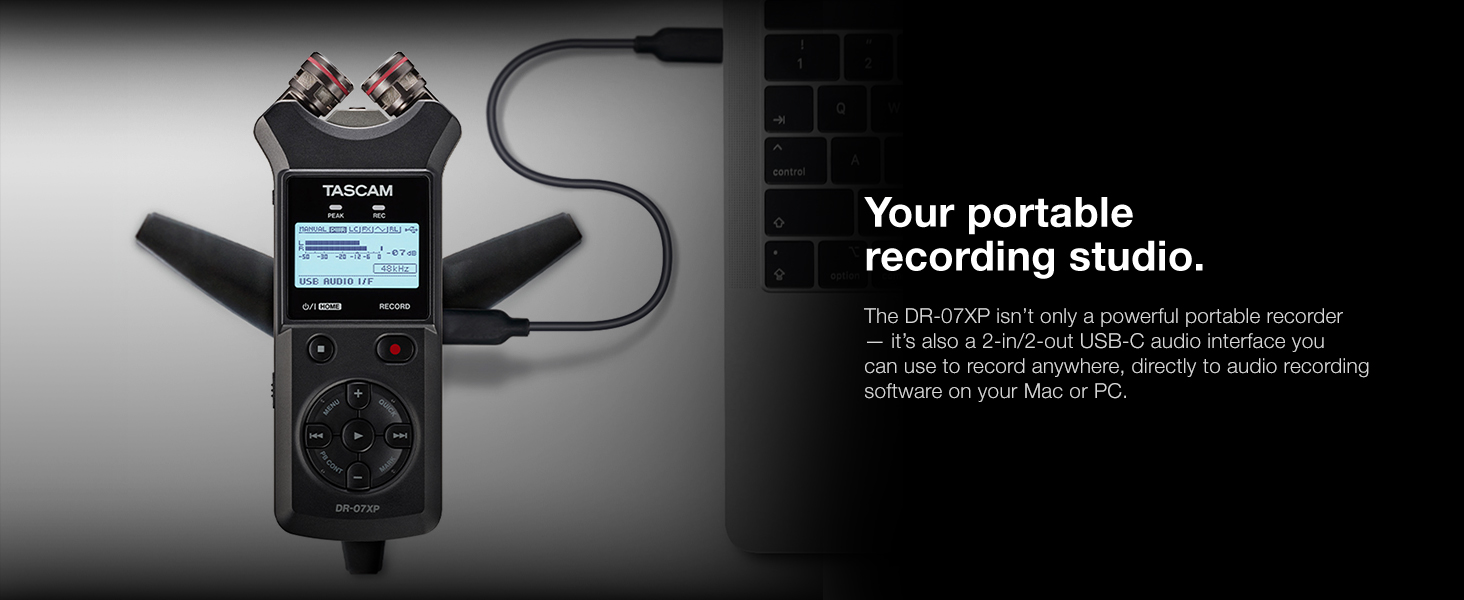
Image: The TASCAM DR-07XP connected to a laptop, illustrating its use as a portable recording studio.
4.8 Using with Camera (Line Out)
Connect the DR-07XP's HEADPHONES/LINE OUT jack to your camera's audio input. This allows you to use the DR-07XP as an external microphone for your camera, significantly improving audio quality for video recordings.

Image: The TASCAM DR-07XP mounted on a DSLR camera rig, demonstrating its integration for video production.
4.9 Official Product Video
Video: An official introduction to the TASCAM DR-07XP, showcasing its features and use cases.
5. Maintenance
5.1 Battery Care
- Remove batteries if the unit will not be used for an extended period to prevent leakage.
- Use fresh, high-quality AA alkaline batteries for optimal performance and battery life (up to 17.5 hours).
5.2 Memory Card Handling
- Always format new memory cards with the DR-07XP before first use.
- Avoid removing the memory card while the unit is powered on or recording to prevent data corruption.
5.3 Cleaning
- Wipe the unit with a soft, dry cloth.
- Do not use liquid cleaners or solvents, as they may damage the finish or internal components.
6. Troubleshooting
- No Power: Check battery installation and ensure batteries are fresh or fully charged. If using USB power, ensure the cable is securely connected to a powered USB port.
- No Recording: Verify that a memory card is inserted and has sufficient free space. Ensure the unit is not in HOLD mode.
- Poor Audio Quality/Distortion: Check input levels to ensure they are not too high (peaking). If using external mics, confirm they are properly connected and receiving phantom/plug-in power if required. Consider using the built-in limiter or compressor.
- No Sound During Playback: Check headphone connection and volume level. Ensure the correct file is selected for playback.
- Unit Not Recognized by Computer: Ensure the USB-C cable is functioning correctly and is securely connected. Try a different USB port or cable.
7. Specifications
| Product Dimensions | 1.06 x 2.38 x 6.28 inches |
| Item Weight | 4.8 ounces |
| Item Model Number | DR-07XP |
| Batteries | 2 AA batteries required |
| Compatible Devices | Personal Computer, Laptop, Tablet, Smartphone |
| Hardware Interface | USB Type C |
| Microphone Form Factor | Built-In |
| Format | WAV |
| Headphones Jack | 3.5 millimeters |
| Memory Storage Capacity | 512 GB |
| Battery Life | 17 Hours (approximate, with alkaline batteries) |
8. Warranty & Support
For warranty information and technical support, please refer to the official TASCAM website or contact your local dealer. Keep your proof of purchase for warranty claims.


