
Introduction
This manual provides detailed instructions for the installation, operation, and maintenance of your Akozon PLD2-WG-FTM Boat Depth Gauge. This device features an LCD digital display with backlight, a durable stainless steel 316L bezel, and anti-fog glass, designed for reliable depth indication up to 100 meters (328.08 feet) on yachts, fishing vessels, and other marine craft. It includes an alarm function for shallow and deep water levels.
Setup and Installation
Proper installation is crucial for the accurate and reliable operation of your depth gauge. Follow these steps carefully.
Installation Steps:
- Step 1: Prepare Mounting Location
Drill a circular hole with a diameter of approximately 52-53mm (2 inches) in your center console or other designated location. Ensure there is at least 70mm of clear space behind the panel for the gauge and wiring. - Step 2: Insert Gauge
Carefully insert the depth gauge into the prepared hole from the front of the panel. - Step 3: Secure Gauge
Align the bracket screw holes with the screws on the back of the gauge. Tighten the screws using the provided bracket and frame to firmly clamp the gauge to the panel. - Step 4: Wiring Connections
Directly insert the power harness into the back of the gauge. Connect the corresponding sensor and harness according to the wiring diagram provided below.
Wiring Diagram:
- Red Wire: Connect to +12VDC power supply.
- Orange Wire: Connect to Backlight (+).
- Blue Wire: Connect to Power Negative (-).
- NC: Not Connected (leave unused).

Figure 1: Rear view of the depth gauge illustrating the wiring harness connection point and mounting studs.
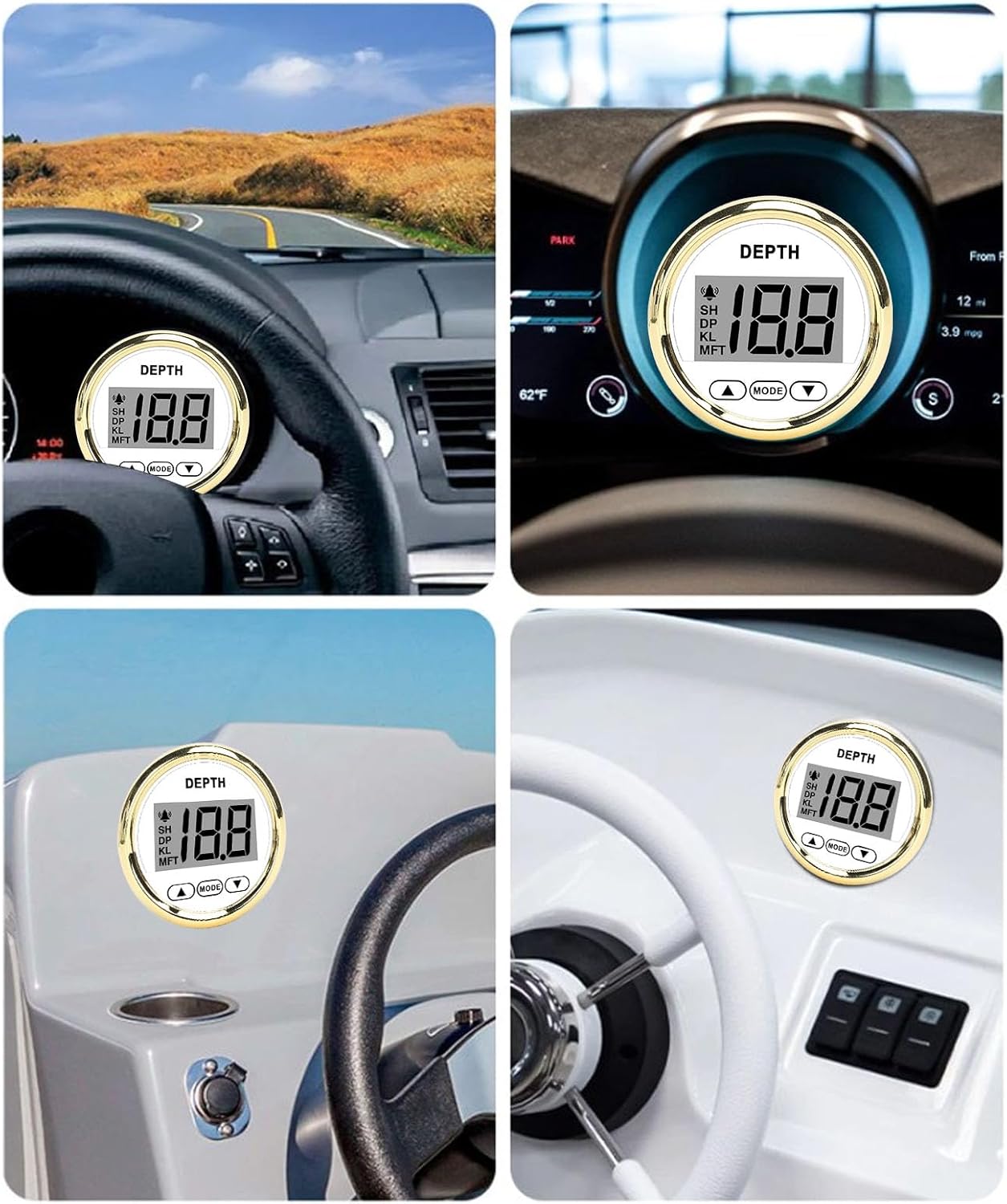
Figure 2: Examples of the depth gauge installed in different marine and vehicle dashboards, demonstrating its compact fit.
Operating Instructions
This section details how to operate your Akozon depth gauge, including power-on procedures and alarm settings.
Basic Operation:
- The product operates on a 12V power supply.
- Upon power-on, the gauge will display the current water depth.
- A single beep indicates normal startup and functionality.
Function Adjustment (Alarm Settings):
The depth gauge features adjustable alarm functions for both shallow (SH) and deep (DP) water levels. Use the MODE button and arrow buttons (▲/▼) to navigate and adjust settings.
- SH (Low Water Level Alarm):
- Setting Range: 0 - 0.6 - 19.9 (units depend on selected measurement unit).
- When the current water depth is equal to or lower than the set SH value, the "SH" icon will flash on the display, and the buzzer will emit a continuous sound.
- To disable the alarm, set the value to 0.
- Alarm value setting range: 0.6 - 19.9.
- DP (Deep Water Level Alarm):
- Adjustable Range:
- In meters: 0 - 99
- In feet: 0 - 199
- When the current water depth is equal to or higher than the set DP value, the "DP" icon will flash on the display, and the buzzer will emit a continuous sound.
- To disable the alarm, set the value to 0.
- Adjustable Range:
- KL (Keel Offset):
- This setting allows you to adjust the depth reading to account for the distance from the transducer to the bottom of your boat's keel.
- Adjust the value to add or subtract from the raw depth reading.
- MFT (Measurement Unit):
- Toggle between Meters (M), Feet (FT), or Fathoms (F) for depth display.

Figure 3: Front display of the depth gauge, showing current depth reading and alarm indicators (SH, DP, KL, MFT).
Maintenance
To ensure the longevity and optimal performance of your Akozon depth gauge, follow these general maintenance guidelines:
- Cleaning: Regularly wipe the display and bezel with a soft, damp cloth. Avoid abrasive cleaners or solvents that could damage the anti-fog glass or finish.
- Connections: Periodically check all wiring connections for corrosion or looseness, especially in marine environments. Ensure connections are secure and free from moisture.
- Transducer: If applicable, inspect the transducer for marine growth or damage. Clean it gently according to transducer manufacturer instructions to maintain accurate readings.
- Storage: If storing the vessel for an extended period, ensure the gauge is clean and dry. Disconnecting power may be advisable.
Troubleshooting
If you encounter issues with your depth gauge, refer to the following common troubleshooting steps:
- No Power/Display Off:
- Check the 12VDC power supply connection.
- Verify the fuse in the power circuit (if applicable).
- Ensure the blue wire (negative) and red wire (positive) are correctly connected.
- Inaccurate Depth Reading:
- Check the transducer for obstructions, marine growth, or damage.
- Ensure the transducer is properly mounted and submerged.
- Verify the Keel Offset (KL) setting is correctly configured.
- Confirm the measurement unit (MFT) is set to your preference.
- Alarm Not Functioning:
- Check the SH (shallow) and DP (deep) alarm settings. Ensure they are not set to 0 (off).
- Verify the alarm values are appropriate for your current water conditions.
- Display Flickering or Unresponsive:
- Check for loose wiring connections.
- Ensure the power supply is stable and within the specified voltage range.
- If the issue persists, contact customer support.
Specifications
| Brand | Akozon |
| Model | PLD2-WG-FTM (80000242) |
| Material | Stainless Steel 316L Bezel + Anti-Fog Glass |
| Installation Hole Diameter | Approx. 52mm / 2 inches |
| Voltage | +12VDC |
| Depth Range | 0-100m (0-328.08ft) |
| Operating Current | ≤60mA |
| Protection Grade | IP67 (Front), IP5 (Back Cover) |
| Operating Temperature | -30°C to +75°C |
| Storage Temperature | -40°C to +85°C |
| Included Components | 1 x Depth Gauge, 1 x Power Cord, 1 x 10M Depth Line, 1 x Fixed Base, 2 x Screws, 2 x Nuts, 1 x User Manual |
Warranty Information
This Akozon depth gauge is covered by a manufacturer's warranty for 90 days from the date of purchase. This warranty covers defects in materials and workmanship under normal use. Please retain your proof of purchase for warranty claims. The warranty does not cover damage caused by improper installation, accident, abuse, misuse, natural disaster, or unauthorized modification.
Customer Support
If you have any questions, require technical assistance, or need to make a warranty claim, please contact Akozon customer support through the retailer where you purchased the product or visit the official Akozon website for contact information. Please have your product model number (PLD2-WG-FTM) and purchase details ready when contacting support.