
Introduction
Thank you for choosing the CNBRO Smart Bracelet Fitness Tracker. This device is designed to help you monitor your health and fitness activities, including heart rate, sleep patterns, steps, calories, and distance. Please read this manual carefully to ensure proper use and optimal performance of your new smart bracelet.
Safety Information
- Do not expose the device to extreme temperatures or direct sunlight for prolonged periods.
- Keep the device away from strong magnetic fields.
- This device is IP68 waterproof, suitable for swimming, washing hands, cold showering, and rain. Do not use it in hot water or for diving.
- Do not attempt to disassemble or repair the device yourself. Contact customer support if issues arise.
- Consult your physician before starting any new exercise program, especially if you have pre-existing health conditions.
What's in the Box
- 1 x Smart Bracelet
- 1 x Charger Cable
- 1 x User Manual
Product Overview
The CNBRO Smart Bracelet features a sleek design with a durable stainless steel case and band. The main unit houses the sensors and display, providing real-time data and notifications.
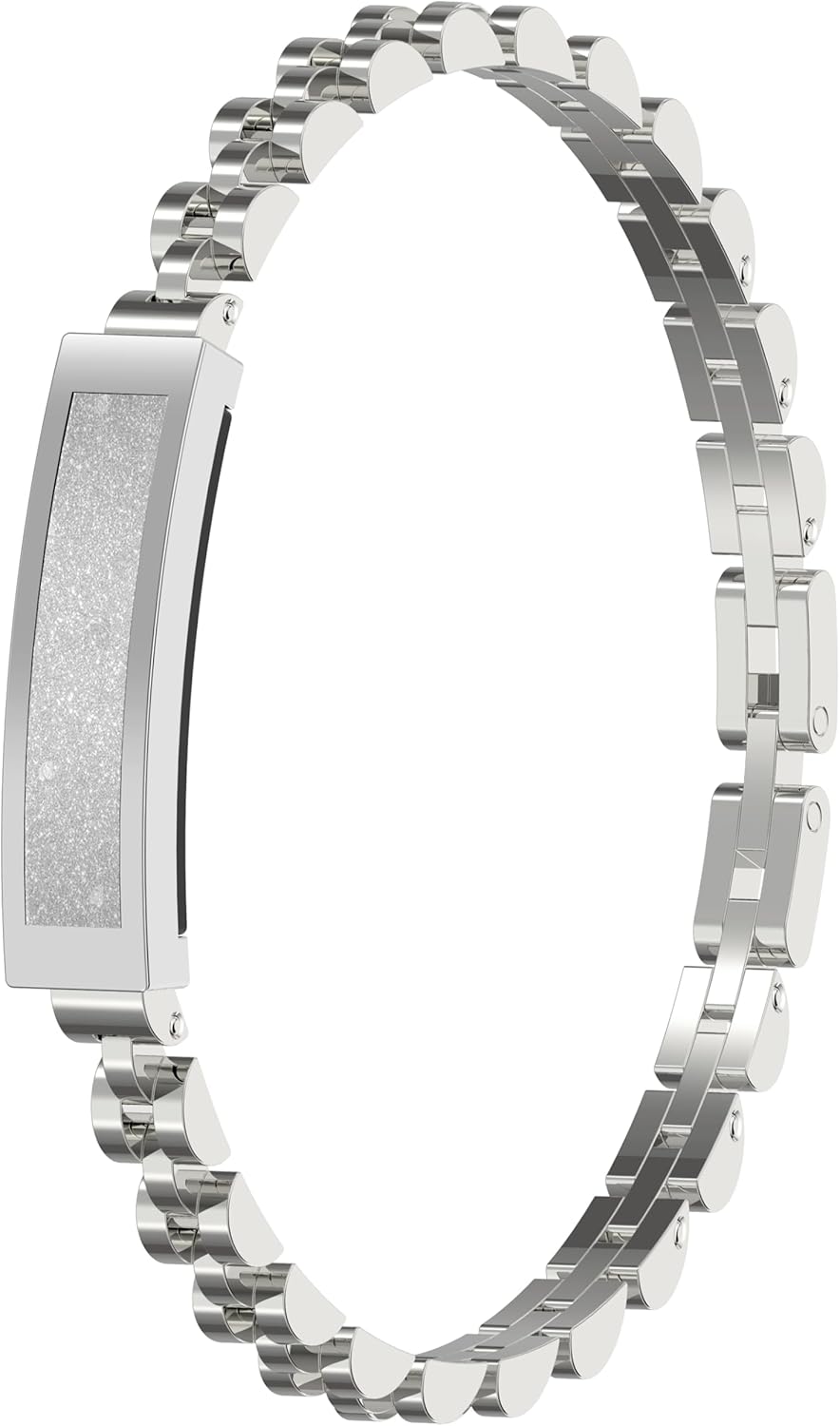
Figure 1: Front view of the CNBRO Smart Bracelet Fitness Tracker. This image shows the elegant silver bracelet with its central display unit.
Setup
1. Charging the Device
Before first use, fully charge your smart bracelet. Connect the magnetic charging cable to the charging points on the back of the bracelet and plug the USB end into a power source (e.g., computer USB port, USB wall adapter). A full charge typically takes approximately 2 hours. A single full charge provides up to 5 days of working time and up to 10 days of standby time.
2. App Installation
To utilize all features of your smart bracelet, you need to download the companion application named Jring. You can find the app on the App Store (for iOS devices) or Google Play Store (for Android devices). Alternatively, scan the QR code provided in the small user manual included in the packaging to directly download the app.
3. Pairing with Your Smartphone
- Ensure your smartphone's Bluetooth is enabled.
- Open the Jring app on your smartphone.
- Follow the in-app instructions to add a new device. The device name for Bluetooth pairing is typically "S2".
- Confirm the pairing request on both your smartphone and the bracelet if prompted.
The smart bracelet is compatible with smartphones running iOS 10.0 or above, and Android 5.0 or above, utilizing Bluetooth 5.2 for connection.
4. Adjusting Bracelet Size
The bracelet comes with adjustable links. Use the provided tool to remove or add links to achieve a comfortable and secure fit. A proper fit is crucial for accurate data tracking. If you have difficulty, a professional jeweler can assist with link removal.

Figure 2: The smart bracelet comfortably worn on a wrist, demonstrating a good fit.
Operating Instructions
1. Heart Rate Monitoring
The smart bracelet supports 24-hour continuous heart rate tracking. It monitors your heart rate throughout the day, whether you are at rest or exercising. This data helps you understand your physical condition and adjust your activities accordingly. View detailed heart rate graphs and statistics within the Jring app.

Figure 3: Smartphone screen showing real-time heart rate data and historical trends from the smart bracelet.
2. Sleep Tracking
The built-in automatic sleep tracker monitors your sleep duration and quality. It provides a comprehensive analysis including deep sleep time, light sleep time, and wake-up time. This feature assists in developing healthier sleeping habits by providing insights into your sleep patterns.

Figure 4: Smartphone screen displaying a detailed sleep report, including sleep stages and duration, tracked by the smart bracelet.
3. Activity Tracking (Pedometer, Calories, Distance)
The smart bracelet automatically tracks your daily steps, calories consumed, and distance traveled. For more detailed exercise data, activate specific sport modes within the Jring app. These modes will track your route, activity time, and heart rate during your workout, providing real-time performance metrics.

Figure 5: An active individual demonstrating the use of the smart bracelet during exercise, with an overlay showing tracked sport data like duration, mileage, and calories.
4. Remote Camera Control
The smart bracelet can function as a remote shutter for your smartphone camera. Refer to the Jring app for instructions on how to enable and use this feature to capture photos remotely.
Maintenance
Cleaning
Regularly clean your smart bracelet to maintain its appearance and functionality. Wipe the device with a soft, damp cloth. Avoid using harsh chemicals or abrasive materials that could damage the finish or sensors.
Storage
When not in use for extended periods, store the smart bracelet in a cool, dry place. Ensure it is fully charged before storing to preserve battery health.
Troubleshooting
| Issue | Possible Cause | Solution |
|---|---|---|
| Device not connecting/pairing | Bluetooth off, app not open, device out of range, incorrect pairing process. | Ensure Bluetooth is on, open Jring app, bring device closer to phone. Restart both device and phone. Confirm device name "S2" during pairing. |
| Inaccurate data (steps, HR, sleep) | Loose fit, incorrect personal settings in app, sensor obstruction. | Ensure bracelet is worn snugly but comfortably. Check and update personal information (height, weight) in the Jring app. Clean sensors on the back of the device. |
| Short battery life | Frequent use of power-intensive features, old battery, incomplete charging. | Reduce continuous monitoring features if not needed. Ensure device is fully charged (approx. 2 hours). Avoid extreme temperatures. |
| Screen unresponsive | Software glitch, low battery. | Charge the device. Attempt a soft reset (refer to app or manufacturer website for specific instructions if available). |
Specifications
| Feature | Detail |
|---|---|
| APP Name | Jring |
| Charging Type | Magnetic Charging |
| Full Charge Time | Approx. 2 Hours |
| Working Time | Up to 5 days (typical use) |
| Standby Time | Up to 10 days |
| Compatibility | iOS 10.0 or above, Android 5.0 or above |
| Bluetooth Version | 5.2 |
| Case Material | Stainless Steel |
| Band Material | Stainless Steel |
| Clasp Type | Buckle |
| Water Resistance | IP68 (Not suitable for hot water or diving) |
| Battery Type | Lithium Polymer (1 included) |
| Item Weight | 6.4 ounces (0.18 Kilograms) |
| Dimensions | 10.59 x 3.03 x 1.34 inches (Package) |

Figure 6: Diagram illustrating the key dimensions of the smart bracelet.
Warranty and Support
The Jring app does not require any subscription fees for its use. For any questions, concerns, or technical support regarding your CNBRO Smart Bracelet Fitness Tracker, please contact our customer service. We are committed to providing the best possible solution within 24 hours.
Please note that the accuracy of data may be affected if the bracelet is worn too loosely.


