
Introduction
Thank you for choosing the AONIMI 50800mAh Portable Charger Power Bank. This high-capacity power bank is designed to provide reliable and fast charging for a wide range of electronic devices, featuring built-in cables, multiple output ports, and an LCD display for convenience. This manual provides essential information for the safe and efficient use of your device.
Package Contents
- 1 x 50800mAh Portable Charger Power Bank with 3 Built-in Cables and 3 USB Ports
- 1 x USB C Cable for Recharging Portable Charger
- 1 x User Manual
Product Overview
The AONIMI T5 power bank is equipped with a large capacity battery, multiple charging options, and a clear LCD display to show the remaining power. Its compact design makes it suitable for travel and daily use.
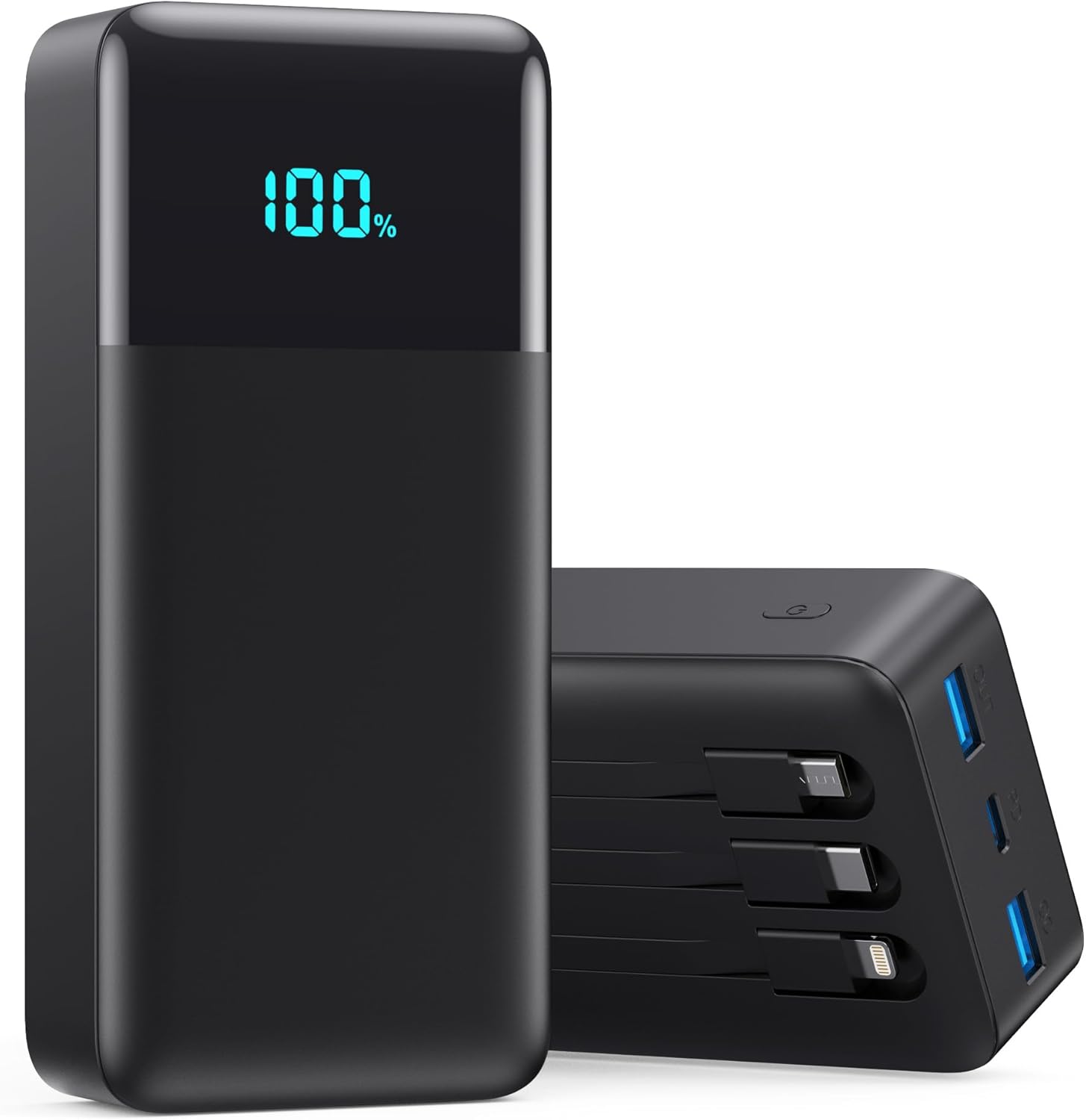
Image: Front view of the AONIMI 50800mAh Portable Charger Power Bank, showcasing its sleek black design and digital LCD display indicating 100% charge.
This power bank features three built-in charging cables (Type-C, iOS, and Micro USB) and three additional USB ports (2 USB-A, 1 USB-C), allowing for simultaneous charging of up to six devices. The integrated LCD display provides a precise percentage of the remaining battery life.

Image: Detailed diagram illustrating the 6 output options (iOS Cable, Type-C Cable, Micro USB Cable, USB-A QC, PD USB-C, USB-A) and 2 input options (Built-in Type-C Cable, USB-C Port) of the power bank.
The device supports 25W PD (Power Delivery) and QC4.0 fast charging technologies, significantly reducing charging times for compatible devices.
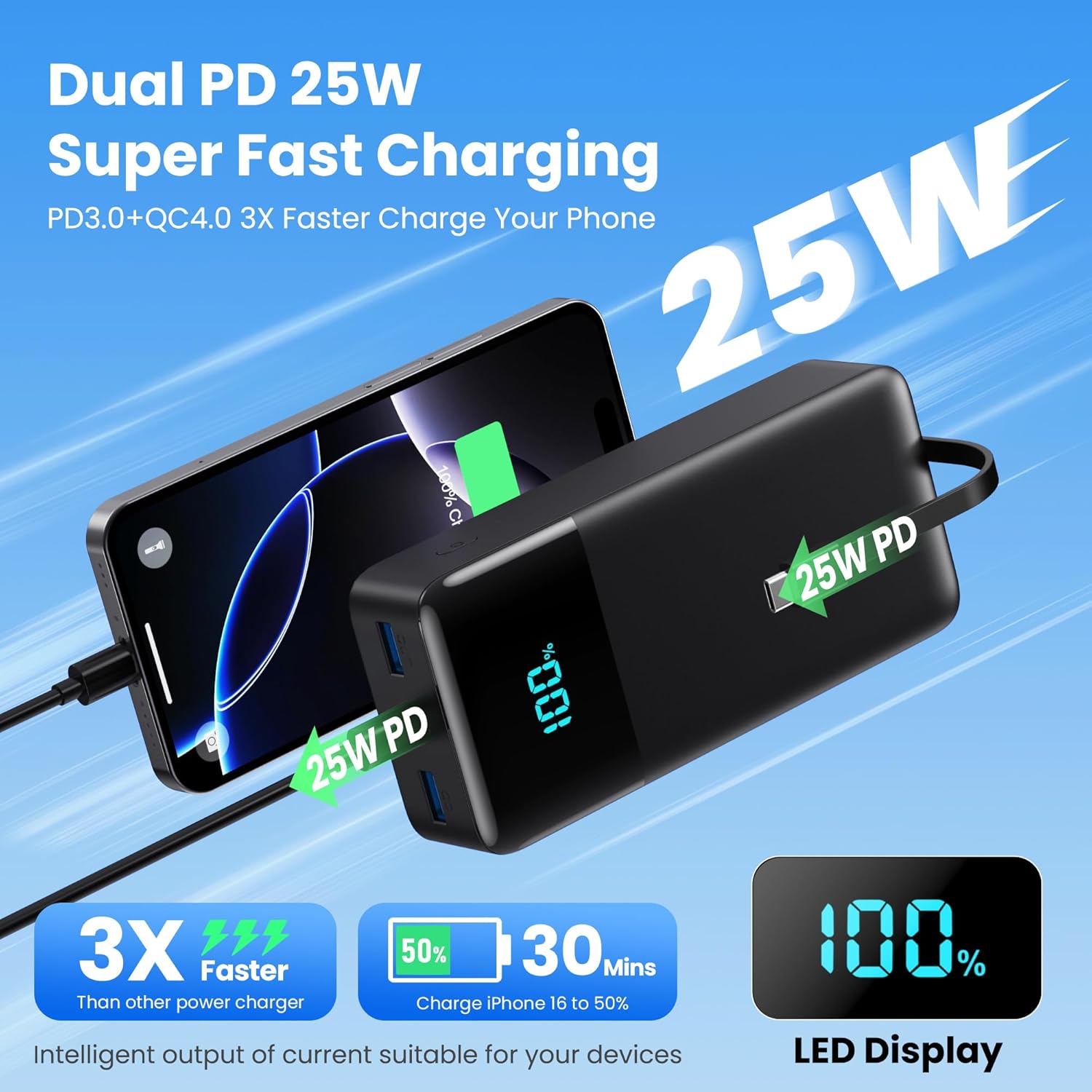
Image: Visual representation of the 25W PD fast charging capability, showing an iPhone rapidly charging from the power bank, highlighting the 3X faster charging speed.
Setup
Initial Charging of the Power Bank
- Connect the provided USB-C cable to the power bank's USB-C input port or use the built-in Type-C cable.
- Plug the other end of the USB-C cable into a compatible USB wall adapter (not included).
- The LCD display will show the charging progress, indicating the battery percentage. Charge the power bank fully before first use.
Connecting Devices for Charging
The power bank offers multiple ways to connect your devices:
- Built-in Cables: Use the integrated Type-C, iOS (Lightning), or Micro USB cables directly.
- USB Ports: Connect your device's charging cable to one of the two USB-A output ports or the USB-C input/output port.
Operating Instructions
Charging Your Devices
- Connect your device to the power bank using one of the built-in cables or your device's own USB cable plugged into an available USB output port.
- The power bank will automatically begin charging your device. The LCD display will show the power bank's remaining charge.
- To stop charging, simply disconnect your device.
Recharging the Power Bank
The power bank can be recharged via its dedicated USB-C input port or by using the built-in Type-C cable as an input:
Image: Illustration detailing the two recharging methods for the power bank: using the built-in Type-C cable or the dedicated USB-C port, both connected to a wall adapter.
- Using Built-in Type-C Cable: Extend the built-in Type-C cable and plug it into a USB wall adapter.
- Using USB-C Port: Connect an external USB-C to USB-C or USB-A to USB-C cable to the power bank's USB-C port and plug the other end into a wall adapter.
For optimal charging speed, use a fast-charging compatible wall adapter.
LCD Display
The LCD display shows the exact percentage of remaining battery power, allowing you to monitor the power bank's status accurately.

Image: A visual comparison highlighting the massive 50800mAh capacity of the AONIMI power bank, showing it can provide significantly more charges than multiple smaller power banks.
Universal Compatibility
The power bank is designed for broad compatibility with various devices, including:
- iPhone 16/15/14/13/12/11/X/8/7/6/SE Series (Pro/Pro Max/Plus/Mini)
- Samsung Galaxy/Google Pixel/LG/Moto/Nexus series and other Android phones
- iPad, other tablets, AirPods, smartwatches, and e-readers

Image: A collage demonstrating the universal compatibility of the power bank, showing it charging various devices like iPhones, Android phones, tablets, smartwatches, and earbuds.
Maintenance
- Keep the power bank dry and away from moisture.
- Avoid extreme temperatures. Store in a cool, dry place.
- Clean the surface with a soft, dry cloth. Do not use harsh chemicals or abrasive materials.
- Charge the power bank at least once every three months if not in regular use to maintain battery health.
- Do not drop, disassemble, or attempt to repair the device yourself.
Troubleshooting
Power Bank Not Charging
- Ensure the charging cable is securely connected to both the power bank and the wall adapter.
- Verify that the wall adapter is functioning correctly and the power outlet has power.
- Try a different charging cable or wall adapter.
Device Not Charging from Power Bank
- Check if the power bank has sufficient charge remaining (check LCD display).
- Ensure the device's charging cable is properly connected to both the power bank and the device.
- Try a different output port or built-in cable.
- Verify that your device's charging port is clean and undamaged.
Slow Charging
- Ensure both the power bank and the device support fast charging protocols (PD/QC).
- Use a high-quality, fast-charging compatible cable.
- Avoid charging multiple devices simultaneously if you require maximum speed for one device.
Specifications
| Feature | Detail |
|---|---|
| Model Number | T5 |
| Battery Capacity | 50800 Milliamp Hours |
| Product Dimensions | 6.02 x 2.76 x 1.69 inches |
| Item Weight | 1.2 pounds |
| Built-in Cables | iOS (Lightning), Type-C, Micro USB |
| Output Ports | 2 x USB-A, 1 x USB-C (Input/Output) |
| Input Ports | 1 x USB-C (Input/Output), Built-in Type-C Cable |
| Fast Charging Protocols | PD3.0/QC3.0/QC4.0/DCP/FCP/AFC (25W PD) |
| Display | LCD Digital Display |
Safety Information
The AONIMI Portable Charger is designed with multiple layers of protection to ensure safe operation and protect your devices:

Image: Diagram illustrating the comprehensive safety features of the power bank, including overcurrent, overcharge, short circuit, over-discharge, and overvoltage protection.
- Over-charge Protection: Prevents the battery from being overcharged.
- Over-discharge Protection: Protects against excessive discharge.
- Short Circuit Protection: Automatically cuts off power in case of a short circuit.
- Overcurrent Protection: Safeguards against excessive current flow.
- Overvoltage Protection: Protects against voltage surges.
- Temperature Control: Built-in low-temperature ice core and intelligent monitoring prevent overheating.
Important Precautions:
- Do not expose the power bank to water, fire, or extreme temperatures.
- Avoid dropping or subjecting the device to strong impacts.
- Keep out of reach of children.
- Do not use if the device is damaged or swollen.
- Dispose of the product responsibly according to local regulations.
Warranty and Support
This AONIMI Portable Charger Power Bank comes with a 2-Year Warranty from the date of purchase. This warranty covers manufacturing defects and issues arising from normal use.
For warranty claims, technical support, or any inquiries regarding your product, please contact AONIMI customer service through the retailer's platform or visit the official AONIMI website for contact information.
Please retain your purchase receipt as proof of purchase for warranty purposes.
