
TECXERLLON WBCAT71
TECXERLLON WBCAT71 RV Backup Camera System User Manual
Model: WBCAT71 | Brand: TECXERLLON
Introduction
This manual provides detailed instructions for the installation, operation, and maintenance of your TECXERLLON WBCAT71 RV Backup Camera System. This system is designed to enhance safety and visibility for various large vehicles, including RVs, trucks, vans, SUVs, and trailers.

Image: TECXERLLON RV Backup Camera System components including the 7-inch monitor, camera, and mounting hardware.
Key Features:
- 7-Inch Touchscreen Monitor: Intuitive control for settings and features.
- Wireless HD 1080P: High-definition video transmission for clear visuals.
- 4-Channel System: Expandable to connect up to four cameras for comprehensive coverage.
- IR Night Vision: Enhanced visibility in low-light conditions with 18 infrared lights.
- AI Detection with Real-Time Alerts: Advanced technology to detect pedestrians, vehicles, and obstacles.
- 2.4GHz Ultra-Strong Wireless Transmission: Stable signal up to 320 feet (97.5 meters) with zero frame loss.
- DVR Recording: Built-in capability to record footage (SD card not included).
- IP69K Waterproof Rating: Durable design for all weather conditions.
Package Contents
Verify that all items listed below are included in your package:

Image: Detailed view of all items included in the TECXERLLON RV Backup Camera System package.
- Camera Body (x1)
- Display Screen (7-inch Monitor) (x1)
- Sun Shade & U-bracket (x1)
- Screws (various sizes)
- U-bracket Sticker (x1)
- RV Fittings (x1 set)
- Car Charger (x1)
- Antenna (x2)
- Suction Holder (x1)
- 3m Cable (x1)
- Adapter Splitter (x1)
- Installation Kit (x1)
- User Manual (x1)
Setup and Installation
1. Camera Installation
The camera is designed for quick and easy installation, compatible with Furrion pre-wired systems and general vehicle setups.
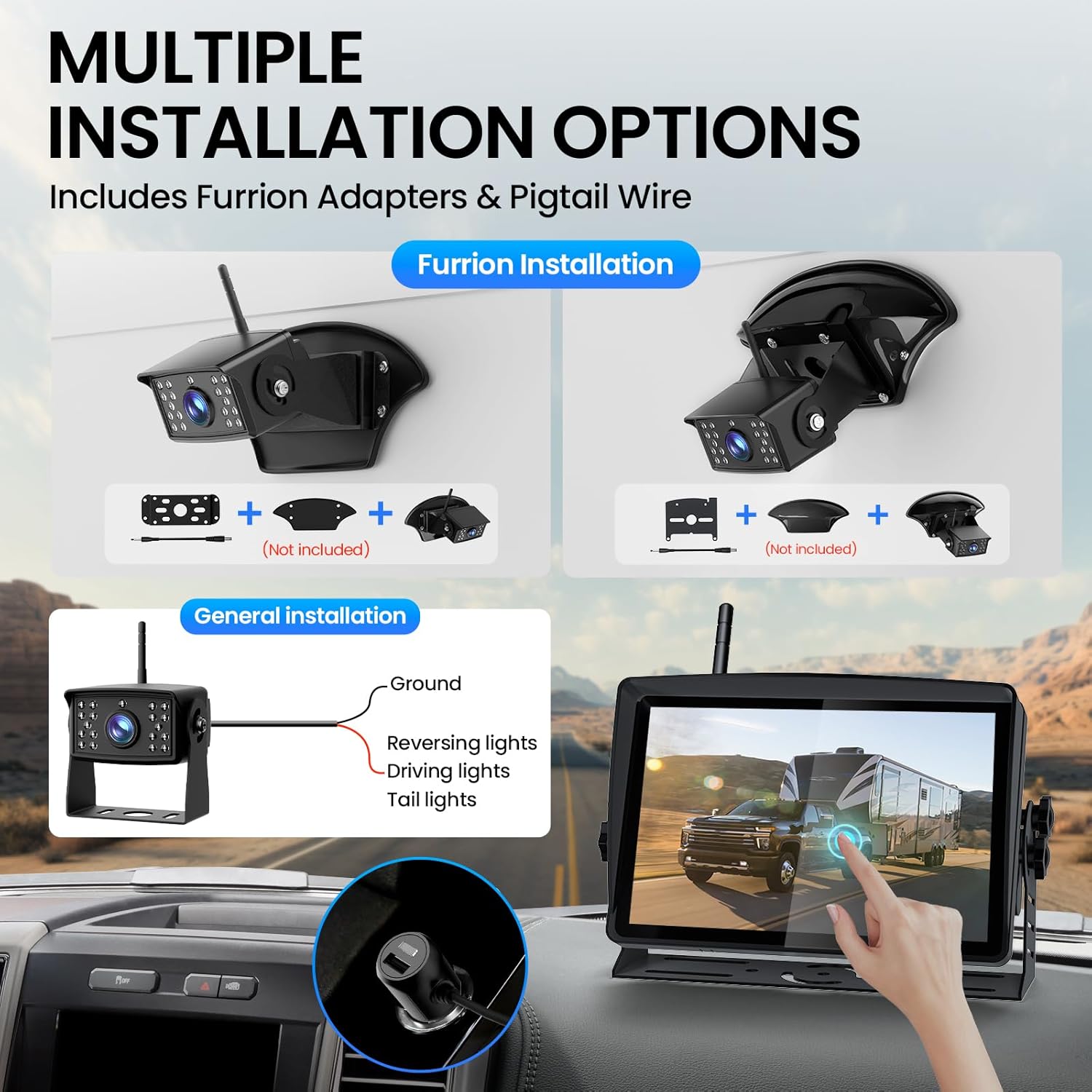
Image: Illustration of various camera installation methods, showing Furrion adapters and general wiring to vehicle lights.
- Choose Mounting Location: Select a position at the rear of your RV or vehicle that provides an optimal view. Ensure the antenna can be pointed upwards for best signal reception.
- Furrion Pre-wired System: If your RV is pre-wired for a Furrion system, remove the existing cover. Connect the camera using the provided Furrion adapters and pigtail wire.
- General Installation: For vehicles without a Furrion pre-wire, connect the camera's power cable to a 12V/24V power source (e.g., reversing lights, driving lights, or tail lights). Ensure proper grounding.
- Secure Camera: Use the appropriate bracket and screws from the installation kit to firmly attach the camera. Adjust the camera angle to point straight down towards the rear of the vehicle.
2. Monitor Installation
The 7-inch touchscreen monitor can be mounted on your dashboard or windshield.

Image: The 7-inch monitor displayed on a dashboard and attached to a windshield using different mounting options.
- Attach Suction Holder: Secure the suction holder to the back of the monitor.
- Clean Mounting Surface: Clean the desired area on your dashboard or windshield with rubbing alcohol and a clean rag. Allow it to dry completely.
- Mount Monitor: Press the suction cup firmly onto the cleaned surface and engage the locking mechanism to secure it.
- Connect Power: Plug the monitor's power cord into your vehicle's cigarette lighter outlet.
- Install Antennas: Screw both antennas onto the designated ports on the monitor and camera.
Video: A quick overview of the TECXERLLON RV Backup Camera System, demonstrating its components and basic functionality.
Operating Instructions
1. Power On/Off
Once the monitor is connected to power and the camera is installed, turn on your vehicle. The monitor should automatically power on and display the camera feed.
2. Touchscreen Control
The 7-inch touchscreen allows for easy navigation of settings and features. Swipe to access various options.
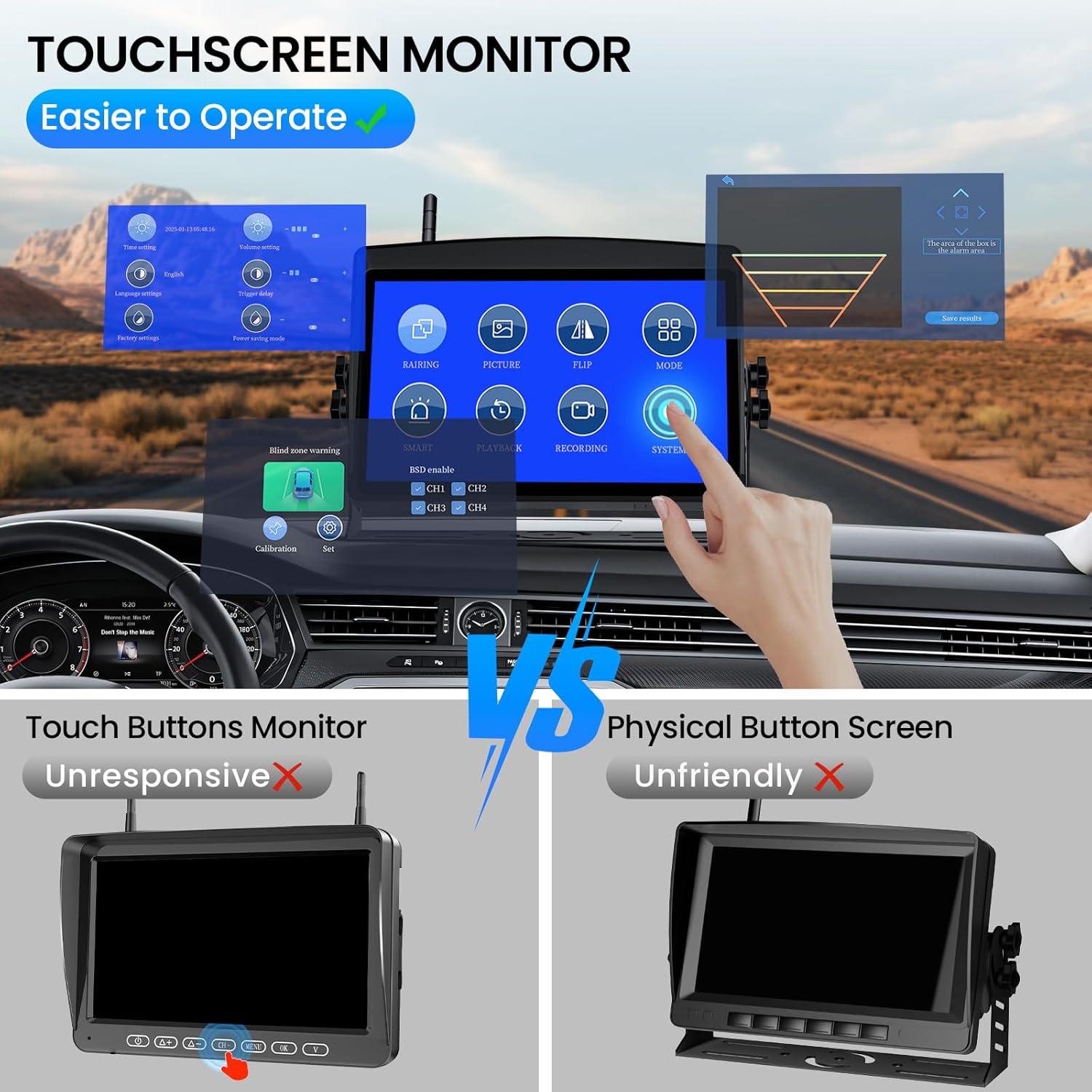
Image: The touchscreen monitor interface, highlighting its ease of use compared to traditional physical button screens.
3. AI Detection and Alerts
The system features advanced AI technology to detect pedestrians, vehicles, and obstacles. Real-time alerts will notify you of potential hazards.

Image: Visual representation of the AI detection system identifying a vehicle and a person with an alarm alert on the monitor.
4. Night Vision
The camera is equipped with 18 infrared lights for clear night vision, even in total darkness.
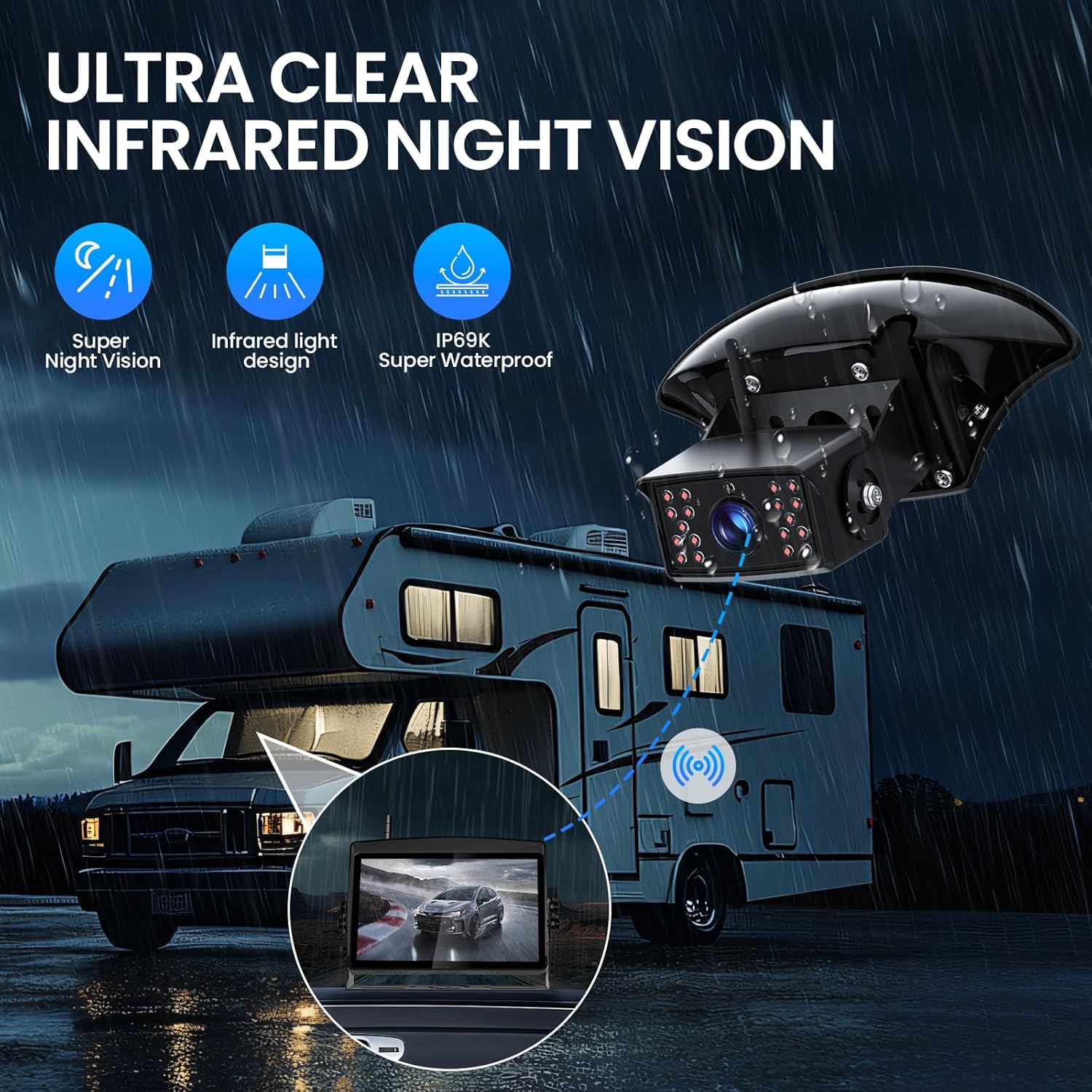
Image: An RV at night with the backup camera's infrared night vision active, showing clear visibility on the monitor.
5. Multi-Channel View
Connect up to four cameras to the HD 1080P monitor. Easily switch between cameras or view multiple feeds simultaneously using the versatile display mode options (single, split, triple, or quad screen).

Image: The monitor showcasing different multi-channel display modes: single, split, triple, and quad screen views from connected cameras.
Advanced Features
Wireless Transmission
The system utilizes 2.4GHz technology with a high-performance chip, ensuring a stable, crystal-clear signal up to 320 feet (97.5 meters) with zero frame loss. This provides seamless video streaming and a clear view of your surroundings.

Image: Visual representation of the 2.4GHz wireless signal transmission between the camera and monitor, highlighting stable signal and no frame loss.
DVR Recording
Record every drive with the built-in DVR function. The system supports loop recording and local playback. An SD card is required for recording and is not included in the package.

Image: The monitor displaying recorded footage, with an SD card slot indicated for DVR functionality.
Waterproof Design
The camera boasts an IP69K waterproof rating, ensuring durability and reliable performance in all weather conditions, including heavy rain and extreme temperatures.
Specifications
| Feature | Detail |
|---|---|
| Product Dimensions | 8.2 x 2.4 x 5.3 inches |
| Item Weight | 3.61 pounds |
| Display Technology | LCD |
| Screen Size | 7 Inches |
| Color | Black |
| Compatible Devices | Compatible with any vehicle |
| Installation Type | Surface Mount |
| Optical Sensor Technology | Infrared |
| Lens Type | Wide Angle |
| Real Angle of View | 120 Degrees |
| Connector Type | Wireless |
| Optical Sensor Size | 1/3 inch |
Troubleshooting
If you encounter any issues with your TECXERLLON WBCAT71 system, please refer to the following common solutions:
- No Signal:
- Ensure both the camera and monitor are powered on.
- Check that antennas are securely attached to both units.
- Verify that there are no major obstructions blocking the wireless signal path.
- Try re-pairing the camera and monitor through the monitor's settings menu.
- Poor Image Quality:
- Clean the camera lens.
- Adjust brightness and contrast settings on the monitor.
- Ensure the camera is securely mounted and not vibrating.
- Monitor Not Powering On:
- Check the cigarette lighter connection and ensure it's receiving power.
- Verify the power cable is correctly plugged into the monitor.
- AI Alerts Not Functioning:
- Ensure AI detection is enabled in the monitor's settings.
- Check the sensitivity settings for AI detection.
Maintenance
Regular maintenance will ensure the longevity and optimal performance of your backup camera system:
- Camera Lens: Regularly clean the camera lens with a soft, damp cloth to remove dirt, dust, or water spots that may obstruct the view. Avoid abrasive cleaners.
- Monitor Screen: Wipe the monitor screen with a microfiber cloth. For stubborn smudges, use a screen-safe cleaning solution.
- Connections: Periodically check all cable connections (power, antenna) to ensure they are secure and free from corrosion.
- Mounting: Verify that the camera and monitor mounts are tight and stable, especially after long trips or exposure to rough terrain.
- Waterproof Seals: Although the camera is IP69K rated, inspect the seals around the camera housing for any signs of damage or wear, particularly if exposed to extreme weather.
Warranty and Support
Your TECXERLLON WBCAT71 RV Backup Camera System comes with a manufacturer's warranty. Please refer to the warranty card included in your package for specific terms and conditions.
For technical support, troubleshooting assistance, or warranty claims, please contact TECXERLLON customer service:
- Email: support@tecxerllon.com
- Online Support: Visit the official TECXERLLON website for FAQs and additional resources.
Additional protection plans are available for purchase:
- 2-Year Protection Plan
- 3-Year Protection Plan
- Complete Protect: One plan covers all eligible past and future purchases (monthly billing option available).
Ask a question about this manual
Ask about setup, troubleshooting, compatibility, parts, safety, or missing instructions. Manuals+ will review the question and use this page’s manual context to help answer it.