
1. Introduction
This manual provides detailed instructions for the assembly, operation, and maintenance of your TeoTeeo Kindle Holder with Remote Page Turner. This product is designed to enhance your reading experience by providing a stable, adjustable holder for your e-reader, tablet, or smartphone, coupled with a remote page-turning function for hands-free use across various activities.
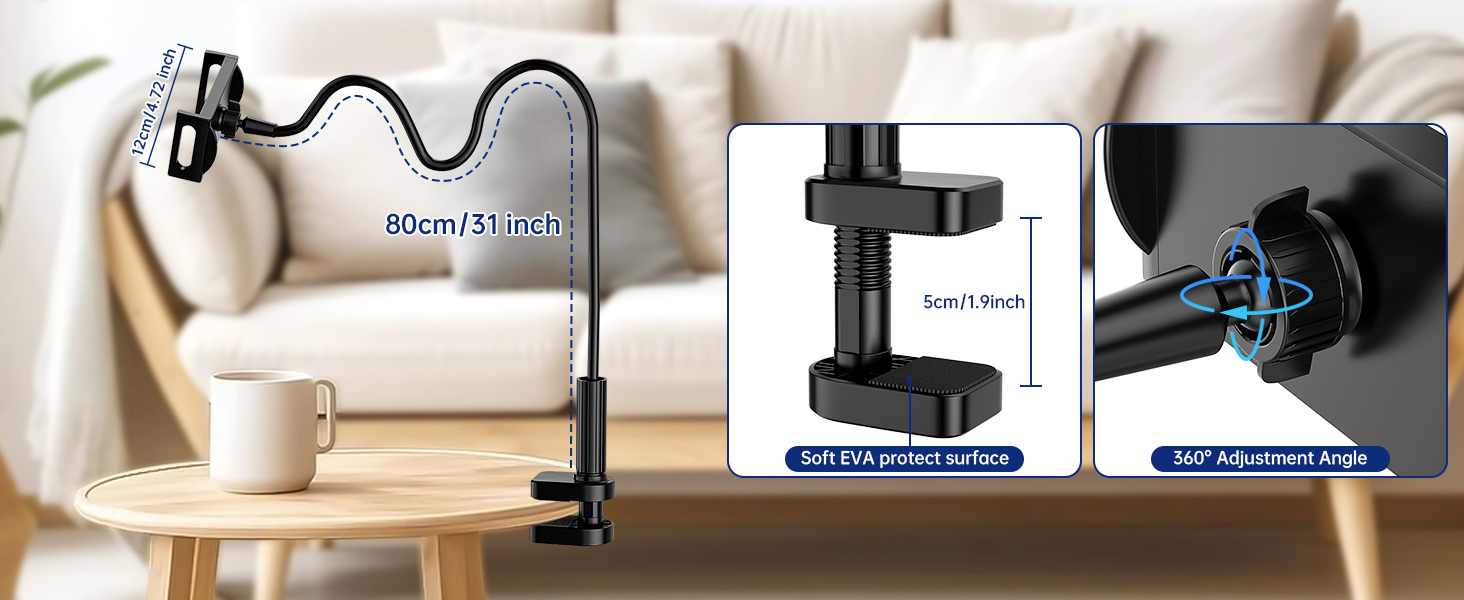
Figure 1.1: Versatile Applications
2. Package Contents
Please verify that all items listed below are included in your package:
- Remote Controller x 1
- Receiver Sensor Clip x 1
- Hand Lanyard x 1
- Type-C Cable x 1
- User's Manual x 1
- Tablet Holder (Gooseneck Arm with Clamp) x 1

Figure 2.1: Included Components
3. Setup Instructions
3.1 Assembling the Holder
- Attach the Clamp: Securely fasten the clamp base of the gooseneck arm to a stable surface, such as a bedside table or desk. Ensure the clamp is tightened to prevent movement. The clamp is designed with a soft EVA protective surface to prevent damage to your furniture.
- Adjust the Gooseneck Arm: Position the flexible gooseneck arm to your desired reading angle. The arm is made of thickened and hardened solid aluminum for stability and can be adjusted 360 degrees.
- Insert Your Device: Place your e-reader, tablet, or smartphone into the device holder. The holder is compatible with devices ranging from 4.5 to 10 inches in width. Ensure the device is securely gripped by the holder.

Figure 3.1: Holder in Use
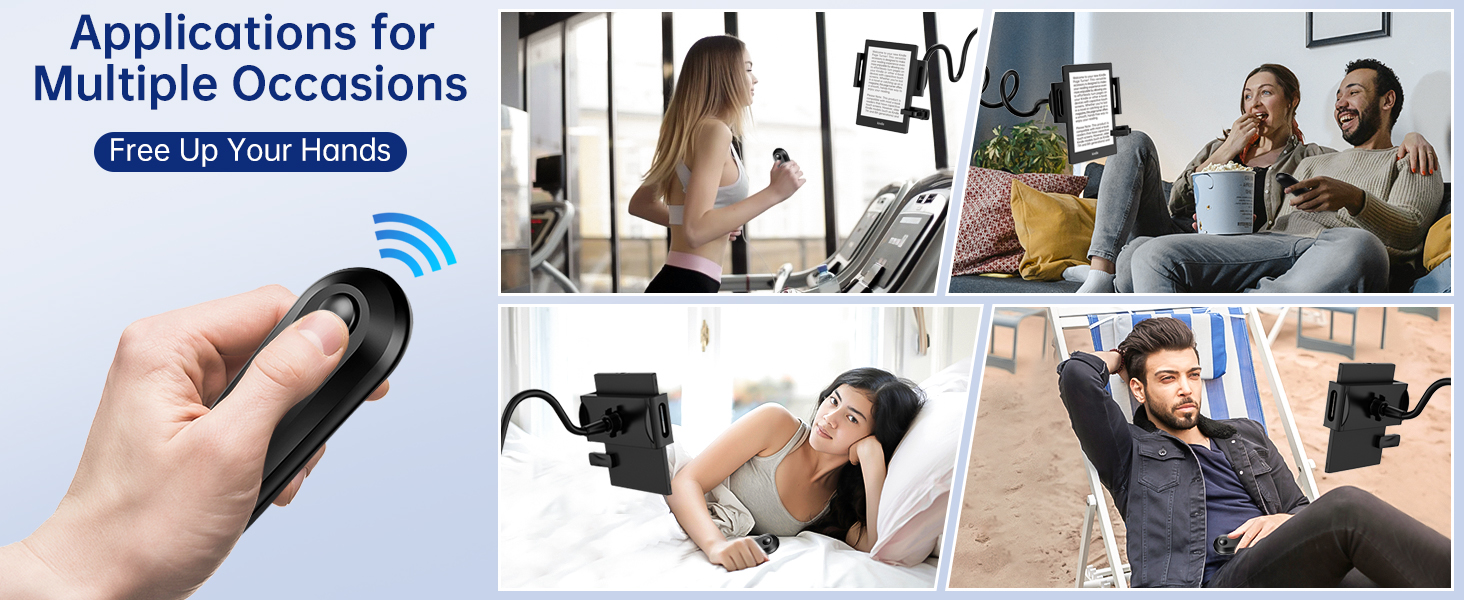
Figure 3.2: Holder Dimensions and Adjustment Features
3.2 Setting Up the Remote Page Turner
- Charge the Remote: Ensure the remote controller and receiver sensor clip are charged using the provided Type-C cable. The remote uses 2 CR5 batteries (included).
- Power On the Receiver Clip: Short press the power button located on the receiver sensor clip. A blue light will flash, indicating it is powered on.
- Pair with Remote: Short press the remote button once. The blue light on the receiver clip will stay solid for 3 seconds, indicating successful pairing. This device uses RF remote technology and does not require Bluetooth or Wi-Fi pairing.
- Attach the Receiver Clip: Clip the receiver sensor onto your e-reader or device screen. Position the touch head of the clip on the page-turn hotspot (typically the left or right edge of the screen, depending on your reading app settings).
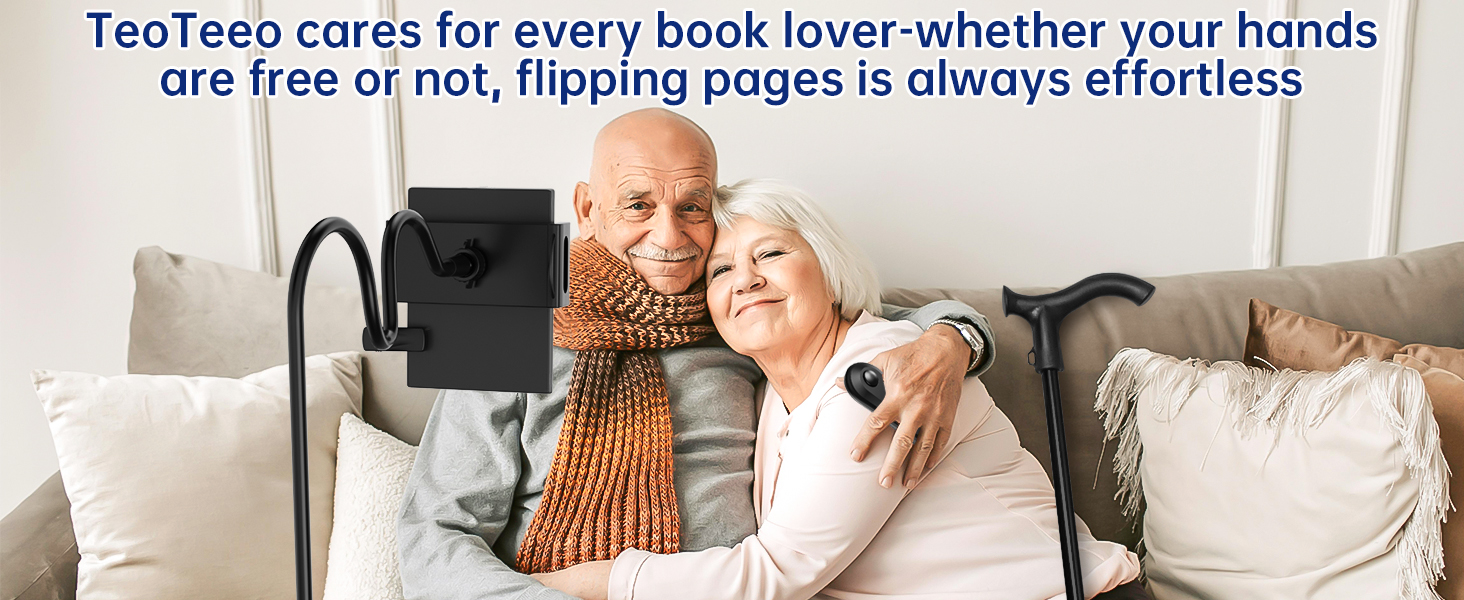
Figure 3.3: Page Turner Setup Steps
4. Operating Instructions
4.1 Using the Remote Page Turner
Once the receiver sensor clip is paired and correctly positioned on your device's screen, simply press the button on the remote controller to turn the page. The remote provides a silent operation, ideal for quiet environments.
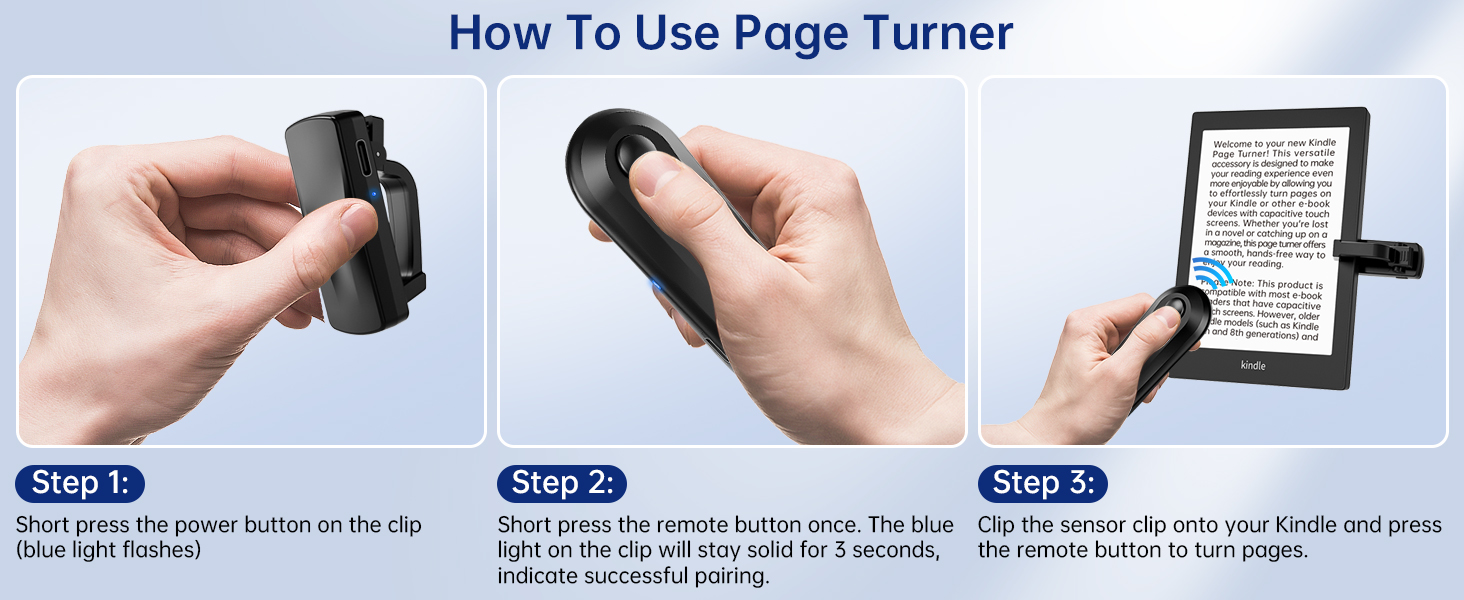
Figure 4.1: Remote Page Turning in Action
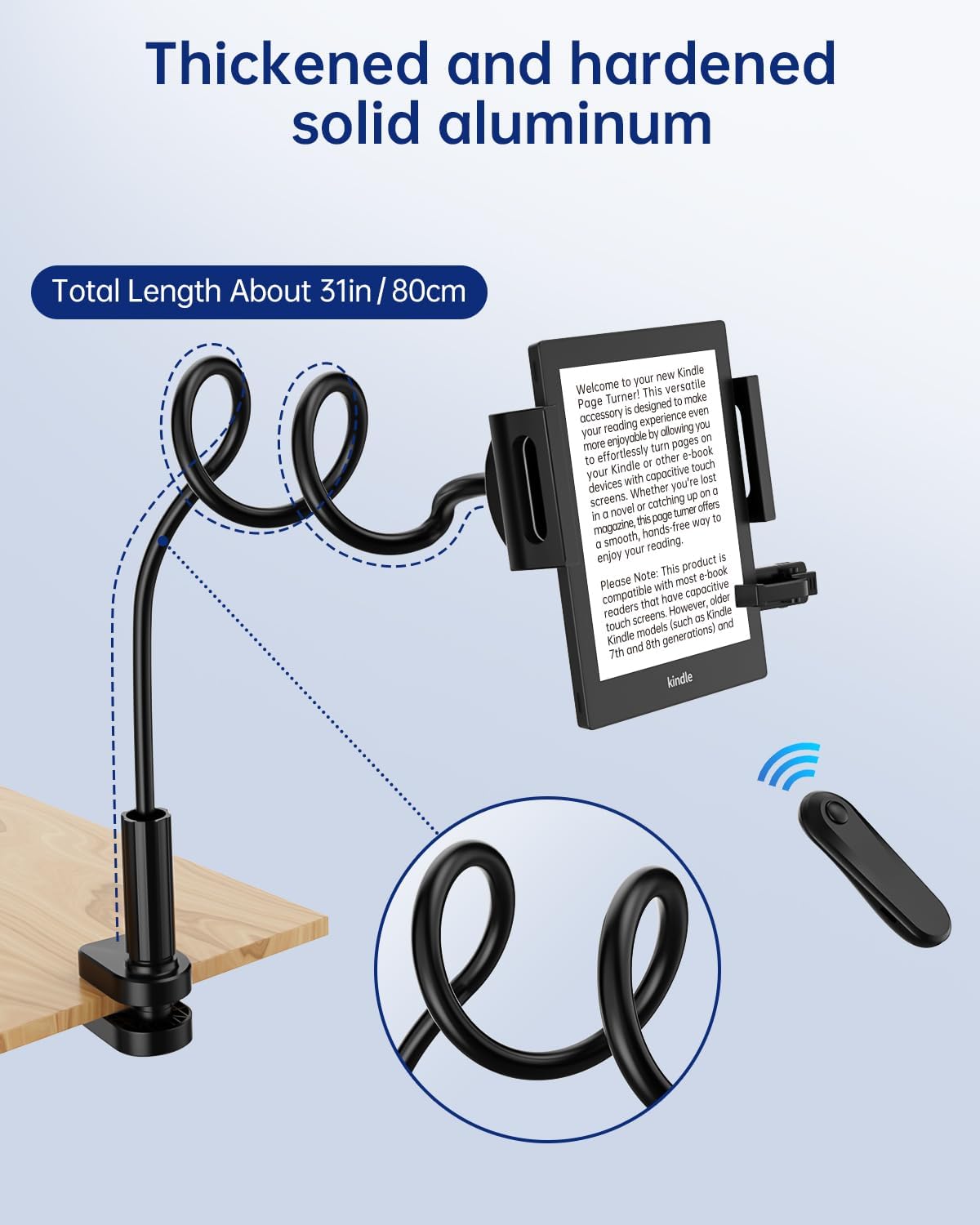
Figure 4.2: Hands-Free Reading with RF Remote
4.2 Adjusting the Holder
The gooseneck arm allows for flexible positioning of your device. Gently bend and shape the arm to achieve the optimal viewing angle. The 360-degree adjustment angle ensures your device can be oriented horizontally or vertically as needed. The holder's design ensures a full-screen view without blocking text or requiring margin adjustments on your device.

Figure 4.3: Unobstructed Reading Experience

Figure 4.4: Ergonomic Benefits
5. Compatibility
The TeoTeeo Kindle Holder and Remote Page Turner are designed for broad compatibility with various devices.
5.1 Device Holder Compatibility
The tablet holder can accommodate smartphones and tablets ranging from 4.5 to 10 inches wide. This includes:
- Kindle Paperwhite (all generations)
- Kindle Oasis
- Kindle Scribe
- Kindle Fire
- iPads (various models)
- Android tablets (various models)
- Smartphones (iPhone, Samsung Galaxy, Google Pixel, etc.)

Figure 5.1: Holder Device Compatibility
5.2 Remote Page Turner Compatibility
The page turner supports capacitive screen devices only. It works with most e-readers, tablets, and smartphones that utilize capacitive touchscreens. It is not a Bluetooth HID device.
Compatible Models:
- Kindle Paperwhite (all generations)
- Kindle 10th / 11th (2019 / 2022)
- Kindle Voyage, Oasis (2016 / 2017 / 2019)
- Kindle Scribe (2022 / 2024 refresh)
- Colorsoft - Signature / Base / Kids
- Most iPhones, iPads, and Android phones/tablets with capacitive screens.
Not Compatible Models:
- Kindle Touch (2011) - Infrared touch
- Kindle 7th (2014) - Infrared touch
- Kindle 8th (2016) - Infrared touch
- Kindle 1 / 2 / DX / Keyboard - Non-touch
- Kindle 4 (2011) & Kindle 5 (2012) - Non-touch
- Amazon Fire HD 10 (10th/11th generation)
Note: The remote page turner is not suitable for controlling camera functions on phones.
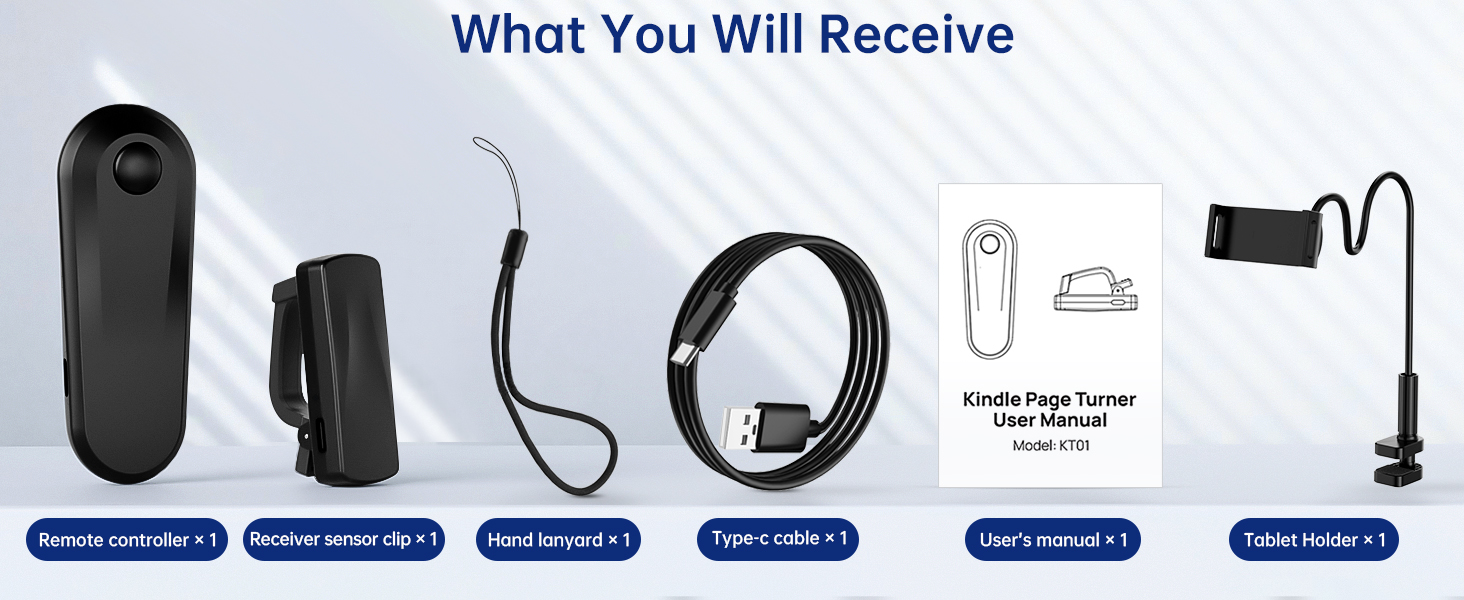
Figure 5.2: Detailed Compatibility Chart
6. Maintenance
- Cleaning: Wipe the holder and remote with a soft, dry cloth. Avoid using abrasive cleaners or solvents.
- Storage: When not in use, store the product in a cool, dry place away from direct sunlight.
- Battery Care: The remote controller uses CR5 batteries. Replace them as needed. If storing for an extended period, consider removing batteries to prevent leakage.
- Gooseneck Arm: While flexible, avoid excessive or forceful bending of the gooseneck arm to prevent damage.
7. Troubleshooting
| Problem | Possible Cause | Solution |
|---|---|---|
| Page turner not responding. |
|
|
| Holder is unstable or sags. |
|
|
| Device screen is blocked by the holder. |
|
|
8. Specifications
| Feature | Detail |
|---|---|
| Product Dimensions | 5.5 x 4 x 6.7 inches (packaged) |
| Item Weight | 1 pound |
| Gooseneck Arm Length | Approximately 31 inches (80 cm) |
| Device Holder Width | Compatible with devices 4.5 to 10 inches wide |
| Mounting Type | Tabletop Clamp |
| Remote Page Turner Technology | RF (Radio Frequency), not Bluetooth HID |
| Remote Batteries | 2 CR5 batteries (included) |
| Compatible Devices (Page Turner) | Capacitive touchscreen e-readers, tablets, smartphones (e.g., Kindle Paperwhite, Oasis, Voyage, Scribe, iPhone, iPad, Android) |
| Material | Thickened and hardened solid aluminum (gooseneck) |
9. Warranty and Support
For warranty information or technical support, please refer to the contact details provided with your purchase or visit the official TeoTeeo website. Keep your purchase receipt for warranty claims.