
1. Introduction
Thank you for choosing the Ihomekee CM9428 Programmable 12-Cup Drip Coffee Maker. This manual provides essential information for the safe and efficient operation, maintenance, and troubleshooting of your new coffee machine. Please read it thoroughly before first use and keep it for future reference.
2. Important Safety Instructions
- Read all instructions before operating the appliance.
- Do not touch hot surfaces. Use handles or knobs.
- To protect against fire, electric shock, and injury to persons, do not immerse cord, plugs, or appliance in water or other liquid.
- Close supervision is necessary when any appliance is used by or near children.
- Unplug from outlet when not in use and before cleaning. Allow to cool before putting on or taking off parts, and before cleaning the appliance.
- Do not operate any appliance with a damaged cord or plug or after the appliance malfunctions, or has been damaged in any manner. Return appliance to the nearest authorized service facility for examination, repair, or adjustment.
- The use of accessory attachments not recommended by the appliance manufacturer may result in fire, electric shock, or injury to persons.
- Do not use outdoors.
- Do not let cord hang over edge of table or counter, or touch hot surfaces.
- Do not place on or near a hot gas or electric burner, or in a heated oven.
- Always attach plug to appliance first, then plug cord into the wall outlet. To disconnect, turn any control to "off", then remove plug from wall outlet.
- Do not use appliance for other than intended use.
- This appliance is for household use only.
- WARNING: To reduce the risk of fire or electric shock, do not remove the cover. No user-serviceable parts inside. Repair should be done by authorized service personnel only.
3. Product Components
Familiarize yourself with the parts of your Ihomekee coffee maker:
- Water Reservoir: Located at the back, with a clear window for water level indication.
- Brew Basket: Holds the coffee grounds and filter.
- Glass Carafe: 12-cup capacity for brewed coffee.
- Control Panel: Features an LCD screen and touch buttons for Hour, Minute, Brew Later, Brew Now, Strong, Iced, and Clean functions.
- Warming Plate: Non-stick plate to keep coffee warm.
- Coffee Scoop: For accurate measurement of coffee grounds.
- Silicone Pad: Used for iced coffee function, placed over the warming plate.

Figure 1: Front view of the Ihomekee CM9428 Coffee Maker, showing the control panel, glass carafe, and overall design.

Figure 2: Side view of the Ihomekee CM9428 Coffee Maker, highlighting the water level indicator on the side of the unit.
4. Initial Setup
- Unpack: Carefully remove all packaging materials and labels from the coffee maker.
- Clean: Wash the carafe, brew basket, and silicone pad in warm, soapy water. Rinse thoroughly and dry. Wipe the exterior of the coffee maker with a damp cloth.
- First Use Cycle: Before brewing coffee for the first time, run two full cycles with just water to clean the internal components.
- Fill the water reservoir to the 12-cup mark.
- Place the empty brew basket (without coffee or filter) into its position.
- Place the empty carafe on the warming plate.
- Press the "Brew Now" button to start the cycle.
- Repeat this process once more.
- Set Clock: Plug in the coffee maker. Use the "Hour" and "Minute" buttons to set the current time.
5. Operating Instructions
5.1 Brewing Regular Coffee
- Fill Water Reservoir: Open the top lid and fill the water reservoir with fresh, cold water to your desired cup level using the water level indicator.
- Add Coffee Grounds: Place a paper filter (or the reusable filter) into the brew basket. Add your desired amount of ground coffee using the included scoop. A general guideline is one scoop per cup, adjust to taste.
- Position Carafe: Ensure the glass carafe is correctly placed on the warming plate.
- Start Brewing: Press the "Brew Now" button. The coffee maker will begin brewing.
- Serve: Once brewing is complete, the coffee maker will beep. You can now serve your coffee. The warming plate will keep the coffee warm for up to 40 minutes.
5.2 Brewing Strong Coffee
To brew a stronger cup of coffee:
- Follow steps 1-3 for brewing regular coffee.
- Before pressing "Brew Now", press the "Strong" button. The indicator light for "Strong" will illuminate.
- Press "Brew Now" to start brewing. The machine will adjust the brewing process for a bolder flavor.
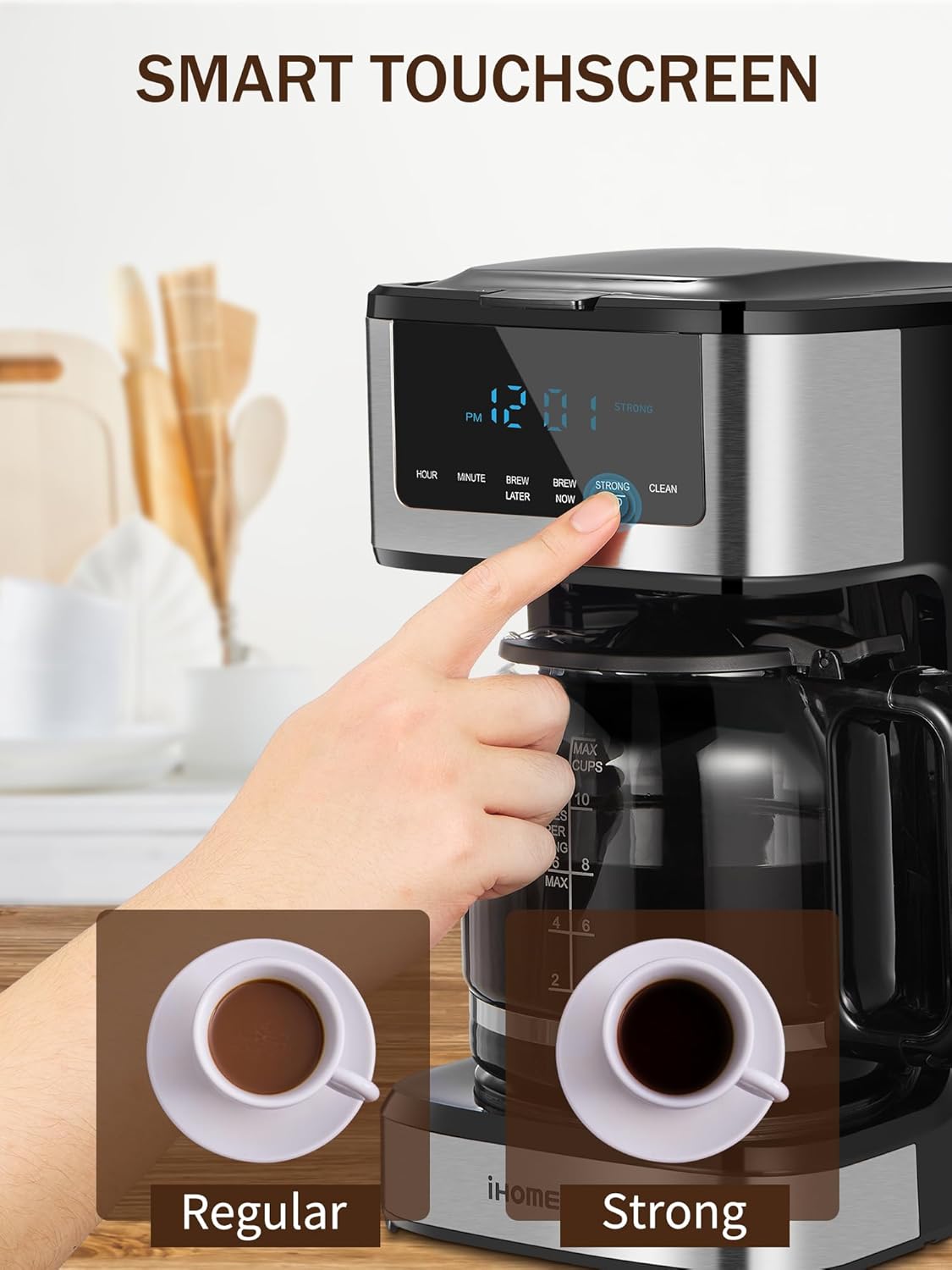
Figure 3: Close-up of the control panel, illustrating the "Strong" brew option for a bolder coffee flavor.
5.3 Brewing Iced Coffee
The Ihomekee CM9428 features a dedicated iced coffee function:
- Prepare Carafe: Add approximately 2 pounds of ice to the glass carafe.
- Place Silicone Pad: Position the provided silicone pad over the warming plate. This prevents the ice from melting too quickly and diluting the coffee.
- Fill Water Reservoir: Fill the water reservoir with fresh, cold water according to the desired number of iced coffee servings.
- Add Coffee Grounds: Place a paper filter (or reusable filter) into the brew basket. Add your desired amount of ground coffee.
- Select Iced Function: Press the "Iced" button on the control panel. The indicator light for "Iced" will illuminate.
- Start Brewing: Press "Brew Now". The machine will brew a concentrated coffee directly over the ice.
- Serve: Once brewing is complete, remove the carafe and serve your iced coffee.

Figure 4: Visual guide for preparing iced coffee, showing ice in the carafe and the "Iced" function selected on the control panel.
5.4 Programmable Brewing (Brew Later)
Set your coffee maker to brew automatically at a later time:
- Prepare the coffee maker with water and coffee grounds as you would for a regular brew.
- Press the "Brew Later" button. The indicator light will flash.
- Use the "Hour" and "Minute" buttons to set your desired brew time.
- Press "Brew Later" again to confirm the setting. The indicator light will remain steadily lit.
- The coffee maker will automatically start brewing at the programmed time.
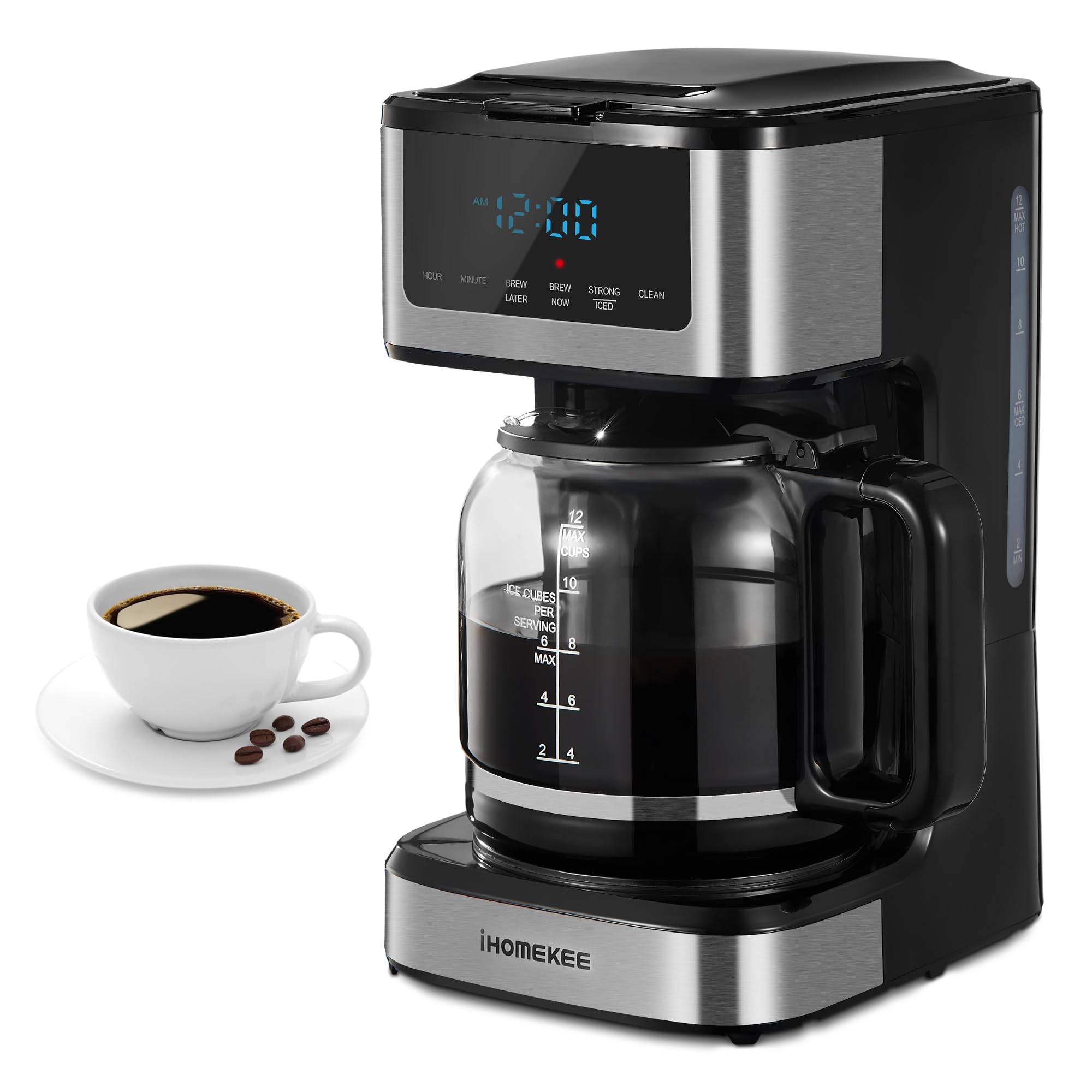
Figure 5: The coffee maker displaying the programmable timer, allowing users to set a future brew time.
5.5 Auto Shut-Off Feature
For safety and energy saving, the Ihomekee CM9428 automatically turns off 2 hours after brewing is complete. The warming plate will keep coffee warm for 40 minutes before the auto shut-off activates.
Figure 6: The coffee maker in operation, illustrating the auto shut-off feature that activates after 2 hours for safety and energy efficiency.
6. Cleaning and Maintenance
6.1 Daily Cleaning
- Always unplug the coffee maker before cleaning.
- Wash the carafe, brew basket, and silicone pad in warm, soapy water after each use. These parts are not dishwasher safe.
- Wipe the exterior of the coffee maker with a soft, damp cloth. Do not use abrasive cleaners or scouring pads.
- Do not immerse the coffee maker in water or any other liquid.
6.2 Descaling (Cleaning Cycle)
Mineral deposits from water can build up in your coffee maker and affect its performance. Descale your coffee maker regularly (e.g., monthly or every 40-80 uses, depending on water hardness).
- Prepare Descaling Solution: Fill the water reservoir with a mixture of 1 part white vinegar and 2 parts water.
- Start Cleaning Cycle: Place the empty carafe on the warming plate. Press the "Clean" button on the control panel. The indicator light will illuminate, and the machine will run a descaling cycle.
- Rinse Cycles: After the descaling cycle is complete, discard the solution. Run 2-3 full cycles with fresh, clean water to rinse out any remaining vinegar.
7. Troubleshooting
| Problem | Possible Cause | Solution |
|---|---|---|
| Coffee does not brew. | Not plugged in; power outage; "Brew Now" not pressed; carafe not in place. | Ensure unit is plugged in; check power supply; press "Brew Now"; ensure carafe is correctly positioned. |
| Coffee is too weak/strong. | Incorrect coffee-to-water ratio; wrong brew strength selected. | Adjust coffee grounds amount; select "Strong" for a bolder brew or "Regular" for a milder one. |
| Water overflows from brew basket. | Too much coffee grounds; filter not seated correctly; clogged brew basket. | Reduce coffee grounds; ensure filter is properly seated; clean brew basket. |
| Coffee tastes bad. | Old coffee grounds; machine needs descaling; dirty carafe. | Use fresh coffee; perform a descaling cycle; thoroughly clean carafe and brew basket. |
8. Specifications
- Model Name: CM9428
- Brand: Ihomekee
- Capacity: 12 Cups
- Product Dimensions: 14.8"D x 11.2"W x 7.5"H
- Item Weight: 4.86 pounds
- Color: Black & Stainless Steel
- Special Feature: Programmable, Iced Coffee Function, Brew Strength Adjustment, Keep Warm Carafe Plate, Auto Shut-off
- Coffee Maker Type: Drip Coffee Machine
- Operation Mode: Fully Automatic
- Power Source: AC adapter
- Safety Certification: ETL safety approved, BAP free
9. Warranty and Support
Ihomekee offers a 2-year hassle-free replacement warranty for this product. For any questions, concerns, or warranty claims, please contact Ihomekee customer service. Our 24/7 customer support team is available to assist you.
Please refer to the contact information provided in your product packaging or visit the official Ihomekee website for support details.


