
Ausbilew M55
Ausbilew Wireless Open Ear Clip Headphones User Manual
Model: M55
Introduction
Thank you for choosing Ausbilew Wireless Open Ear Clip Headphones. These headphones are designed to provide a comfortable and immersive audio experience while allowing you to remain aware of your surroundings. Featuring advanced Wireless 5.4 technology, intuitive touch controls, and a durable IPX6 waterproof design, they are ideal for sports, fitness, and daily use with iOS and Android devices.
Package Contents
- Ausbilew Wireless Open Ear Clip Headphones (Left and Right Earbuds)
- Charging Case
- USB Type-C Charging Cable
- User Manual
Product Overview
The Ausbilew M55 headphones feature an innovative open-ear clip design, ensuring comfort and situational awareness. Each earbud weighs approximately 4.8 grams, providing a lightweight fit for extended wear. The advanced audio technology delivers crystal clear sound and deep bass, while the open design allows you to hear ambient sounds, enhancing safety during outdoor activities.

Image: The Ausbilew M55 Wireless Open Ear Clip Headphones, showcasing both earbuds and their compact charging case. The headphones are a distinct violet color.
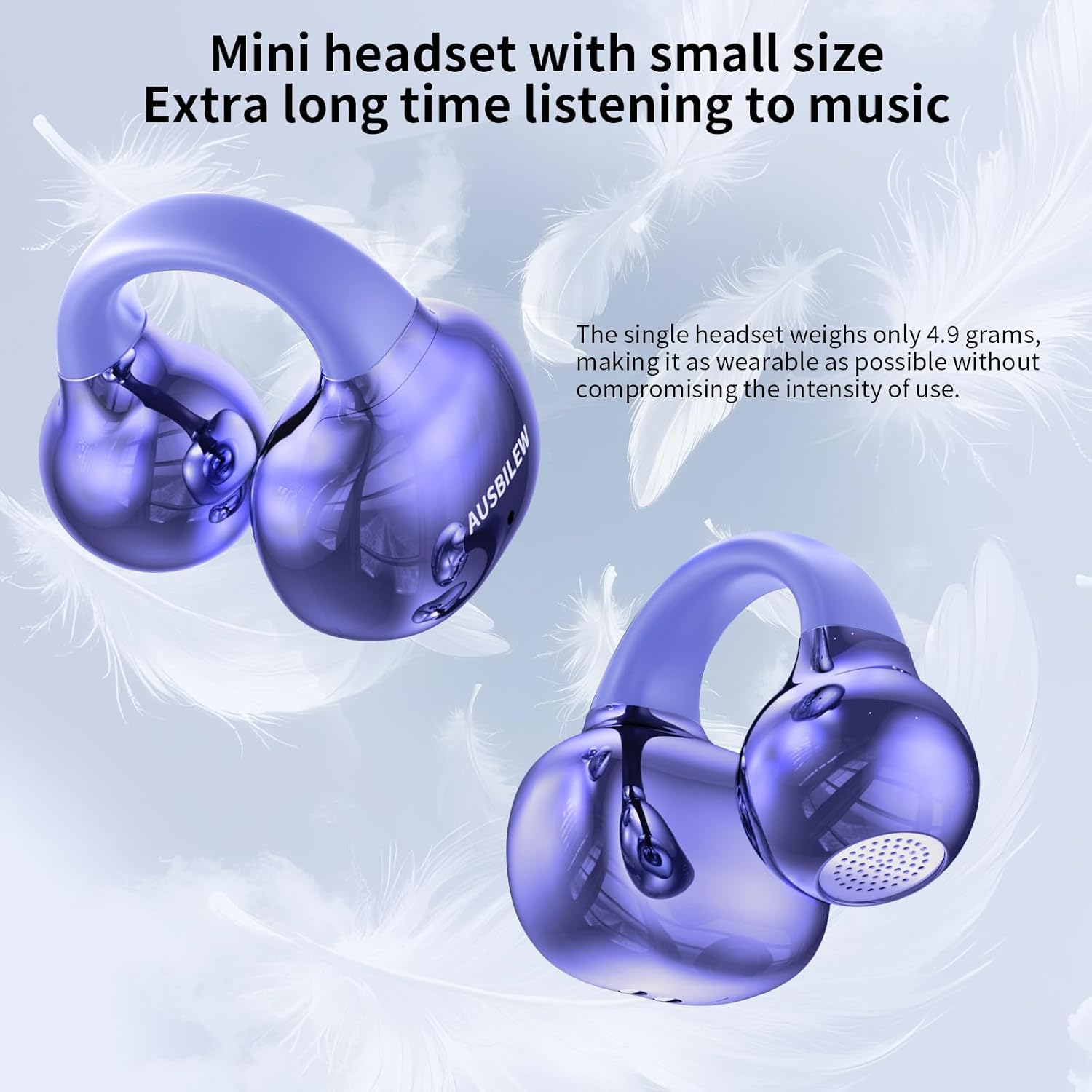
Image: A close-up view of the Ausbilew M55 earbuds, highlighting their compact size and lightweight design. Text indicates a single earbud weighs only 4.9 grams, emphasizing comfort for long listening sessions.

Image: An exploded diagram illustrating the internal components of the earbud, focusing on the 11mm titanium composite membrane speakers. This visual emphasizes the enhanced bass and clear audio quality.
Setup
Charging the Headphones
Before first use, ensure the headphones and charging case are fully charged. Place the earbuds into the charging case. Connect the provided USB Type-C cable to the charging port on the case and the other end to a compatible USB power source (e.g., computer, wall adapter). The charging case can be fully charged in approximately 1 hour, providing an additional 34 hours of battery life.

Image: The charging case with an overlay indicating 42 hours of total battery life (8 hours from earbuds, 34 hours from case). A close-up shows the Type-C charging port, highlighting its quick 1-hour full charge capability.
Pairing with Your Device
- Ensure the headphones are charged.
- Open the charging compartment of the headset. The earbuds will automatically enter pairing mode.
- On your smartphone or Bluetooth-enabled device, go to the Bluetooth settings.
- Search for available devices and select "M55" from the list.
- Once connected, you will hear a confirmation tone, and the headphones will be ready for use.
Note: After the initial pairing, the headphones will automatically connect to the last paired device when taken out of the charging case.
Operating Instructions
Wearing the Headphones
The Ausbilew M55 headphones feature an ear clip design. Gently clip the headset onto your earlobe. You can slide the headset up and down to find the most comfortable and secure wearing angle. The open-ear design allows you to hear ambient sounds while enjoying your audio.

Image: A person wearing the Ausbilew M55 ear clip headphones, illustrating how the open loop design gently clips onto the ear for comfortable, all-day listening.

Image: A technical diagram explaining DT3.0 Directional Voice Transmission Technology, showing sound angles (25° and 85°) and how the ear clip can be adjusted for optimal sound and comfort. It also highlights the sound holes designed for balanced audio.
Touch Controls
The M55 headphones are equipped with intuitive touch controls located on the earbuds. A slight click sound confirms touch input.
| Action | Control |
|---|---|
| Play/Pause Music | Tap left/right earbud 2 times |
| Answer/Hang Up Call | Tap left/right earbud 2 times |
| Volume Down | Tap left earbud 3 times |
| Previous Song | Long press left earbud for 2 seconds |
| Volume Up | Tap right earbud 3 times |
| Next Song | Long press right earbud for 2 seconds |
Note: The touch sensor is positioned behind your ear when worn, reducing accidental touches.
Maintenance
Cleaning
The headphones feature an IPX6 waterproof eco-coating, making them resistant to sweat and rain. To clean, gently wipe the earbuds with a soft, damp cloth. Avoid using harsh chemicals or abrasive materials. Ensure the charging contacts on both the earbuds and the case are clean and dry before charging.
Storage
When not in use, store the headphones in their charging case to protect them and keep them charged. Store in a cool, dry place away from direct sunlight and extreme temperatures.
Troubleshooting
- Headphones not pairing:
- Ensure both earbuds are in the charging case and have sufficient charge.
- Make sure Bluetooth is enabled on your device.
- Forget "M55" from your device's Bluetooth list and try pairing again.
- Restart your device and the headphones (by placing them back in the case and taking them out).
- No sound or low volume:
- Check the volume level on both your device and the headphones.
- Ensure the headphones are properly connected to your device.
- Clean any debris from the earbud speakers.
- Earbuds falling out or uncomfortable:
- Adjust the position of the ear clip on your earlobe to find a more secure and comfortable fit.
- Ensure the earbuds are correctly oriented for your left and right ears.
- Touch controls are too sensitive or unresponsive:
- Ensure your fingers are clean and dry when using touch controls.
- Practice the touch gestures to ensure correct execution (e.g., firm taps vs. light brushes).
Specifications
| Feature | Detail |
|---|---|
| Model Name | M55 |
| Brand | Ausbilew |
| Connectivity Technology | Bluetooth 5.4 |
| Ear Placement | Open Ear (Ear Clip) |
| Control Type | Touch Control |
| Single Earbud Weight | Approx. 4.8 grams |
| Total Item Weight | 2.72 Ounces (approx. 77 grams) |
| Water Resistance Level | IPX6 Waterproof |
| Earbud Battery Life (single charge) | Up to 8 hours |
| Total Battery Life (with charging case) | Up to 42 hours |
| Charging Time (case) | Approx. 1 hour (Type-C) |
| Bluetooth Range | 10 Meters |
| Audio Driver Size | 11 Millimeters (Titanium Composite Membrane) |
| Impedance | 16 Ohm |
| Sensitivity | 90 dB |
| Audio Latency | 15 Milliseconds |
| Material | Plastic |
| Color | Violet |
| UPC | 762763228960 |
Warranty and Support
For warranty information and customer support, please refer to the contact details provided on the product packaging or visit the official Ausbilew website. Keep your purchase receipt for warranty claims.
Manufacturer: Shenzhen Shengxingchuangtong Technology Co.
Ask a question about this manual
Ask about setup, troubleshooting, compatibility, parts, safety, or missing instructions. Manuals+ will review the question and use this page’s manual context to help answer it.